giriiş
The Superior Electronics Freedom 2in1 is a universal programmable remote control designed to operate up to two different audio/video devices. This manual provides comprehensive instructions for setup, operation, maintenance, and troubleshooting to ensure optimal performance and longevity of your device.
Güvenlik Bilgileri
- Uzaktan kumandayı doğrudan güneş ışığına, ısı kaynaklarına veya aşırı sıcaklıklara maruz bırakmayın.
- Uzaktan kumandayı düşürmekten veya sert darbelere maruz bırakmaktan kaçının.
- Do not immerse the remote control in water or any other liquid.
- Pilleri çocukların erişemeyeceği yerlerde saklayın. Yutulması halinde derhal tıbbi yardım alın.
- Kullanılmış pilleri yerel düzenlemelere göre atın.
Paket İçeriği
Lütfen pakette tüm öğelerin mevcut olduğundan emin olun:
- Superior Electronics Freedom 2in1 Universal Remote Control
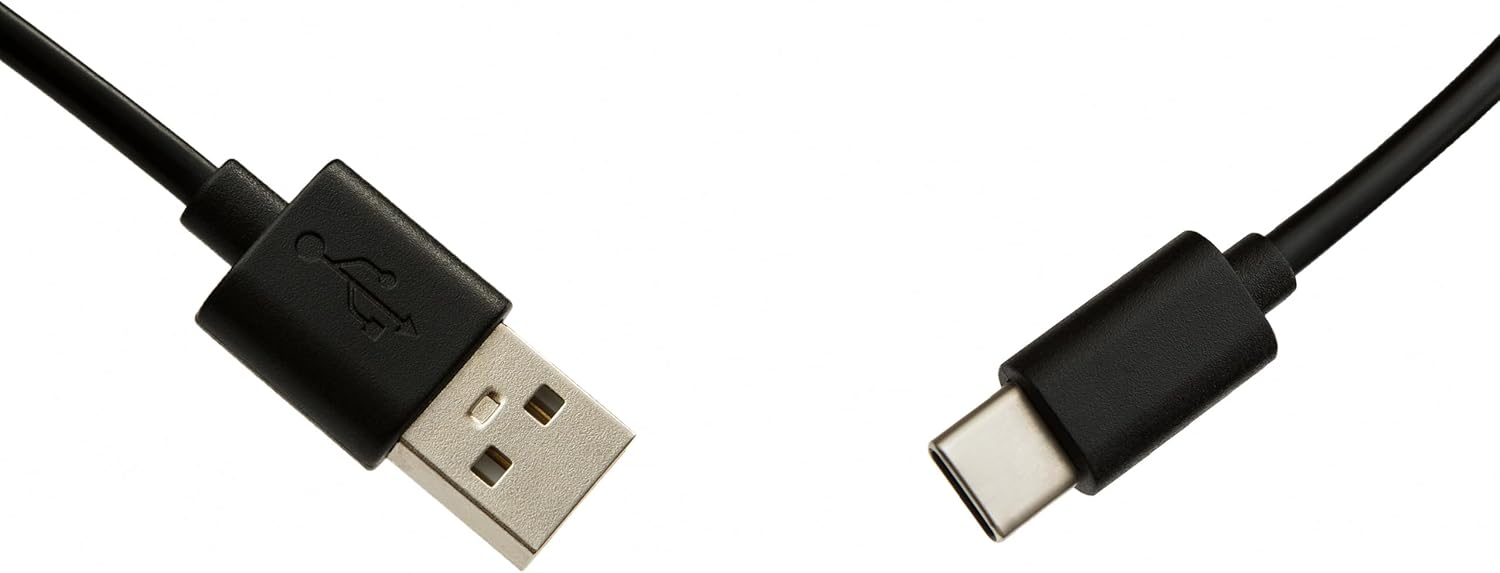
- USB-C Cable for programming
- Kullanım Kılavuzu (bu belge)
Kurmak
1. Pil Kurulumu
The remote control requires two AAA batteries (not included). To install:
- Uzaktan kumandanın arkasındaki pil bölmesi kapağını açın.
- İki adet AAA pili, doğru kutuplara (+ ve -) dikkat ederek takın.
- Pil bölmesi kapağını sıkıca kapatın.
2. Uzaktan Kumandanızı Programlama
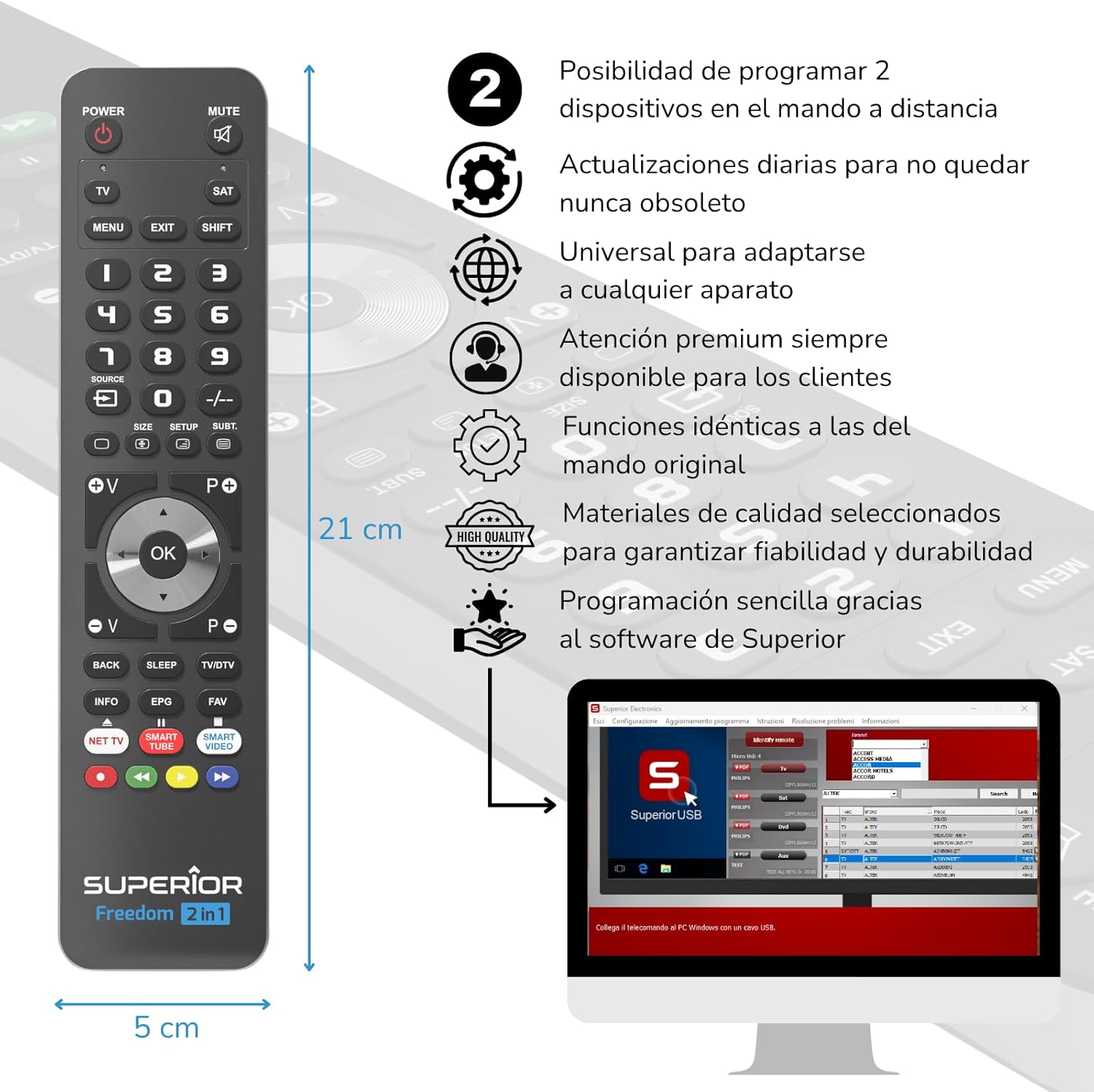
The Superior Electronics Freedom 2in1 remote control is programmable via a computer using the included USB-C cable and Superior's dedicated software. This allows for quick and accurate setup for a wide range of devices.
- Yazılımı İndirin: Visit the official Superior Electronics website to download the latest programming software for your Freedom 2in1 remote.
- Uzaktan Bağlan: Connect the remote control to your computer using the provided USB-C cable.
- Yazılımı Başlat: Open the Superior programming software on your computer.
- Cihaz seç: Follow the on-screen instructions to select the brand and model of the device you wish to control (e.g., TV, SAT, DVD, Soundbar). The software utilizes a leading European database with over 260,000 compatible devices.
- Programı: Initiate the programming process. Programming is typically completed in less than one minute by double-clicking the desired brand and model within the software.
- MAP Function: The dedicated MAP function allows you to recover the original remote control functions on the Superior Freedom keypad, ensuring all original functionalities are available.

Kullanım Talimatları
Once programmed, your Superior Electronics Freedom 2in1 remote control is ready for use. It can control up to two devices, such as TVs, Smart TVs, decoders, DVD players, projectors, and soundbars.

Düğme İşlevleri Bittiview:
- GÜÇ: Seçili cihazı açar veya kapatır.
- SESSİZ: Sesi kapatır veya açar.
- TV / SAT: Selects the device to be controlled (e.g., TV or Satellite receiver).
- MENU / EXIT: Accesses or exits the device's menu.
- VARDİYA: Belirli düğmelerin ikincil işlevlerini etkinleştirir.
- 0-9: Number buttons for direct channel input.
- KAYNAK: Changes the input source on your TV.
- , Adjusts channel up/down or navigates through menus.
- SIZE / SETUP / SUBT.: Cihaza bağlı olarak belirli işlevler.
- Volume (V+/-) / Channel (P+/-): Ses seviyesini ayarlar ve kanalları değiştirir.
- Navigation (Up, Down, Left, Right, OK): Menülerde gezinir ve seçimleri onaylar.
- BACK / SLEEP / TV/DTV: Returns to previous screen, sets sleep timer, or switches between TV/Digital TV modes.
- INFO / EPG / FAV: Displays information, Electronic Program Guide, or Favorite channels.
- NET TV / SMART TUBE / SMART VIDEO: Dedicated buttons for smart TV applications.
- Renkli Düğmeler (Kırmızı, Yeşil, Sarı, Mavi): Used for specific functions within menus or smart TV apps.
The maximum operating range of the remote control is 10 meters.
Bakım
Temizlik
To clean the remote control, use a soft, dry cloth. Do not use abrasive cleaners, solvents, or chemical agents, as these may damage the surface or internal components.
Pil Değişimi
When the remote control's performance diminishes or it stops responding, it is likely time to replace the batteries. Follow the battery installation steps outlined in the Setup section.
Sorun giderme
- Uzaktan kumanda yanıt vermiyor: Pillerin doğru takıldığından ve tamamen boşalmadığından emin olun. Gerekirse pilleri değiştirin.
- Device not controlling: Verify that the remote is pointed directly at the device's IR receiver. Ensure there are no obstructions between the remote and the device.
- Incorrect functions: The remote may not be programmed correctly for your specific device model. Re-program the remote using the Superior Electronics software and ensure you select the correct brand and model.
- Sınırlı işlevsellik: If some functions are missing, use the MAP function in the programming software to ensure all original remote functions are mapped to the Freedom 2in1.
If issues persist after following these steps, please contact Superior Electronics customer support.
Özellikler
| Model Numarası | SUPTUB002 |
| Marka | Üstün Elektronik |
| Boyutlar | 23x5x1.5 cm |
| Ağırlık | 80 gr |
| Piller Gerekli | 2 x AAA (dahil değil) |
| Bağlantı | USB-C (for programming) |
| Maximum Devices Supported | 2 |
| Maksimum Menzil | 10 Metre |
| Uyumlu Cihazlar | TVs, Smart TVs, Decoders, DVD players, Projectors, Soundbars, Hi-Fi systems |
Garanti ve Destek
Superior Electronics is committed to providing high-quality products and excellent customer service.
- Yazılım Güncellemeleri: Enjoy free and constant updates for your remote control's programming database, ensuring compatibility with new devices.
- Müşteri Desteği: Premium customer assistance is available 7 days a week to address any questions or issues you may encounter.
For further assistance, please visit the official Superior Electronics websiteye gidin veya doğrudan müşteri destekleriyle iletişime geçin.


