1. Giriş
This manual provides detailed instructions for the operation and maintenance of the iCarsoft BMM V3.0 Diagnostic Tool. This device is designed to assist in diagnosing and performing various service functions on BMW, Mini, and Rolls-Royce vehicles. Please read this manual thoroughly before using the device to ensure proper and safe operation.
2. Ürün Bittiview
The iCarsoft BMM V3.0 is a professional diagnostic scanner offering comprehensive system diagnostics and advanced service functions for specific vehicle brands. It is engineered to provide in-depth analysis and maintenance capabilities.

Image: The iCarsoft BMM V3.0 diagnostic tool, showcasing its user interface and main menu options.
Temel Özellikler:
- Tüm Sistem Tanılamaları: Comprehensive scanning of all available vehicle systems.
- Bi-directional Control/Active Test: Ability to send commands to vehicle systems and components.
- Extensive Service Functions: Includes Oil Reset, EPB, SAS, BMS, ETC, D-P.Filter, ABS Bleeding, Injector Coding, TPMS Reset, and more.
- ECU Kodlaması: For performance optimization, fuel efficiency, and software updates.
- Battery Test & Registration: Assess battery health and register new batteries.
- Tam OBDII Fonksiyonları: Standard OBDII diagnostic capabilities.
3. Kurulum
3.1 Cihazın Bağlanması
Locate the 16-pin OBDII diagnostic port in your vehicle, typically found under the dashboard on the driver's side. Connect the diagnostic tool's OBDII adapter securely to this port. Ensure the connection is firm.
3.2 İlk Güçlendirme
Once connected to the vehicle's OBDII port, the device will typically power on automatically. Follow the on-screen prompts to select your vehicle's make and model.
3.3 Yazılım Güncellemeleri
It is recommended to keep the device's software updated to ensure access to the latest vehicle models and functions. Updates are performed via a PC. Refer to the 'Maintenance' section for detailed update instructions.
3.4 Uyumluluk Kontrolü
Satın almadan önceasing or performing specific functions, verify compatibility with your vehicle model. This can be done through the manufacturer's official webalan.

Image: Instructions on how to check vehicle compatibility and available functions on the iCarsoft webalan.
4. Kullanım Talimatları
4.1 Genel Navigasyon
The device features a user-friendly interface with directional buttons (up, down, left, right), 'ENTER' for selection, 'BACK' to return, and function keys (F1, F2) for quick access to specific features. Navigate through menus using the arrow keys and confirm selections with 'ENTER'.
4.2 Auto VIN Scan
The Auto VIN function allows the tool to automatically detect and identify vehicle information. If auto-scan is not supported for your vehicle, manual VIN input or selection is available.

Image: The Smart Auto VIN and Auto Scan feature, demonstrating how the tool automatically identifies vehicle information.
4.3 Tanılama
This function performs a comprehensive scan of all vehicle systems to identify fault codes and provide detailed reports.
- Kodları Oku/Sil: Retrieve and erase diagnostic trouble codes (DTCs).
- Canlı Veri Akışı: View real-time data parameters from various sensors and modules.
- DTC Arama: Access a built-in library for definitions of diagnostic trouble codes.
- Vehicle Health Report: Generate a summary of the vehicle's diagnostic status.

Resim: Üzeriview of all system diagnostics capabilities, illustrating the tool's ability to scan various vehicle systems and perform core diagnostic functions.
4.4 Service Functions (Resets)
The BMM V3.0 offers a wide range of service reset functions to assist with vehicle maintenance.
- Yağ Yenileme Servisi: Motor yağı ömür sistemini sıfırlar.
- EPB (Electronic Parking Brake Service): Deactivates and activates the brake control system.
- SAS (Steering Angle Calibration Service): Performs calibration for the Steering Angle Sensor.
- BMS (Battery Management System Service): Registers new batteries and clears fault information.
- ETC (Electronic Throttle Control Service): Resets the throttle actuator.
- D-P.Filter Service: Performs Diesel Particulate Filter regeneration.
- BLD (ABS Bleeding Service): Bleeds the brake system.
- INJ (Injector Coding Service): Yeni enjektör numaralarının kodları.
- TPMS (Tire Pressure Monitor System Service): Resets tire pressure monitoring system.
- BSC (Body Stability Control Service): Performs body stability control system functions.
- ECM (Engine Control Service): Engine control module related services.
- TCM (Transmission Control Service): Transmission control module related services.
- IDL (Engine Idle Service): Adjusts engine idle parameters.
- MIS (Miscellaneous): Other various service functions.

Image: A visual representation of the extensive list of maintenance services available through the diagnostic tool.
4.5 Çift Yönlü Kontrol / Aktif Test
This feature allows the diagnostic tool to send commands to vehicle systems and components to perform specific tests, verifying their functionality. This is useful for pinpointing malfunctions.
- Injector Test: Activates individual injectors.
- Fuel Pump Test: Commands the fuel pump to operate.
- Window Test: Controls window movement.
- Cooling Fan Test: Activates the cooling fan.
- HVAC Test: Tests heating, ventilation, and air conditioning components.
- Wiper Test: Controls wiper operation.
- Door Lock Test: Tests door lock mechanisms.
- Horn Test: Activates the vehicle horn.

Image: A visual explanation of the bi-directional control and active test capabilities, showing how the tool interacts with vehicle components.
4.6 ECU Kodlaması
ECU Coding allows for advanced vehicle customization and optimization. This function can:
- Improve engine power performance.
- Optimize fuel efficiency.
- Match new hardware units to the vehicle.
- Customize driving modes.
- Fix and update original software bugs.
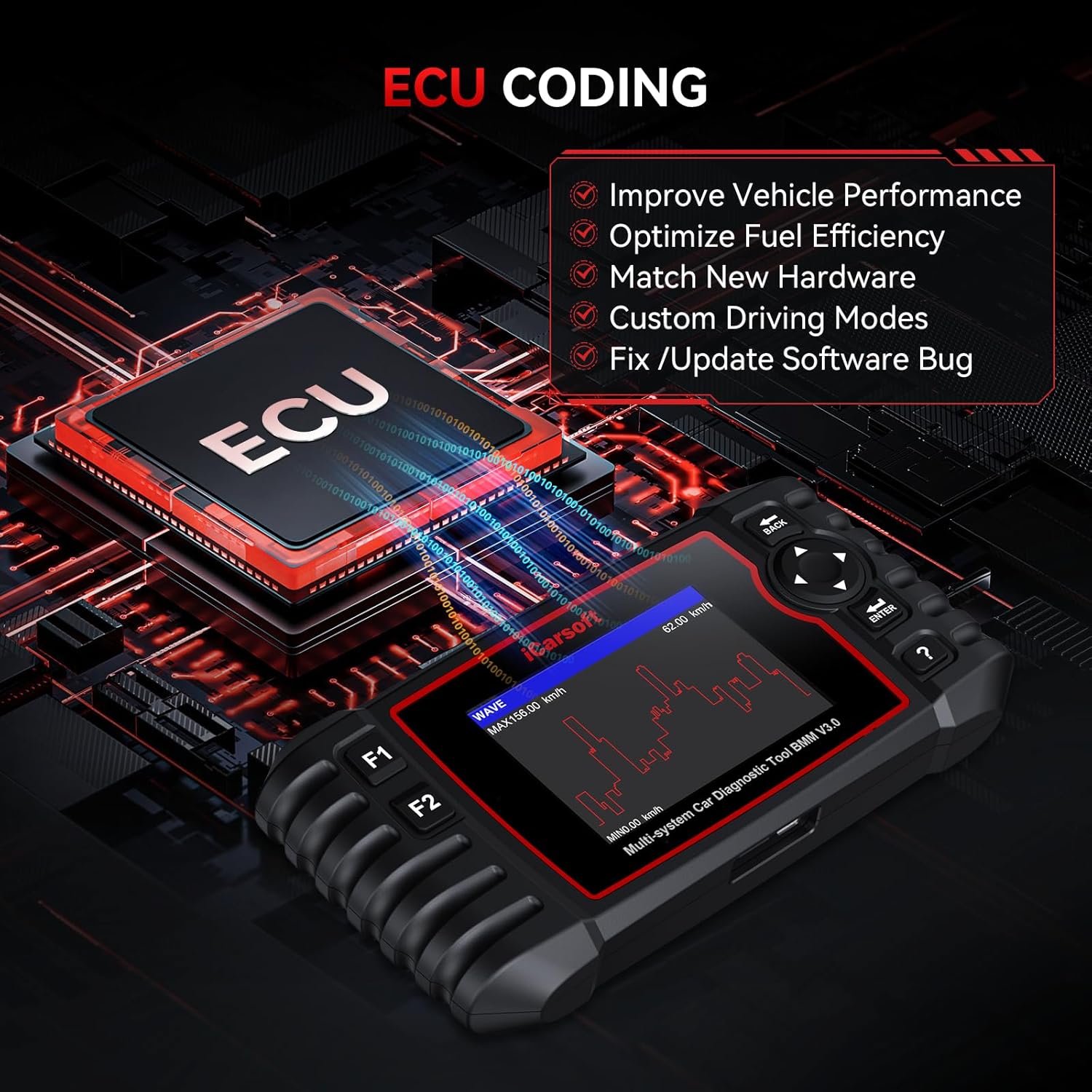
Image: The ECU Coding feature, highlighting its benefits for vehicle performance and software management.
4.7 Tam OBDII Fonksiyonları
The tool supports all standard OBDII diagnostic modes, providing essential engine and emission-related information.
- DTC'leri Oku/Temizle: Standard diagnostic trouble code management.
- Canlı veri: Real-time sensor data.
- O2 Sensor Tests: Oksijen sensörünün performansını izler.
- I/M Hazırlık: Checks emission system readiness.
- Çerçeve Verilerini Dondur: Captures vehicle conditions at the time a fault code was set.
- Araç Bilgilerini Okuyun: Displays VIN, CID, CVN.
- Araç İçi Monitör Testi: Accesses results of on-board diagnostic monitoring tests.
- EVAP Testi: Tests the Evaporative Emission System.
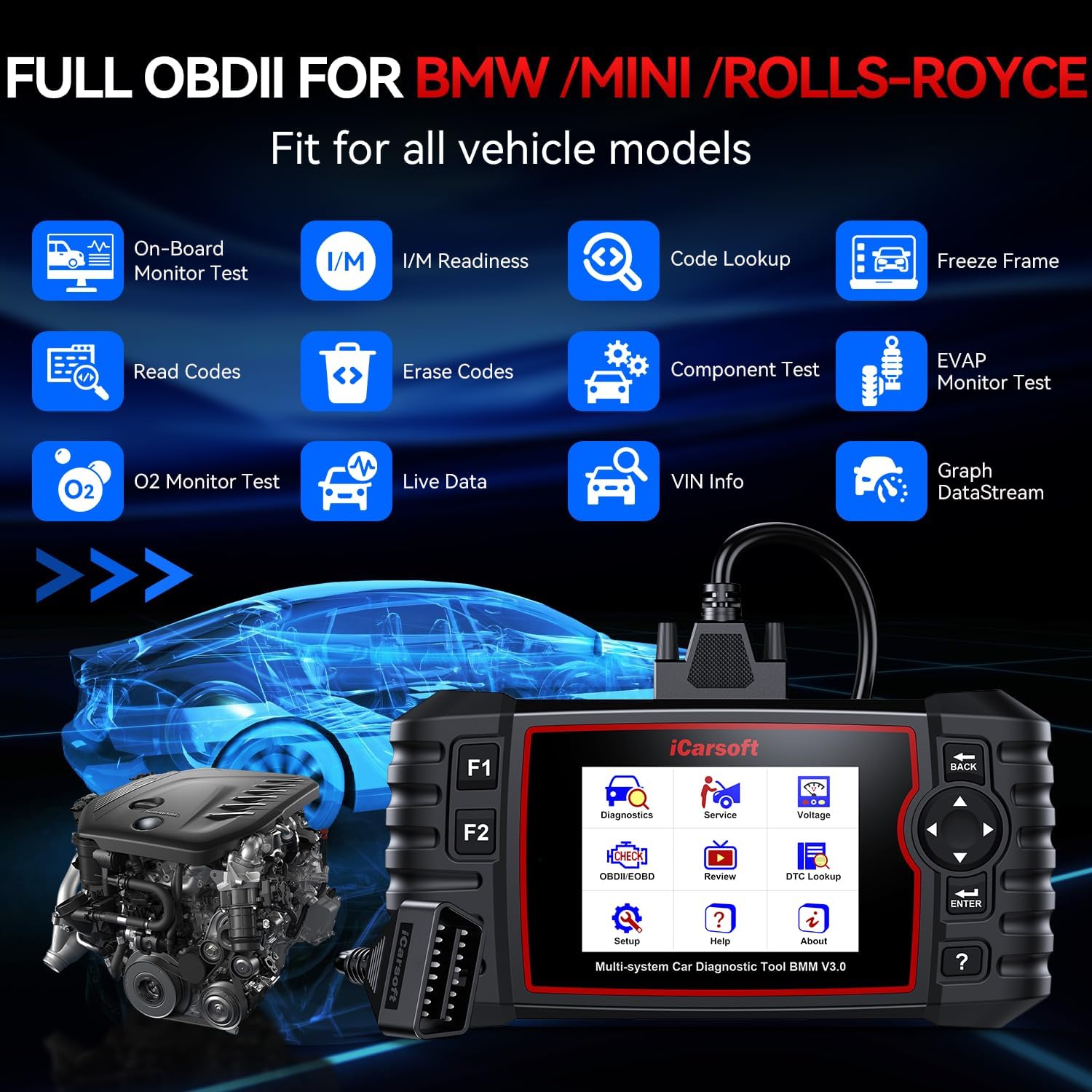
Resim: Kapsamlı bir view of the full OBDII functions supported by the iCarsoft BMM V3.0.
4.8 Battery Test and Registration
The tool includes functions to assess the health of your vehicle's battery and to properly register a new battery with the vehicle's Battery Management System (BMS).

Image: The battery test and registration feature, illustrating the tool's role in managing vehicle battery health.
5. Bakım
5.1 Cihaz Bakımı
Keep the device clean and free from dust and moisture. Store it in a dry, cool environment when not in use. Avoid dropping the device or exposing it to extreme temperatures.
5.2 Yazılım Güncellemeleri
Regular software updates are crucial for maintaining optimal performance and compatibility with new vehicle models. Updates are free for life and can be performed via a PC.
- Sağlanan USB kablosunu kullanarak cihazı bir bilgisayara bağlayın.
- Download and install the update client software from the iCarsoft official webalan.
- Follow the on-screen instructions in the update client to download and install the latest software version onto your device.

Image: The process of updating the diagnostic tool's software via a personal computer.
6. Sorun Giderme
If you encounter issues with your iCarsoft BMM V3.0, consider the following:
- Cihaz Açılmıyor: Ensure the OBDII connector is securely plugged into the vehicle's diagnostic port. Check the vehicle's battery status.
- İletişim Hatası: Verify that the vehicle's ignition is on. Ensure the OBDII connector is properly seated. Try connecting to a different vehicle to rule out a vehicle-specific issue.
- Function Not Working: Some functions are vehicle-specific. Refer to the compatibility list on the iCarsoft website for your specific vehicle model. Ensure the software is up to date.
- Ekran Donmaları: Disconnect the device from the vehicle and reconnect. If the issue persists, perform a software update.
- Vehicle After 2023: For vehicles manufactured after 2023, contact iCarsoft support for compatibility verification as some newer models may have diagnostic limitations.
- Incorrect OBDII Port: The device comes with a 16-pin OBD2 adapter. If your vehicle has a 14-pin diagnostic socket, contact iCarsoft for a solution.
For persistent issues, please contact iCarsoft technical support.
7. Özellikler
| Marka | iCarsoft |
| Model Numarası | i909 (BMM V3.0) |
| Ürün Ağırlığı | 15.8 ons |
| Paket Boyutları | 10.35 x 7.4 x 2.64 inç |
| İşletim Sistemi | WIN PE (Professional Automotive Inspection OS) |
| UPC | 616245679620 |
| İlk Mevcut Tarih | 27 Ağustos 2015 |
8. Garanti ve Destek
iCarsoft is committed to providing reliable diagnostic tools and comprehensive customer support.

Resim: Bir overview of iCarsoft's lifetime service commitment for the BMM V3.0 diagnostic tool.
Garanti:
- 1 Yıllık Garanti: Üretim hatalarını kapsar.
- Lifetime Free Software Update: Ensures your device always has the latest features and vehicle coverage.
- Lifetime Hardware Free Repair: Repair services for hardware issues (excluding logistics costs).
Teknik Destek:
- Ömür Boyu Teknik Destek: Access to technical engineers for assistance.
- 24/7/365 After-Sale Service: Continuous support for any queries or issues.
For support, please visit the official iCarsoft websitesine gidin veya müşteri hizmetleriyle iletişime geçin.


