giriiş
This manual provides instructions for the setup, operation, maintenance, and troubleshooting of your RCA Remote Control RCR 192AA10. This remote is designed to function as a replacement for various RCA devices, ensuring seamless control of your entertainment system.
Uyumlu Cihazlar: RTD3131, RTD3133, RTD3136, RT2781H, RT2870R, RT2906, RT2910.
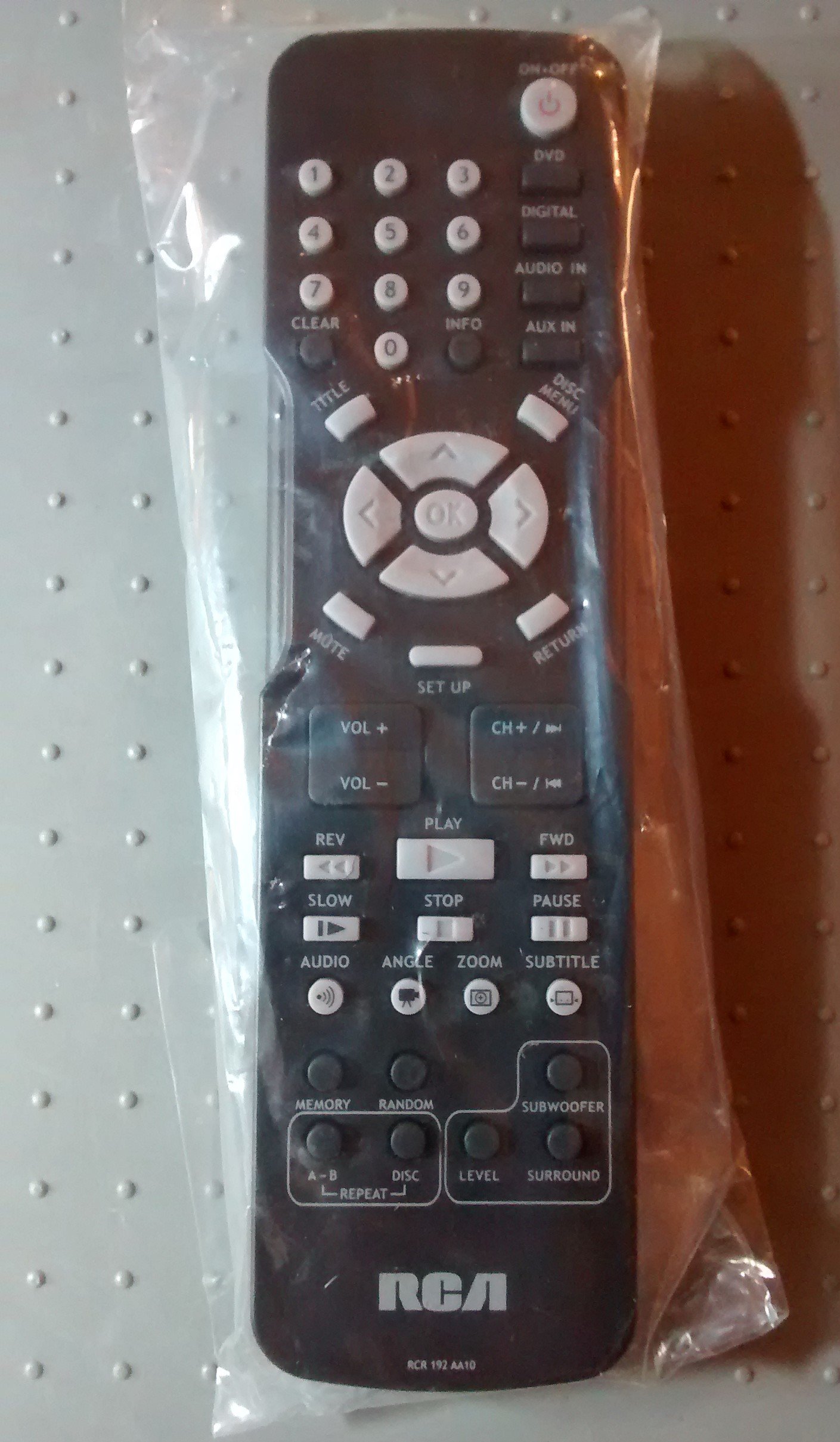
Image: The RCA Remote Control RCR 192AA10, shown sealed in its clear plastic packaging.
Kurmak
1. Pil Kurulumu
- Uzaktan kumandanın arkasındaki pil bölmesini bulun.
- Slide the battery compartment cover downwards or outwards to open.
- İki adet AAA pil (dahil değildir) takın ve pozitif (+) ve negatif (-) kutupların bölmenin içindeki işaretlerle doğru şekilde hizalandığından emin olun.
- Pil bölmesi kapağını yerine oturtmak için, güvenli bir şekilde yerine oturana kadar kaydırın.
2. İlk Kullanım
This remote control is typically pre-programmed for compatible RCA devices. No additional programming steps are usually required. Simply point the remote at your device and begin operation.
Kullanım Talimatları
The RCA Remote Control RCR 192AA10 features standard buttons for controlling your compatible RCA audio/video equipment. Familiarize yourself with the button layout for optimal use.
- Güç Düğmesi: Cihazı açar veya kapatır.
- Sesi Aç/Kapat: Ses çıkış seviyesini ayarlar.
- Kanal Yukarı/Aşağı: Changes the television channel (if applicable).
- Sessiz tuşu: Ses çıkışını susturur.
- Giriş/Kaynak Düğmesi: Cycles through available input sources (e.g., HDMI 1, AV, Component).
- Menü Düğmesi: Accesses the device's on-screen menu.
- Navigation Buttons (Arrow Keys, OK/Enter): Menülerde gezinmek ve seçimleri onaylamak için kullanılır.
- Sayı tablosu: Doğrudan kanal girişi veya diğer sayısal girdiler için.
For specific functions related to your device model, refer to the original device's user manual.
Bakım
Temizlik
- Uzaktan kumandayı yumuşak, kuru bir bezle silin.
- İnatçı kirler için hafifçe silinampBezi su veya aşındırıcı olmayan yumuşak bir temizleyici ile silin. Aşırı nemden kaçının.
- Kumandanın yüzeyine veya iç bileşenlerine zarar verebileceğinden, sert kimyasallar, çözücüler veya aşındırıcı temizleme pedleri kullanmayın.
Pil Değişimi
Replace batteries when the remote's performance degrades or it stops responding. Always replace both batteries at the same time with new AAA batteries. Do not mix old and new batteries or different types of batteries.
Depolamak
Uzaktan kumandayı serin, kuru ve doğrudan güneş ışığından ve aşırı sıcaklıklardan uzak bir yerde saklayın. Uzun süre saklayacaksanız, sızıntıyı önlemek için pilleri çıkarın.
Sorun giderme
| Sorun | Olası Neden | Çözüm |
|---|---|---|
| Uzaktan kumanda çalışmıyor | Piller bitmiş veya yanlış takılmış. | Pilleri yenileriyle değiştirirken doğru kutuplara (+/-) dikkat edin. |
| Uzaktan yanıt vermiyor | Obstruction between remote and device; remote too far from device. | Ensure a clear line of sight to the device's IR receiver. Move closer to the device. |
| Specific buttons not functioning | Button stuck or dirty; device incompatibility for that function. | Clean the remote. Verify the function is supported by your specific device model. |
If issues persist after attempting these solutions, consult the user manual for your specific RCA device or contact RCA customer support.
Özellikler
- Marka: RCA
- Modeli: RCR 192AA10
- Bağlantı Teknolojisi: Kızılötesi
- Renk: Siyah
- Özellik: Ergonomik tasarım
- Ürün Ölçüleri: 7.7 x 6.2 x 1.2 inç (yaklaşık)
- Ürün Ağırlığı: 3.19 ons (yaklaşık)
- Güç Kaynağı: 2 x AAA Piller (dahil değildir)
- İlk Mevcut Tarih: 30 Mart 2015
Garanti ve Destek
For information regarding warranty coverage or technical support, please refer to the documentation provided with your original RCA device or visit the official RCA website. Specific warranty terms may vary based on the retailer and purchase date.


