1. Giriş
This manual provides detailed instructions for the setup, operation, and maintenance of your EMOS E0114 Digital Thermometer and Hygrometer. This device accurately measures indoor temperature and humidity, and also functions as a quartz clock with an alarm, snooze feature, and date display. Please read this manual thoroughly before using the product to ensure correct operation and to prevent damage.
2. Güvenlik Bilgileri
- Cihazınızı aşırı sıcaklıklardan, doğrudan güneş ışığından ve yüksek nemden uzak tutunuz.
- Cihazı suya veya diğer sıvılara maruz bırakmayın.
- Cihazı sökmeye veya üzerinde değişiklik yapmaya çalışmayın. Bu, garantiyi geçersiz kılacaktır.
- Kullanılmış pilleri yerel düzenlemelere uygun şekilde sorumlu bir şekilde atın.
- Pilleri çocukların erişemeyeceği yerlerde saklayın.
3. Paket İçeriği
Lütfen paketi açtığınızda paket içeriğini kontrol edin:
- EMOS E0114 Digital Thermometer and Hygrometer
- Kullanıcı Kılavuzu
Note: 1 AA Mignon 1.5 V battery is required and not included in the package.

Figure 3.1: EMOS E0114 device in its retail packaging.
4. Ürün Bittiview
Familiarize yourself with the components of your EMOS E0114 device.
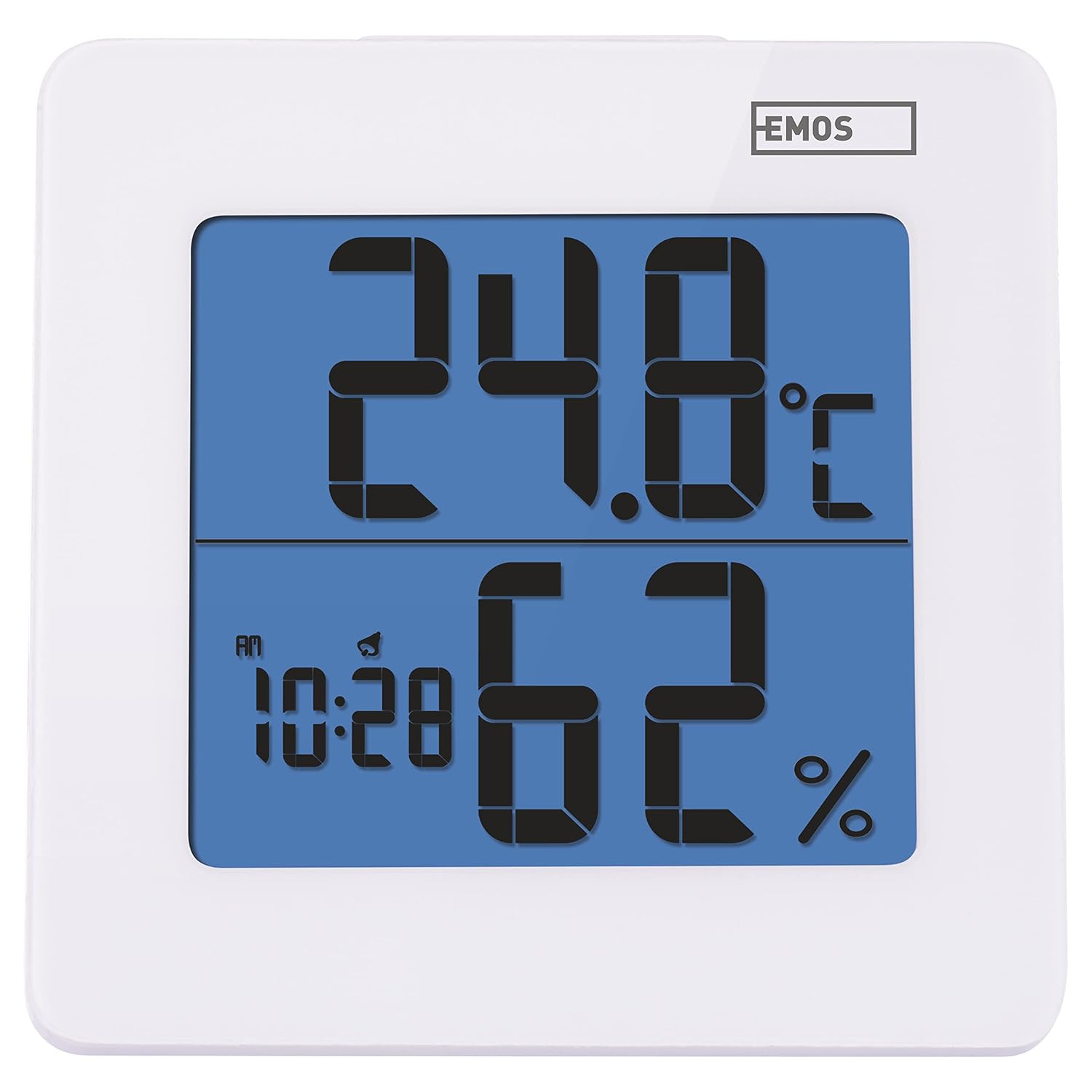
Şekil 4.1: Ön view of the EMOS E0114 display, showing temperature, humidity, and time.

Şekil 4.2: Geri view of the EMOS E0114, highlighting the control buttons and battery compartment.
Kontrol Düğmeleri:
- TARİFİ: Switches between time display, alarm setting, and date setting.
- YUKARI: Increases values during setting, activates/deactivates alarm.
- - Displays maximum and minimum temperature/humidity records.
- C/F: Santigrat ve Fahrenheit sıcaklık birimleri arasında geçiş yapar.
- SIFIRLA: Cihazı fabrika varsayılanlarına sıfırlar.
- SNOOZE/LIGHT (Top Bar): Activates snooze function during alarm, illuminates the display backlight.
5. Kurulum
5.1 Pil Kurulumu
- Cihazın arka tarafında bulunan pil bölmesini bulun (Şekil 4.2'e bakınız).
- Pil bölmesinin kapağını açın.
- Insert one (1) AA Mignon 1.5 V battery, ensuring correct polarity (+/-).
- Pil bölmesi kapağını sıkıca kapatın.
5.2 İlk Güç Açma
Upon battery installation, the device will power on automatically and display the current time (default 12:00 AM), temperature, and humidity. The backlight will briefly illuminate.
6. Kullanım Talimatları
6.1 Saat ve Tarihin Ayarlanması
- Normal saat görüntüleme modunda, tuşuna basın. MOD Zaman ayarı moduna girmek için düğmeye bir kez basın. Saat rakamları yanıp sönmeye başlayacaktır.
- Kullanın UP Saati ayarlamak için düğmesine basın.
- Basmak MOD again to set the minutes. The minute digits will flash. Use the UP Dakikayı ayarlamak için
- Basmak MOD again to set the year. The year digits will flash. Use the UP Yılı ayarlamak için düğmeye basın.
- Basmaya devam et MOD to set the month and then the day, adjusting each with the UP düğme.
- After setting the day, press MOD to exit setting mode and return to normal time display.
6.2 Alarmı Ayarlama
- Normal saat görüntüleme modunda, tuşuna basın. MOD button twice to enter alarm setting mode. The alarm time will be displayed, and the hour digits will flash.
- Kullanın UP Alarm saatini ayarlamak için düğmesine basın.
- Basmak MOD again to set the alarm minutes. The minute digits will flash. Use the UP Alarm dakikalarını ayarlamak için düğmeye basın.
- Basmak MOD Alarm ayar modundan çıkmak için.
- Alarmı etkinleştirmek veya devre dışı bırakmak için tuşuna basın UP button once in normal time display mode. An alarm icon will appear on the display when activated.
6.3 Using Snooze and Backlight
- Alarm çaldığında, düğmesine basın. ERTELEME / IŞIK bar on top of the device to activate the snooze function. The alarm will pause for approximately 5 minutes and then sound again.
- To turn off the alarm completely, press any other button (MODE, UP, MEM, C/F) on the back of the device.
- Basın ERTELEME / IŞIK bar at any time to briefly illuminate the display backlight for better visibility in low light conditions.
6.4 Sıcaklık Birimlerinin Değiştirilmesi (°C/°F)
Normal görüntüleme modunda tuşuna basın. C / F button on the back of the device to toggle between Celsius (°C) and Fahrenheit (°F) temperature readings.
6.5 Viewing Maximum and Minimum Records
The device stores the maximum and minimum temperature and humidity values recorded since the last reset or battery change.
- Basın MEME button once to display the maximum recorded temperature and humidity.
- Basın MEME button again to display the minimum recorded temperature and humidity.
- Basmak MEME a third time to return to the current temperature and humidity display.
- To clear the maximum/minimum records, press and hold the MEME yaklaşık 3 saniye boyunca düğmeye basın viewkayıtları inceliyoruz.
7. Bakım
7.1 Temizlik
- Cihazı yumuşak, kuru bir bezle silin.
- Do not use abrasive cleaners, solvents, or chemical agents, as these may damage the display or casing.
7.2 Pil Değişimi
When the display becomes dim or the device stops functioning, it is time to replace the battery.
- Cihazın arkasındaki pil bölmesi kapağını açın.
- Eski AA pili çıkarın.
- Insert a new AA Mignon 1.5 V battery, observing correct polarity.
- Pil bölmesinin kapağını kapatın.
- You may need to reset the time and date after battery replacement.
8. Sorun Giderme
| Sorun | Olası Neden | Çözüm |
|---|---|---|
| Ekran yok veya soluk ekran | Akü zayıf veya bitmiş; akü yanlış takılmış. | Replace the battery with a new AA 1.5V battery. Ensure correct polarity. |
| Yanlış saat/tarih | Time/date not set correctly after battery installation or reset. | Follow instructions in Section 6.1 to set the time and date. |
| Temperature/humidity readings seem inaccurate | Device placed in an unsuitable location (e.g., near heat source, vent, direct sunlight). | Relocate the device to a stable indoor environment away from direct influences. Allow 30 minutes for readings to stabilize. |
| Alarm çalmıyor | Alarm aktif değil. | Ensure the alarm icon is visible on the display (refer to Section 6.2). |
| Cihaz yanıt vermiyor | Geçici elektronik arıza. | Basın SIFIRLAMA button on the back of the device using a thin object (e.g., paperclip). Note: This will clear all settings. |
9. Özellikler
- Modeli: E0114
- Marka: EMO'lar
- Sıcaklık Ölçüm Aralığı: 0 °C ila +50 °C (32 °F ila 122 °F)
- Sıcaklık Çözünürlüğü: 0.1 °C / 0.1 °F
- Nem Ölçüm Aralığı: %20 ila %90 Bağıl Nem (RH)
- Nem Çözünürlüğü: %1 bağıl nem
- Saat: Quartz with 12/24 hour format
- Alarm: Yes, with Snooze function
- Görüntülemek: Arka aydınlatmalı LCD
- Hafıza Fonksiyonu: Maks/Min sıcaklık ve nem
- Güç Kaynağı: 1 x AA Mignon 1.5 V battery (not included)
- Boyutlar (U x G x Y): 3.7 x 9.3 x 9.3 cm (yaklaşık 1.46 x 3.66 x 3.66 inç)
- Ekran Boyutları: 60 x 65 mm (yaklaşık 2.36 x 2.56 inç)
- Ağırlık: 109 gram (yaklaşık 3.84 ons)
- Montaj Tipi: Wall mountable (integrated stand)
- Renk: White (with blue display backlight)

Figure 9.1: Dimensions of the EMOS E0114 device.
10. Garanti ve Destek
EMOS products are designed for reliability and performance. For warranty information or technical support, please refer to the warranty card included with your purchase or visit the official EMOS webLütfen garanti talepleriniz için satın alma belgenizi saklayın.