1. Giriş
The Aimpoint CompM4s is a professional-grade red dot reflex sight engineered for use in extremely harsh conditions. It features a robust design, exceptional battery life, and an advanced optical system for superior light transmission and clarity. This manual provides essential information for the proper setup, operation, and maintenance of your CompM4s sight.
2. Kurulum
2.1. Montaj
The Aimpoint CompM4s comes equipped with a QRP2 mount and spacer, designed for secure attachment to Picatinny rails. Ensure the rail is clean and free of debris before mounting. Align the sight's mount with the rail and tighten the knob firmly. The mount is designed to provide absolute co-witness with standard iron sights.

Image: The Aimpoint CompM4s with its integrated QRP2 mount, ready for attachment to a Picatinny rail. The large, textured knob allows for easy and secure tightening.
2.2. Pil Kurulumu
The CompM4s utilizes a single AA battery, housed in a low-profile battery compartment. To install or replace the battery, unscrew the battery cap located on the side of the sight. Insert a fresh AA battery with the positive (+) end facing inward, as indicated by the markings. Securely re-tighten the battery cap to ensure a watertight seal. The sight is electronically regulated to accept any AA size battery available worldwide.

Resim: Yakın çekim view of the Aimpoint CompM4s's battery compartment, revealing the slot for a single AA battery. The cap is tethered to prevent loss.
The CompM4s boasts an impressive battery life of up to 80,000 hours (over 8 years) of continuous daytime operation on a single AA battery. When operating in night vision mode, the battery life extends to 500,000 hours.
3. Çalıştırma
3.1. Parlaklık Ayarları
The sight features a rotary switch for adjusting the brightness of the 2 MOA red dot reticle. The switch offers multiple settings, including seven night vision modes and nine daylight settings. Rotate the switch to select the desired brightness level appropriate for your ambient light conditions.
3.2. Rüzgar ve Yükseklik Ayarlamaları
Windage and elevation adjustments are made via the protected turrets on the top and side of the sight. Remove the protective caps to access the adjustment mechanisms. Use a flat-head screwdriver, coin, or the base of an empty shell casing to make precise adjustments. Each click corresponds to a specific change in point of impact. Ensure the caps are securely re-tightened after adjustment to maintain the sight's waterproof integrity.
4. Bakım
4.1. Lens Bakımı
The lenses of the CompM4s are recessed within the housing, offering inherent protection. For cleaning, gently wipe the lenses with a clean, soft cloth. For stubborn smudges, a lens cleaning solution designed for optics can be used. The sight also includes a killFlash anti-reflection device and black rubber bikini-style lens covers for additional lens protection when not in use.
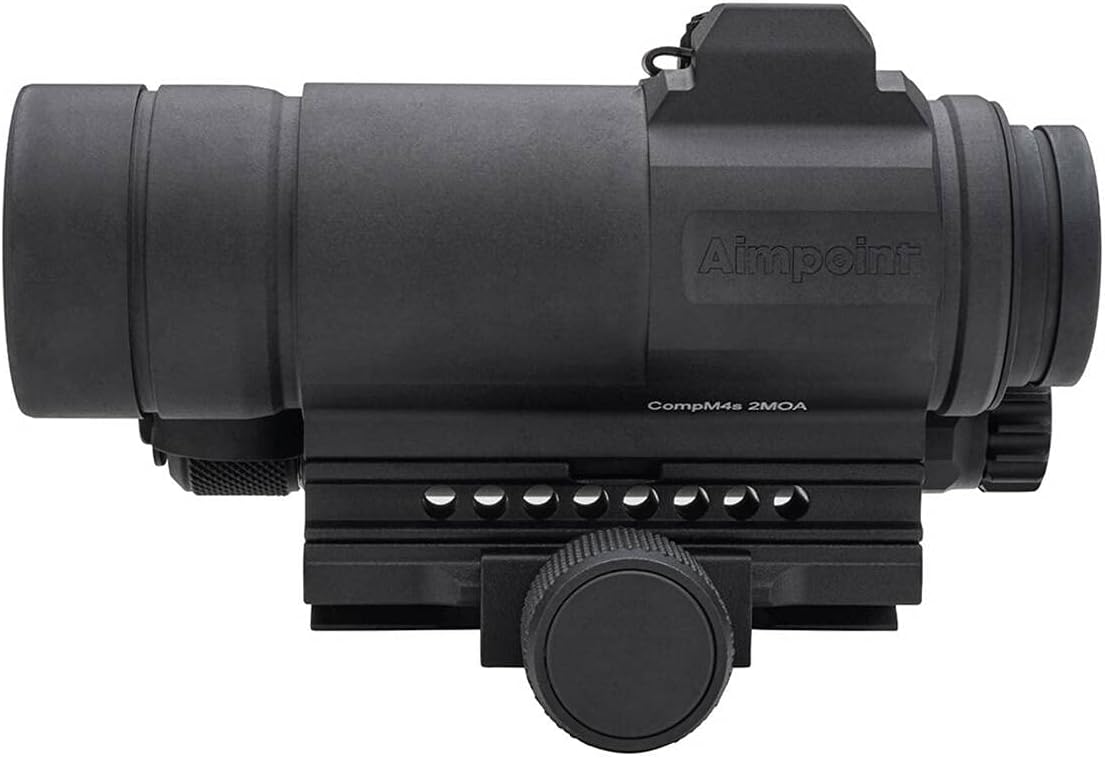
Image: The Aimpoint CompM4s, showcasing its robust construction and the recessed design of its lenses, which are further protected by the included killFlash anti-reflection device.
4.2. Genel Bakım
The high-strength aluminum alloy housing is coated with a non-reflective hard-anodized finish, providing excellent durability. The sight is completely sealed against the elements and is submersible to 150 feet. Regular inspection for any signs of damage or wear is recommended. Keep the sight clean and dry when not in use.
5. Sorun Giderme
If you experience any issues with your Aimpoint CompM4s sight, first ensure the battery is correctly installed and has sufficient charge. Verify that all mounting hardware is securely tightened. For persistent problems or complex issues, it is recommended to contact Aimpoint customer support for assistance.
6. Özellikler
| Özellik | Detay |
|---|---|
| Marka | Hedef noktası |
| Model Adı | COMPM4S |
| Model Numarası | 12172 |
| Renk | mat siyah |
| Ürün Boyutları | 4.8"U x 2.09"G |
| Ürün Ağırlığı | 1.1 Pound |
| Malzeme | Alüminyum, Kauçuk |
| Büyütme | 1x (Minimum and Maximum) |
| Objektif Mercek Çapı | 23 Milimetre |
| Retikül Tipi | Aiming dot (size: 2 MOA) |
| Uyumlu Cihazlar | Tüfek |
| Montaj Tipi | Picatinny Dağı |
| Gece Görüşü Uyumlu | Evet |
| Dahil Bileşenler | QRP2 Mount & Spacer, Rubber Bikini lens cover, Anti-reflection device, AA battery, Allen key |
7. Garanti ve Destek
For information regarding the product warranty, technical support, or service, please refer to the official Aimpoint website or contact their authorized customer service channels. Keep your purchase receipt as proof of ownership for warranty claims.


