1. Üzeriview
Thank you for choosing the Baseus NGW05-03 True Wireless Earbuds. This manual provides essential information on how to set up, operate, and maintain your new earbuds to ensure optimal performance and longevity.
Temel Özellikler:
- Gerçek Kablosuz Stereo (TWS) işlevi
- Kararlı ve verimli bağlantı için Bluetooth 5.0
- Kompakt ve taşınabilir şarj kutusu
- Long battery life with charging case (up to 30 hours)
- Type-C şarj arayüzü
- Wide compatibility with wireless devices

Figure 1.1: Baseus NGW05-03 True Wireless Earbuds in their open charging case, showcasing the earbuds and the charging indicators.

Figure 1.2: A pair of Baseus NGW05-03 True Wireless Earbuds, highlighting their sleek design.
2. Kurulum
2.1 Kulaklıkları ve Kutuyu Şarj Etme
Before first use, fully charge the earbuds and the charging case. The charging case has a battery capacity of 400mAh, and each earbud has a 30mAh battery.
- Kablolu Şarj: Connect the provided USB Type-C cable to the charging port on the case and a power source. The charging time for the case is approximately 1.5 hours.
- Kablosuz Şarj: Place the charging case on a compatible wireless charging pad. Wireless charging takes approximately 2 hours.
The earbuds will charge automatically when placed inside the charging case, provided the case has power.
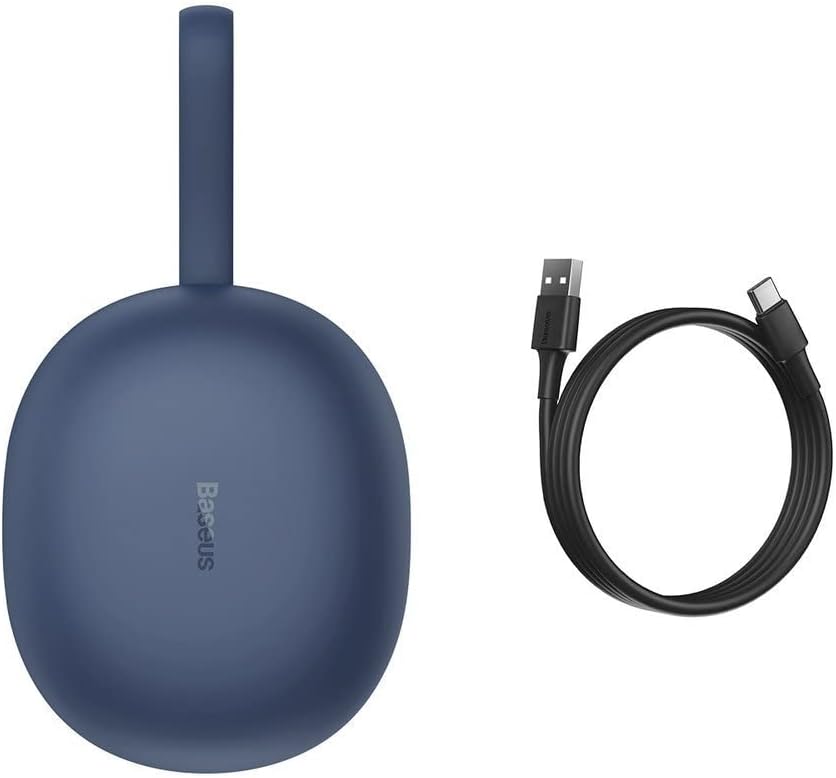
Figure 2.1: The Baseus NGW05-03 charging case alongside its USB Type-C charging cable.
2.2 Cihazla Eşleştirme
- Kulaklıkların şarjlı olduğundan ve şarj kutusuna yerleştirildiğinden emin olun.
- Şarj kutusunu açın. Kulaklıklar otomatik olarak eşleştirme moduna geçecektir.
- Cihazınızda (akıllı telefon, tablet vb.) Bluetooth’u etkinleştirin.
- Arama mevcut Bluetooth cihazları.
- Select "Baseus Encok W05" from the list of found devices.
- Bağlantı sağlandıktan sonra onay sesini duyacaksınız ve kulaklıklarınız kullanıma hazır hale gelecektir.
The earbuds are compatible with all wireless devices that support Bluetooth connectivity.
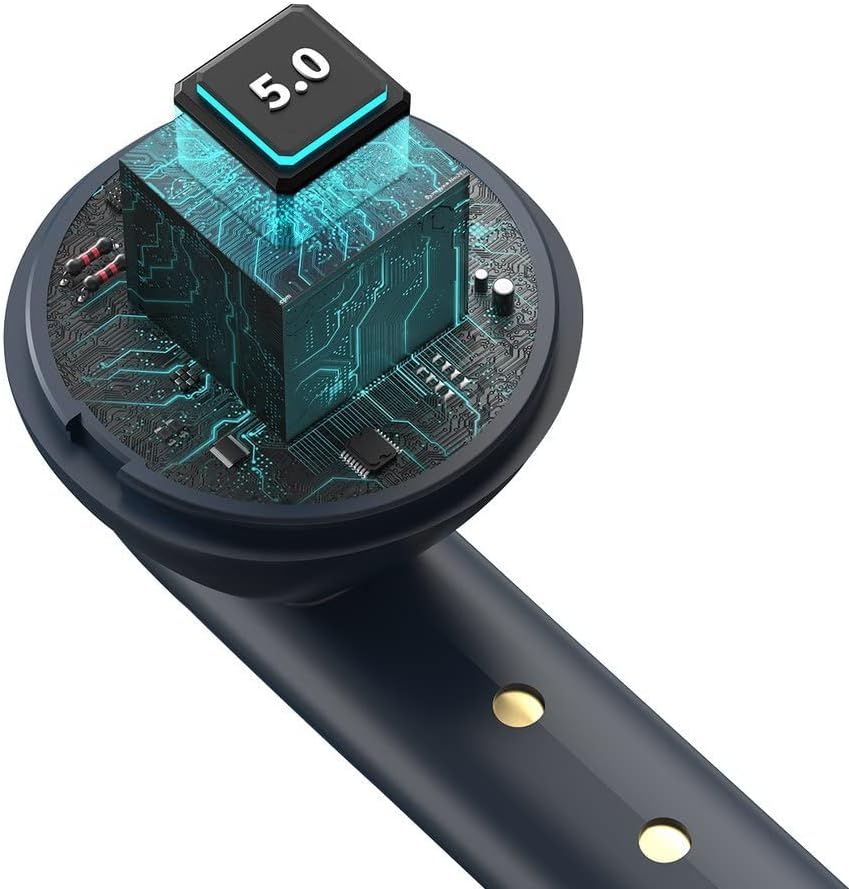
Şekil 2.2: Dahili view of the earbud, highlighting the integrated Bluetooth 5.0 chip for advanced connectivity.
3. Kulaklıkların Çalıştırılması
3.1 Kulaklıkların Takılması
Gently insert the earbuds into your ears, ensuring a comfortable and secure fit. The ergonomic design helps them stay in place during various activities.

Figure 3.1: A user demonstrating the proper way to wear one of the Baseus NGW05-03 earbuds while holding the charging case.
3.2 Temel Kontroller
Specific touch or button controls for music playback, call management, and voice assistant activation are typically located on the earbuds. Please refer to the quick start guide included in your product packaging for detailed instructions on these functions, as they may vary.
3.3 Müzik Oynatma
Once connected, you can play music from your device. The earbuds provide up to 4 hours of continuous music playback on a single charge (at 70% volume). With the charging case, total playback time extends to 25-30 hours.

Figure 3.2: A user enjoying audio with the Baseus NGW05-03 earbuds while interacting with their smartphone.
3.4 Çağrı Yönetimi
When a call comes in, you can typically answer or end calls using the touch controls on the earbuds. Consult your quick start guide for precise instructions on call handling.
4. Bakım
4.1 Temizlik
- Kulaklıklarınızı ve şarj kutusunu yumuşak, kuru ve tiftiksiz bir bezle düzenli olarak temizleyin.
- Aşındırıcı temizleyiciler, alkol veya kimyasal çözücüler kullanmayın.
- Düzgün şarj sağlamak için hem kulaklığın hem de kutunun şarj temas noktalarını temiz tutun.
4.2 Depolama
- Kulakiçi kulaklıkları, kullanılmadığında onları korumak ve şarjlı halde tutmak için şarj kutusunda saklayın.
- Kulaklıkları ve şarj kutusunu aşırı sıcaklıklara, neme veya toza maruz bırakmaktan kaçının.
- The product is not water resistant; avoid contact with liquids.

Figure 4.1: An exploded diagram showing the internal components of a Baseus NGW05-03 earbud, illustrating its intricate design.
5. Sorun Giderme
Yaygın Sorunlar ve Çözümleri:
- Kulaklıklar eşleşmiyor: Her iki kulaklığın da şarjlı olduğundan emin olun. Kulaklıkları kutusuna geri koyun, kapağı kapatın, ardından tekrar açarak eşleştirme moduna yeniden girin. Telefonunuzun Bluetooth ayarlarından cihazı unutun ve tekrar eşleştirmeyi deneyin.
- Sadece bir kulaklık çalışıyor: Ensure both earbuds are charged. Try resetting the earbuds (refer to the quick start guide for specific reset instructions).
- Ses yok: Cihazınızın ve kulaklıklarınızın ses seviyesini kontrol edin. Kulaklıkların cihazınıza doğru şekilde bağlı olduğundan emin olun.
- Şarj sorunları: Kulaklıkların ve şarj kutusunun şarj temas noktalarını temizleyin. Farklı bir şarj kablosu veya güç adaptörü deneyin.
If you encounter persistent issues, please refer to the warranty and support section for further assistance.
6. Özellikler
| Özellik | Şartname |
|---|---|
| Marka | Bazus |
| Model Adı | NGW05-03 (W05) |
| Bağlantı Teknolojisi | Kablosuz (Bluetooth 5.0) |
| Kulak Yerleşimi | Kulakta |
| Malzeme | ABS + Polikarbonat |
| Renk | Mavi |
| Şarj Kutusu Pil Kapasitesi | 400mAh / 1.48Wh |
| Kulaklık Pil Kapasitesi | 30mAh / 0.111Wh (each) |
| Müzik Çalma Süresi (Kulaklık) | Yaklaşık. 4 saat (%70 ses seviyesinde) |
| Toplam Oynatma Süresi (Kılıf Dahil) | Yaklaşık 25-30 saat |
| Bekleme Süresi | Yaklaşık 300 saat |
| Şarj Süresi (Kablolu) | Yaklaşık 1.5 saat |
| Kablosuz Şarj Süresi | Yaklaşık 2 saat |
| Şarj Arayüzü | USB Tip-C |
| Frekans Tepki Aralığı | 20Hz - 20kHz |
| Ürün Ağırlığı | 50 gram |
| Ürün Boyutları | 10x2x3 cm |
| Su Direnç Seviyesi | Suya dayanıklı değil |
| Uyumlu Cihazlar | All wireless devices |
7. Garanti ve Destek
Baseus products are designed with quality and reliability in mind. For information regarding warranty coverage, technical support, or service, please refer to the warranty card included with your product or visit the official Baseus webSite. Satın alma fişinizi, garanti talepleriniz için satın alma belgeniz olarak saklayın.

Figure 7.1: A user holding the compact Baseus NGW05-03 charging case, demonstrating its portability.