1. Giriş
This manual provides essential instructions for the installation, operation, maintenance, and troubleshooting of your Antec TruePower Classic TP-750C 750W 80 PLUS GOLD Certified Power Supply. Please read this manual thoroughly before installation and retain it for future reference. This power supply is designed to provide stable and efficient power to your personal computer system.
2. Güvenlik Bilgileri
- Kurulum veya kullanımdan önce güç kaynağının AC prizinden çıkarıldığından emin olun.
- Güç kaynağını açmayınasing. Yüksek hacimtagİçerideki bileşenler elektrik çarpması riski taşımaktadır.
- Aşırı ısınmayı önlemek için güç kaynağını iyi havalandırılan bir alana yerleştirin.
- Yalnızca güç kaynağıyla birlikte verilen kabloları kullanın.
- Güç kaynağının neme veya aşırı sıcaklıklara maruz kalmasından kaçının.
- This product is intended for use in personal computer systems only.
3. Paket İçeriği
Kurulum işlemine geçmeden önce paketteki tüm öğelerin eksiksiz olduğundan emin olun.
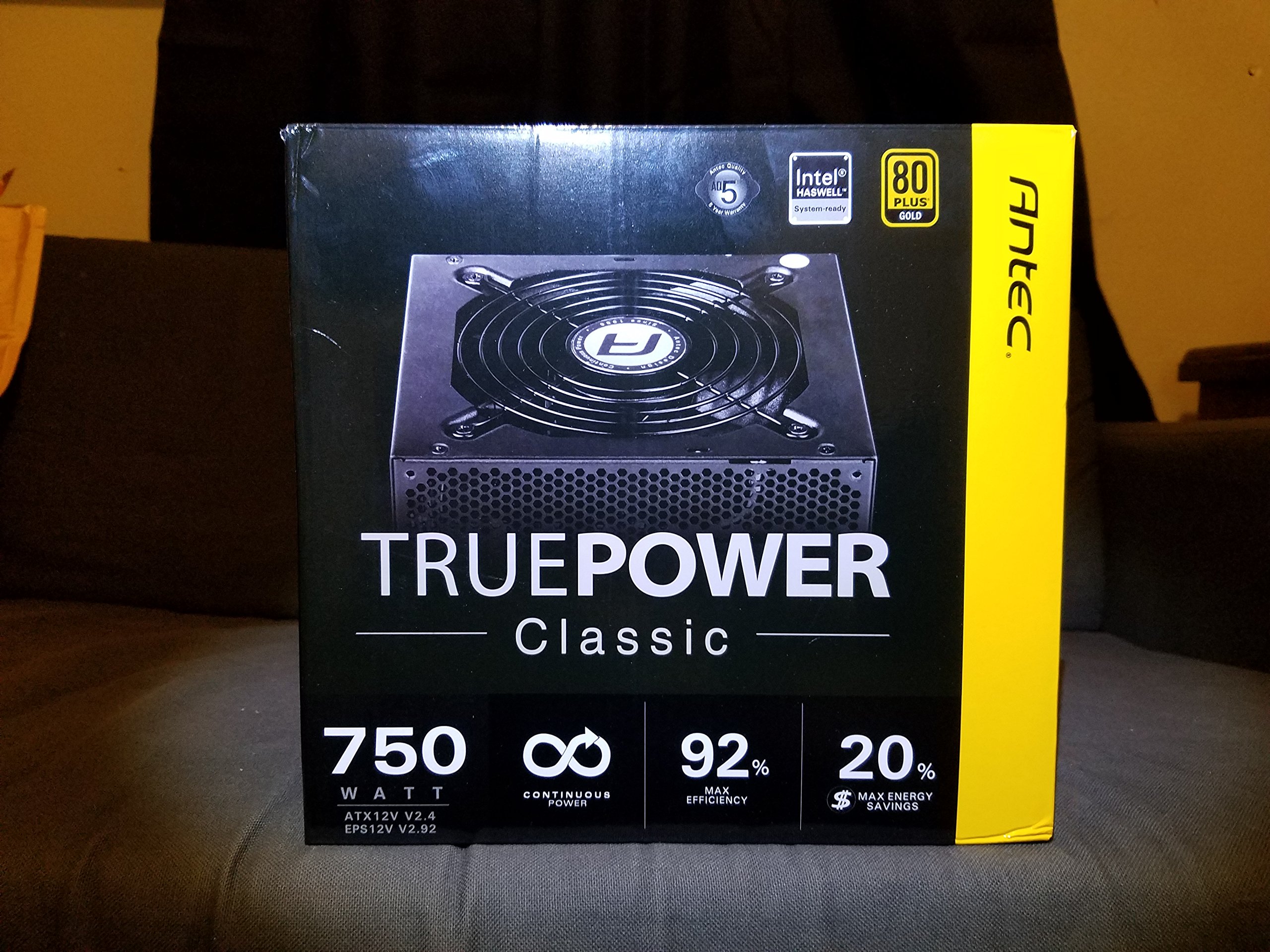
Image 1: Contents of the Antec TruePower Classic TP-750C package. The image displays the power supply unit, various power cables (including a main AC power cable), and user documentation neatly packed within a cardboard box.
- Antec TruePower Classic TP-750C Power Supply Unit
- Modular Cable Set (PCI-E, SATA, Molex, etc.)
- AC Güç Kablosu
- Montaj Vidaları
- Kullanıcı Kılavuzu / Dokümantasyon
4. Kurulum ve Kurulum
Follow these steps to properly install your power supply into your computer chassis.
- Şasiyi Hazırlayın: Ensure your computer chassis is powered off and disconnected from all power sources. Open the side panel of your computer case.
- Güç kaynağını monte edin: Carefully slide the Antec TP-750C power supply into the designated power supply bay in your chassis. Align the screw holes on the power supply with those on the chassis. Secure the power supply using the provided mounting screws.
- Anakartın güç bağlantısını yapın: Connect the 24-pin ATX main power connector from the power supply to the corresponding port on your motherboard. Ensure it clicks into place.
- CPU Güç Bağlantısı: Connect the 4+4-pin (or 8-pin) EPS12V CPU power connector to the CPU power socket on your motherboard.
- Ekran Kartı Güç Bağlantısı (PCI-E): If your graphics card requires external power, connect the appropriate 6+2-pin PCI-E power cables from the power supply to your graphics card.
- Connect Peripheral Power (SATA/Molex): SATA güç kablolarını depolama sürücülerinize (SSD'ler, HDD'ler) ve optik sürücülerinize bağlayın. Gerektiğinde diğer çevre birimleri için Molex konektörleri kullanın.
- Kablo yönetimi: Route cables neatly to improve airflow and aesthetics within your chassis.
- Son Kontroller: Double-check all connections to ensure they are secure. Close the chassis side panel.
- AC Gücünü Bağlayın: AC güç kablosunu güç kaynağına ve ardından duvar prizine veya aşırı gerilim koruyucusuna bağlayın.
5. Kullanım Talimatları
The Antec TP-750C power supply operates automatically once correctly installed and connected to an AC power source. It provides stable DC power to all connected components.
- Güç Açık: After connecting the AC power cord, flip the power switch on the back of the power supply to the "ON" (I) position.
- Sistem Önyüklemesi: Press the power button on your computer chassis to start your system.
- Kapat: Shut down your computer through the operating system. For complete power disconnection, flip the power switch on the power supply to the "OFF" (O) position and unplug the AC power cord.
6. Bakım
Doğru bakım, güç kaynağınızın uzun ömürlü olmasını ve optimum performans göstermesini sağlar.
- Toz Temizleme: Periodically clean dust from the power supply's fan and ventilation grilles using compressed air. Ensure the power supply is disconnected from AC power before cleaning.
- Havalandırma: Ensure adequate airflow around the power supply. Do not block the intake or exhaust vents.
- Kablo Bütünlüğü: Regularly check power cables for any signs of damage or fraying. Replace damaged cables immediately.
- Çalışma Ortamı: Güç kaynağını önerilen sıcaklık ve nem aralıklarında çalıştırın.
7. Sorun Giderme
If you encounter issues with your power supply, refer to the following common problems and solutions.
| Sorun | Olası Neden | Çözüm |
|---|---|---|
| Sistem açılmıyor. | AC power cord not connected, power switch off, loose internal connections, faulty components. |
|
| Sistem açılıyor ancak hemen kapanıyor. | Overload, overheating, short circuit, faulty component. |
|
| Unusual noise from the power supply. | Fan obstruction, faulty fan bearing, coil whine. |
|
If troubleshooting steps do not resolve the issue, contact Antec customer support for further assistance.
8. Özellikler
| Model Adı | TruePower Classic TP-750C |
| Marka | Öntek |
| Netage | 750 Watt |
| 80 PLUS Sertifikası | Altın |
| Form Faktörü | ATX |
| Bağlayıcı Türü | ATX |
| Minimum Giriş Hacmitage | 100 Volt |
| Uyumlu Cihazlar | Kişisel Bilgisayar |
| Ürün Ağırlığı | 6.24 pound (2.83 kg) |
| Paket Boyutları | 9.7 x 9 x 5.5 inç (24.6 x 22.9 x 14 cm) |
| ASIN | B00JOFALL0 |
| UPC | 132018316306 |
9. Garanti ve Destek
The Antec TruePower Classic TP-750C Power Supply comes with a 3 Yıllık Üretici GarantisiBu garanti, normal kullanım koşullarında malzeme ve işçilik hatalarını kapsar.
For technical support, warranty claims, or further inquiries, please visit the official Antec webSiteyi ziyaret edin veya müşteri hizmetleri departmanıyla iletişime geçin. Garanti geçerliliği için satın alma belgenizi saklayın.
Please note: Opening the power supply casing, garantiyi geçersiz kılacaktır.


