giriiş
This manual provides instructions for the proper setup, operation, and maintenance of your Linq IT-H408 4-Port USB 2.0 Hub. This device allows you to expand a single USB port into four, each with an independent on/off switch, facilitating efficient management of connected peripherals.
Ürün Bittiview
The Linq IT-H408 is a USB 2.0 hub designed to provide four additional USB ports. Each port features an individual power switch, allowing you to control power to connected devices independently. It supports data transfer speeds of up to 480 Mbps.
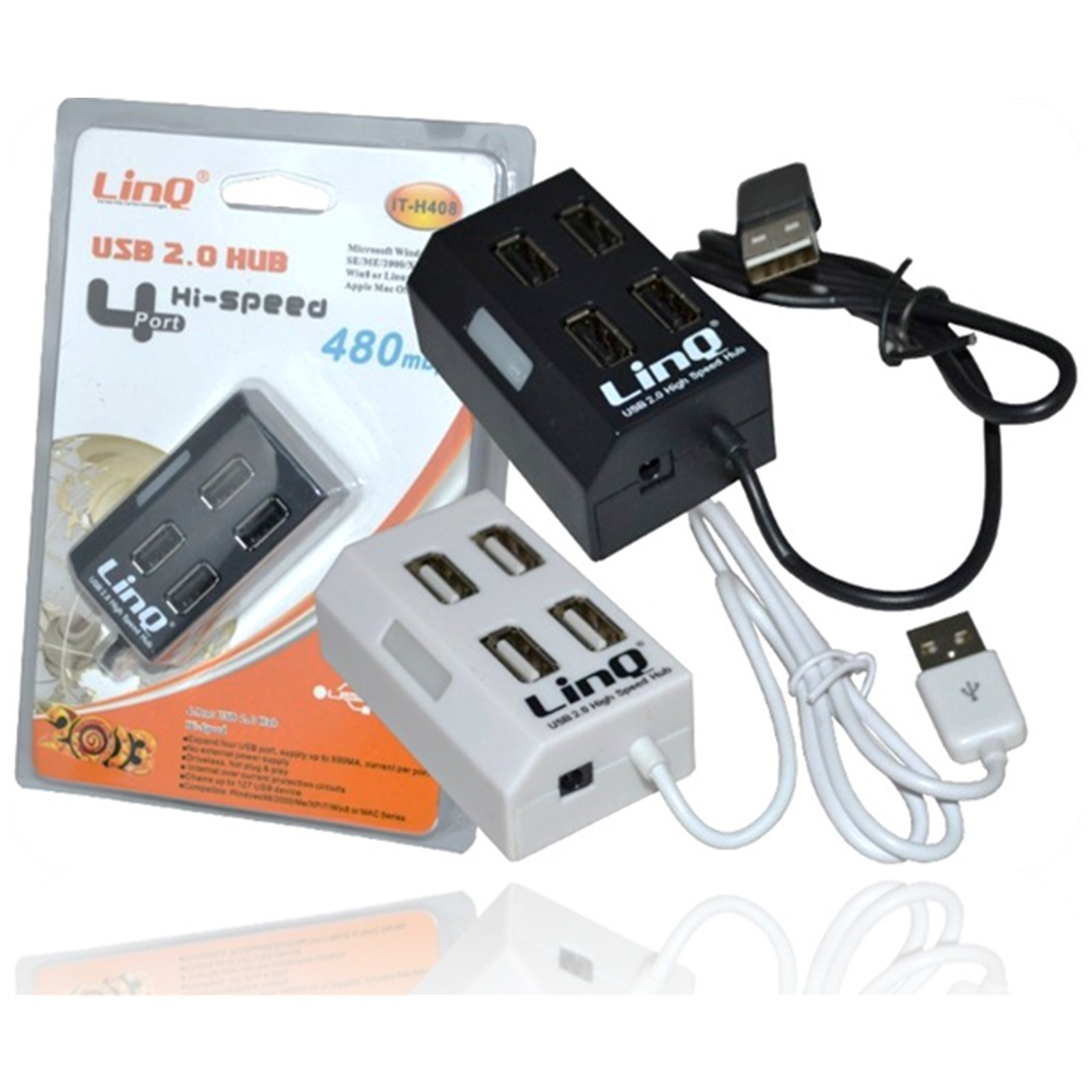
Figure 1: Linq IT-H408 4-Port USB 2.0 Hub. This image displays the hub's compact form factor, highlighting the four USB ports and their corresponding individual power switches, along with the integrated USB cable for connection to a host device.
Kurulum Talimatları
- Hub'ı keşfedin: Carefully remove the Linq IT-H408 USB Hub from its packaging.
- Bilgisayara Bağlan: Plug the integrated USB cable from the hub into an available USB 2.0 or USB 3.0 port on your computer.
- Sürücü Kurulumu: The hub is plug-and-play and typically does not require additional driver installation for compatible operating systems (Windows 98/2000/ME/XP/7/8, Mac OS series). Your operating system should automatically detect and configure the device.
- Çevre Birimlerini Bağlayın: Plug your USB devices (e.g., flash drives, keyboards, mice) into the available ports on the Linq IT-H408 hub.
Operating the Hub
- Powering On/Off Ports: Each USB port on the Linq IT-H408 has an independent on/off switch. Press the switch corresponding to the desired port to toggle its power state. An indicator light (if present) will illuminate when the port is active.
- Bağlantı Cihazları: Insert your USB device into an available port. Ensure the port is powered on using its individual switch.
- Veri Transferi: The hub supports USB 2.0 data transfer speeds up to 480 Mbps. Performance may vary based on the connected device and host system.
- Güç Tüketimi: For high-power devices, ensure your computer's USB port can supply sufficient power. If multiple high-power devices are connected, an external power adapter (not included) might be required for optimal performance, if the hub supports it.
Bakım
- Temizlik: Use a soft, dry cloth to clean the exterior of the hub. Avoid using liquid cleaners or solvents.
- Depolamak: Kullanılmadığı zaman göbeği serin, kuru ve doğrudan güneş ışığından ve aşırı sıcaklıklardan uzak bir yerde saklayın.
- İşleme: Hub'ı düşürmekten veya sert darbelere maruz bırakmaktan kaçının. Cihazı sökmeye çalışmayın.
Sorun giderme
Cihaz tanınmadı:
- Ensure the hub's USB cable is securely connected to your computer.
- Verify that the individual switch for the connected port is in the "on" position.
- Hub'ı bilgisayarınızdaki farklı bir USB bağlantı noktasına bağlamayı deneyin.
- Test the connected device by plugging it directly into your computer's USB port to rule out device issues.
- Bilgisayarınızı yeniden başlatın.
Yavaş veri aktarım hızları:
- Ensure both the hub and the connected device are USB 2.0 compatible for optimal USB 2.0 speeds.
- Avoid connecting multiple high-bandwidth devices simultaneously if experiencing slowdowns.
- Ensure the hub is connected to a USB 2.0 or higher port on your computer.
Aralıklı bağlantı:
- Tüm kablo bağlantılarında gevşeklik olup olmadığını kontrol edin.
- Ensure the hub is not placed near sources of strong electromagnetic interference.
- If using a desktop computer, try connecting the hub to a rear USB port directly on the motherboard.
Özellikler
| Model Numarası | IT-H408 (Internal: 6950029010495) |
| Marka | Linq |
| Arayüz | USB 2.0 |
| Port Sayısı | 4 (with individual switches) |
| Veri Aktarım Hızı | 480 Mbps'ye kadar |
| Uyumlu İşletim Sistemleri | Windows 98 / 2000 / ME / XP / 7 / 8, Mac OS series |
| Renk | Beyaz, Siyah |
| Boyutlar (yaklaşık) | 19 x 11.6 x 5 cm (Package dimensions) |
| Ağırlık (yaklaşık) | 80 gram |
| Piller Gerekli | HAYIR |
Garanti ve Destek
Specific warranty information for the Linq IT-H408 USB Hub is typically provided at the point of purchase or within the product packaging. Please refer to your purchase documentation for details regarding warranty coverage and duration.
For technical support or further assistance, please contact your retailer or visit the official Linq website. Herhangi bir garanti talebi için satın alma belgeniz olarak satın alma makbuzunuzu saklayın.