giriiş
This user manual provides comprehensive instructions for the RCA RTS7010BR6 37-inch Home Theater Sound Bar with Bluetooth. Please read this manual thoroughly before operating the device to ensure proper use, optimal performance, and safety. Keep this manual for future reference.
Güvenlik Bilgileri
Yangın, elektrik çarpması ve yaralanma riskini azaltmak için bu ürünü kullanırken her zaman temel güvenlik önlemlerine uyun.
- Bu cihazı yağmura veya neme maruz bırakmayın.
- Havalandırma açıklıklarını kapatmayın.
- Güç kablosunun sıkışmadığından veya üzerine basılmadığından emin olun.
- Sadece üretici tarafından belirtilen aparatları/aksesuarları kullanın.
- Bu cihazın şimşekli havalarda veya uzun süre kullanılmadığında fişini çekin.
- Tüm bakımları yetkili servis personeline yaptırın.
Paket İçeriği
Aşağıda listelenen tüm ürünlerin paketinizde mevcut olduğundan emin olun. Eksik veya hasarlı bir ürün varsa, lütfen müşteri hizmetleriyle iletişime geçin.
- RCA RTS7010BR6 37-inch Home Theater Sound Bar
- Uzaktan kumanda
- Güç Adaptörü
- Kullanıcı Kılavuzu

Image: The RCA RTS7010BR6 sound bar, its remote control, and power adapter, representing the complete system components.
Ürün Bittiview
The RCA RTS7010BR6 is a 37-inch home theater sound bar designed to enhance your audio experience. It features 30 watts of total power output through four built-in speakers, providing stereo sound. The sound bar supports various connectivity options, including Bluetooth for wireless streaming, and physical inputs such as Aux, Coaxial Digital, and Optical.

Resim: Ön view of the RCA RTS7010BR6 sound bar, showcasing its sleek, low-profile tasarım.

Resim: Arka view of the RCA RTS7010BR6 sound bar, highlighting the DC IN, AUX IN, LINE IN, OPTICAL IN, and COAXIAL IN ports.
Kurmak
1. Yerleşim
Place the sound bar on a stable, flat surface in front of your television or mounted on a wall below it. Ensure there are no obstructions in front of the sound bar for optimal audio projection.
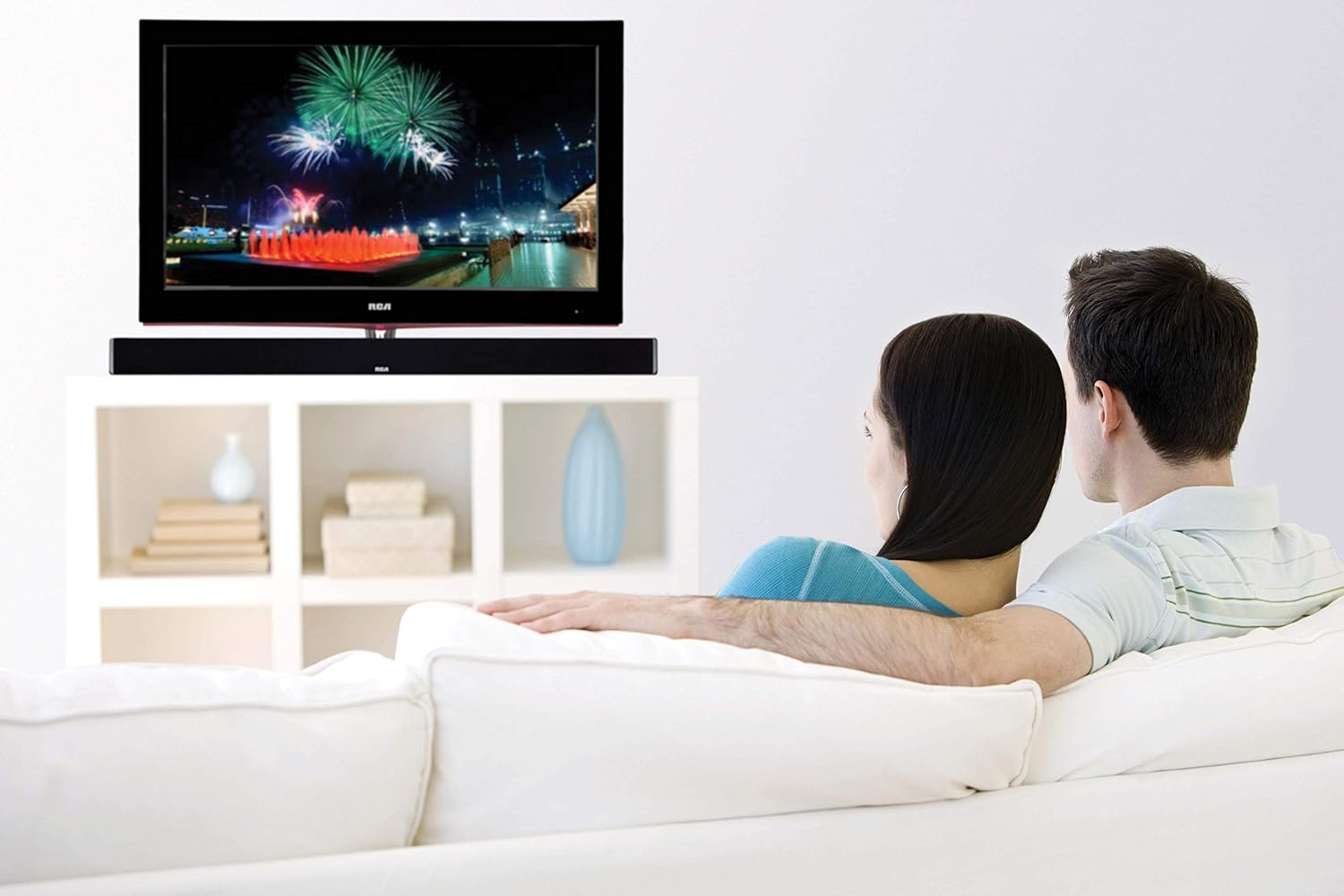
Image: The RCA sound bar positioned beneath a television, demonstrating a typical home theater setup.
2. Güce Bağlanmak
- Connect the power adapter to the DC IN port on the back of the sound bar.
- Güç adaptörünün diğer ucunu duvar prizine takın.
3. Ses Bağlantıları
Choose one of the following methods to connect your audio source to the sound bar:
- Optik Dijital Ses: Connect an optical cable (not included) from your TV's Optical Out port to the OPTICAL IN port on the sound bar. This provides high-quality digital audio.
- Koaksiyel Dijital Ses: Connect a coaxial cable (not included) from your TV's Coaxial Out port to the COAXIAL IN port on the sound bar. This also provides digital audio.
- Auxiliary (AUX) Input: Use an RCA stereo audio cable (not included) to connect your audio source (e.g., TV, DVD player) to the AUX IN ports (red for right, white for left) on the sound bar.
- Line-in Input: Use a 3.5mm audio cable (not included) to connect devices like MP3 players or smartphones to the LINE IN port on the sound bar.
- Bluetooth: Kablosuz bağlantı için, Kullanım Kılavuzu'ndaki "Bluetooth Eşleştirme" bölümüne bakın.
Kullanım Talimatları
Güç Açık/Kapalı
- Basın GÜÇ button on the remote control or on the sound bar to turn the unit on or off.
Giriş Seçimi
- Basın GİRİŞ button on the remote control or on the sound bar repeatedly to cycle through available input sources (Optical, Coaxial, AUX, Line-in, Bluetooth).
- The indicator light on the sound bar will change to reflect the selected input.
Ses Kontrolü
- Basmak HACİM+ hacmi artırmak ve cilt to decrease volume on the remote control or sound bar.
- Basın SESSİZ Uzaktan kumandadaki düğme sesi kapatmak veya açmak için kullanılır.
Bluetooth Eşleştirme
- Turn on the sound bar and select the Bluetooth input. The Bluetooth indicator light will flash, indicating it is in pairing mode.
- Mobil cihazınızda (akıllı telefon, tablet vb.) Bluetooth'u etkinleştirin.
- Arama "RCA Sound Bar" in your device's Bluetooth settings and select it to pair.
- Once successfully paired, the Bluetooth indicator light on the sound bar will stop flashing and remain solid.
- You can now stream audio wirelessly from your device to the sound bar.
Adjusting Treble and Bass
- Kullanın TREBLE+ / TREBLE- buttons on the remote control to adjust the high-frequency sound levels.
- Kullanın BAS+ / BAS- buttons on the remote control to adjust the low-frequency sound levels.
Bakım
- Temizlik: Ses çubuğunun dış yüzeyini temizlemek için yumuşak, kuru bir bez kullanın. Sıvı temizleyiciler veya aerosol spreyler kullanmayın.
- Depolamak: Ses sistemini uzun süre saklayacaksanız, fişini prizden çekin ve serin, kuru bir yerde saklayın.
Sorun giderme
| Sorun | Olası Neden | Çözüm |
|---|---|---|
| Güç yok | Güç kablosu bağlı değil; Elektrik prizi aktif değil. | Güç kablosunun güvenli bir şekilde takılı olduğundan emin olun. Prizin başka bir cihazla test edilmesini sağlayın. |
| Ses yok | Incorrect input selected; Volume too low; Mute function active; Incorrect audio cable connection. | Select the correct input source. Increase volume. Deactivate mute. Check audio cable connections. |
| Bluetooth eşleştirme başarısız oldu | Ses çubuğu eşleştirme modunda değil; Cihaz çok uzakta; Parazit. | Ensure sound bar is in Bluetooth input and indicator is flashing. Move device closer. Avoid other wireless devices. |
| Uzaktan kumanda çalışmıyor | Piller bitmiş; uzaktan kumanda ile ses çubuğu arasında engel var. | Replace remote control batteries. Remove any obstructions. Ensure remote is pointed at the sound bar's sensor. |
Özellikler
| Özellik | Detay |
|---|---|
| Model Adı | RTS7010BR6 |
| Marka | RCA |
| Hoparlör Tipi | Ses çubuğu |
| Hoparlör Boyutu | 37 inç |
| Hoparlör Maksimum Çıkış Gücü | 30 Watt |
| Çevresel Ses Kanalı Yapılandırması | 2.0 |
| Bağlantı Teknolojisi | Yardımcı, Bluetooth, Koaksiyel, Optik |
| Kablosuz İletişim Teknolojisi | Bluetooth |
| Uyumlu Cihazlar | Smartphone, Tablet, MP3 Player |
| Kontrol Yöntemi | Uzak |
| Güç Kaynağı | Adaptor-Powered |
| Ürün Boyutları | 7"D x 41.5"G x 6"Y |
| Ürün Ağırlığı | 4.74 Pound |
| Malzeme | Metal, Plastik, Ahşap |
| Renk | Siyah |
| UPC | 062118470106 |
Garanti ve Destek
This RCA RTS7010BR6 Sound Bar includes a 1-Year limited manufacturer warranty. For warranty claims or technical support, please refer to the contact information provided with your product packaging or visit the official RCA support webalan.


