1. Ürün Bittiview
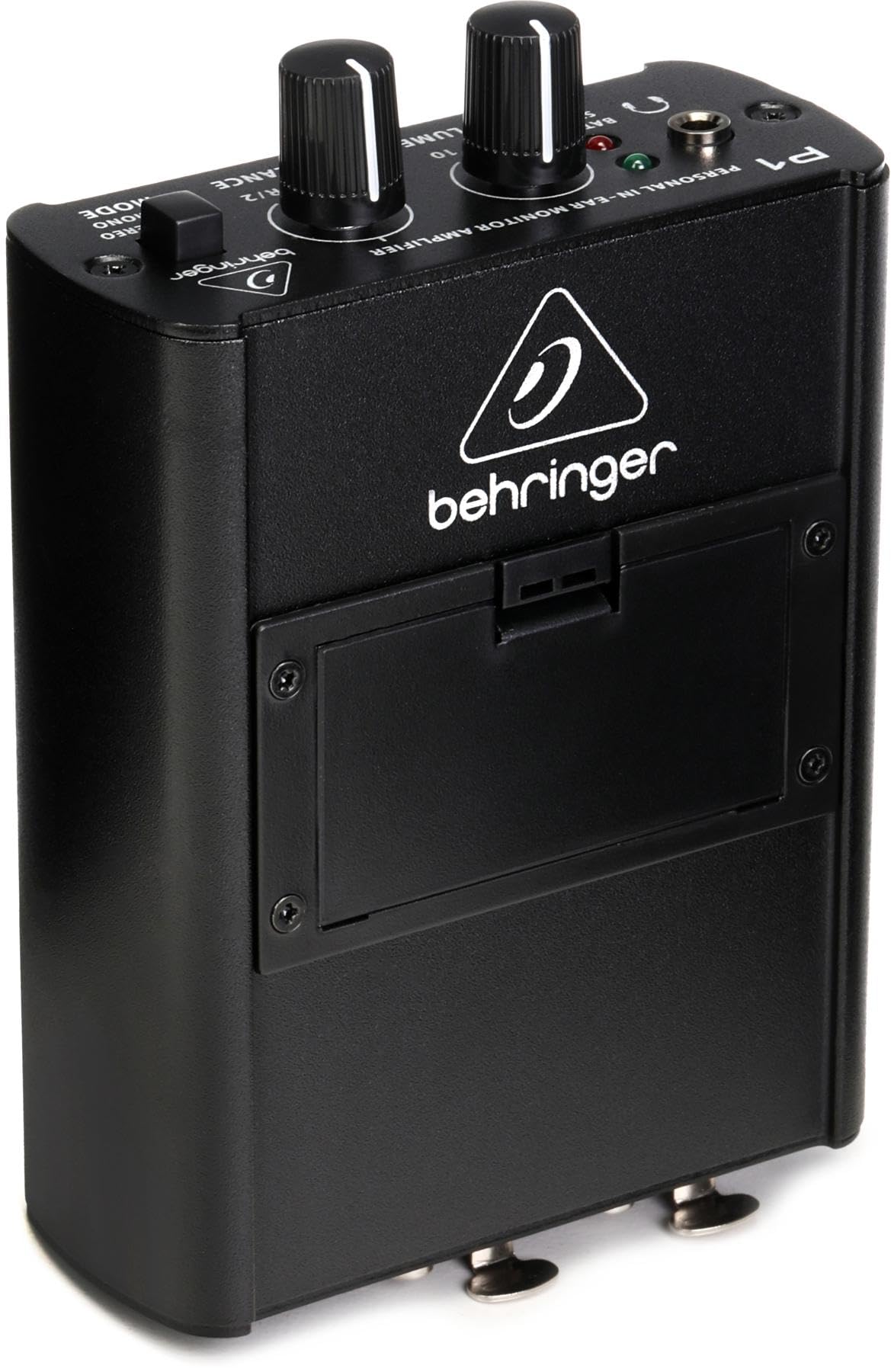
The Behringer POWERPLAY P1 is a personal in-ear monitor amplifier designed for musicians and performers. It provides a high-quality, customizable monitor mix directly to your headphones, ensuring clear audio in any performance or studio environment.
Temel Özellikler
- In-ear monitor amplifier for personal monitoring applications.
- High-power headphone output, suitable for drummers and other demanding applications.
- Dual XLR inputs for 2-channel mono or stereo operation.
- Switchable stereo/mono operation with a mix function for flexible monitoring.
- Dedicated Level and Balance/Mix controls for precise audio adjustment.

Image: A drummer wearing headphones, utilizing the P1 for a clear, powerful monitor mix.

Image: A singer wearing headphones, benefiting from a personalized monitor mix provided by the P1.
2. Paket İçeriği
The Behringer POWERPLAY P1 package includes:
- P1 Personal In-Ear Monitor Ampcankurtaran
3. Kurulum
3.1 Cihaza Güç Verme

The P1 can be powered by a 9V battery (not included) or an optional 9V DC power adapter (not included). To install the battery, open the battery compartment on the rear of the unit and insert a fresh 9V battery, observing correct polarity. The battery status LED on the front panel indicates power status.
3.2 Ses Girişlerinin Bağlanması

Connect your audio source(s) to the P1 using standard XLR cables. The P1 features dual XLR inputs, allowing for either two-channel mono or stereo operation. Ensure cables are securely connected to prevent signal loss during use.
3.3 Kulaklık Bağlama
Plug your in-ear monitors or headphones into the 3.5mm (1/8") stereo headphone output jack located on the top panel of the P1. The high-power output is designed to drive a wide range of headphones effectively.
4. Operating the P1
4.1 Ses Kontrolü
Use the large 'VOLUME' knob on the front panel to adjust the overall listening level of your headphones. Start with a low volume and gradually increase it to a comfortable level to prevent hearing damage.
4.2 Balance/Mix Control
The 'BALANCE' knob allows you to adjust the mix between the left (L/1) and right (R/2) input channels. In stereo mode, this controls the stereo balance. In mono mode, it acts as a mix control, allowing you to blend the two input signals.
4.3 Stereo/Mono Mode Selection
A switch on the front panel allows you to select between 'STEREO' and 'MONO' operation. Choose 'STEREO' for a true stereo image from your two input channels, or 'MONO' to combine both input signals into a single mono mix.
5. Bakım
To ensure the longevity and optimal performance of your Behringer POWERPLAY P1, follow these maintenance guidelines:
- Temizlik: Cihazın dış yüzeyini temizlemek için yumuşak, kuru bir bez kullanın. Aşındırıcı temizleyiciler veya çözücüler kullanmaktan kaçının.
- Depolamak: Store the P1 in a cool, dry place away from direct sunlight and extreme temperatures. If storing for extended periods, remove the 9V battery to prevent leakage.
- İşleme: Üniteyi dikkatli tutun. Düşürmeyin veya sert darbelere maruz bırakmayın.
6. Sorun Giderme
If you encounter issues with your POWERPLAY P1, consider the following:
- Ses Yok: Check all cable connections (inputs and headphones). Ensure the volume knob is turned up and the battery is charged or the DC adapter is properly connected.
- Bozuk Ses: Reduce the input signal level from your source or lower the P1's volume. Ensure your headphones are correctly connected and functioning.
- Pil Durumu LED'i: If the LED is red, the battery is low and needs replacement or recharging.
7. Özellikler
| Ürün Ağırlığı | 9.6 ons |
| Ürün Boyutları | 4.92 x 3.35 x 1.77 inç |
| Ürün Model Numarası | Powerplay P1 |
| Piller | 1 9V battery required (not included) |
| Uyumlu Cihazlar | Professional Audio Equipment, Mixers, Live Performance Devices |
| Bağlayıcı Türü | XLR |
| Malzeme Türü | Paslanmaz çelik |
| Güç Kaynağı | Pil ile çalışır |
| Renk | Siyah |
8. Garanti ve Destek
Ayrıntılı garanti bilgileri ve teknik destek için lütfen ürününüzle birlikte verilen belgelere bakın veya resmi Behringer web sitesini ziyaret edin. website. Herhangi bir garanti talebi için satın alma belgeniz olarak satın alma makbuzunuzu saklayın.