Ürün Bittiview
The Logitech K120 Ergonomic Keyboard is designed for comfortable and efficient typing. It features a sleek, low-profile design with full-size F-keys and a dedicated number pad, providing a quiet typing experience. Its spill-resistant design helps protect against accidental liquid spills, and the bold, bright characters on the keys are designed for durability and readability. Adjustable tilt legs allow users to customize the keyboard angle for personal ergonomic comfort.
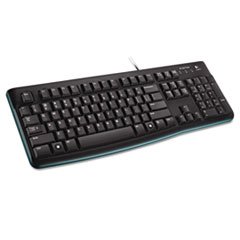
Image: The Logitech K120 Ergonomic Keyboard, showcasing its full layout with function keys and number pad.
Kutuda Neler Var?
- Logitech K120 USB Keyboard
Kurmak
- Klavyeyi Bağlayın: Locate an available USB port on your computer. Insert the USB connector of the Logitech K120 keyboard firmly into the USB port.
- Tak ve Çalıştır: The keyboard is plug-and-play compatible. Your operating system should automatically detect and install the necessary drivers. No additional software installation is typically required.
- İşlevselliği Doğrulayın: Once connected, test the keyboard by typing in a text editor or web browser to ensure all keys are functioning correctly.
Klavyenin Kullanımı
The Logitech K120 keyboard operates like a standard full-size keyboard, providing all essential keys for daily computing tasks.
- Yazma: Metin girişi için alfanümerik tuşları kullanın.
- Fonksiyon Tuşları (F1-F12): These keys perform various functions depending on the application or operating system. Some may have secondary functions accessible via the 'Fn' key (if present, though not typical for this model).
- Sayı tablosu: The dedicated number pad on the right side allows for quick data entry and calculations. Ensure 'Num Lock' is active for numerical input.
- Ayarlanabilir Eğimli Ayaklar: On the underside of the keyboard, you will find two foldable tilt legs. Flip these out to adjust the keyboard's angle for a more comfortable typing position.
Bakım
- Temizlik: To clean the keyboard, disconnect it from your computer. Use a soft, lint-free cloth lightly dampSu veya hafif bir temizleme solüsyonu ile durulayın. Aşırı nemden kaçının. Tuşlar arasındaki toz ve kirler için basınçlı hava kullanın.
- Dökülmeye Karşı Dayanıklı Tasarım: The K120 keyboard features a spill-resistant design, meaning it can withstand minor liquid spills. In case of a spill, immediately disconnect the keyboard from your computer, turn it upside down to drain the liquid, and allow it to dry completely before reconnecting. Do not immerse the keyboard in liquid.
- Depolamak: Uzun süre kullanılmayacaksa klavyeyi serin, kuru ve doğrudan güneş ışığından ve aşırı sıcaklıklardan uzak bir yerde saklayın.
Sorun giderme
- Klavye Yanıt Vermiyor:
- USB kablosunun bilgisayarınızdaki çalışan bir USB portuna güvenli bir şekilde takılı olduğundan emin olun.
- Klavyeyi farklı bir USB portuna takmayı deneyin.
- Bilgisayarınızı yeniden başlatın.
- USB hub kullanıyorsanız, klavyeyi doğrudan bilgisayara bağlamayı deneyin.
- Keys Not Working or Sticky:
- Check for any debris or foreign objects lodged under the keys. Use compressed air to dislodge them.
- If a spill occurred, ensure the keyboard is completely dry before use.
- Yanlış Karakterler Görünüyor:
- Verify your operating system's keyboard language settings are correct.
- Ensure 'Num Lock' or 'Caps Lock' are not inadvertently activated if they are causing unexpected input.
Özellikler
| Özellik | Detay |
|---|---|
| Marka | Logitech |
| Örnek | K120 |
| Bağlantı Teknolojisi | USB-A, Wired |
| Klavye Açıklaması | Ergonomik |
| Renk | Siyah |
| Anahtar Sayısı | 104 |
| Uyumlu Cihazlar | Dizüstü Bilgisayar |
| Ürün Ağırlığı | 1.54 pound (0.7 kg) |
| Paket Boyutları | 18.5 x 7.09 x 1.18 inç (46.99 x 18.01 x 3.00 cm) |
Garanti Bilgileri
For detailed warranty information regarding your Logitech K120 Ergonomic Keyboard, please refer to the warranty card included with your product or visit the official Logitech webSite. Garanti şartları ve koşulları bölgeye göre değişiklik gösterebilir.
Müşteri Desteği
If you require further assistance or have questions not covered in this manual, please visit the official Logitech support webSıkça sorulan sorular, sürücü bilgileri ve iletişim bilgileri için site.
Logitech Desteği Webalan: https://support.logi.com/


