1. Üzeriview
This manual provides essential information for the safe and efficient use of your Panasonic Viera TH-L42E5D 42-inch Full HD LED Television. Please read these instructions carefully before operating the television and retain them for future reference.
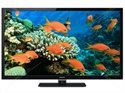
Figure 1: Panasonic Viera TH-L42E5D 42-inch Full HD LED Television. This image shows the front view of the black LED television with its stand.
Temel Özellikler:
- 150Hz Backlight Scanning: Enhances motion clarity for fast-moving scenes.
- IPS LED LCD Panel: Geniş sağlar viewaçıları ve tutarlı renk üretimi.
- Clear Panel: Reduces reflections and enhances contrast.
- VIERA Connect: Access to online content and services.
- Geniş Viewaçı: Ensures clear picture quality from various positions.
2. Kutuda Neler Var?
Paketi açtığınızda aşağıdaki tüm öğelerin mevcut olduğundan emin olun:
- Panasonic Viera TH-L42E5D Television Unit
- Televizyon sehpası
- Uzaktan Kumanda (Piller dahil değildir)
- Güç Kablosu
- Kullanım Kılavuzu (bu belge)
- Garanti Bilgileri
3. Kurulum Kılavuzu
3.1 Standın Takılması
- Televizyonun hasar görmesini önlemek için ekranı alta gelecek şekilde yumuşak ve düz bir yüzeye dikkatlice yerleştirin.
- Align the TV stand with the mounting holes on the bottom of the television.
- Birlikte verilen vidaları kullanarak standı sabitleyin. Çok fazla sıkmayın.
- Sehpa güvenli bir şekilde takıldıktan sonra, televizyonu dikkatlice kaldırın ve sağlam, düz bir yüzeye yerleştirin.
Alternatively, for wall mounting, consult a professional installer and refer to the specific instructions provided with your wall mount kit. The TV supports both wall mount and table mount configurations.
3.2 Gücün Bağlanması
- Connect the power cord to the AC input on the back of the TV.
- Güç kablosunun diğer ucunu uygun bir elektrik prizine takın.
3.3 İlk Kurulum
- Televizyonu açmak için TV veya uzaktan kumanda üzerindeki güç düğmesine basın.
- Follow the on-screen instructions to complete the initial setup, including language selection, channel scanning (for ATSC tuner technology), and network connection.
4. Kullanım Talimatları
4.1 Temel TV İşlevleri
- Güç Açma/Kapatma: Basın GÜÇ uzaktan kumandadaki veya TV'deki düğmesine basın.
- Ses Kontrolü: Kullanın SES +/- Sesi ayarlamak için düğmeler.
- Kanal Seçimi: Kullanın CH +/- buttons or number pad to change channels.
- Giriş kaynağı: Basın GİRİŞ or KAYNAK button to select connected devices (e.g., HDMI, USB).
- Menü Navigasyonu: Ok tuşlarını kullanın ve OK Ekrandaki menülerde gezinmek için kullanılan düğme.
4.2 Using the VIERA Remote App
The Panasonic Viera TH-L42E5D supports the VIERA remote app, allowing you to control your TV from a smartphone or tablet. Download the official Panasonic VIERA remote app from your device's app store and follow the in-app instructions for pairing with your television.
5. Smart Features (VIERA Connect)
Your Panasonic Viera TH-L42E5D is equipped with VIERA Connect, providing access to a range of internet-based services and applications. The television runs on an Android operating system.
5.1 İnternete Bağlanma
To utilize VIERA Connect, the TV must be connected to the internet. This model supports wireless LAN connectivity (requires a wireless LAN adaptor, which may be sold separately).
- Navigate to the TV's network settings menu.
- Select your Wi-Fi network and enter the password if prompted.
- Once connected, you can access VIERA Connect services.
5.2 Available Features
- VIERA Connect Portal: Access various apps and web Hizmetler.
- Skype while watching TV: Conduct video calls directly from your television (requires compatible camera, sold separately).
- Medya Oynatıcısı: Medya oynatın files (e.g., MP3 audio, 1080p video) from connected USB devices. The TV has 2 USB ports.
- Desteklenen İnternet Hizmetleri: Includes Facebook and Skype.
6. Bakım ve Özen
6.1 TV'nin temizlenmesi
- Temizlemeden önce mutlaka televizyonun fişini prizden çekin.
- Ekranı ve kasayı silmek için yumuşak ve kuru bir bez kullanın.
- İnatçı izler için hafifçe silinampBezi suyla veya elektronik cihazlar için özel olarak tasarlanmış, aşındırıcı olmayan hafif bir temizleyiciyle silin.
- Temizleyiciyi asla doğrudan ekranın veya kasanın üzerine püskürtmeyin.
6.2 Güvenlik Önlemleri
- Televizyonun havalandırma deliklerini kapatmayın.
- Avoid exposing the TV to direct sunlight, high temperatures, or excessive humidity.
- Televizyonu güçlü manyetik alan kaynaklarından uzak tutun.
- Do not attempt to repair the TV yourself. Refer all servicing to qualified personnel.
7. Sorun Giderme
Müşteri desteğiyle iletişime geçmeden önce lütfen aşağıdaki yaygın sorunlara ve çözümlere bakın:
| Sorun | Olası Neden / Çözüm |
|---|---|
| Güç Yok |
|
| Görüntü yok, ancak ses var. |
|
| Ses yok, ancak görüntü mevcut. |
|
| Uzaktan Kumanda Çalışmıyor |
|
8. Özellikler
| Özellik | Detay |
|---|---|
| Marka | Panasonic |
| Örnek | TH-L42E5D |
| Model Adı | Viera LED |
| Ekran Boyutu | 42 inç |
| Ekran Teknolojisi | LED (IPS LED LCD panel) |
| Çözünürlük | 1080p (Full HD, 1920 x 1080 piksel) |
| Yenileme Hızı | 150 hertz (150Hz backlight scanning) |
| En Boy Oranı | 16:9 |
| İşletim Sistemi | Android |
| Donanım Arayüzü | USB |
| Toplam USB Bağlantı Noktaları | 2 |
| Ses Girişi | HDMI |
| Ses Çıkışı Modu | Stereo |
| Desteklenen Ses Biçimleri | MP3 |
| Hoparlör Çevresel Ses | 2.1 Kanal Yapılandırması |
| Sesli Wattage | 10 Watt |
| Netage (Power Consumption) | 84 Watt |
| Güç Kaynağı | AC |
| Ürün Boyutları (UxGxY) | 24.7 x 99.7 x 65 Santimetre |
| Ürün Ağırlığı | 17 kilo |
| Montaj Tipi | Duvara Montaj ve Masa Montajı |
| İlk Mevcut Tarih | 15 Mayıs 2013 |
9. Garanti ve Destek
This Panasonic Viera TH-L42E5D television comes with a standard brand warranty. For detailed information regarding warranty terms, conditions, and service procedures, please refer to the warranty card included with your product or visit the official Panasonic support webalan.
For further assistance, technical support, or to locate authorized service centers, please visit the product detail page on the retailer's website or the official Panasonic customer support portal.