1. Giriş
Satın aldığınız için teşekkür ederizasing the Imation Memorex PX6683 Wireless Bluetooth Speaker. This manual provides essential information for setting up, operating, and maintaining your speaker to ensure optimal performance and longevity. Please read these instructions carefully before use.
2. Paket İçeriği
- Imation Memorex PX6683 Wireless Bluetooth Speaker
- Güç Adaptörü (bölgeye göre değişiklik gösterebilir)
- Ses Kablosu (3.5 mm yardımcı kablo)
- Kullanım Kılavuzu (bu belge)
3. Ürün Bittiview
Familiarize yourself with the components of your Memorex PX6683 speaker.
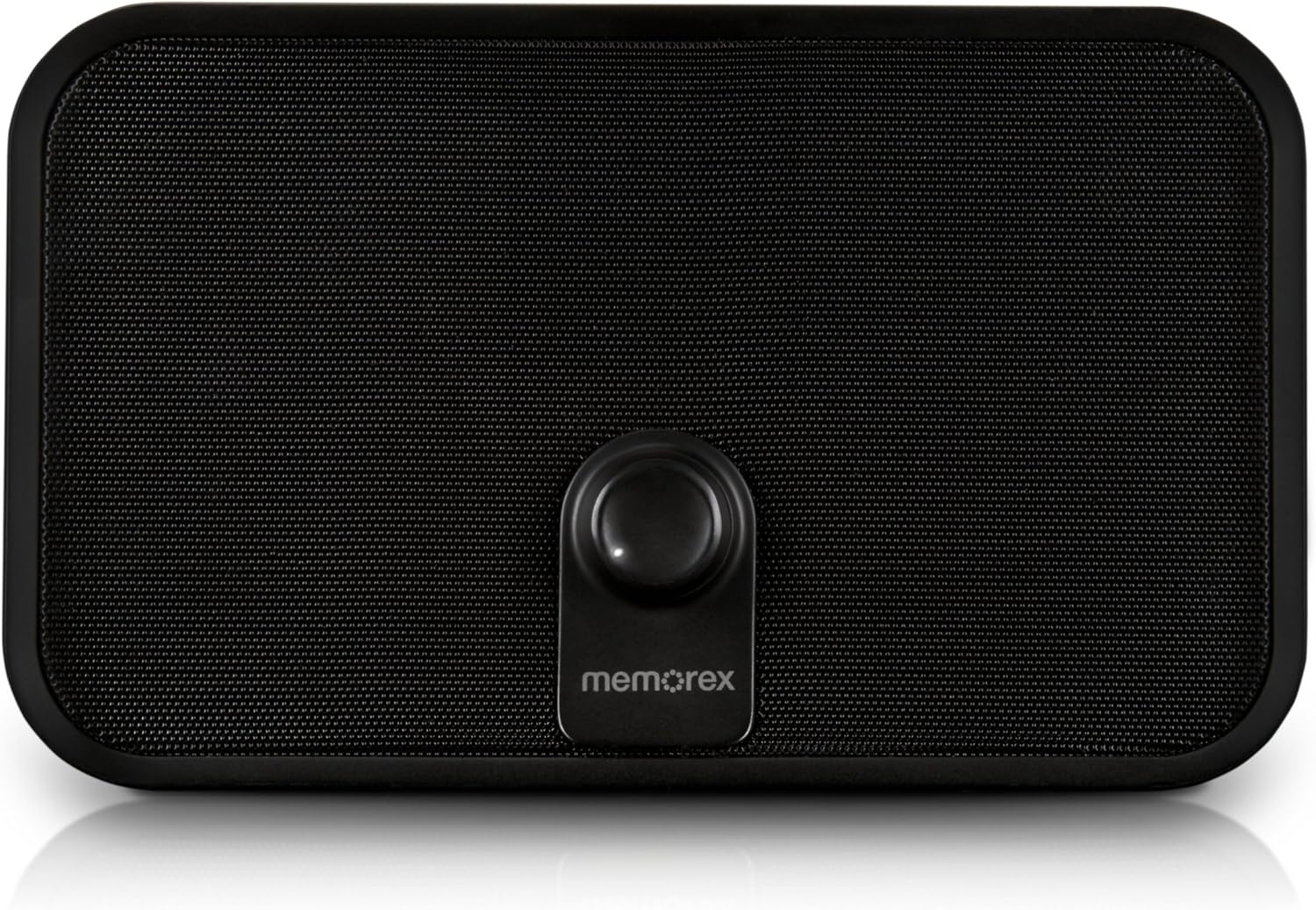
Şekil 3.1: Ön view of the Memorex PX6683 speaker. The front features a large speaker grille and a central control knob with the 'memorex' logo below it.

Şekil 3.2: Açısal view of the Memorex PX6683 speaker. This perspective highlights the speaker's rectangular shape with rounded edges, the front grille, and the central control knob.
4. Kurulum
4.1 Güç Bağlantısı
- Locate the power input port on the back or side of the speaker.
- Connect the provided power adapter to the speaker.
- Güç adaptörünü standart bir elektrik prizine takın.
- The speaker is now powered on or in standby mode.
4.2 Bluetooth Eşleştirme
The Memorex PX6683 supports A2DP Bluetooth wireless technology for audio streaming.
- Hoparlörün açık olduğundan emin olun.
- Ses cihazınızda (akıllı telefon, tablet, bilgisayar) Bluetooth'u etkinleştirin.
- Arama available Bluetooth devices. The speaker should appear as "Memorex PX6683" veya benzeri.
- Eşleştirmeyi başlatmak için listeden konuşmacıyı seçin.
- Once paired, the speaker will indicate a successful connection (e.g., an audible tone or LED indicator).
4.3 Line-in Connection (Auxiliary Input)
For devices without Bluetooth, use the universal line-in jack.
- Connect one end of the 3.5mm audio cable to the 'Line In' or 'AUX' port on the speaker.
- 3.5 mm ses kablosunun diğer ucunu cihazınızın kulaklık girişine veya ses çıkışına bağlayın.
- The speaker will automatically switch to auxiliary input mode or may require manual selection via a mode button (if present).
5. Kullanım Talimatları
5.1 Güç Açma/Kapatma
Refer to the power button or control knob on your speaker. Typically, a long press or rotation will power the unit on or off.
5.2 Ses Kontrolü
Adjust the audio volume using the central control knob on the front of the speaker. Rotate clockwise to increase volume and counter-clockwise to decrease volume.
5.3 Ses Oynatma
Once connected via Bluetooth or Line-in, begin playing audio from your source device. The sound will be output through the speaker.
6. Bakım
6.1 Temizlik
Wipe the speaker's exterior with a soft, dry cloth. Do not use liquid cleaners or abrasive materials, as they may damage the finish or internal components.
6.2 Depolama
When not in use for extended periods, store the speaker in a cool, dry place away from direct sunlight and extreme temperatures. Disconnect the power adapter.
7. Sorun Giderme
- Güç Yok: Güç adaptörünün hem hoparlöre hem de çalışan bir elektrik prizine güvenli bir şekilde bağlı olduğundan emin olun.
- Ses Yok:
- Hem hoparlörünüzdeki hem de ses kaynağınızdaki ses seviyesini kontrol edin.
- If using Bluetooth, ensure the speaker is successfully paired and connected.
- If using Line-in, ensure the audio cable is fully inserted into both devices.
- Bluetooth Eşleştirme Sorunları:
- Ensure the speaker is in pairing mode (if applicable).
- Kaynak cihazınızda Bluetooth'u kapatıp tekrar açın.
- Cihazınızı hoparlöre yaklaştırın.
- Remove "Memorex PX6683" from your device's Bluetooth list and attempt to re-pair.
8. Özellikler

Figure 8.1: Approximate dimensions of the Memorex PX6683 speaker.
| Özellik | Şartname |
|---|---|
| Marka | Imation |
| Örnek | PX6683 |
| Bağlantı Teknolojisi | Wireless (Bluetooth), Wired (3.5mm Line-in) |
| Bluetooth Desteği | A2DP |
| Ses Çıkışı Modu | Stereo |
| Hoparlör Maksimum Çıkış Gücü | 10 Watt |
| Montaj Tipi | Solo |
| Boyutlar (Yaklaşık) | 11.25" (G) x 8.75" (Y) x 4.13" (D) |
9. Garanti ve Destek
For warranty information and customer support, please refer to the documentation included with your purchase or visit the official Imation webSite. Satın alma belgenizi garanti talepleriniz için saklayın.


