1. Giriş
This manual provides instructions for the setup, operation, and maintenance of your ViewSonic VX2770SMH-LED 27-inch IPS 1080p Frameless LED Monitor. This monitor features a sleek design, Full HD 1920x1080 resolution, and an IPS panel for wide viewing angles and accurate color reproduction. It includes HDMI, DVI, and VGA inputs, along with integrated speakers.
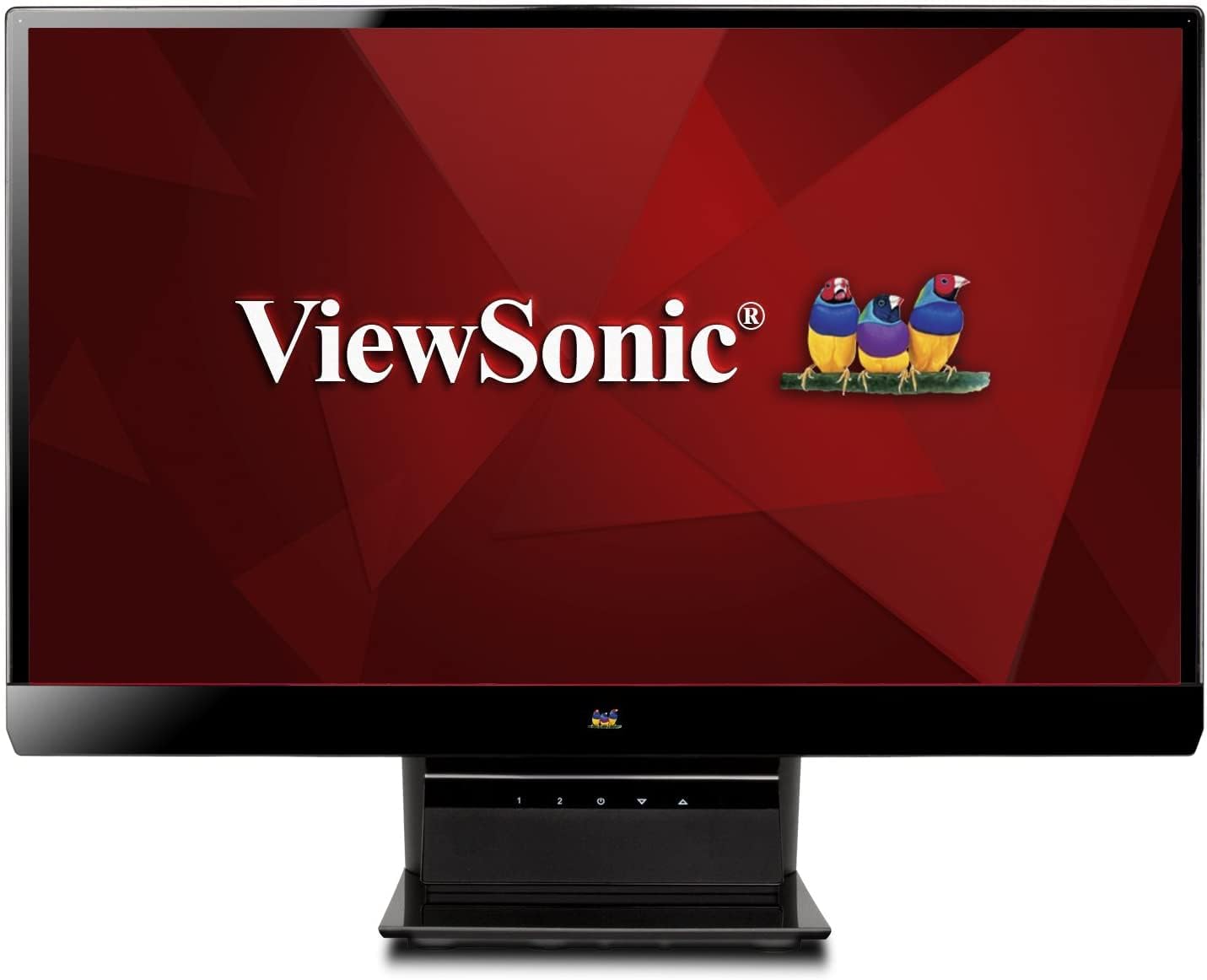
Şekil 1: ViewSonic VX2770SMH-LED 27-inch monitor displaying a tropical beach scene.
2. Paket İçeriği
Ürün paketinizde tüm öğelerin mevcut olduğunu doğrulayın:
- VX2770Smh-LED display
- Güç kablosu
- AC/DC adaptörü
- VGA kablosu
- HDMI kablosu
- Hızlı Başlangıç Kılavuzu
- ViewSonic Sihirbazı CD'si
3. Kurulum
Monitörünüzü kurmak için şu adımları izleyin:
- Standı Birleştirin: Carefully attach the monitor panel to the stand base according to the Quick Start Guide. Ensure it is securely fastened.
- Gücü bağlayın: Connect the AC/DC adapter to the monitor's power input, then plug the power cable into the adapter and a power outlet.
- Video Kablosunu Bağlayın: Connect one end of the appropriate video cable (HDMI, DVI, or VGA) to the corresponding port on the back of the monitor and the other end to your computer's video output port.
- Güç Açık: Açmak için monitördeki güç düğmesine basın.

Şekil 2: Arka view of the monitor, illustrating the stand attachment area and overall design.
4. Monitörü Çalıştırma
The monitor features capacitive control buttons located on the stand for easy access to settings and power functions.

Şekil 3: Ön view of the monitor, showing the control buttons on the stand.
Güç Açık/Kapalı
Press the power button (usually indicated by a power symbol) to turn the monitor on or off.
Ekran Görüntüsü (OSD) Menüsü
Use the control buttons to navigate the OSD menu. This menu allows you to adjust various display settings such as brightness, contrast, color temperature, input source, and more. Refer to the digital manual on the ViewSonic Wizard CD for detailed OSD navigation.
5. Bağlantı
The ViewSonic VX2770SMH-LED monitor offers multiple input options for versatile connectivity:
- HDMI: Yüksek çözünürlüklü dijital video ve ses için.
- DVI-D: For digital video input.
- VGA: Analog video girişi için.
The monitor also features integrated speakers with SRS Premium Sound for audio output.

Şekil 4: Yakın çekim view of the HDMI, DVI, and VGA input ports on the monitor's rear panel.
Video 1: Official product video demonstrating the features and design of the ViewSonic VX2770SMH-LED monitor, including its frameless design, IPS panel technology, connectivity options, and energy efficiency.
6. Ekran Özellikleri
- IPS Panel Teknolojisi: Provides consistent and accurate colors with wide 178/178-degree viewing angles, ensuring clear images from nearly any perspective.
- Tam HD 1080p Çözünürlük: Delivers sharp and detailed images (1920x1080) for an enhanced viewDeneyim.
- Çerçevesiz Tasarım: The ultra-thin bezel creates a seamless visual experience, ideal for multi-monitor setups.
- MEGA Dynamic Contrast Ratio: A 30,000,000:1 dynamic contrast ratio enhances image depth and detail.
- LED arka ışığı: Energy-efficient LED backlighting contributes to lower power consumption.
- Eco modu: Further reduces power consumption and extends the monitor's lifespan.
- sRGB Color Correction: Ensures accurate color reproduction for various applications.
7. Bakım
Monitörünüzün uzun ömürlü ve en iyi performansı göstermesi için aşağıdaki bakım yönergelerini izleyin:
- Ekranın Temizlenmesi: Ekranı yumuşak, tiftiksiz bir bezle nazikçe silin. İnatçı lekeler için hafifçe silin.ampBezi su veya hafif, aşındırıcı olmayan bir ekran temizleyici ile silin. Sıvıyı doğrudan ekrana püskürtmekten kaçının.
- C'yi Temizlemeasing: Monitörün yüzeyini temizlemek için yumuşak, kuru bir bez kullanın.asing.
- Havalandırma: Aşırı ısınmayı önlemek için monitörün havalandırma deliklerinin kapatılmadığından emin olun.
- Kullanılmadığında Gücü Kapatma: Turn off the monitor when not in use to save energy and prolong its life.
8. Sorun Giderme
Monitörünüzde sorunlarla karşılaşırsanız, aşağıdaki genel sorun giderme adımlarına bakın:
- Güç Yok: Check if the power cable and AC/DC adapter are securely connected to the monitor and a working power outlet.
- Sinyal yok: Verify that the video cable is correctly connected to both the monitor and your computer. Ensure the correct input source is selected via the OSD menu.
- Image Issues (Blurry, Distorted, Incorrect Colors): Adjust the display settings through the OSD menu. Ensure your computer's display resolution is set to the monitor's native resolution (1920x1080).
- Ses Yok: Check the audio cable connection (if using VGA) or ensure HDMI audio is selected. Adjust the volume settings on both the monitor and your computer.
For more detailed troubleshooting, consult the digital manual on the ViewSonic Sihirbazı CD'si.
9. Özellikler
| Özellik | Şartname |
|---|---|
| Ayakta ekran boyutu | 27 inç |
| Ekran Çözünürlüğü | 1920x1080 |
| Maksimum Ekran Çözünürlüğü | 1920x1080 |
| Seri | Viewsonic VX2770SMH-LED |
| Ürün model numarası | VX2770SMH-LED |
| Ürün Ağırlığı | 11 pound |
| Ürün Boyutları | 7.6 x 24.5 x 18.1 inç |
| Renk | Siyah |
| Ekran Boyutu | 27 inç |
| Çözünürlük | Tam HD 1080p |
| En Boy Oranı | 1.78:1 |
| Ekran Yüzeyi Açıklaması | Parlak |

Figure 5: Monitor dimensions for planning your workspace.
10. Garanti ve Destek
Bu ViewSonic monitor is covered by a 3 yıllık Sınırlı Garanti. For warranty claims or technical support, please refer to the contact information provided in your Quick Start Guide or visit the official ViewSes desteği webalan.


