1. Giriş
The Gillette Vector Plus Razor is designed to provide a smooth and comfortable shaving experience. It features an automatic pivoting head that adjusts to the contours of your face, twin blades for a close shave, and a comfort strip with lubricants for enhanced glide.
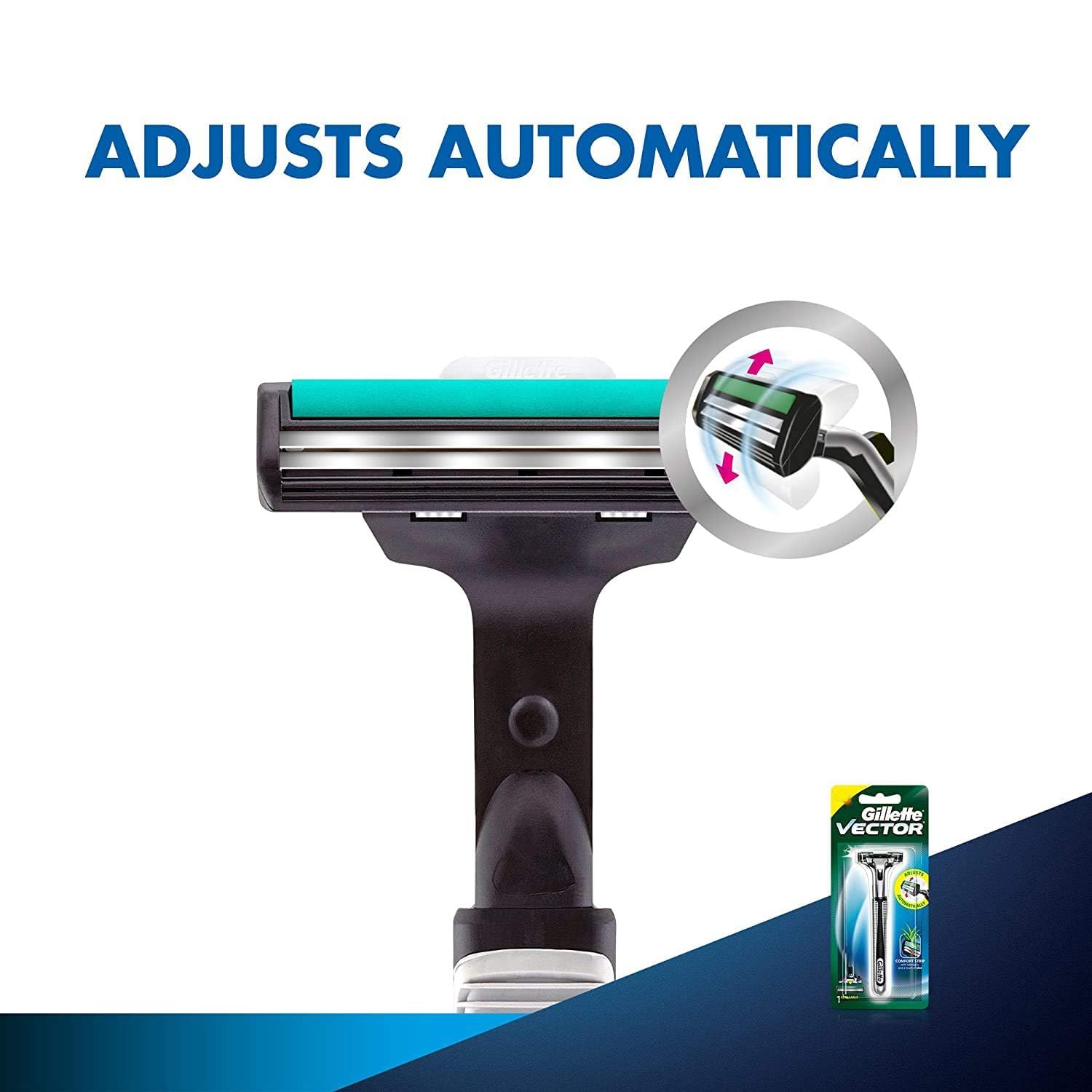
Figure 1: The automatic pivoting head of the Gillette Vector Plus Razor adjusts to facial contours for a safe shave.

Figure 2: The twin blades of the Gillette Vector Plus Razor are engineered for a clean and efficient shave.
2. Kurulum
2.1 Paketin açılması
Carefully remove the Gillette Vector Plus Razor from its packaging. Inspect the razor and blade cartridge for any visible damage before first use.

Figure 3: Gillette Vector Plus Razor as packaged for retail.
2.2 Attaching the Blade Cartridge
The Gillette Vector Plus Razor is designed for easy blade cartridge attachment and replacement. If your razor handle and blade cartridge are separate, follow these steps:
- Hold the razor handle firmly.
- Align the new blade cartridge with the attachment mechanism on the handle.
- Push the cartridge onto the handle until it clicks securely into place. Ensure it is firmly attached and does not wobble.
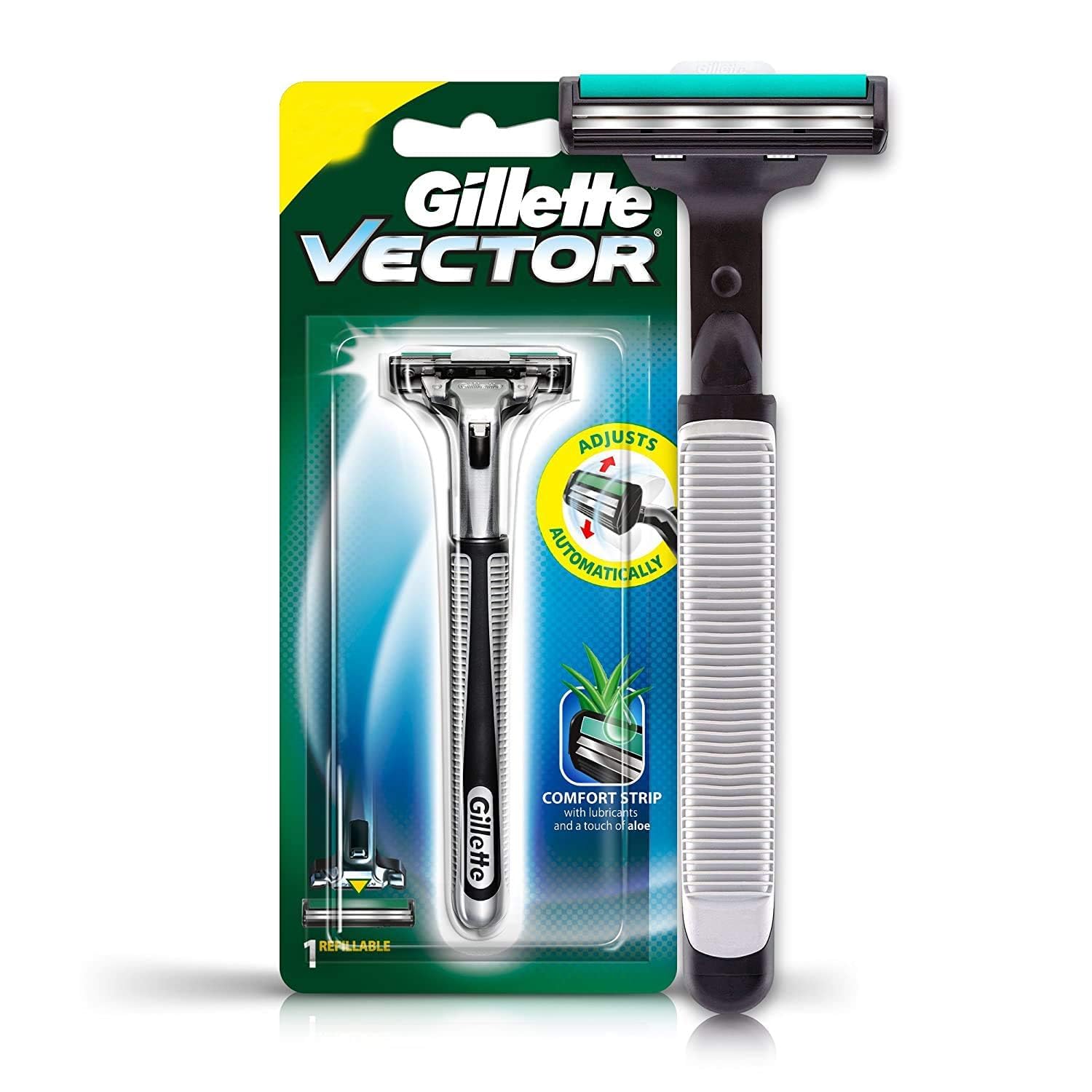
Figure 4: Packaging detail illustrating the easy blade replacement process. The barcode 4902430692489 is visible on the packaging.
3. Kullanım Talimatları
3.1 Preparing for Shave
- Wet your face with warm water to soften the beard.
- Apply a generous amount of shaving cream or gel to create a rich lather.
3.2 Tıraş Tekniği
Hold the razor at a comfortable angle. Shave with light, gentle strokes in the direction of hair growth. The automatic pivoting head will adapt to your facial contours, and the comfort strip will provide lubrication for a smooth glide. For a closer shave, you may re-lather and shave against the grain, if comfortable.

Figure 5: The twin blades are designed to shave efficiently with each stroke.
4. Bakım
4.1 Cleaning the Razor
After each use, rinse the razor head thoroughly under running water to remove hair and shaving cream. Do not tap the razor against a hard surface, as this can damage the blades.
4.2 Replacing the Blade Cartridge
Replace the blade cartridge when you notice the blades becoming dull or when the comfort strip fades. To replace, locate the release button on the razor handle, press it to detach the used cartridge, and then attach a new cartridge as described in Section 2.2.
5. Sorun Giderme
- Kör Bıçaklar: If the shave feels rough or less effective, the blades may be dull. Replace the blade cartridge with a new one.
- Skin Irritation/Razor Burn: Ensure you are using sufficient shaving cream or gel. Shave with light strokes and avoid pressing too hard. If irritation persists, consider replacing the blade cartridge.
- Blade Release Mechanism Issues: If the button for releasing the blade cartridge feels stiff or does not function correctly, ensure the mechanism is clean and free of accumulated hair or soap residue. Rinse thoroughly. If the issue persists, the handle may be defective.
6. Özellikler
| Özellik | Detay |
|---|---|
| Marka | Gillette |
| Model Numarası | Vektör |
| Bıçak Sayısı | 2 |
| Birim Sayısı | 1.0 Sayım |
| Öğe Sayısı | 1 |
| Sap Malzemesi | Stainless Steel or Metal |
| Paket Boyutları | 7.56 x 3.23 x 1.42 inç |
7. Garanti ve Destek
For warranty information, product support, or to address any concerns not covered in this manual, please contact Gillette customer service. Refer to the product packaging or the official Gillette webEn güncel iletişim bilgileri için sitemizi ziyaret edin.


