giriiş
This manual provides essential information for the safe and effective operation of your Laserliner SoundTest-Master 082.070A Noise Level Meter. Please read these instructions carefully before using the device and keep them for future reference. The SoundTest-Master 082.070A is designed for precise measurement of noise levels, featuring integrated long-term memory and PC connectivity for comprehensive documentation.
Güvenlik Talimatları
- Always operate the device within its specified environmental conditions.
- Cihazı aşırı sıcaklıklara, neme veya doğrudan güneş ışığına maruz bırakmayın.
- Cihazı düşürmekten veya güçlü darbelere maruz bırakmaktan kaçının.
- Cihazı açmaya veya üzerinde değişiklik yapmaya çalışmayın. Onarımlar yalnızca yetkili personel tarafından yapılmalıdır.
- Cihazı güçlü manyetik alanlardan uzak tutun.
- Ensure the microphone is clean and free from obstructions for accurate measurements.
Ürün Bittiview
The Laserliner SoundTest-Master 082.070A is a handheld noise level meter equipped with a sensitive electret condenser microphone and a clear, illuminated display. It features various controls for measurement settings and data management.

Şekil 1: Ön view of the SoundTest-Master 082.070A, showing the display, microphone with windshield, and control buttons.
Temel Bileşenler:
- Electret Condenser Microphone: For capturing sound. Includes a removable windshield.
- Aydınlatmalı Ekran: Shows measurement values, settings, and status.
- Kontrol Düğmeleri: Power, Setup, Max, Record, A/C weighting, Fast/Slow time weighting, Level adjustment, Data send.
- Analog Çıkışlar: DC and AC outputs for external connections.
- RS232 Arayüzü: Optoisolated port for PC connection and data transfer.
Kurmak
1. Pil Kurulumu
The device requires batteries for operation. Ensure correct polarity when inserting batteries into the compartment, typically located on the rear of the unit.
2. İlk Açılış
Basın Güç button to turn on the device. The display will illuminate and show initial readings.
3. Ön Cam Bağlantısı
Attach the removable windshield to the microphone to minimize wind noise interference during outdoor measurements.
Kullanım Talimatları
1. Temel Ölçüm
- Cihazı kullanarak açın Güç düğme.
- Point the microphone towards the sound source.
- The current noise level will be displayed in decibels (dB).
2. Frequency Weighting (dB(A), dB(C))
Kullanın Klima button to switch between frequency weighting curves:
- dB(A): İnsan kulağının sese verdiği tepkiyi simüle eder, genellikle çevresel gürültü ölçümlerinde kullanılır.
- dB(C): Provides a flatter response, suitable for measuring peak sound pressure levels or low-frequency noise.
3. Time Weighting (Fast/Slow)
Basın HIZLI/YAVAŞ button to select the desired time weighting:
- FAST (125 ms): For measuring rapidly changing noise levels.
- YAVAŞ (1 saniye): For measuring average noise levels over a longer period, suitable for stable noise sources.
4. Data Logging and PC Connection
The device features a long-term recording function with 16,000 memory points and real-time logging capabilities when connected to a PC.
- Internal Data Logging: Basın KAYIT button to start/stop internal data recording. The device can store up to 16,000 measurement points.
- PC Bağlantısı: Connect the device to a computer using the provided RS232 cable.
- Yazılım: Install the provided software on your PC. This software allows for real-time data display, analysis, and download of recorded data.
- Veri Gönderimi: Kullanın VERİ GÖNDER button to initiate data transfer to the connected PC.
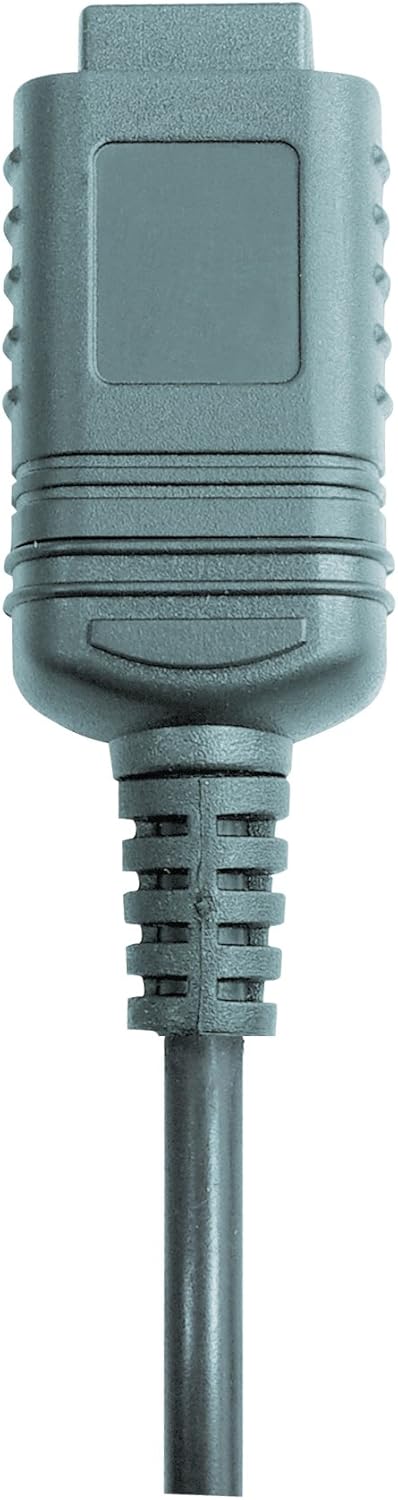

Şekil 2: RS232 cable connectors used for connecting the SoundTest-Master to a PC.
5. Kalibrasyon
The device can be calibrated and adjusted using a standard noise level calibrator (94 dB / 1 kHz). Refer to the calibrator's instructions for the specific calibration procedure.
Bakım
1. Temizlik
- Cihazı silin.asinYumuşak ve kuru bir bezle silin.
- Aşındırıcı temizleyiciler veya çözücüler kullanmayınız.
- Ensure the microphone is kept clean and free of dust or debris.
2. Depolama
When not in use, store the SoundTest-Master in its protective case in a cool, dry place, away from direct sunlight and extreme temperatures. Remove batteries if storing for extended periods.
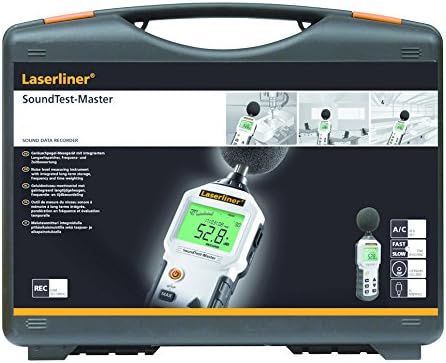
Şekil 3: The SoundTest-Master 082.070A stored in its protective carrying case.
Sorun giderme
| Sorun | Olası Neden | Çözüm |
|---|---|---|
| Cihaz açılmıyor. | Piller bitmiş veya yanlış takılmış. | Pilleri doğru kutuplara yerleştirerek değiştirin. |
| Hatalı okumalar. | Microphone obstructed or dirty; device needs calibration. | Clean microphone; perform calibration with a standard calibrator. |
| No data transfer to PC. | Incorrect cable connection; software not installed or configured. | Check RS232 cable connection; ensure PC software is correctly installed and running. |
| Ekran soluk veya okunaksız. | Low battery power; display backlight off. | Replace batteries; check device settings for backlight control. |
Özellikler
| Özellik | Detay |
|---|---|
| Model Adı | SoundTest-Master |
| Parça Numarası | 082.070A |
| Üretici | Umarex |
| Marka | Laserliner |
| Frekans Ağırlıklandırma | dB(A), dB(C) |
| Zaman Ağırlıklandırma | FAST (125 ms), SLOW (1 second) |
| Veri Belleği | 16,000 ölçüm noktası |
| Arayüz | Optoisolated RS232 |
| Analog Çıkışlar | DC ve AC |
| Kalibrasyon | Adjustable with 94 dB / 1 kHz standard calibrator |
| Mikrofon | Sensitive electret condenser with removable windshield |
| Görüntülemek | Illuminated, clear display |
| Ürün Ağırlığı | 1.18 Kilogram (2.6 pound) |
| Ürün Boyutları | 10.33 x 5.51 x 13.78 inç |
| Malzeme | Metal (Frame, Barrel) |
| Renk | Siyah ve Gri |
| Piller Gerekli | Yes (not included, type not specified in data) |
Garanti ve Destek
For warranty information and technical support, please refer to the documentation included with your purchase or visit the official Laserliner webalan.


