1. Giriş
Thank you for choosing the Rocketfish RF-HDWEB 720p HD USB Webcam. This manual provides essential information for the proper installation, operation, and maintenance of your webcam. Designed for clear video communication and high-resolution photo capture, this webcam features a true 2 MP sensor with a wide-angle glass lens, delivering 720p HD video at up to 30 frames per second. It also supports photo capture up to 8 MP through interpolation. The integrated autofocus technology ensures sharp images, and the built-in microphone with noise cancellation provides clear audio. This device is compatible with both PC (32-bit) and Mac systems.

Figure 1: Rocketfish RF-HDWEB 720p HD USB Webkam.
2. Kutuda Neler Var?
Lütfen paket içeriğini kontrol ederek tüm öğelerin mevcut olduğundan emin olun:
- USB kablosu
- Camera Body (Rocketfish RF-HDWEB Webkam)
- Installation CD (for optional drivers and software)

Figure 2: Retail packaging of the Rocketfish RF-HDWEB Webcam, showing the product and its features.
3. Kurulum
- Bağlan Webkam: USB kablosunu şuradan takın: webkameranızı bilgisayarınızdaki kullanılabilir bir USB 2.0 bağlantı noktasına bağlayın.
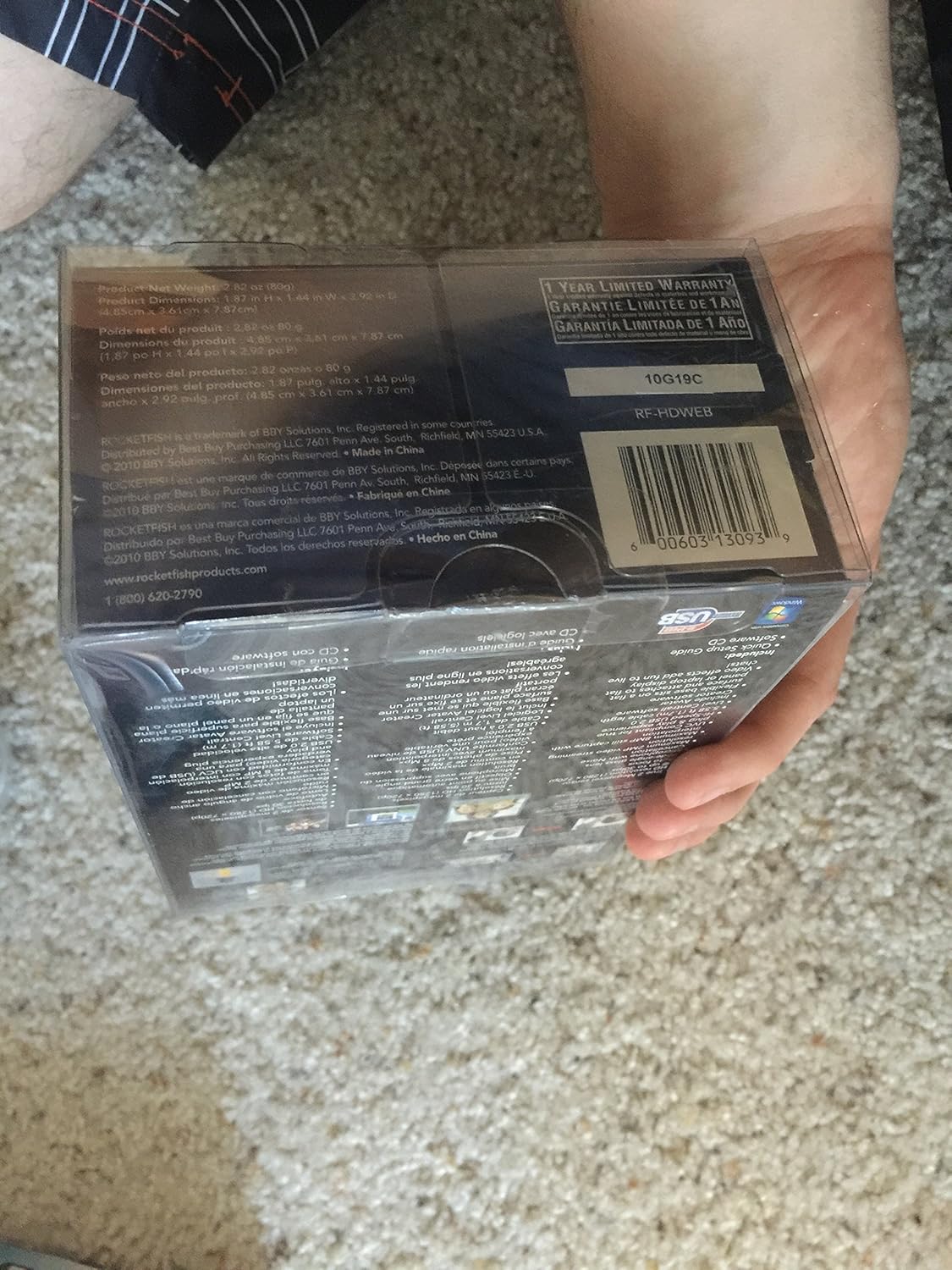
Figure 3: The Rocketfish RF-HDWEB Webcam, ready for connection.
- Sürücü Yükleme (Windows): For Windows 7 and newer operating systems, the computer should automatically detect the webcam and install default drivers within a few minutes. This allows basic functionality with most applications.
- Driver Installation (Mac): The webcam is compatible with Mac systems and typically works without additional driver installation for basic functions.
- İsteğe Bağlı Yazılım Yüklemesi: An installation CD is included with the webcam. This CD contains additional drivers and software (e.g., Live! Central by Creative) that may offer more options, effects, and advanced settings.
- To install the optional software, first ensure any default Windows drivers for the webcam are uninstalled (via Device Manager > Imaging Devices > Rocketfish HD Webkam).
- Insert the installation CD and follow the on-screen prompts.
- Not: Some users have reported issues with the included software on Windows 7, leading to "error 15". If you encounter this, uninstall the software and rely on the default Windows drivers for basic functionality.
- Konumlandırma Webkam: The webcam features a sturdy base designed to fit securely on top of most monitor frames or to be placed flat on a desktop. Adjust the angle as needed for optimal viewIng.
4. Kullanım Talimatları
Bir kez webcam is connected and drivers are installed, you can begin using it with various applications.
- Video Communication: The Rocketfish RF-HDWEB webcam works seamlessly with most instant messenger services, including AIM, Yahoo! Messenger, MSN Messenger, and Skype.
- Open your preferred video communication application.
- Navigate to the video/audio settings and select "Rocketfish HD Webcam" as your video input device.
- Select the integrated microphone as your audio input device if desired.
- The webcam provides HD resolution 720p (1280x720p) video streaming at up to 30 frames per second.
- Fotoğraf Yakalama: The webcam can capture still images up to 8 MP through interpolation.
- Use compatible software (e.g., the included Live! Central software, or third-party applications) to access photo capture features.
- Otomatik odaklama: The webcam features autofocus technology to maintain clear and detailed images.
- In some applications or with the optional software, you may have the ability to disable autofocus and set manual focus if preferred.
- Mikrofon: The built-in microphone includes noise cancellation for clearer audio during calls.
- Sağlamak webcam's microphone is selected as the input device in your application's audio settings.
5. Bakım
To ensure the longevity and optimal performance of your Rocketfish RF-HDWEB webKamera için şu bakım yönergelerini izleyin:
- Temizlik: Gently wipe the lens with a soft, lint-free cloth. For the camera body, use a dry or slightly damp Kumaşı sert kimyasallardan veya aşındırıcı malzemelerden uzak tutun.
- Depolamak: Kullanılmadığı zaman, saklayın webKamerayı temiz, kuru bir yerde, aşırı sıcaklıklardan ve doğrudan güneş ışığından uzakta saklayın.
- Kablo Bakımı: Avoid bending or kinking the USB cable excessively to prevent internal damage.
6. Sorun Giderme
| Sorun | Olası Neden | Çözüm |
|---|---|---|
| Webcam not detected or not working. |
|
|
| Görüntü bulanık veya odak dışı. |
|
|
| "Error 15" when installing or using included software. |
|
|
| Poor video quality or low frame rate. |
|
|
7. Özellikler
| Özellik | Detay |
|---|---|
| Model Numarası | RF-HDWEB |
| Sensör Tipi | True 2 MP Sensor (MOS Photo Sensor Technology) |
| Video Çözünürlüğü | 720p HD (1280x720) up to 30fps (maximum 2MP video streaming resolution) |
| Fotoğraf Çözünürlüğü | Up to 8 MP (with interpolation) |
| Lens Türü | Wide-angle glass lens |
| Odak | Otomatik odaklama teknolojisi |
| Mikrofon | Built-in with Noise Cancellation |
| Bağlantı | Yüksek Hızlı USB 2.0 |
| Uyumluluk | PC (32-bit) and Mac compatible |
| Ürün Boyutları | 7.3 x 5.2 x 3.1 inç |
| Ürün Ağırlığı | 8.8 ons |
| İlk Mevcut Tarih | 22 Aralık 2010 |
| UPC | 0600603130939 |
8. Garanti ve Destek
The Rocketfish RF-HDWEB Webkamera şunlarla birlikte gelir: 1 Yıllık Sınırlı Garanti. For specific terms and conditions, please refer to the warranty information provided with your product packaging or visit the official Rocketfish webalan.
For technical support or customer service, you may contact Rocketfish directly:
- Telefon: 1 (800) 620-2790
- Webalan: rocketfishproducts.com

Figure 4: Product packaging displaying warranty details and UPC (0600603130939).


