1. Giriş
Satın aldığınız için teşekkür ederizasing the Atlanta 1669/19 Quartz Alarm Clock. This digital alarm clock features a silent movement, a light sensor for automatic display illumination, and a snooze function. This manual provides detailed instructions for setup, operation, and maintenance to ensure optimal performance and longevity of your device.
2. Güvenlik Bilgileri
- Cihazı sudan ve yüksek nemden uzak tutun.
- Avoid exposing the clock to direct sunlight or extreme temperatures.
- Saati kendiniz sökmeye veya tamir etmeye çalışmayın. Yetkili servis personeline başvurun.
- Kullanılmış pilleri yerel düzenlemelere uygun şekilde sorumlu bir şekilde atın.
- Eski ve yeni pilleri veya farklı pil türlerini karıştırmayın.
3. Paket İçeriği
- Atlanta 1669/19 Quartz Alarm Clock Unit
- Kullanım Kılavuzu (bu belge)
Not: Piller ürüne dahil değildir ve ayrıca satın alınması gerekir.
4. Ürün Bittiview
The Atlanta 1669/19 features a clear digital display, intuitive controls, and a light sensor for enhanced visibility in low-light conditions.
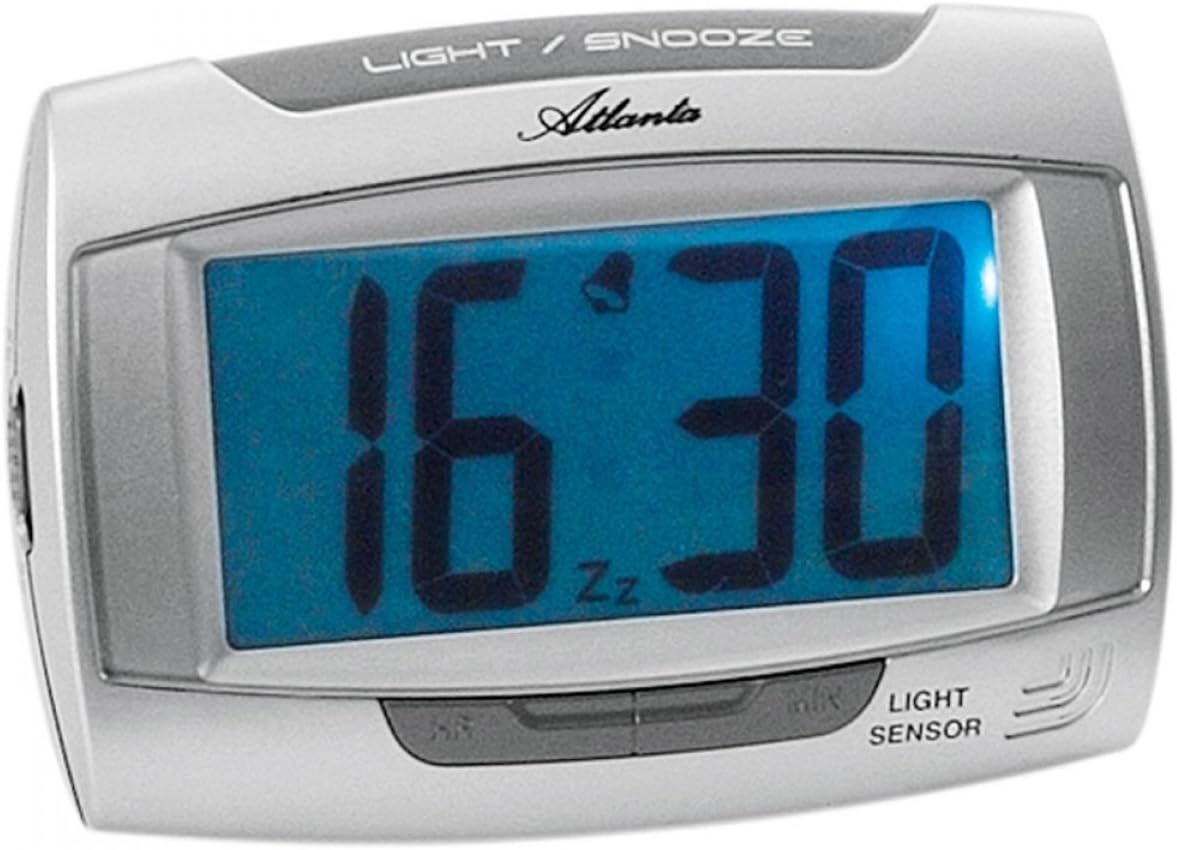
Şekil 1: Ön view of the Atlanta 1669/19 Quartz Alarm Clock. The clock features a large digital display, a "LIGHT / SNOOZE" button at the top, and a "LIGHT SENSOR" indicator at the bottom right. The display shows the time 16:30, with an alarm bell icon and 'Zz' indicating snooze functionality.
Temel Bileşenler:
- Dijital gösterge: Shows time and alarm status.
- LIGHT / SNOOZE Button: Activates temporary backlight and snooze function.
- Işık Sensörü: Automatically illuminates the display in dark environments.
- Control Buttons (Rear/Side): Zaman ve alarm ayarı için.
- Akü Bölmesi (Arka): Holds the required batteries.
5. Kurulum
5.1. Pil Kurulumu
- Çalar saatin arka tarafında bulunan pil bölmesi kapağını bulun.
- Remove the cover by sliding or lifting it.
- Insert the required batteries (typically 1x AA, refer to compartment markings) ensuring correct polarity (+ and -).
- Pil bölmesi kapağını güvenli bir şekilde yerine takın.
5.2. Başlangıç Zaman Ayarı
Upon battery installation, the display will typically show a default time. You will need to set the current time.
- Locate the time setting buttons, usually labeled "SET", "HOUR", and "MINUTE" or similar, on the back or side of the clock.
- Press the "SET" button (or equivalent) to enter time setting mode. The hour digits may start flashing.
- Use the "HOUR" button to adjust the hour.
- Press "SET" again to move to minute setting. The minute digits may start flashing.
- Use the "MINUTE" button to adjust the minutes.
- Press "SET" one more time to confirm and exit time setting mode.
6. Kullanım Talimatları
6.1. Alarmı Ayarlama
- Locate the alarm setting buttons, typically labeled "ALARM SET", "ALARM HOUR", and "ALARM MINUTE" or similar.
- Press the "ALARM SET" button to enter alarm setting mode. The alarm hour digits may flash.
- Use the "ALARM HOUR" button to adjust the desired alarm hour.
- Press "ALARM SET" again to move to alarm minute setting. The alarm minute digits may flash.
- Use the "ALARM MINUTE" button to adjust the desired alarm minutes.
- Press "ALARM SET" one more time to confirm and exit alarm setting mode.
6.2. Alarmı Etkinleştirme/Devre Dışı Bırakma
There is usually a switch or button to turn the alarm on or off. Look for a switch labeled "ALARM ON/OFF" or an alarm icon button. When the alarm is active, an alarm icon (e.g., a bell) will typically appear on the display.
6.3. Erteleme Fonksiyonu
When the alarm sounds, press the large "LIGHT / SNOOZE" button located on the top of the clock. This will temporarily silence the alarm, and it will sound again after a few minutes (typically 5-9 minutes). The "Zz" icon on the display indicates that the snooze function is active.
6.4. Light Sensor and Display Backlight
- Automatic Backlight (Light Sensor): The clock is equipped with a light sensor. When enabled, the display will automatically illuminate with a soft, constant light in dark environments, making it easy to read the time at night without pressing any buttons. Look for a switch or button labeled "SENSOR ON/OFF" or similar to enable or disable this feature.
- Geçici Arka Aydınlatma: To briefly illuminate the display in any lighting condition, press the "LIGHT / SNOOZE" button on the top of the clock. The backlight will stay on for a few seconds and then turn off automatically.
7. Bakım
- Temizlik: Wipe the clock with a soft, dry cloth. Do not use abrasive cleaners or solvents, as these may damage the casing veya göster.
- Pil Değişimi: When the display dims or the clock stops functioning correctly, it is time to replace the batteries. Follow the battery installation steps in Section 5.1.
- Depolamak: If the clock will not be used for an extended period, remove the batteries to prevent leakage and damage.
8. Sorun Giderme
| Sorun | Olası Neden | Çözüm |
|---|---|---|
| Saat ekranı boş veya loş. | Aküler zayıf veya bitmiş; akülerin yanlış takılması. | Pilleri yenileriyle değiştirin, kutupların doğru olmasına dikkat edin. |
| Alarm çalmıyor. | Alarm is not activated; alarm time is incorrect; low batteries. | Ensure alarm is switched ON (bell icon visible); verify alarm time setting; replace batteries. |
| Automatic backlight not working. | Light sensor feature is disabled; insufficient darkness. | Ensure the light sensor switch is ON; test in a completely dark room. |
| Zaman yanlış. | Time was not set correctly; batteries were removed/replaced. | Reset the current time following Section 5.2. |
9. Özellikler
| Örnek | 1669/19 |
| Marka | atlanta |
| Çalışma Modu | Dijital |
| Özel Özellikler | Alarm, Lighting (Light Sensor) |
| Malzeme | Plastik |
| Çerçeve Malzemesi | Plastik |
| Montaj Tipi | Masaüstü |
| Renk | Blue (display), Silver-coloured (case) |
| Piller Gerekli | Yes (Type not specified, typically AA or AAA for such clocks) |
| Piller Dahil | HAYIR |
| Boyutlar (Yaklaşık) | 11x7 cm |
10. Garanti ve Destek
Garanti bilgileri veya teknik destek için lütfen satın alma sırasında verilen belgelere bakın veya satıcınızla iletişime geçin. Garanti talepleri için satın alma belgenizi saklayın.


