giriiş
Logitech HD Webcam C310 is designed to provide clear and reliable video communication. Featuring HD 720p video calling and 5-megapixel snapshot capabilities, it's ideal for various applications. This manual provides essential information for setting up, operating, maintaining, and troubleshooting your webkam.
Kurmak
Follow these steps to set up your Logitech HD Webkamera C310:
- Paketi açın Webkam: Dikkatlice çıkarın webcam from its packaging. Ensure all components, including the webcam unit and its integrated USB cable, are present.
- Konumlandır Webkam: The C310 features a flexible clip/stand designed to securely attach to the top of your monitor or laptop screen. It can also be placed on a flat surface. Adjust the clip to fit snugly without obstructing your screen.
- Bilgisayarınıza Bağlanın: Entegre USB kablosunu takın. webcam into an available USB port on your computer. The webcam is plug-and-play, meaning your operating system should automatically detect and install the necessary drivers.
- Yazılım Kurulumu (Opsiyonel): Bu arada webcam functions with standard drivers, for enhanced features like advanced settings and photo/video capture software, you may visit the official Logitech support website to download and install the latest software for your C310.
- Kurulumu Doğrulayın: Open a video conferencing application (e.g., Skype, Zoom, Google Meet) or your computer's camera application to confirm the webcam is recognized and displaying video.

Şekil 1: Ön view of the Logitech HD Webkamera C310.

Figure 2: The C310 webcam positioned on a computer monitor for video calls.

Figure 3: Operating system compatibility for the Logitech C310 webkam.
Çalıştırma Webkam
The Logitech C310 is designed for ease of use with various communication platforms. Here are its key operational features:
- HD 720p Video Calls: Enjoy high-definition video calls on most major instant messaging applications and Logitech Vid HD. The webcam provides fluid, widescreen HD 720p video for clear communication.
- 5-Megapixel Snapshots: Capture high-resolution still images at up to 5 megapixels (software enhanced).
- One-Click Upload to Social Media: Easily capture HD video (720p) and upload it to platforms like Facebook or YouTube with a single click (requires Logitech software).
- Built-in Microphone with RightSound™: The integrated microphone ensures clear conversations by reducing background noise.
- RightLight™ 2 Technology: This feature intelligently adjusts the camera's settings to produce the best possible image, even in dim or poorly backlit environments.
- Logitech Video Effects: Add fun and creativity to your video calls with various video effects, including neon splashes and fish-eye distortions (requires Logitech software).
- IM Compatibility: The webcam is compatible with popular instant messaging applications such as Skype, Windows Live Messenger, Yahoo! Messenger, and AOL Instant Messenger (AIM®).
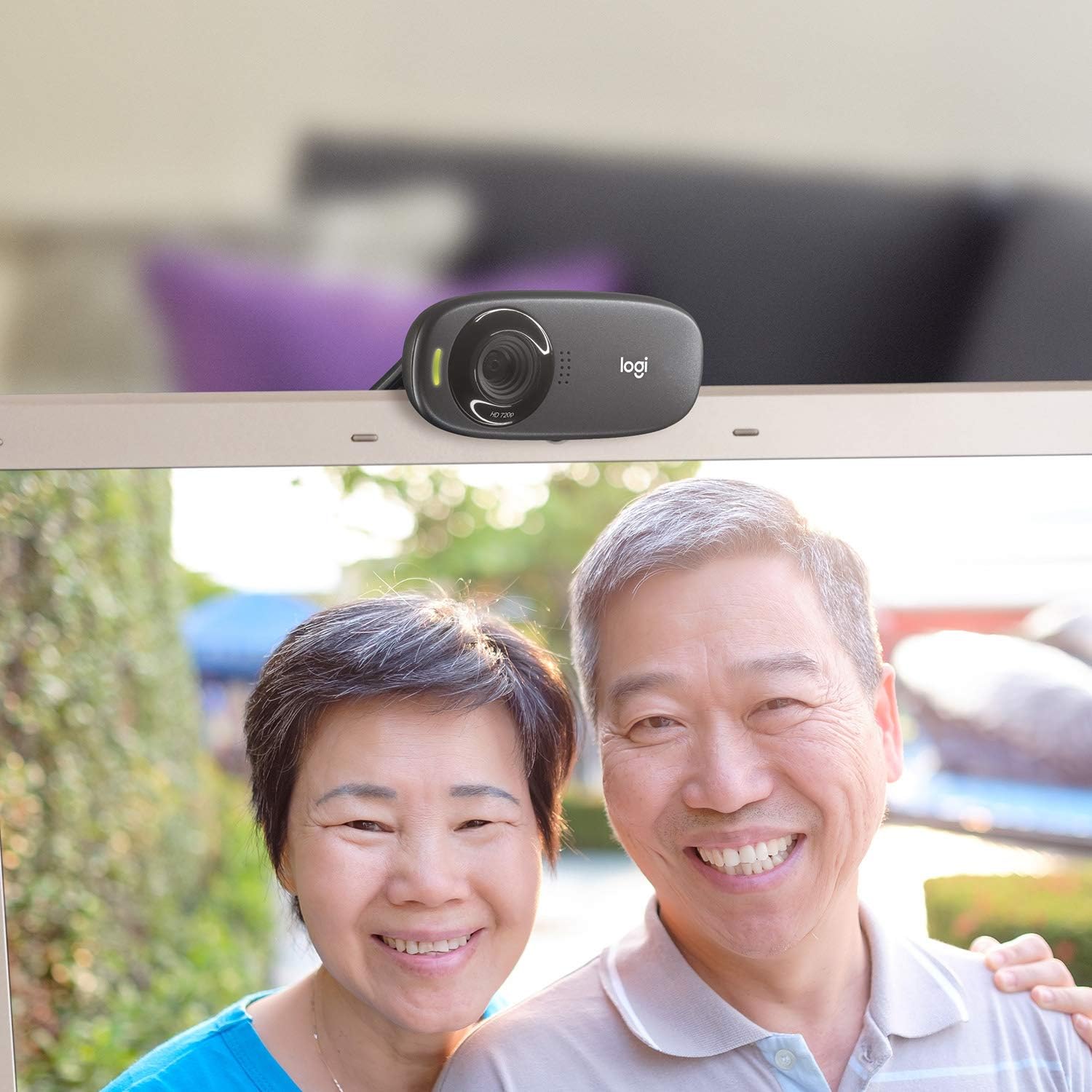
Şekil 4: Ör.ample of a clear video call using the C310 webkam.
Bakım
Doğru bakım, cihazınızın uzun ömürlü olmasını ve en iyi performansı göstermesini sağlar. webkam:
- Temizlik: Use a soft, lint-free cloth to gently wipe the webcam lens and body. Avoid abrasive cleaners or solvents that could damage the surface.
- Depolamak: Kullanılmadığı zaman, saklayın webKamerayı temiz, kuru bir yerde, doğrudan güneş ışığından ve aşırı sıcaklıklardan uzakta tutun.
- Kablo Bakımı: Do not excessively bend or pull the USB cable. This can damage the internal wires and affect connectivity.
Sorun giderme
If you encounter issues with your Logitech HD Webcam C310, try the following solutions:
- Webkamera Algılanamadı:
- USB kablosunun çalışan bir USB bağlantı noktasına güvenli bir şekilde takılı olduğundan emin olun. Farklı bir USB bağlantı noktası deneyin.
- Bilgisayarınızı yeniden başlatın.
- Bilgisayarınızın Aygıt Yöneticisi'ni (Windows) veya Sistem Bilgileri'ni (Mac) kontrol ederek sorunun çözülüp çözülmediğine bakın. webKamera listelenmiş ve tanınmıştır.
- Bilgisayarınızın USB sürücülerini güncelleyin.
- Kötü Video Kalitesi:
- Ensure adequate lighting in your environment. RightLight™ 2 technology helps, but sufficient ambient light is crucial.
- Temizle webKamera objektifini yumuşak bir bezle silin.
- Check your internet connection speed, especially during video calls, as a slow connection can degrade video quality.
- Close other applications that might be using significant bandwidth or system resources.
- Mikrofon Sorunları:
- Verify that the Logitech C310 microphone is selected as the default input device in your operating system's sound settings and in your video conferencing application.
- Check microphone volume levels in your system settings.
- Ensure no physical obstructions are blocking the microphone holes on the webkam.
Özellikler
| Ürün Boyutları | 8.27 x 2.99 x 5.98 inç |
| Ürün Ağırlığı | 8 ons |
| Ürün Model Numarası | 960-000637 |
| Video Yakalama Çözünürlüğü | 720p |
| Fotoğraf Sensörü Teknolojisi | CMOS |
| Bağlantı Teknolojisi | USB |
| Dahili Mikrofon | Yes, with RightSound™ noise reduction |
| Automatic Light Correction | Yes, with RightLight™ 2 technology |
| Durağan Görüntü Yakalama | Up to 5 megapixels (software enhanced) |
| Üretici | Logitech |
| İlk Mevcut Tarih | 12 Kasım 2010 |
Garanti ve Destek
Logitech HD Webcam C310 typically comes with a 2-year limited hardware warranty. For detailed warranty information, technical support, or to access additional resources, please visit the official Logitech support websitesine gidin veya ürününüzle birlikte gelen belgelere bakın.
Ayrıca satın almayı da düşünebilirsinizasing ek teminatlar için genişletilmiş koruma planları:
- 2 Yıllık Koruma Planı
- 3 Yıllık Koruma Planı
- Tam Koruma: Tek bir plan, uygun olan tüm geçmiş ve gelecekteki satın alımları kapsar (aylık faturalama seçeneği mevcuttur).
For further assistance, contact Logitech Customer Service.


