giriiş
This user guide provides essential information for utilizing the Lowrance HDS Series 5, 5x, 5m, 7, 7m Chartplotters/Fishfinders Training DVD. This instructional DVD is designed to teach you the features and functions of your Lowrance HDS unit, enabling you to maximize its capabilities for navigation, fishing, and more. It covers basic, intermediate, and advanced functions in a step-by-step format.
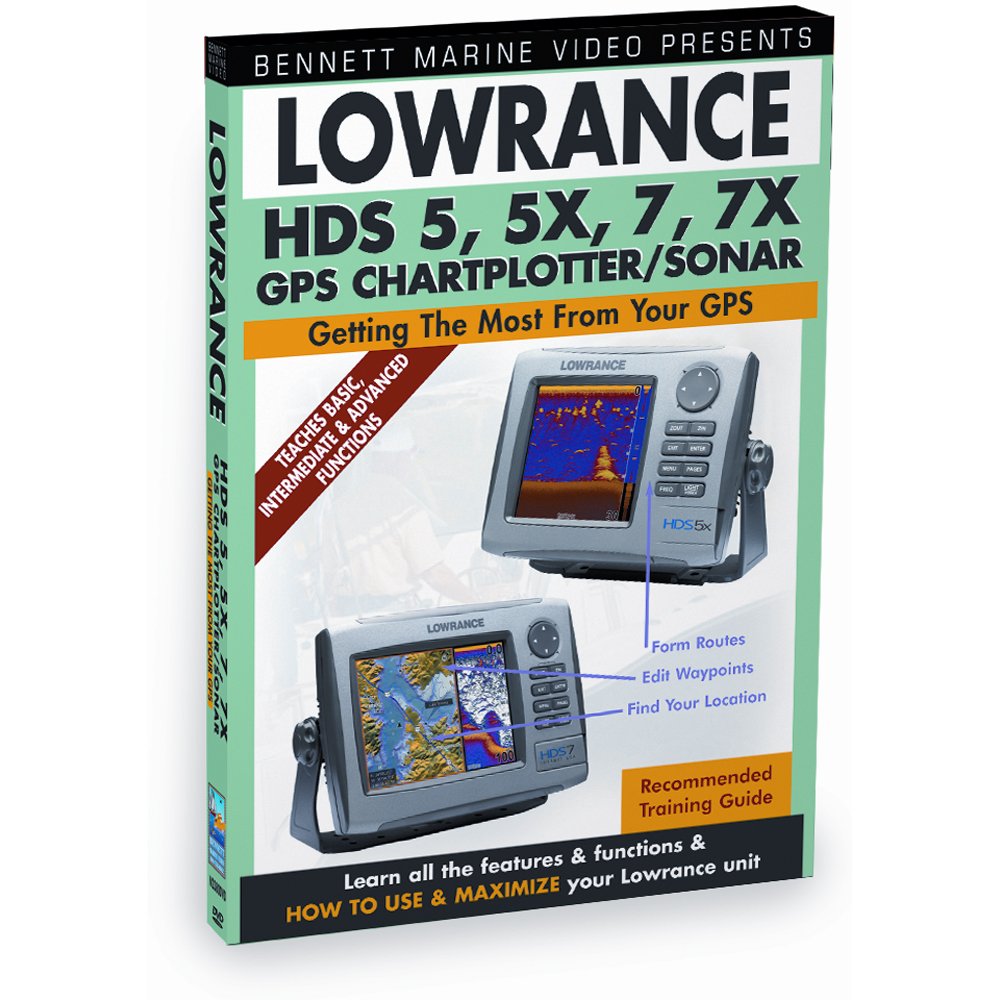
Şekil 1: DVD cover for the Lowrance HDS Series Training Guide. The cover displays the title, supported Lowrance HDS models (5, 5X, 7, 7X GPS Chartplotter/Sonar), and images of the units. It highlights that the DVD teaches basic, intermediate, and advanced functions for getting the most from your GPS.
Kurulum ve Oynatma
To begin using your Lowrance HDS Training DVD, follow these simple steps:
- Uyumluluk: Ensure you have a standard DVD player, a computer with a DVD-ROM drive, or a compatible media player. The DVD is formatted for NTSC regions.
- DVD'yi takın: Carefully insert the DVD into the disc tray of your chosen playback device.
- Otomatik Oynatma: Most devices will automatically start playing the DVD or display a main menu. If not, navigate to the DVD drive on your computer or select the DVD input on your player.
- Dil Seçimi: The DVD content is in English. No other language options are available.
Kullanım Talimatları
The training DVD is structured for easy navigation and learning:
- Ana Menü: Upon loading, the DVD will present a main menu. Use your remote control or mouse to navigate.
- Chapter Selection: The training content is divided into logical chapters. Select a chapter to focus on specific features or functions of the Lowrance HDS units, such as projecting waypoints, mapping fishing areas, or setting up routes.
- Oynatma Kontrolleri: Use standard DVD playback controls (play, pause, fast forward, rewind, skip chapter) to manage your viewDeneyim.
- Repeat Sections: For complex topics, feel free to repeat sections or chapters as needed to fully grasp the concepts.
Bakım ve Özen
To ensure the longevity and optimal performance of your training DVD:
- İşleme: Always hold the DVD by its edges to avoid fingerprints on the playing surface.
- Temizlik: If the DVD becomes dirty, gently wipe the playing surface with a soft, lint-free cloth from the center outwards. Do not use abrasive cleaners or solvents.
- Depolamak: DVD'yi orijinal kutusunda, doğrudan güneş ışığından, aşırı sıcaklıklardan ve yüksek nemden uzak bir yerde saklayın.
- Çizikler: Diskin yüzeyini çizmekten kaçının, çünkü bu oynatma hatalarına yol açabilir.
Sorun giderme
DVD'yi oynatırken sorun yaşarsanız, aşağıdakileri dikkate alın:
- DVD Not Playing:
- DVD'nin etiketli tarafı yukarı gelecek şekilde doğru yerleştirildiğinden emin olun.
- Check if your DVD player or computer's DVD drive is functioning correctly with other discs.
- Clean the DVD surface as described in the Maintenance section.
- No Sound/Poor Video Quality:
- Verify that your playback device's audio/video cables are securely connected.
- Adjust the volume on your TV/monitor or computer.
- Ensure your display settings are appropriate for DVD playback.
- Disc Errors/Freezing:
- Minor scratches or dirt can cause errors. Clean the disc.
- Try playing the DVD on a different device to rule out player issues.
Özellikler
| Özellik | Detay |
|---|---|
| Ürün Başlığı | Lowrance HDS Series 5, 5x, 5m, 7, 7m Chartplotters/Fishfinders Training DVD |
| Ürün Model Numarası | N2380DVD |
| Medya Formatı | Color, DVD, NTSC |
| Çalışma Süresi | 40 dakikadır. |
| Disk Sayısı | 1 |
| Dil | İngilizce |
| En Boy Oranı | 1.33:1 |
| MPAA Derecelendirmesi | NR (Derecelendirilmemiş) |
| Yayın tarihi | 28 Ekim 2011 |
| Stüdyo | BENNETT DENİZCİLİK |
| ASIN | B001GXT84Y |
Destek Bilgileri
For further assistance regarding the content of this training DVD, please refer to the contact information provided by the publisher, Bennett Marine, or the official Lowrance webÜrünle ilgili sorularınız için site.
This DVD is an instructional guide and does not come with a separate warranty from the publisher beyond standard media defect policies. Please check with your retailer for their return policy on defective media.


