1. Giriş
This manual provides detailed instructions for the setup, operation, and maintenance of your NEC NP200 DLP Projector. Please read this manual thoroughly before using the projector to ensure proper and safe operation. Keep this manual for future reference.
The NEC NP200 is a versatile DLP projector designed for various applications, including home cinema. It offers 2100 lumens of brightness and supports a wide range of resolutions, including HDTV (1080i, 720p) and standard definition formats.
2. Kurulum
2.1 Paketin Açılması ve İçerik
Carefully remove the projector and all accessories from the packaging. Verify that all items listed below are present:
- NEC NP200 DLP Projector
- Güç Kablosu
- Uzaktan kumanda
- Kullanım Kılavuzu (bu belge)
Gelecekteki taşıma veya depolama için orijinal ambalajı saklayın.
2.2 Projeksiyon Cihazının Yerleştirilmesi
Place the projector on a stable, flat surface. Ensure adequate ventilation around the unit. Avoid placing it near heat sources or in direct sunlight. The projector dimensions are approximately 7.3 x 15.2 x 14.6 inches (H x W x D).
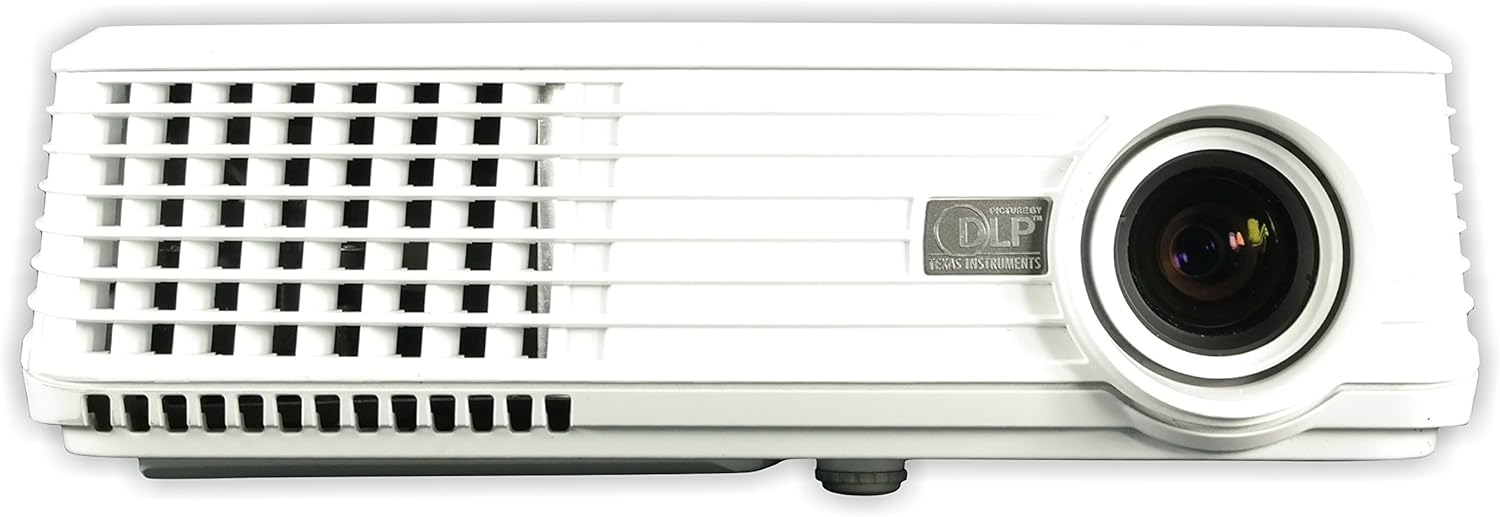
Şekil 2.2.1: Ön view of the NEC NP200 DLP Projector, showing the lens and front ventilation grilles.
2.3 Cihazları Bağlama
The NEC NP200 projector offers various input ports for connecting different devices. Ensure the projector is powered off before making any connections.

Şekil 2.3.1: Rear panel of the NEC NP200 projector, displaying various input and output ports including Computer In (VGA), S-Video In, Video In (RCA), Service, Monitor Out (VGA), and Audio In.
- Computer In (VGA): Connect your computer using a VGA cable.
- S-Video In: S-Video çıkışı olan cihazları bağlayın.
- Video In (RCA): Kompozit video çıkışı olan cihazları bağlayın.
- Ses girişi: Connect audio sources to the 3.5mm audio jack.
- Monitör Çıkışı (VGA): Connect an external monitor to mirror the projected display.
- Klima Girişi: Connect the supplied power cord to this port and a power outlet.
2.4 Açma/Kapatma
After connecting all necessary cables, plug the power cord into a wall outlet. Press the power button on the projector's control panel or the remote control to turn the unit on. Allow a few moments for the projector to warm up and display the image. To turn off, press the power button again and confirm shutdown if prompted.
Şekil 2.4.1: Tepe view of the NEC NP200 projector, showing the focus and zoom rings, and the control panel with the power button and navigation controls.
2.5 Görüntü Ayarı
Use the focus ring around the lens to sharpen the image. The zoom ring allows you to adjust the size of the projected image without moving the projector. These controls are located on the top of the projector near the lens.
3. Kullanım Talimatları
3.1 Kaynak Seçimi
Once powered on, use the "Input" or "Source" button on the control panel or remote control to cycle through available input sources (e.g., Computer, S-Video, Video). Select the input corresponding to your connected device.
3.2 Menü Navigasyonu
Press the "Menu" button to access the projector's on-screen display (OSD) menu. Use the arrow keys to navigate through options and the "Enter" or "OK" button to select. Adjust settings such as brightness, contrast, color, aspect ratio, and keystone correction as needed.
3.3 Supported Resolutions and Features
The NEC NP200 supports a variety of display resolutions and features:
- Yerel Çözünürlük: 1024x768 (XGA)
- HDTV Uyumluluğu: 1080i, 720p
- EDTV Compatibility: 576p, 480p
- SDTV Compatibility: 576i, 480i
- Özellik: 3D-ready (requires compatible 3D content and glasses)
- Önerilen Kullanım: Ev Sineması
The projector also includes a built-in speaker for audio output.
4. Bakım
Düzenli bakım, projektörünüzün en iyi performansı göstermesini sağlar ve kullanım ömrünü uzatır.
4.1 Lamp Yenisiyle değiştirme
CAUTION: HOT SURFACE! Allow the projector to cool down for at least 60 minutes before attempting to replace the lamp. Failure to do so may result in severe burns.
Lamp type for this model is NP10LP. Refer to the label on the bottom of the projector for specific lamp Bilgi ve uyarılar.

Şekil 4.1.1: Alt view of the NEC NP200 projector, showing the product label with model number, manufacturing details, and various caution and warning labels, including lamp değiştirme bilgileri.
- Projeksiyon cihazının elektrik prizinden çıkarıldığından emin olun.
- l'yi bulunamp cover (refer to the diagram in the full service manual if available).
- Carefully remove the screws securing the lamp kapak.
- Gently pull out the old lamp modül.
- Insert the new NP10LP lamp modülünün doğru şekilde yerleştirildiğinden emin olun.
- l'yi değiştirinamp cover and secure it with screws.
- Plug in the projector and reset the lamp timer in the OSD menu.
4.2 Temizlik
Keep the projector clean to prevent overheating and maintain image quality.
- Dış: Dış yüzeyi silin.asing with a soft, lint-free cloth. For stubborn dirt, slightly dampbezin üzerine su koyun. Aşındırıcı temizleyiciler veya solventler kullanmayın.
- Mercek: Use a professional lens cleaning cloth and solution specifically designed for optical lenses. Avoid touching the lens with your fingers.
- Havalandırma Izgaraları: Regularly check and clean the ventilation grilles to ensure proper airflow. Dust accumulation can lead to overheating. Use a soft brush or compressed air to remove dust.

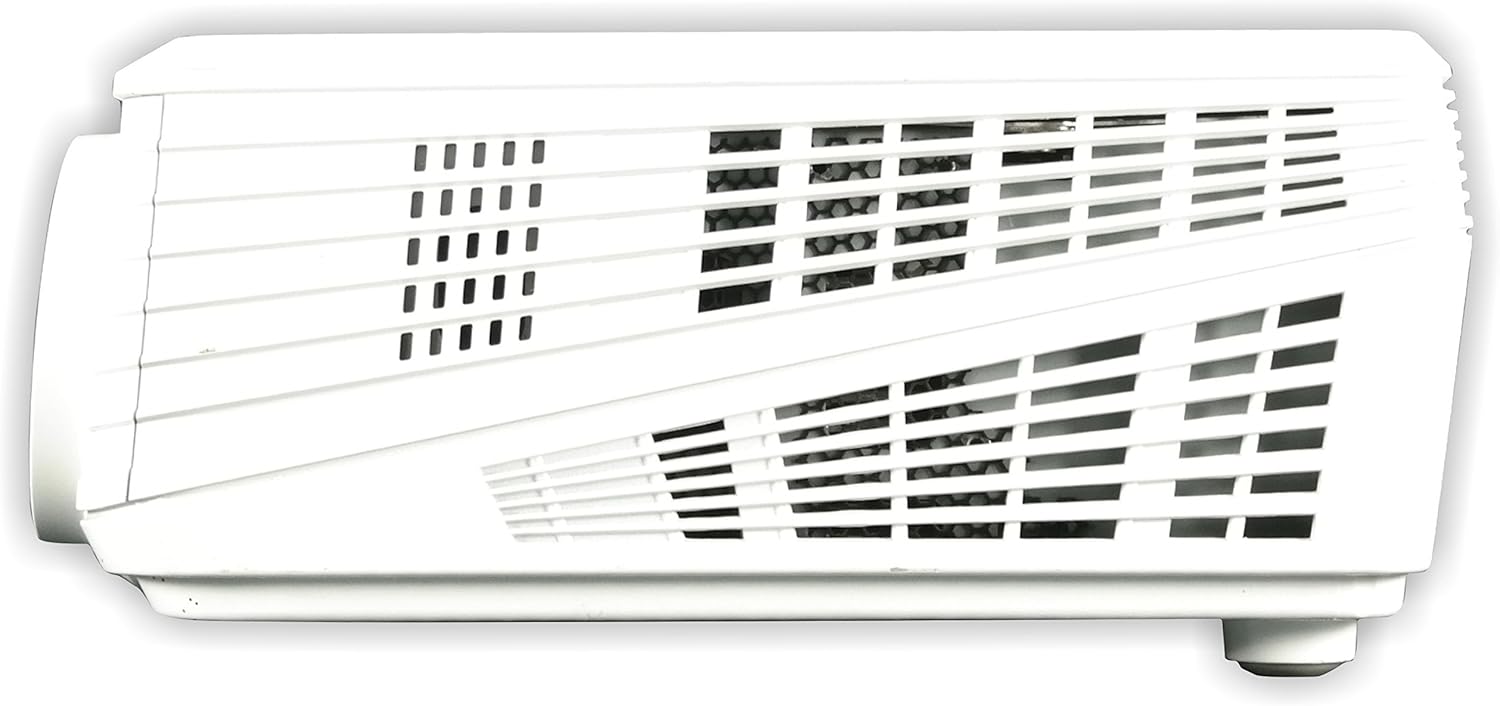
Şekil 4.2.1: Sol taraf view of the NEC NP200 projector, highlighting the ventilation grilles for airflow.

Şekil 4.2.2: Sağ taraf view of the NEC NP200 projector, showing additional ventilation grilles.
5. Sorun Giderme
This section provides solutions to common issues you might encounter with your NEC NP200 projector.
| Sorun | Olası Neden | Çözüm |
|---|---|---|
| Resim görüntülenmiyor |
|
|
| Görüntü bulanık veya odak dışı |
|
|
| No sound from projector speaker |
|
|
| Projektör aşırı ısınıyor veya kapanıyor. |
|
|
Bu çözümleri denedikten sonra sorun devam ederse lütfen müşteri desteğiyle iletişime geçin.
6. Özellikler
| Özellik | Detay |
|---|---|
| Model Numarası | NP200 |
| Marka | YÖK |
| Ekran Teknolojisi | DLP |
| Parlaklık | 2100 Lümen |
| Yerel Çözünürlük | 1024x768 (XGA) |
| Desteklenen Çözünürlükler | HDTV (1080i, 720p), EDTV (576p, 480p), SDTV (576i, 480i) |
| Bağlantı Teknolojisi | VGA (Computer In, Monitor Out), S-Video, Composite Video (RCA), Audio In (3.5mm) |
| Özel Özellikler | 3D-ready, 3D-built-in |
| Önerilen Kullanım | Ev Sineması |
| Ürün Boyutları | 7.3 x 15.2 x 14.6 inç |
| Ürün Ağırlığı | 7.8 pound |
| Üretici | NEC Ekran Çözümleri |
| İlk Mevcut Tarih | 29 Şubat 2008 |
7. Garanti ve Destek
7.1 Garanti Bilgileri
For detailed warranty terms and conditions, please refer to the warranty card included with your product or visit the official NEC Display Solutions webSite. Satın alma belgenizi garanti talepleriniz için saklayın.
7.2 Müşteri Desteği
If you require technical assistance, have questions about your product, or need to arrange for service, please contact NEC Display Solutions customer support. Contact information can typically be found on the manufacturer's official webSitede veya ürün ambalajında.
Üretici: NEC Ekran Çözümleri
For the most up-to-date support resources, including FAQs and driver downloads, please visit the official NEC webalan.


