Ürün Bittiview
The Yamaha RK1 Rack Mount Kit is designed to securely install compatible Yamaha mixers into a standard 19-inch equipment rack. This kit provides the necessary hardware to integrate your mixer seamlessly into a professional studio or live sound setup, ensuring stability and accessibility.
Önemli Not: This product includes only the rack mount kit and its associated hardware. The mixer itself is sold separately and is not included with this kit.
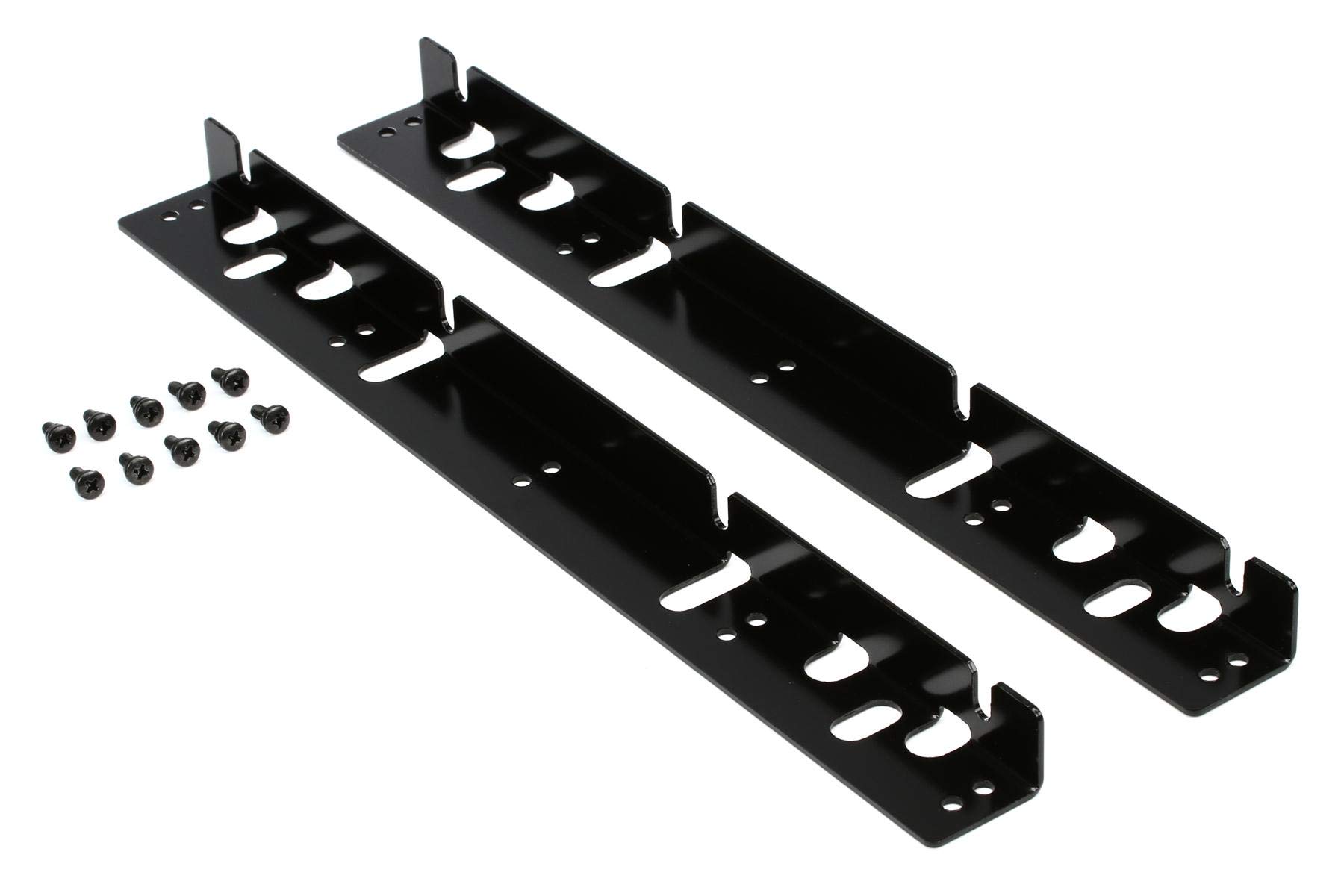
Image: The Yamaha RK1 Rack Mount Kit, showing the two metal brackets and mounting screws.
Paket İçeriği
- Two (2) RK1 Rack Mount Brackets
- Set of mounting screws for attaching brackets to the mixer
- Set of rack screws for securing the mixer to a 19-inch equipment rack
Uyumluluk
The RK1 Rack Mount Kit is specifically designed for use with the Yamaha O1V96 series mixers (all versions, including O1V96i). It has also been confirmed to fit the older Yamaha MX12/4 mixer.
Not: Bu set uyumlu değil with the Yamaha Promix 01 mixer. Please verify your mixer model before attempting installation to ensure proper fitment.
Kurulum Talimatları
Follow these steps to properly install your Yamaha mixer using the RK1 Rack Mount Kit:
- Prepare the Mixer: Ensure your Yamaha mixer is powered off and disconnected from all cables. Place it on a stable, flat surface.
- Montaj Noktalarını Belirleyin: Locate the screw holes on the sides of your mixer chassis, typically near the front panel. These are where the RK1 brackets will attach.
- Braketleri Takın: Align one RK1 bracket with the mounting holes on one side of the mixer. Use the smaller screws provided in the kit to securely fasten the bracket to the mixer. Do not overtighten. Repeat this process for the second bracket on the opposite side of the mixer.
- Rafı hazırlayın: Identify the desired location within your 19-inch equipment rack. Ensure there is adequate space and ventilation.
- Mikseri monte edin: Carefully lift the mixer (with attached brackets) and align the holes on the RK1 brackets with the corresponding screw holes on the rack rails.
- Secure to Rack: Use the larger rack screws provided in the kit to firmly attach the mixer to the equipment rack. Tighten all screws evenly to ensure a secure and stable installation.
- Son Kontrol: Verify that the mixer is securely mounted and does not wobble. Reconnect all necessary cables and power on your mixer.
Bakım ve Onarım
The Yamaha RK1 Rack Mount Kit requires minimal maintenance. To ensure its longevity and appearance:
- Periodically check all mounting screws to ensure they remain tight.
- Clean the brackets with a soft, dry cloth to remove dust or smudges. Avoid abrasive cleaners or solvents.
- If the kit is removed from the rack, store the components in a dry, safe place to prevent loss or damage.
Sorun giderme
Problem: The RK1 kit does not align with my mixer's mounting holes.
Çözüm: Şuna bakın: Uyumluluk section of this manual. The RK1 is designed for specific Yamaha mixer models, primarily the O1V96 series. If your mixer is not listed as compatible, the kit may not fit. Do not attempt to force the installation, as this could damage your mixer or the rack kit.
Problem: The mixer feels unstable after installation.
Çözüm: Ensure all screws attaching the brackets to the mixer and the mixer to the rack are securely tightened. Over time, screws can loosen due to vibrations. Re-tighten them as necessary. If the issue persists, inspect the rack rails for damage or misalignment.
Özellikler
| Şartname | Değer |
|---|---|
| Model Numarası | RK1 |
| Ürün Ağırlığı | 5.6 ons (yaklaşık 159 gram) |
| Ürün Boyutları | 5.25 x 1.5 x 3 inç (13.34 x 3.81 x 7.62 cm) |
| Malzeme | Metal |
| Rack Size Compatibility | Standart 19 inç ekipman rafı |
Destek ve Garanti
For technical assistance, warranty information, or service inquiries regarding your Yamaha RK1 Rack Mount Kit, please contact Yamaha customer support directly. Refer to the official Yamaha website or your product packaging for the most current contact details and warranty terms applicable to your region.
You can typically find support information on the official Yamaha Musical Instruments webalan: www.yamaha.com


