giriiş
This manual provides comprehensive instructions for the setup, operation, maintenance, and troubleshooting of your Logitech G Cordless Rumblepad 2. Please read this manual thoroughly before using the device to ensure optimal performance and longevity.
The Logitech Cordless Rumblepad 2 offers a wireless gaming experience with vibration feedback, designed for PC and Mac compatibility. It features 2.4 GHz cordless technology for a 30-foot range and dual vibration motors for immersive gameplay.
Paket İçeriği
Başlamadan önce pakette tüm öğelerin mevcut olduğundan emin olun:
- Logitech Cordless Rumblepad 2
- 2.4 GHz Kablosuz Alıcı
- İki (2) AA Pil
- Kullanıcı Dokümantasyonu (bu kılavuz)
- Gaming Software CD (or download instructions)
- Garanti Bilgileri
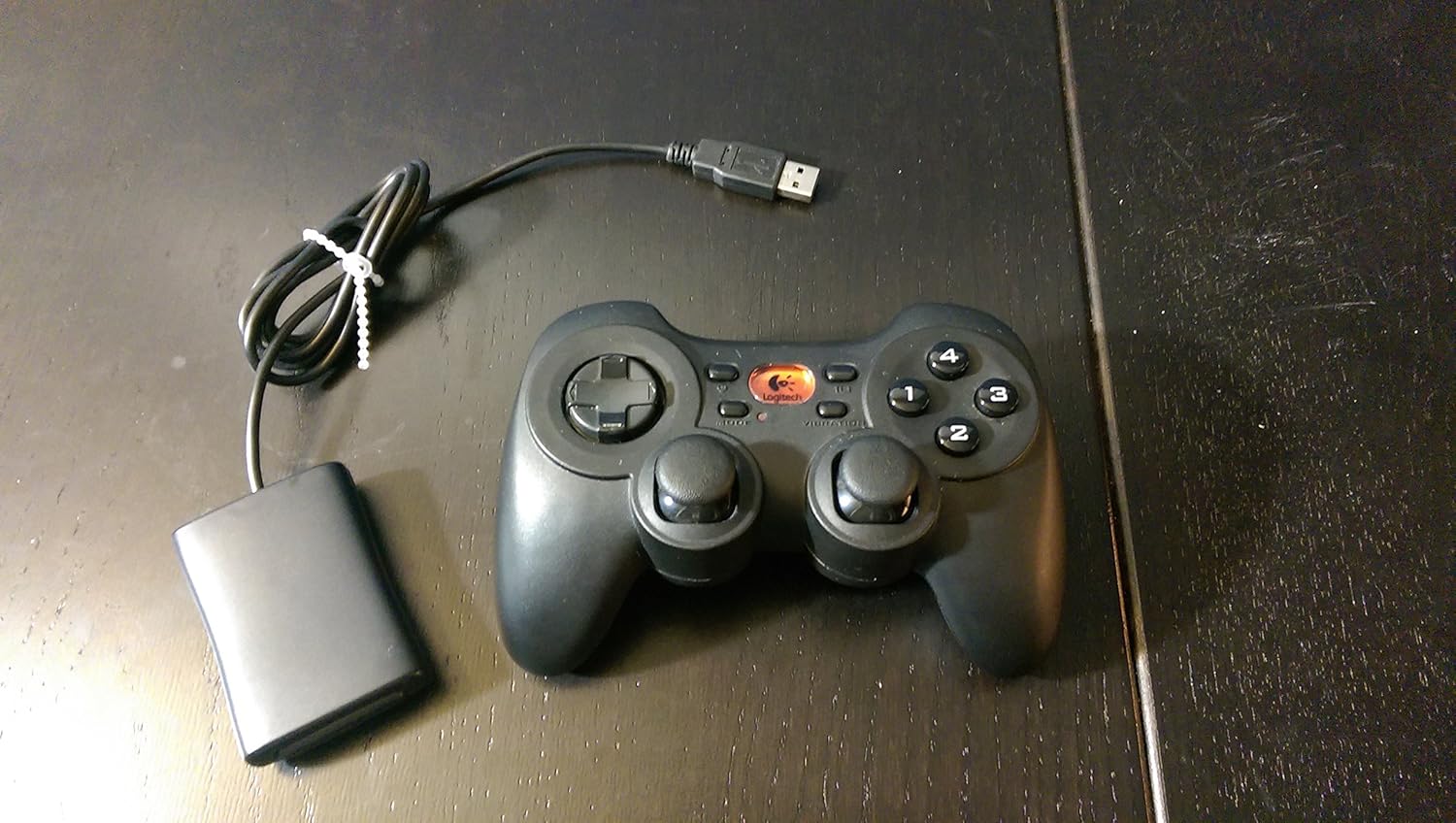
Image: The Logitech G Cordless Rumblepad 2 gamepad shown alongside its compact USB wireless receiver.
Kurmak
1. Pil Kurulumu
- Locate the battery compartment on the underside of the Cordless Rumblepad 2.
- Pil bölmesinin kapağını açın.
- Insert the two (2) AA batteries, ensuring correct polarity (+/-) as indicated inside the compartment.
- Pil bölmesi kapağını sıkıca kapatın.
2. Connecting the Wireless Receiver
- Plug the 2.4 GHz wireless receiver into an available USB port on your PC or Mac.
- Allow your operating system to detect and install the necessary drivers. This process may take a few moments.

Resim: Yakın çekim view of the compact Logitech 2.4 GHz wireless receiver, which connects to a computer's USB port.
3. Software Installation (Optional, Recommended)
For full functionality, including button customization and game profiles, install the Logitech gaming software:
- Insert the provided gaming software CD into your computer's optical drive.
- Kurulumu tamamlamak için ekrandaki talimatları izleyin.
- Alternatively, download the latest software from the official Logitech support webalan.
Operating the Cordless Rumblepad 2
Denetleyici Düzeni ve İşlevleri

Resim: Bir yan profesyonelfile view of the Logitech G Cordless Rumblepad 2, highlighting its ergonomic design and button placement.
The Cordless Rumblepad 2 features a familiar button layout for intuitive control:
- Çift Analog Çubuklar: Provide smooth 360-degree control for precise movement and camera control.
- 8-Way D-Pad: For directional input, commonly used in fighting games or menu navigation.
- 10 Programmable Action Buttons: Customizable buttons for in-game actions.
- Mod Düğmesi: Toggles between different controller modes or profiles.
- Vibration Selector: Activates or deactivates the dual vibration feedback motors.
Titreşimli geribildirim
The dual vibration feedback motors provide tactile sensations for in-game events such as hits, crashes, and explosions. Ensure the Vibration Selector is enabled for this feature to function.
Güç Yönetimi
The Cordless Rumblepad 2 is designed for extended battery life, offering up to 100 hours of gameplay. To conserve battery power, the gamepad will enter a low-power state after a period of inactivity. Press any button to reactivate it.
Bakım
- Temizlik: Use a soft, dry cloth to clean the surface of the gamepad. For stubborn dirt, a slightly damp Bez kullanılabilir, ancak cihaza nem girmemesine dikkat edin. Aşındırıcı temizleyicilerden veya çözücülerden kaçının.
- Pil Değişimi: Replace AA batteries when the gamepad's performance degrades or it fails to power on. Always use fresh, high-quality batteries.
- Depolamak: When not in use for extended periods, remove the batteries to prevent leakage and store the gamepad and receiver in a cool, dry place away from direct sunlight.
Sorun giderme
| Sorun | Olası Neden | Çözüm |
|---|---|---|
| Gamepad not responding. | Low or dead batteries. Receiver not connected or recognized. Out of range. | Replace batteries. Ensure receiver is securely plugged into a USB port. Move closer to the receiver (within 30 feet). |
| Vibration feedback not working. | Vibration feature disabled. Game does not support vibration. Software issue. | Check the Vibration Selector button on the gamepad. Verify game compatibility. Reinstall Logitech gaming software. |
| Buttons or analog sticks are unresponsive or sticky. | Dirt or debris under buttons. Hardware malfunction. | Clean the gamepad thoroughly. If problem persists, contact Logitech support. |
| Interference or lag. | Other wireless devices nearby. Obstructions. | Move the receiver to a different USB port, preferably one with a clear line of sight to the gamepad. Minimize other 2.4 GHz wireless devices in the area. |
Özellikler
- Model Adı: Kablosuz Rumblepad 2
- Model Numarası: 963326-0403
- Bağlantı: 2.4 GHz Kablosuz
- Kablosuz Menzili: 30 feet'e (10 metre) kadar
- Pil Tipi: 2 adet AA pil
- Tahmini Pil Ömrü: 100 saate kadar
- Titreşimli geribildirim: Dual motors
- Kontroller: 2 Analog Sticks, 8-Way D-Pad, 10 Programmable Action Buttons, Mode Button, Vibration Selector
- Uyumlu Cihazlar: Bilgisayar, Mac
- Ürün Ölçüleri: 9 x 8.5 x 3.25 inç (yaklaşık)
- Ürün Ağırlığı: 8.8 ons (yaklaşık)
- Üretici: Logitech G
- İlk Mevcut: 20 Kasım 2006
Garanti Bilgileri
The Logitech G Cordless Rumblepad 2 comes with a limited hardware warranty. Please refer to the warranty information included in your product package or visit the official Logitech support website for detailed terms and conditions, including warranty period and claim procedures.
Destek
Daha fazla yardım, teknik destek veya en yeni sürücüleri ve yazılımları indirmek için lütfen resmi Logitech destek sitesini ziyaret edin. webSiteye göz atabilirsiniz. Ayrıca orada sıkça sorulan soruları ve topluluk forumlarını da bulabilirsiniz.
Logitech Desteği Webalan: www.logitech.com/support


