1. Önemli Güvenlik Bilgileri
Please read all instructions carefully before operating your Thomson RR 68 M clock. Keep this manual for future reference.
- Saatinizi aşırı sıcaklıklara, doğrudan güneş ışığına ve yüksek neme maruz bırakmayın.
- Saati düşürmekten veya sert darbelere maruz bırakmaktan kaçının.
- Saati sökmeye veya üzerinde değişiklik yapmaya çalışmayın. Bu, garantiyi geçersiz kılacaktır.
- Yalnızca belirtilen pil türünü kullanın. Pilleri takarken kutupların doğru olduğundan emin olun.
- Saat uzun süre kullanılmayacaksa, sızıntıyı önlemek için pilleri çıkarın.
2. Ürün Bittiview
Familiarize yourself with the components of your Thomson RR 68 M clock.
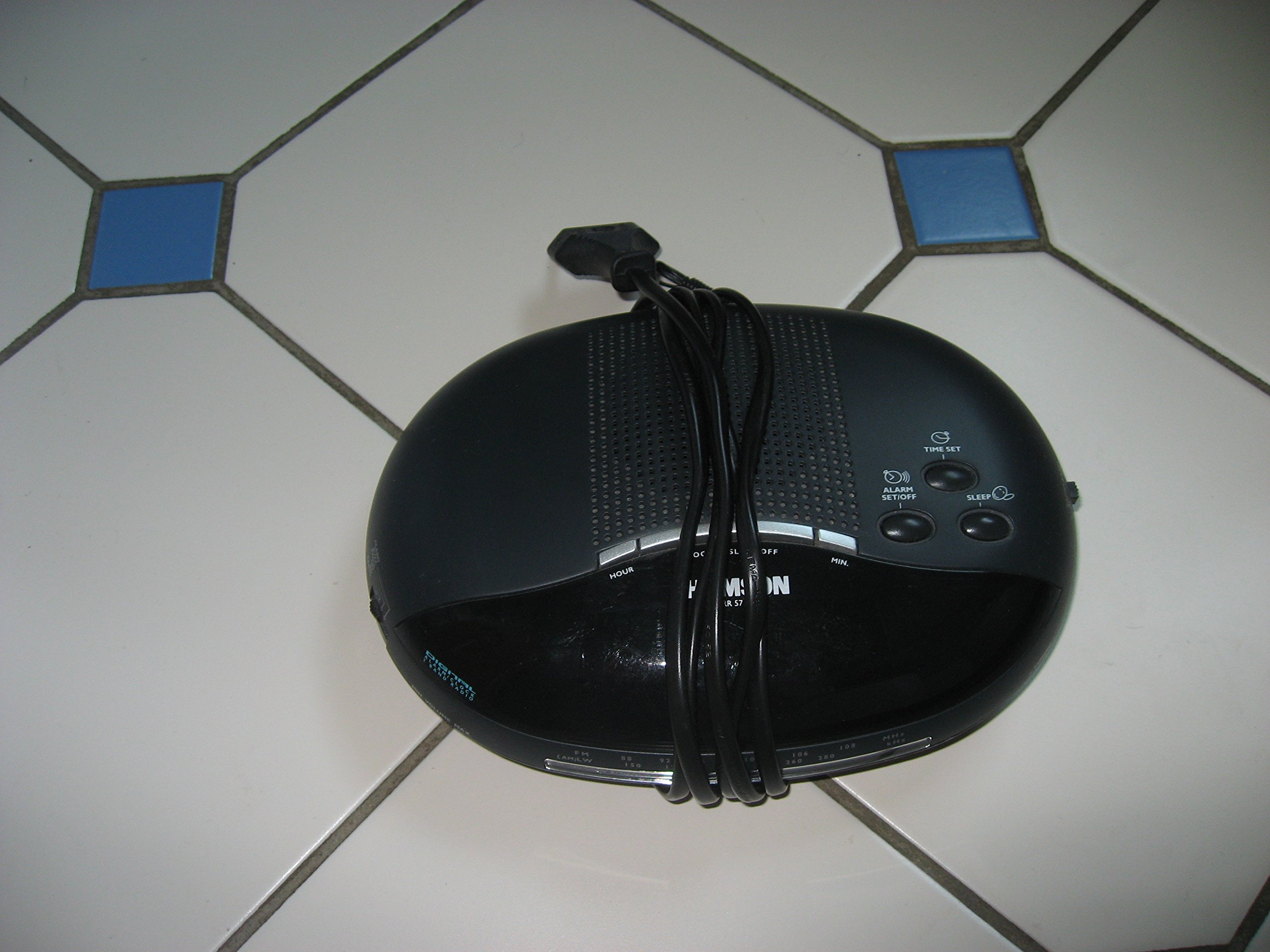
Resim 1: Ön view of the Thomson RR 68 M clock, showing the digital display and control buttons. This image illustrates the compact design suitable for tabletop placement.
2.1 Paket İçeriği
- Thomson RR 68 M Clock Unit
- Kullanım Kılavuzu (bu belge)
3. Kurulum
3.1 Saatin Çalıştırılması
The Thomson RR 68 M clock operates on batteries (not included). Ensure you have the correct type and quantity of batteries before proceeding.
- Saatin arka veya alt kısmında bulunan pil bölmesi kapağını bulun.
- Remove the battery compartment cover by sliding or unlatching it.
- Insert the required batteries, paying close attention to the polarity markings (+ and -) inside the compartment.
- Replace the battery compartment cover securely. The clock display should now illuminate.
4. Kullanım Talimatları
4.1 Saati Ayarlama
To set the current time on your Thomson RR 68 M clock:
- Locate the 'SET' or 'MODE' button, usually on the back or side of the clock. Press and hold this button for a few seconds until the hour digits begin to flash.
- Use the '+' or 'HOUR' button to adjust the hour. Press repeatedly to advance the hour.
- Press the 'SET' or 'MODE' button again. The minute digits will begin to flash.
- Use the '+' or 'MINUTE' button to adjust the minutes. Press repeatedly to advance the minutes.
- Press the 'SET' or 'MODE' button one last time to confirm the time setting and exit the setting mode. The display will stop flashing.
Note: This model does not feature an alarm function.
5. Bakım
5.1 Temizlik
To maintain the appearance of your clock:
- Wipe the clock's exterior with a soft, dry cloth.
- Aşındırıcı temizleyiciler, çözücüler veya kimyasal spreyler kullanmayın, çünkü bunlar cilaya zarar verebilir.
5.2 Pil Değişimi
When the display dims or the clock stops functioning, it is time to replace the batteries. Follow the steps in Section 3.1 to replace the old batteries with new ones. Dispose of used batteries responsibly according to local regulations.
6. Sorun Giderme
If you encounter issues with your Thomson RR 68 M clock, refer to the following common problems and solutions:
6.1 Clock Display is Blank or Dim
- Pilleri Kontrol Edin: Ensure batteries are inserted correctly with the correct polarity. Replace with fresh batteries if necessary.
- Pil Bölmesi: Pil bölmesi kapağının sıkıca kapalı olduğundan emin olun.
6.2 Zaman Yanlış
- Sıfırlama Zamanı: Follow the instructions in Section 4.1 to manually set the time.
- Pil Gücü: If the time frequently resets or loses accuracy, the batteries may be low and require replacement.
7. Özellikler
| Model Numarası | RR 68 M |
| Marka | THOMSON |
| Montaj Tipi | Masaüstü |
| Güç Kaynağı | Piller (dahil değildir) |
| Alarm Fonksiyonu | HAYIR |
8. Garanti Bilgileri
Specific warranty details for the Thomson RR 68 M clock are not provided within this user manual. Please refer to the product packaging, the point of purchase, or the official Thomson webKapsamlı garanti şartları ve koşulları için siteyi ziyaret edin.
9. Müşteri Desteği
For further assistance, technical support, or inquiries regarding your Thomson RR 68 M clock, please visit the official Thomson webÜreticinin web sitesinde veya müşteri hizmetleri departmanıyla iletişime geçebilirsiniz. İletişim bilgileri genellikle üreticinin web sitesinde mevcuttur. website veya ürün ambalajı.


