1. Giriş
Satın aldığınız için teşekkür ederizasing the NANAO FlexScan L767-R 19-inch Color LCD Display. This manual provides essential information for setting up, operating, and maintaining your monitor. Please read this manual thoroughly before use to ensure proper and safe operation.
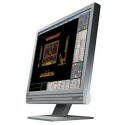
Figure 1: NANAO FlexScan L767-R LCD Monitor. This image shows the monitor from a slight angle, highlighting its slim bezel and adjustable stand.
2. Özellikler
The FlexScan L767-R is designed for optimal visual performance and user convenience. Key features include:
- Canlı Renkli Ekran: Supports approximately 16.77 million full colors for impressive color vibrancy.
- FineContrast Function: Easily adjust brightness and gamma settings to match content (text, images) for optimal viewIng.
- Dual Input Support: Equipped with both analog and digital input terminals for versatile connectivity.
- Entegre Ses: Features built-in speakers for audio output.
- Ergonomik Ayak: The stand allows for a 50mm vertical height adjustment, enhancing user comfort.
- Non-Glare Surface: The screen surface is non-glare, reducing reflections and eye strain.
3. Kurulum
Follow these steps to set up your FlexScan L767-R monitor:
- Monitörü Paketinden Çıkarın: Monitörü ve tüm aksesuarlarını ambalajından dikkatlice çıkarın.
- Monitörü konumlandırın: Place the monitor on a stable, flat surface. Ensure adequate ventilation around the monitor.
- Video Kablosunu Bağlayın:
- İçin Analog Bağlantı: Connect the D-Sub (VGA) cable from your computer's video output to the analog input port on the monitor.
- İçin Dijital Bağlantı: Connect the DVI cable from your computer's video output to the digital input port on the monitor.
- Connect Audio Cable (Optional): If you wish to use the built-in speakers, connect an audio cable from your computer's audio output to the audio input port on the monitor.
- Güç Kablosunu Bağlayın: Güç kablosunu monitörün güç girişine takın, ardından diğer ucunu topraklı bir elektrik prizine takın.
- Güç Açık: Press the power button on the monitor. Power on your computer. The monitor should display your computer's screen.
4. Çalıştırma
This section describes the basic operation of your FlexScan L767-R monitor.
4.1. FineContrast Function
The FineContrast function allows you to quickly switch between different display modes optimized for various content types. Use the dedicated buttons on the monitor's front panel to cycle through modes such as Text, Picture, Movie, and Custom. Each mode adjusts brightness, gamma, and color temperature for the best viewDeneyim.
4.2. Stand Adjustment
The monitor stand offers vertical height adjustment. Gently push or pull the monitor panel up or down to adjust its height within the 50mm range. Ensure the monitor is stable after adjustment.
4.3. Ekran Üstü Görüntüleme (OSD) Menüsü
Access the OSD menu using the control buttons on the front panel to fine-tune settings such as brightness, contrast, color balance, input selection, and more. Refer to the detailed OSD menu guide in the full manual for comprehensive options.
5. Bakım
Doğru bakım, monitörünüzün uzun ömürlü olmasını ve performansını garanti eder.
- Ekranın Temizlenmesi: Yumuşak, tiftiksiz bir bez kullanın ve hafifçe kurulayın.ampened with water or a non-abrasive, monitor-specific cleaning solution. Do not spray liquid directly onto the screen.
- C'yi Temizlemeasing: Monitörü silinasing with a soft, dry cloth. Avoid using strong detergents or solvents.
- Havalandırma: Aşırı ısınmayı önlemek için monitördeki havalandırma deliklerinin kapatılmadığından emin olun.
- Kapat: Temizlemeden önce veya uzun süre kullanılmayacaksa, monitörü kapatın ve fişini prizden çekin.
6. Sorun Giderme
Monitörünüzde sorunlarla karşılaşırsanız, aşağıdaki yaygın sorunlara ve çözümlere bakın:
- Ekranda Görüntü Yok:
- Monitörün açık olup olmadığını kontrol edin.
- Verify that the video cable is securely connected to both the monitor and the computer.
- Ensure the correct input source is selected on the monitor (Analog/Digital).
- Görüntü bozuk veya bulanık:
- For analog connections, perform an auto-adjustment via the OSD menu.
- Check the display resolution settings on your computer. Ensure it matches the monitor's native resolution (1280x1024).
- Hoparlörlerden Ses Gelmiyor:
- Verify the audio cable is properly connected.
- Hem monitörünüzün hem de bilgisayarınızın ses ayarlarını kontrol edin.
If the problem persists after trying these solutions, please contact EIZO customer support or refer to the comprehensive troubleshooting guide in the full product manual.
7. Özellikler
| Özellik | Şartname |
|---|---|
| Marka | EİZO'nun |
| Örnek | L767-R |
| Ekran Boyutu | 19 inç |
| Çözünürlük | 1280x1024 |
| Ekran Yüzeyi Açıklaması | Parlama yapmaz |
| Parlaklık | 250 cd/m² |
| Yenileme Hızı | 60 Hz |
| Arka Aydınlatma Teknolojisi | CCFL |
| HDMI Giriş Bağlantı Noktaları | 0 |
| USB Fonksiyon | Hiçbiri |
| Dahili Hoparlör | Evet |
| TV İşlevi | HAYIR |
| 3D Display Support | Desteklenmiyor |
| Dokunmatik Panel | Desteklenmiyor |
| Ürün Ağırlığı | 10 Kilogram |
| Paket Boyutları | 56x53.5x22.5 cm |
8. Garanti ve Destek
For detailed warranty information, please refer to the warranty card included with your product or visit the official EIZO webSite. Garanti şartları ve koşulları bölgeye göre değişiklik gösterebilir.
For technical support, product inquiries, or service requests, please contact EIZO customer support through their official channels. Keep your product model number (L767-R) and serial number ready when contacting support.
EIZO Official Webalan: www.eizo.com


