giriiş
Welcome to the world of Super Mario Sunshine! In this adventure, Mario, Princess Peach, and their Toad friends embark on a tropical vacation to Isle Delfino. However, their holiday is interrupted when a mysterious villain, Shadow Mario, covers the island in goop, and Mario is wrongly accused. To clear his name and restore peace to the island, Mario must utilize a special water-powered device called FLUDD (Flash Liquidizer Ultra Dousing Device).
This game introduces new mechanics centered around FLUDD, offering unique ways to navigate the environment, combat enemies, and solve puzzles. Collect Shine Sprites to unlock new areas and progress through the story.
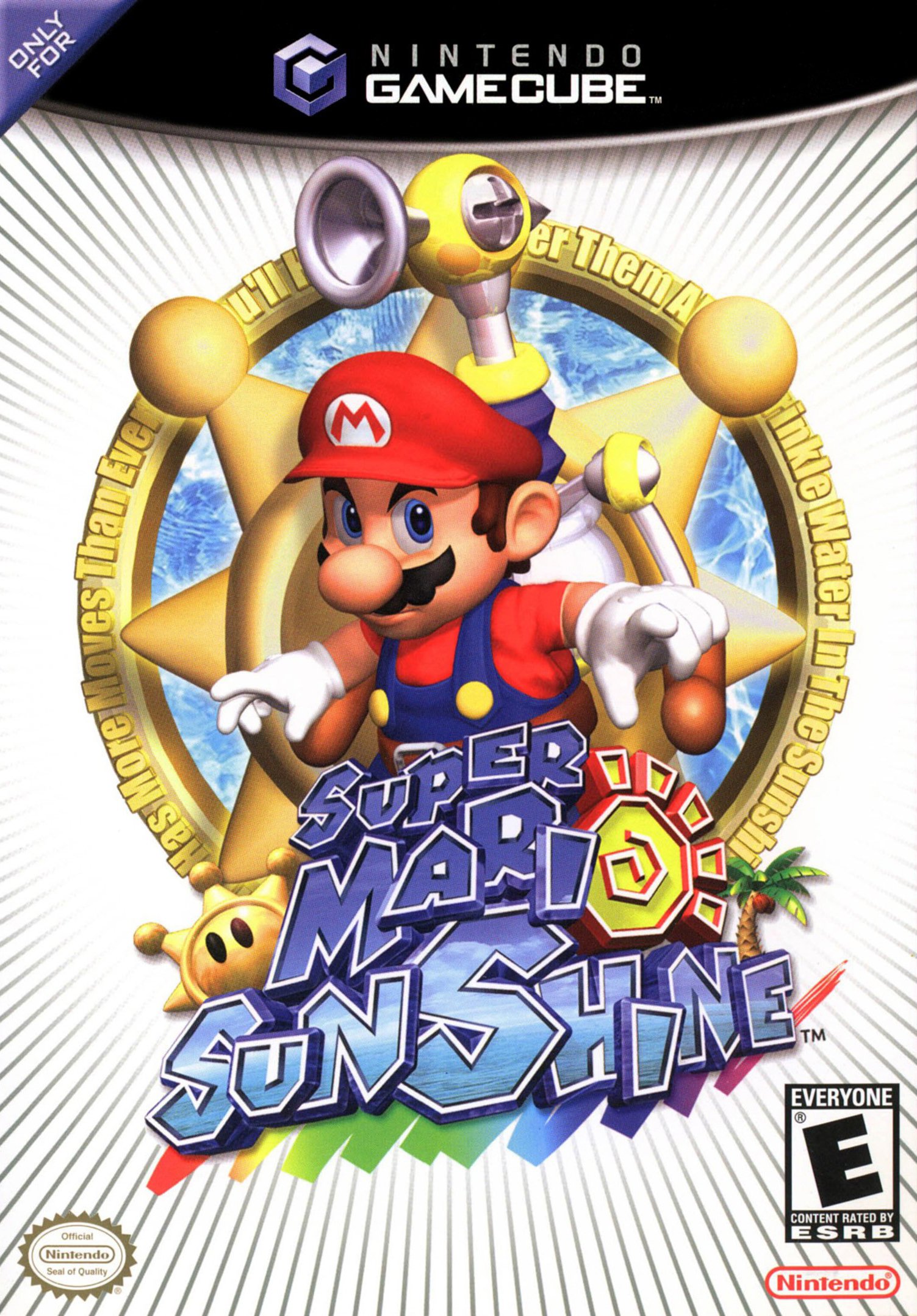
Image: Super Mario Sunshine game cover.
Kurmak
Follow these steps to begin your adventure on Isle Delfino:
- Oyun diskini takın: Gently insert the Super Mario Sunshine game disc into your Nintendo GameCube console with the label facing up.
- Konsolu bağlayın: Ensure your Nintendo GameCube console is properly connected to your television or display device using the appropriate AV cables.
- Kontrol Ünitesini Bağlayın: Plug a Nintendo GameCube Controller into one of the controller ports on the front of the console.
- Güç Açık: Turn on your television and select the correct input source. Then, power on your Nintendo GameCube console. The game should load automatically.
Kullanım Talimatları
Temel Kontroller
- Kontrol Çubuğu: Mario'yu hareket ettir.
- Düğme: Atla, seçimleri onayla.
- B Düğmesi: Use FLUDD's primary spray function.
- X Düğmesi: Dive/Slide.
- Y Düğmesi: Switch FLUDD nozzles (when available).
- L Düğmesi: Center camera.
- R Düğmesi: Spray water with FLUDD (can be combined with movement).
- Z Düğmesi: View harita.
- C Stick: Kamera açısını ayarlayın.
Gameplay Objectives
Your main goal is to collect Shine Sprites, which are the island's source of power. These are earned by completing various tasks, such as:
- Cleaning up goop and graffiti using FLUDD.
- Defeating enemies and bosses.
- Navigating challenging platforming sections.
- Solving environmental puzzles.
- Collecting Blue Coins, which can be exchanged for Shine Sprites.
FLUDD (Flash Liquidizer Ultra Dousing Device)
FLUDD is Mario's essential tool in Super Mario Sunshine. It features several modes:
- Squirt Nozzle: The default mode, used for spraying water to clean goop, attack enemies, and activate certain mechanisms.
- Hover Nozzle: Allows Mario to hover in the air for a short period, extending jumps and reaching higher platforms.
- Rocket Nozzle: Propels Mario high into the air, useful for vertical exploration.
- Turbo Nozul: Increases Mario's speed, allowing him to dash across water and break through certain obstacles.
Nozzle attachments are found throughout Isle Delfino and can be switched using the Y button.
Yoshi
Yoshi makes an appearance in Super Mario Sunshine! Mario can ride various colored Yoshis, each with unique abilities. Yoshis can eat fruit to change color and gain new powers, such as dissolving certain obstacles with their juice.
Bakım
Game Disc Care
- Always hold the disc by its edges to avoid fingerprints and scratches.
- Kullanılmadığı zamanlarda diski orijinal kutusunda saklayın.
- To clean the disc, gently wipe it with a soft, lint-free cloth from the center outwards. Do not use abrasive cleaners.
- Avoid exposing the disc to direct sunlight, extreme temperatures, or high humidity.
Console Care
- Keep your Nintendo GameCube console in a clean, dust-free environment.
- Aşırı ısınmayı önlemek için konsolun çevresinde yeterli havalandırma olduğundan emin olun.
- Do not place heavy objects on top of the console.
Sorun giderme
Disk Okuma Hataları
- If the console has difficulty reading the disc, remove the disc and inspect it for scratches or smudges. Clean the disc as described in the Maintenance section.
- Ensure the disc is inserted correctly into the console.
- If issues persist, try another GameCube game to determine if the problem is with the disc or the console's disc drive.
Denetleyici Yanıt Vermiyor
- Check that the controller cable is securely plugged into the console's controller port.
- Kumandayı farklı bir porta takmayı deneyin.
- If using a wireless controller (WaveBird), ensure it has fresh batteries and is properly synced with its receiver.
Game Freezing or Crashing
- Turn off the console, wait a few seconds, and then turn it back on.
- Ensure the console has adequate ventilation and is not overheating.
- Clean the game disc.
Özellikler
- Platform: Oyun Küpü
- Yayın tarihi: 15 Haziran 2006
- Dil: İngilizce
- Derecelendirildi: Herkes
- Ürün Model Numarası: 45496960346
- Ürün Ölçüleri: 7.25 x 5.25 x 0.5 inç
- Ürün Ağırlığı: 0.705 ons
- Üretici: Nintendo
- ASIN: B000066JRN
- GTIN: 045496960346, 045496960896, 045496390365, 454969608966
Garanti ve Destek
For information regarding product warranty, technical support, or service, please refer to the documentation included with your Nintendo GameCube console or visit the official Nintendo support website. You can also find more information about Nintendo products at the Nintendo Mağazası.


