
1. Giriş
This manual provides detailed instructions for the safe and effective use of your DIGIERA DGW100BL 5K Digital Camera. Please read this manual thoroughly before operating the camera and retain it for future reference.
The DIGIERA DGW100BL is a versatile digital camera designed for high-quality photography and videography, featuring 5K video recording, 80MP photo resolution, a 3.0-inch IPS LCD flip screen, and advanced autofocus capabilities.
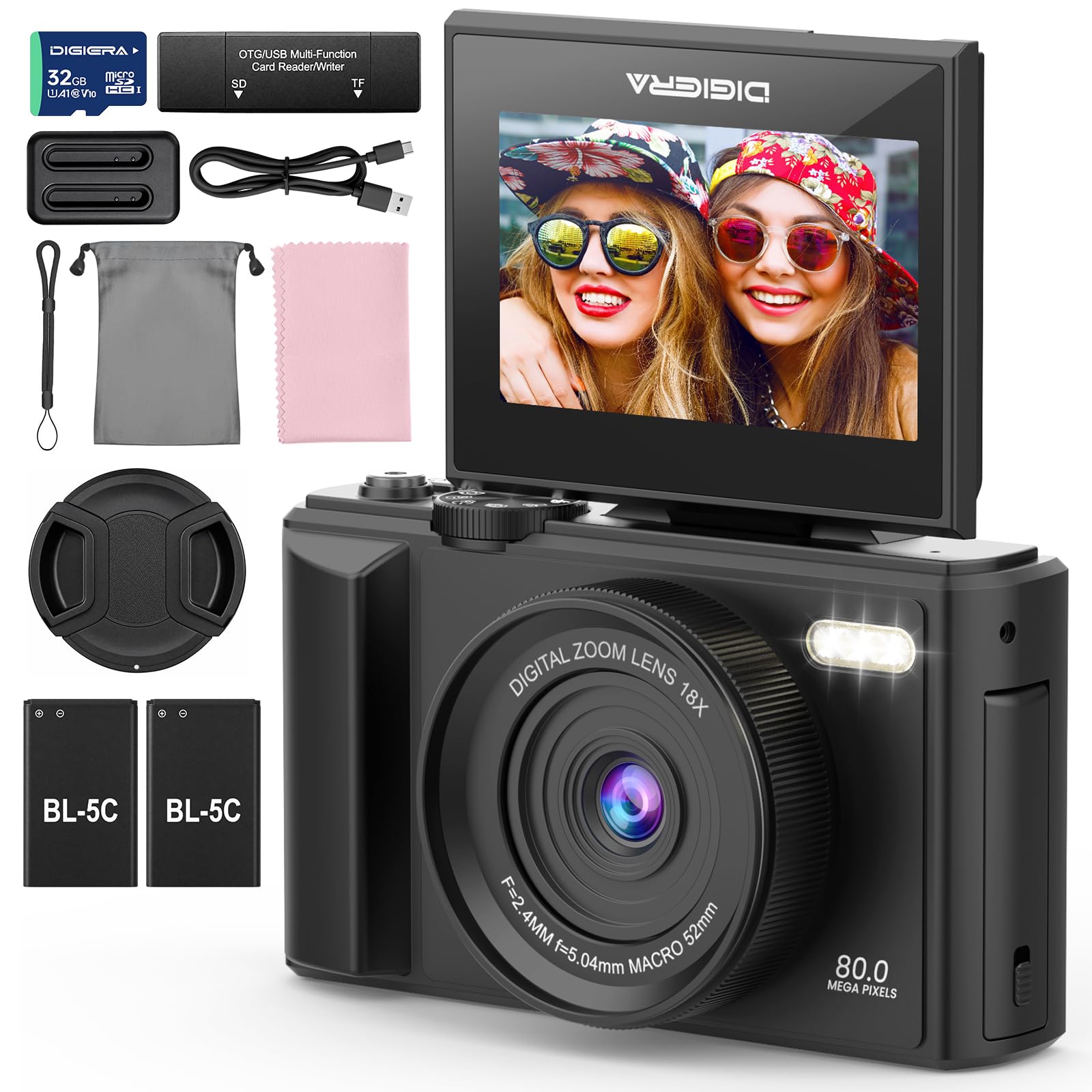
Image 1.1: The DIGIERA DGW100BL 5K Digital Camera.
2. Paket İçeriği
Paketinizde tüm öğelerin mevcut olduğundan emin olun:
- DIGIERA DGW100BL Camera Body
- 2 x Detachable Rechargeable Lithium-ion Batteries
- Pil Şarj Cihazı
- 32 GB SD Kart
- USB kablosu
- Kullanıcı Kılavuzu
- Bilek Kayışı
3. Kurulum
3.1. Pilin Takılması ve Şarj Edilmesi
- Kameranın alt kısmında bulunan pil yuvası kapağını açın.
- Insert a rechargeable lithium-ion battery, ensuring the contacts align correctly. Close the cover.
- To charge the battery, insert it into the provided external charger. Connect the charger to a power source using the USB cable. The indicator light on the charger will show charging status.
- A fully charged battery provides approximately 80 minutes of 4K video recording.
3.2. SD Kart Kurulumu
- Locate the SD card slot, typically on the side or bottom of the camera.
- Insert the included 32GB SD card with the metal contacts facing the correct direction (refer to the diagram near the slot). Push until it clicks into place.
- To remove, gently push the SD card inward until it springs out.
3.3. Açma/Kapama
- Cihazı açmak için, ekran aydınlanana kadar Güç düğmesini basılı tutun.
- To power off, press and hold the Power button again until the screen shuts down.
3.4. Başlangıç ayarları
Upon first power-on, you may be prompted to set the date, time, and language. Use the navigation buttons to select and confirm your preferences.
4. Kameranın Çalıştırılması
4.1. Temel Fotoğrafçılık ve Video Kaydı
The camera supports 80MP still images and 5K video recording.

Image 4.1: Demonstrating 5K video and 80MP photo capabilities.
- Anahtarlama Modları: Fotoğraf, video ve oynatma modları arasında geçiş yapmak için mod kadranını veya menü seçeneklerini kullanın.
- Fotoğraf çekmek: In photo mode, frame your shot and press the Shutter button halfway to focus, then fully to capture the image.
- Videoları Kaydetme: In video mode, press the Record button to start and stop recording.
- Snapshot While Recording: You can capture still photos during video recording by pressing the Shutter button.
4.2. Focus Modes
The camera offers flexible focusing options:
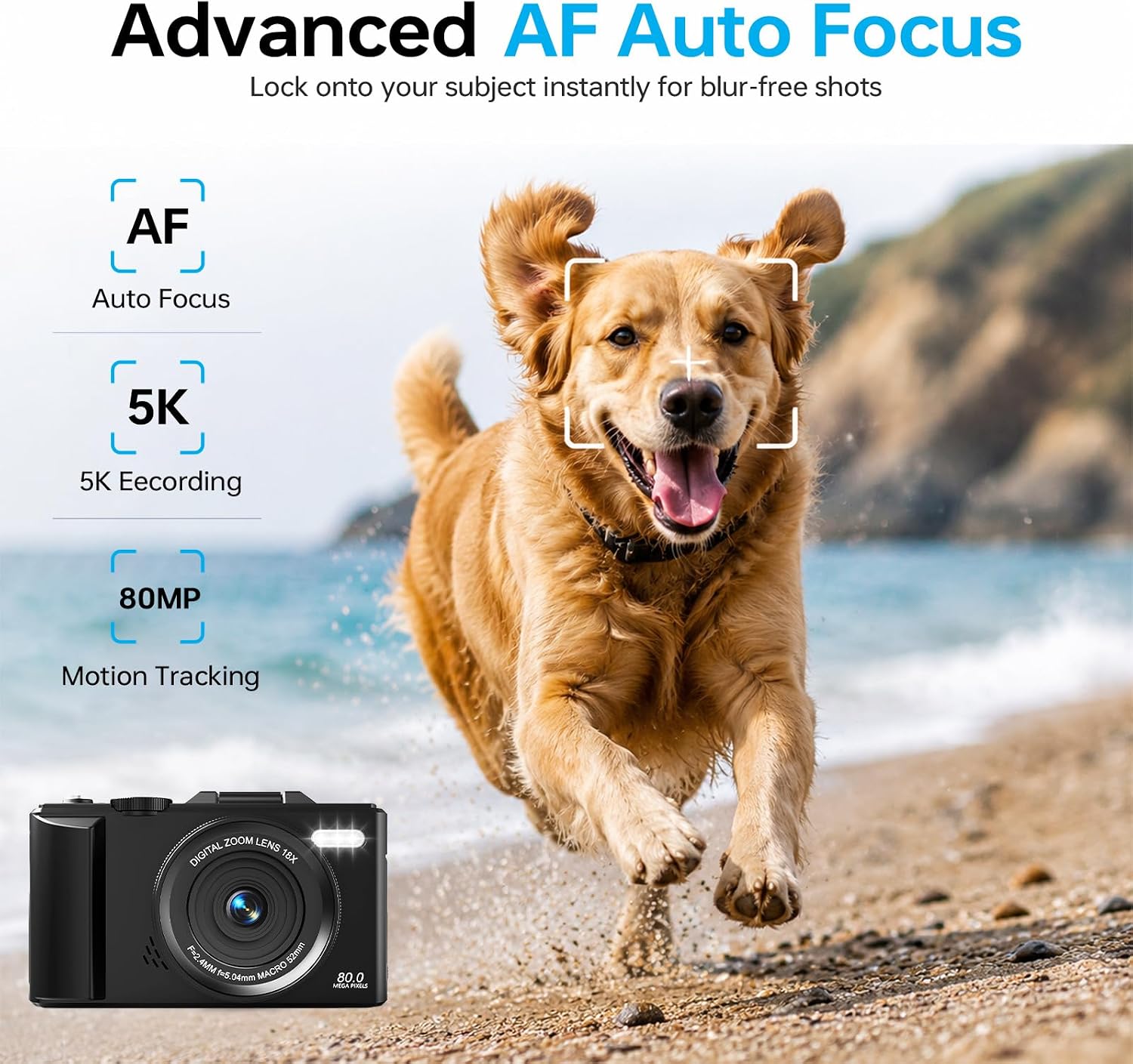
Image 4.2: Advanced Autofocus for sharp images.
- Otomatik odaklama (AF): The camera automatically detects and focuses on subjects. This is ideal for most situations, including moving subjects.
- Sabit Odak: Maintains a fixed focus distance, suitable for specific scenarios where manual adjustment is not desired.
- Manuel Odaklama (MF): Allows you to manually adjust the focus for precise control.
4.3. Using the Flip Screen and Digital Zoom

Image 4.3: The 180° flip screen for easy selfies and vlogging.
- Çevirme Ekranı: The 3.0-inch IPS LCD screen can be flipped 180 degrees, making it convenient for self-portraits, vlogging, and monitoring your shots from various angles.
- 18X Dijital Yakınlaştırma: Use the zoom controls (usually 'W' for wide and 'T' for telephoto) to digitally zoom in or out on your subject. Note that digital zoom may reduce image quality compared to optical zoom.
4.4. Anti-Shake Technology
The built-in anti-shake technology helps to stabilize your footage and photos, reducing blur caused by camera movement, especially useful during handheld shooting or when using digital zoom.
4.5. Özel Özellikler
- Zaman Aşımı: Capture sequences of images over time to create time-lapse videos. Access this feature through the camera's menu. For extended sessions, consider connecting a power bank.
- Ağır Çekim: Record videos at a higher frame rate to play back in slow motion.
- Yaratıcı Filtreler: Apply various artistic filters and effects directly to your photos and videos.

Resim 4.4: Örn.amples of built-in creative filters.
4.6. Wi-Fi Bağlantısı ve Uygulama Kontrolü

Image 4.5: Wi-Fi transfer for instant sharing.
The camera features built-in Wi-Fi for seamless transfer of photos and videos to your smartphone via a dedicated mobile app. This also enables remote control for convenient selfies and group shots.
- Download the official DIGIERA camera app from your device's app store.
- Enable Wi-Fi on your camera and connect your smartphone to the camera's Wi-Fi network.
- Uygulamayı kullanarak medya dosyalarınıza göz atabilir, aktarabilir ve paylaşabilir veya kamerayı uzaktan kontrol edebilirsiniz.
4.7. External Lens Support

Image 4.6: The camera supports external 52mm wide-angle lenses (sold separately).
The camera supports external 52mm wide-angle lenses (not included) to expand your field of view, ideal for capturing landscapes or group photos.
5. Bakım
5.1. Kamerayı Temizleme
- Mercek: Tozu nazikçe temizlemek için yumuşak, tiftiksiz bir bez veya lens fırçası kullanın. Lekeler için, doğrudan lense değil, bir beze uygulanan özel bir lens temizleme solüsyonu kullanın.
- Ekran: Wipe the LCD screen with a soft, dry microfiber cloth. Avoid harsh chemicals.
- Vücut: Use a dry, soft cloth to clean the camera body. Do not use water or cleaning solvents.
5.2. Pil Bakımı
- Pilleri kullanılmadığı zaman serin ve kuru bir yerde saklayın.
- Pillerin ömrünü uzatmak için sık sık tamamen boşaltmaktan kaçının.
- Pilleri aşırı sıcaklıklara maruz bırakmayın.
5.3. Depolama
When storing the camera for extended periods, remove the battery and SD card. Store the camera in a protective case in a dry, dust-free environment.
6. Sorun Giderme
Kameranızla ilgili sorunlarla karşılaşırsanız, aşağıdaki yaygın sorunlara ve çözümlere bakın:
| Sorun | Olası Neden | Çözüm |
|---|---|---|
| Kamera açılmıyor. | Pil bitmiş veya yanlış takılmış. | Pilinizin tamamen dolu olduğundan ve doğru şekilde takıldığından emin olun. Farklı, şarj edilmiş bir pil deneyin. |
| Fotoğraf çekilemez/video kaydedilemez. | SD kart dolu, kilitli veya takılı değil. | Check SD card status. Ensure it is unlocked, has sufficient space, and is inserted correctly. Format the SD card if necessary (this will erase all data). |
| Görüntüler bulanık. | Yanlış odaklama, kamera sarsıntısı veya kirli lens. | Check focus mode. Ensure anti-shake is enabled. Clean the lens. Hold the camera steady. |
| Wi-Fi bağlantı sorunları. | Incorrect Wi-Fi settings or app issues. | Ensure Wi-Fi is enabled on both camera and phone. Reconnect to the camera's Wi-Fi network. Restart the camera and the app. |
| Kısa pil ömrü. | Frequent use of power-intensive features or old battery. | Reduce screen brightness, limit continuous recording. Ensure batteries are fully charged. Consider replacing old batteries. |
Bu çözümleri denedikten sonra sorun devam ederse lütfen müşteri desteğiyle iletişime geçin.
7. Özellikler
| Özellik | Detay |
|---|---|
| Model Adı | DGW100BL |
| Fotoğraf Sensörü Teknolojisi | CMOS |
| Maksimum Webkamera Görüntü Çözünürlüğü | 80 MP |
| Video Çözünürlüğü | 5K |
| Dijital Zoom | 18X |
| Ekran Boyutu | 3.0 inç |
| Görüntü Türü | IPS LCD (Flip Screen) |
| Görüntü Sabitleme | Digital (Anti-Shake) |
| Odak Modları | Autofocus, Fixed Focus, Manual Focus |
| Desteklenen File Biçim | JPEG (Photos) |
| Bellek Depolama Kapasitesi | 32 GB (SD kart dahil) |
| Compatible Flash Memory Type | microSD |
| Bağlantı Teknolojisi | USB, Wi-Fi |
| Pil Türü | Detachable Rechargeable Lithium-ion |
| Pilin Ortalama Ömrü | Approx. 80 minutes (4K recording) |
| Özel Özellikler | Anti-Shake, Slow Motion, Wi-Fi Control, Time-Lapse, Snapshot While Recording, 5K Ultra-HD |
| Üretici | Shenzhen Kerun E-commerce Co.,Ltd |
8. Garanti Bilgileri
This DIGIERA DGW100BL camera comes with a 1 Yıllık Üretici Garantisi Satın alma tarihinden itibaren geçerlidir. Bu garanti, normal kullanım koşullarında üretim hatalarını ve işçilik kusurlarını kapsar. Yanlış kullanım, kazalar, yetkisiz değişiklikler veya doğal afetlerden kaynaklanan hasarları kapsamaz.
Garanti talepleri için lütfen satın alma belgenizi saklayın.
9. Müşteri Desteği
For technical assistance, troubleshooting not covered in this manual, or warranty inquiries, please contact DIGIERA customer support. We offer 4/7 after-sale support to assist you.
- E-posta: Refer to your product packaging or the official DIGIERA webiletişim bilgileri için site.
- Webalan: Visit the DIGIERA Store on Amazon