
giriiş
Thank you for choosing the UGREEN HiTune Max 5s Wireless ANC Headphones. This manual provides detailed instructions for setting up, operating, maintaining, and troubleshooting your headphones to ensure optimal performance and longevity. Please read this manual thoroughly before use.
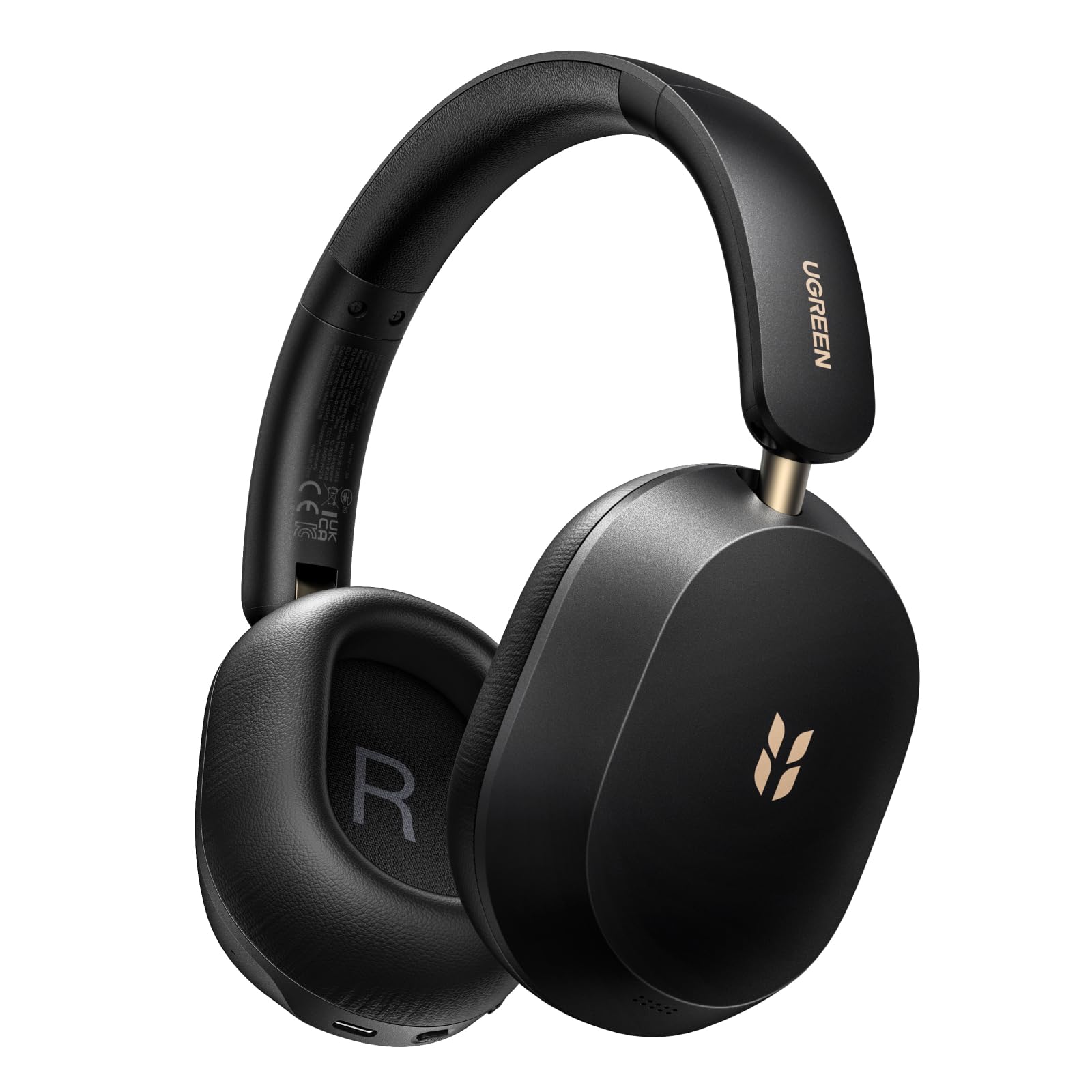
Image: UGREEN HiTune Max 5s Wireless ANC Headphones, black, shown from a slight angle.
Temel Özellikler:
- 45dB Adaptive Hybrid Active Noise Cancellation: Equipped with a 5-microphone array, these headphones intelligently adjust and reduce ambient noise by up to 45dB.
- Hi-Res Audio & Spatial Audio: Supports Hi-Res Audio and Hi-Res Audio Wireless certifications, including LDAC high-resolution codec. Features 40mm PET diaphragm drivers for clear, balanced sound and immersive 360° spatial audio.
- 112 saate kadar pil ömrü: Enjoy extended listening with an 800mAh battery, providing up to 112 hours of playback with ANC off. A 10-minute charge offers 18 hours of listening.
- AI-Enhanced 5-Microphone Calls: Five integrated microphones with AI noise reduction algorithm ensure clear voice pickup and effective filtering of environmental noise during calls.
- Lightweight & Foldable Design: Weighing only 240 grams, the headphones offer comfort for prolonged use. The ergonomic headband and soft memory foam earcups provide a secure fit. The foldable design enhances portability.
- Bluetooth 6.0 ve Çoklu Nokta Bağlantısı: Offers stable and secure wireless connectivity with the ability to connect to two devices simultaneously.
Kurmak
Kulaklıkları Şarj Etme
Before first use, fully charge your UGREEN HiTune Max 5s headphones. Connect the included USB-C cable to the charging port on the headphones and to a compatible USB power source. The charging indicator light will show the charging status.

Image: UGREEN HiTune Max 5s headphones with text indicating 'Up to 112 Hours Battery Life' and '10 Minutes Charge = 18 Hours Music'.
Güç Açık/Kapalı
- AÇMAK için: Press and hold the Power button for approximately 2 seconds. A white light indicator will confirm power-on.
- Kapatmak: Press and hold the Power button for approximately 2 seconds. A red light indicator will confirm power-off.
Bluetooth Eşleştirme
- Kulaklıkların kapalı olduğundan emin olun.
- Press and hold the Bluetooth button until the light rapidly flashes, indicating pairing mode.
- On your host device (smartphone, tablet, computer), enable Bluetooth and search for available devices.
- Select "UGREEN Studio Headphone" from the list to connect.
- Bağlantı kurulduktan sonra, modele bağlı olarak gösterge ışığı sabit mavi renkte yanacak veya sönecektir.
Clearing Pairings
To clear all previous Bluetooth pairings from the headphones, press and hold the Bluetooth button for 10 seconds.
Kullanım Talimatları
Aktif Gürültü Önleme (ANC) Modları
The UGREEN HiTune Max 5s features adaptive hybrid active noise cancellation. You can switch between different modes:
- ANC AÇIK: Activates noise cancellation, reducing ambient sounds by up to 45dB. This mode may consume battery faster.
- ANC KAPALI: Gürültü engelleme özelliğini devre dışı bırakır.
- Ortam Sesi Modu: Allows you to hear some surrounding sounds while still enjoying your audio. Note that ambient sounds are slightly reduced in level.

Image: UGREEN HiTune Max 5s headphones with a visual representation of -45dB noise reduction.
Çok Noktalı Bağlantı
The headphones support multipoint connection, allowing you to connect to two devices simultaneously (e.g., a smartphone and a PC). This enables seamless switching between audio sources without re-pairing.

Image: UGREEN HiTune Max 5s headphones shown with a smartphone displaying the UGREEN app and a tablet, illustrating multipoint connection.
Ses Özellikleri
- Yüksek Çözünürlüklü Ses ve LDAC: Enjoy high-fidelity audio with support for Hi-Res Audio and the LDAC codec (up to 990 kbps).
- Mekansal Ses: Experience immersive 360° sound for an enhanced listening experience.
- Düşük Gecikmeli Oyun Modu: For gaming, activate the low latency mode (0.08s) for synchronized audio and visuals.

Image: A person wearing UGREEN HiTune Max 5s headphones playing a mobile game, illustrating the low latency feature.
Çağrı İşlevselliği
The integrated 5-microphone system with AI noise reduction ensures clear voice transmission during calls, even in noisy environments. The adaptive wind noise attenuation further improves call clarity.
UGREEN Audio App
Customize your listening experience using the UGREEN Audio app. The app allows for EQ adjustments (preset profiles or graphic EQ) and button customization. A personalized sound profile feature, based on an auditory test, is expected via an OTA update.

Image: A smartphone screen displaying the UGREEN Audio app interface with options for noise cancellation control, music modes, game mode, and equalizer settings.
Bakım
Proper care and maintenance will extend the life of your UGREEN HiTune Max 5s headphones.
- Temizlik: Kulaklıkları temizlemek için yumuşak, kuru bir bez kullanın. Aşındırıcı temizleyiciler veya çözücüler kullanmaktan kaçının.
- Depolamak: When not in use, store the headphones in a cool, dry place. The foldable design allows for compact storage. Avoid exposing them to extreme temperatures or humidity.
- Pil Bakım: Pil sağlığını korumak için, kulaklıkları sık sık tamamen boşaltmaktan kaçının. Uzun süre kullanılmasa bile düzenli olarak şarj edin.
- Suya Maruz Kalma: Bu kulaklıklar su geçirmez değildir. Suya veya aşırı neme maruz bırakmaktan kaçının.

Image: UGREEN HiTune Max 5s headphones in a folded state, being placed into a backpack, demonstrating their compact and portable design.
Sorun giderme
Kulaklığınızla ilgili sorunlarla karşılaşırsanız aşağıdaki yaygın çözümlere başvurun:
| Sorun | Olası Çözüm |
|---|---|
| Kulaklık açılmıyor. | Kulaklıkların şarjının dolu olduğundan emin olun. Bir güç kaynağına bağlayın ve tekrar deneyin. |
| Cihazla eşleştirme yapılamıyor. | Make sure the headphones are in pairing mode (rapidly flashing light). Clear previous pairings by holding the Bluetooth button for 10 seconds, then try pairing again. Ensure Bluetooth is enabled on your device. |
| Poor sound quality or unbalanced audio. | Check the audio source. Use the UGREEN Audio app to adjust the equalizer settings. Ensure the headphones are properly seated on your ears. |
| ANC etkili değildir. | Ensure ANC mode is activated. For optimal performance, ensure earcups form a good seal around your ears. ANC is most effective against low-frequency, constant noises. |
| Bluetooth bağlantısı kararsız. | Ensure your device is within the effective range (typically 10 meters) and there are no significant obstructions. Disconnect and reconnect the Bluetooth connection. |
Özellikler
| Özellik | Detay |
|---|---|
| Model Adı | HiTune Max 5s |
| Model Numarası | 16172 |
| Marka | UYU YEŞİL |
| Renk | Siyah |
| Ağırlık | 240 Gram |
| Kulak Yerleşimi | Kulak Üstü |
| Form Faktörü | Circum-Aural |
| Gürültü Kontrolü | Hybrid Noise Reduction (up to 45dB) |
| Bağlantı Teknolojisi | Kablosuz (Bluetooth) |
| Kablosuz İletişim Teknolojisi | Bluetooth |
| Bluetooth Sürümü | 6.0 |
| Dahil Bileşenler | Cable (USB-C charging cable) |
| Kontrol Yöntemi | Basmalı Düğme |
| Ses Sürücüsü Türü | Dinamik |
| Frekans Aralığı | 20 Hz - 40 kHz |
| İç Malzeme | Suni Deri |
| Special Product Uses | Music, Travel |
| Uyumlu Cihazlar | Cep telefonu |
| Pil | 1 Lityum iyon (dahil) |
| Üretici | Ugreen Grubu Sınırlı |
| Menşei ülke | Çin |
Garanti ve Destek
Garanti Bilgileri
The UGREEN HiTune Max 5s Wireless ANC Headphones come with a 24-month UGREEN warrantyLütfen garanti talepleriniz için satın alma belgenizi saklayın.
Müşteri Desteği
Daha fazla yardım, teknik destek veya garanti sorularınız için lütfen UGREEN müşteri hizmetleriyle resmi web siteleri aracılığıyla iletişime geçin. webÜrünü satın aldığınız site veya perakendeci.