
giriiş
The UGREEN CM889 7-in-1 USB-C Hub is designed to expand the connectivity options of your USB-C enabled devices. This compact and versatile hub transforms a single USB-C port into seven essential connections, including HDMI, USB 3.0, USB 2.0, SD/TF card readers, Gigabit Ethernet, and a Power Delivery (PD) charging port. It provides a comprehensive solution for connecting multiple peripherals, external displays, and charging your device simultaneously, enhancing productivity and convenience for various applications.
Ürün Özellikleri
- 7'u 1 Arada Bağlantı: Expands a single USB-C port into HDMI, USB 3.0 (x2), USB 2.0 (x1), SD card reader, TF card reader, Gigabit Ethernet, and USB-C PD charging port.
- 4K HDMI Çıkışı: Supports video output up to 4K resolution at 30Hz, enabling connection to external monitors, TVs, or projectors.
- Yüksek Hızlı Veri Aktarımı: Two USB 3.0 ports offer data transfer speeds up to 5Gbps for quick file Transferler.
- Power Delivery (PD) Support: USB-C PD charging port supports up to 100W power pass-through to keep your laptop charged.
- Gigabit-Ethernet: Provides a stable and fast wired network connection up to 1000Mbps.
- SD/TF Kart Okuyucular: Integrated slots for simultaneous reading of SD and TF (MicroSD) cards.
- Tak ve Çalıştır: Requires no additional drivers or software installation for immediate use.
- Dayanıklı Tasarım: Constructed with aluminium alloy for enhanced durability and efficient heat dissipation.
- LED Göstergesi: Visual feedback on connection status.
- Güvenlik Özellikleri: Aşırı akım, aşırı gerilim içerirtage ve kısa devre koruması.
Kurulum Kılavuzu
Follow these steps to set up your UGREEN CM889 7-in-1 USB-C Hub:
- Ana Bilgisayara Bağlan: Plug the USB-C connector cable of the UGREEN CM889 hub into an available USB-C port on your laptop, tablet, or smartphone. Ensure the USB-C port on your device supports data transfer, video output (DisplayPort Alternate Mode), and Power Delivery for full functionality.
- Güç Bağlantısı (Opsiyonel): If your host device requires charging or if you are connecting power-intensive peripherals, connect your original USB-C power adapter to the USB-C PD port on the hub. The hub supports up to 100W power pass-through.
- Çevre Birimlerini Bağlayın:
- HDMI Ekran: Connect an HDMI cable from your external monitor or TV to the HDMI port on the hub. Your device should automatically detect the external display.
- USB Cihazları: Plug your USB-A peripherals (e.g., keyboard, mouse, USB flash drive, external hard drive) into the USB 3.0 or USB 2.0 ports.
- Ağ kablosu: For a wired internet connection, connect an Ethernet cable to the Gigabit RJ45 port on the hub.
- SD/TF Kartlar: Insert your SD or TF (MicroSD) memory cards into the corresponding slots.
- Bağlantıyı Doğrulayın: The LED indicator on the hub will illuminate to show a successful connection to the host device.
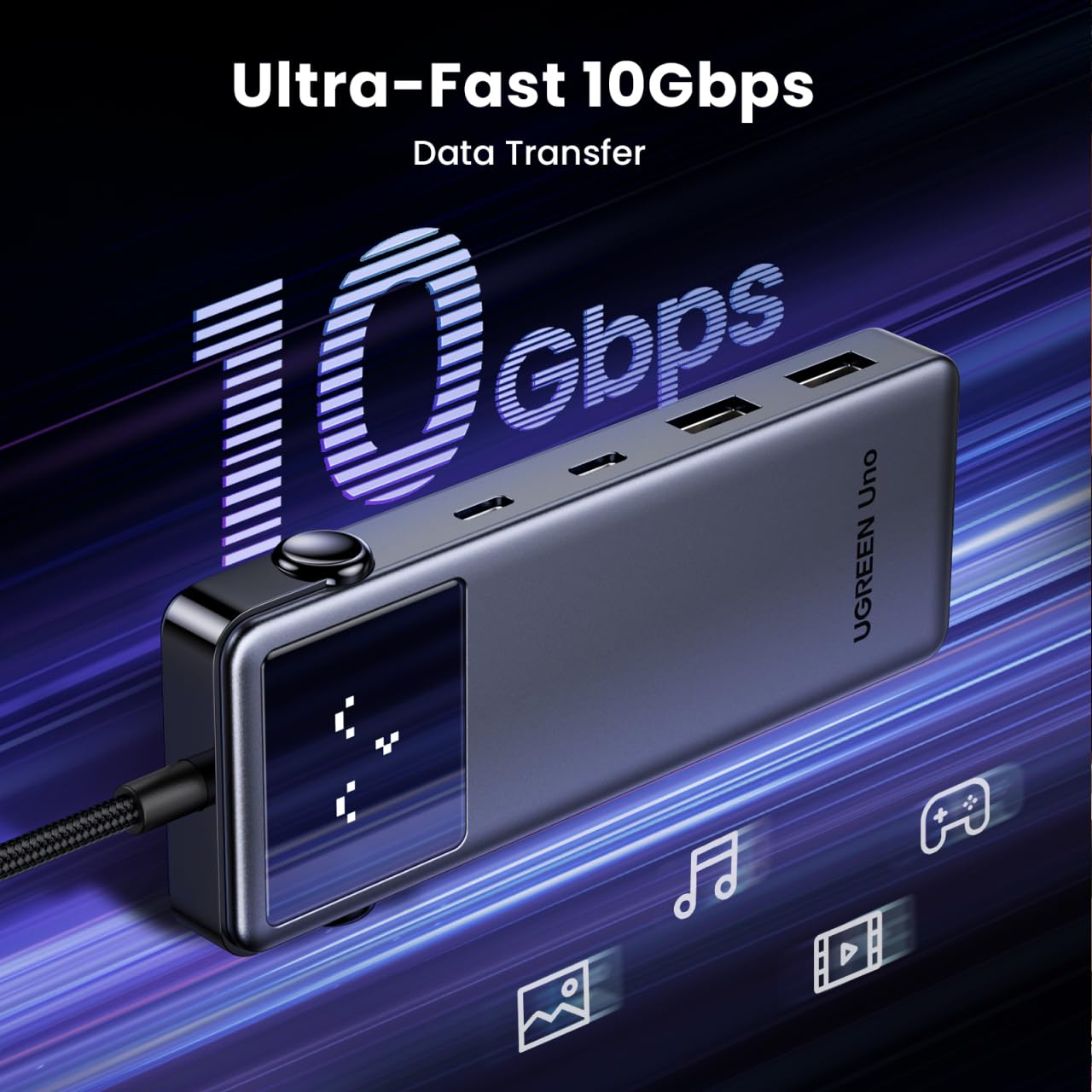
Image: UGREEN CM889 hub with its 7 ports labeled, including PD 100W, USB-C 3.0, USB-A 3.0 x 2, USB-A 2.0, HDMI 4K60Hz, and Gigabit RJ45.

Image: Visual representation of the LED display on the UGREEN CM889 hub, showing different icons for connecting to host, external display, PD charger, and external display + PD charging.
Kullanım Talimatları
Once connected, the UGREEN CM889 hub operates automatically. Here's how to utilize its various functions:
- Veri Transferi: Insert USB flash drives, external hard drives, or other USB storage devices into the USB 3.0 or USB 2.0 ports. Files can be dragged and dropped between your host device and the connected storage. The USB 3.0 ports support speeds up to 5Gbps.
- Video Çıkışı: After connecting an HDMI display, your host device's operating system will typically extend or mirror your display automatically. You can adjust display settings (resolution, orientation, mirroring/extending) through your device's display settings. The hub supports resolutions up to 4K@30Hz.
- Şarj: When a power adapter is connected to the PD port, the hub will pass power through to charge your host device. Ensure your power adapter provides sufficient wattage for both the hub and your device.
- Ağ Erişimi: The Gigabit Ethernet port provides a stable and high-speed internet connection. Once an Ethernet cable is connected, your device should automatically establish a wired network connection.
- Kart Okuma: Insert SD or TF cards into their respective slots. They will appear as removable drives on your host device, allowing you to access and transfer files.

Image: The UGREEN CM889 hub with a visual representation of high-speed data transfer, indicating up to 10Gbps capability for the main USB-C connection.

Image: Diagram illustrating the universal compatibility of the UGREEN CM889 hub with various laptops (MacBook Air/Pro, HP Envy, Dell XPS, Surface Pro, ThinkPad, ASUS Vivobook), tablets/phones (iPad Pro/Air/Mini, Galaxy Tab, iPhone 15, Galaxy S24/S23), and game consoles (ROG Ally, Steam Deck).

Image: A user demonstrating the connection of multiple peripherals like a keyboard, mouse, and external storage to the UGREEN CM889 hub, which is connected to a laptop.
Bakım
To ensure the longevity and optimal performance of your UGREEN CM889 USB-C Hub, follow these maintenance guidelines:
- Temizlik: Use a soft, dry, lint-free cloth to gently wipe the surface of the hub. Avoid using liquid cleaners, aerosols, or solvents, as they may damage the device.
- Depolamak: Kullanılmadığı zaman göbeği serin, kuru ve doğrudan güneş ışığından ve aşırı sıcaklıklardan uzak bir yerde saklayın.
- İşleme: USB hub'ını düşürmekten veya sert darbelere maruz bırakmaktan kaçının. Entegre USB-C kablosunu aşırı bükmeyin veya çekmeyin.
- Liman Bakımı: Keep the ports free from dust and debris. You can use compressed air to gently clear any obstructions.
Sorun giderme
If you encounter issues with your UGREEN CM889 USB-C Hub, refer to the following common problems and solutions:
- HDMI Üzerinden Görüntü Çıkışı Yok:
- Ensure your host device's USB-C port supports DisplayPort Alternate Mode (Alt Mode).
- Check the HDMI cable connection between the hub and the monitor. Try a different HDMI cable.
- Verify the monitor input source is set correctly to HDMI.
- Ana bilgisayarınızı yeniden başlatın.
- USB Aygıtları Tanınmıyor:
- Hub'ın ana cihazınıza güvenli bir şekilde bağlandığından emin olun.
- Çalıştığından emin olmak için USB aygıtını doğrudan ana cihazınıza bağlamayı deneyin.
- Yüksek güçlü bir USB aygıtı (örneğin harici sabit disk) bağlıyorsanız, hub'ın PD portu aracılığıyla bir güç adaptörüne bağlı olduğundan emin olun.
- Hub üzerindeki farklı bir USB bağlantı noktasını deneyin.
- No Power Delivery (PD) Charging:
- Ensure your USB-C power adapter is functional and connected to the hub's PD port.
- Ana cihazınızın USB-C bağlantı noktasının Güç Dağıtımı (Power Delivery) özelliğini desteklediğinden emin olun.
- Check if the power adapter provides sufficient wattagCihazınız için e.
- Yavaş Veri Aktarım Hızları:
- Ensure you are using USB 3.0 compatible devices and cables for the USB 3.0 ports.
- Some older USB-C ports on host devices may not support full USB 3.0 speeds.
- Avoid connecting too many power-intensive devices simultaneously without external power.
- Ethernet Bağlantı Sorunları:
- Hem hub'a hem de router/modeminize giden Ethernet kablosunun bağlantısını kontrol edin.
- Ana cihazınızdaki ağ ayarlarınızı doğrulayın.
- Yönlendiricinizin/modeminizin doğru çalıştığından emin olun.
Özellikler
| Marka | UYU YEŞİL |
| Model Numarası | CM889 |
| Donanım Arayüzü | USB Tip C |
| Toplam USB Bağlantı Noktaları | 7 (2x USB 3.0, 1x USB 2.0, 1x USB-C PD, 1x HDMI, 1x Gigabit Ethernet, 1x SD, 1x TF) |
| HDMI Çıkışı | 4K@30Hz |
| USB 3.0 Veri Hızı | 5 Gbps'ye kadar |
| Güç Dağıtımı | 100W'a kadar Geçiş Gücü |
| Ethernet Hızı | 10/100/1000 Mb/sn (Gigabit) |
| Muhafaza Malzemesi | Aluminium Alloy, ABS Plastic, Copper |
| Ürün Boyutları (U x G x Y) | 10U x 5G x 15Y Santimetre |
| Ürün Ağırlığı | 85 Gram |
| Menşei ülke | Çin |
Garanti ve Destek
Garanti: The UGREEN CM889 7-in-1 USB-C Hub comes with a 1-Year Manufacturer Warranty from the date of purchase.
Müşteri Desteği: For any technical assistance, warranty claims, or product inquiries, please contact our authorized distributor:
Nikita DistribütörleriGreen Terrace Building, Lane Number 5
South Koregaon Park, Pune 411001, MH, India.
E-posta Kimliği: care@nikitadistributors.com
Telefon Numarası: 18002668571


