
1. Giriş
The KAIWEETS KTS02 is a versatile 2-in-1 tool combining a voltage tester and a slotted screwdriver. It is designed for electrical circuit checks, voltage ölçümü, temassız hacimtage detection, live wire identification, continuity testing, and basic screw tightening or loosening. This manual provides essential information for safe and effective use of the device.
Paket İçeriği:
- 1 x KAIWEETS KTS02 2-in-1 Voltage Tester Screwdriver
- Kullanıcı Kılavuzu
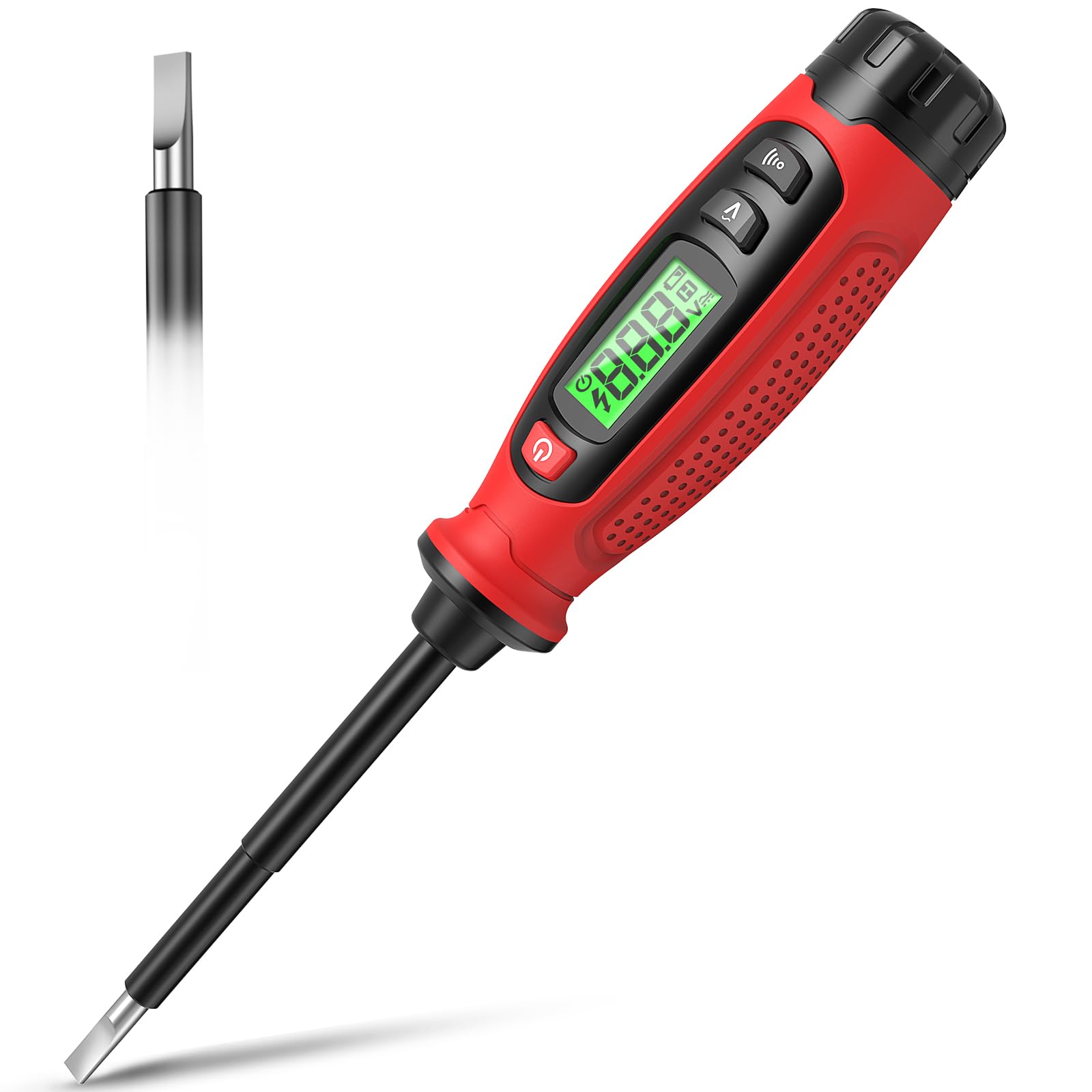
Image 1.1: KAIWEETS KTS02 2-in-1 Voltage Tester Screwdriver.
2. Güvenlik Yönergeleri
Always prioritize safety when working with electrical systems. Failure to follow these safety instructions may result in electric shock, fire, or personal injury.
- Kılavuzu okuyun: Thoroughly read and understand all instructions before using the device.
- Kullanmadan Önce İnceleyin: Before each use, inspect the device for any damage, cracks, or exposed wiring. Do not use if damaged.
- Cilttage Limitler: Hacmi ölçmeye çalışmayıntages outside the specified range of 3-500V AC.
- Yalıtım: Ensure your hands are dry and you are standing on an insulated surface when testing live circuits.
- Kişisel Koruyucu Donanım (KKD): Always wear appropriate PPE, such as safety glasses and insulated gloves, when working with electricity.
- Temassız Algılama: Temassız hacimtage detection is a preliminary test. Always verify with direct contact measurement when possible and safe.
- Pil Değişimi: Doğru okumalar sağlamak için düşük pil göstergesi göründüğünde pilleri hemen değiştirin.
- Çocuklar: Bu cihazı çocukların erişemeyeceği yerlerde saklayınız.
3. Ürün Özellikleri
The KAIWEETS KTS02 offers a range of functionalities for electrical testing and light-duty fastening:
- 2'ü 1 arada Tasarım: Combines a voltage tester with a slotted screwdriver, featuring a magnetic tip for convenience.
- AC Contact Voltage Ölçüm: Directly measures AC voltage 3V ila 500V.
- Temassız Hacimtage (NCV) Tespiti: Hacmi algılartage presence without direct contact, indicated by an audible buzzer and LCD display.
- Canlı Tel Tanımlaması: Helps distinguish between live and neutral wires.
- Süreklilik Testi: Verifies the continuity of wires, switches, and fuses.
- Kesme Noktası Testi: Locates breaks in electrical wires.
- LCD Ekran: Provides clear, real-time voltage levels and signal strength readings.
- Otomatik kapanma: Pil ömrünü korumak için 3 dakika boyunca kullanılmadığında otomatik olarak kapanır.
- Düşük Pil Göstergesi: Alerts users when batteries need replacement.
- Yalıtımlı Gövde: Designed with a fully insulated body and non-slip grip for enhanced safety.

Resim 3.1: Üzeriview of KAIWEETS KTS02 features.
4. Başlarken
Pil Montajı:
The KTS02 is powered by AAA batteries (not always included). Ensure correct polarity during installation.
- Locate the battery compartment cap at the end of the handle.
- Twist or slide the cap to open the compartment.
- Insert the required AAA batteries, observing the polarity markings (+/-).
- Securely close the battery compartment cap.
5. Kullanım Talimatları
5.1 Güç Açma/Kapatma
Press the power button (usually marked with ⑂ ) to turn the device on or off. The LCD will illuminate upon activation.
5.2 AC Contact Voltage Ölçüm
This mode allows for direct measurement of AC voltage.
- Cihazın açık olduğundan emin olun.
- Press the AC Contact Test Button (often marked with a 'V' or wave symbol).
- Carefully touch the metal probe tip to the conductor or terminal you wish to test.
- The LCD will display the measured AC voltage. An audible beep may also sound.
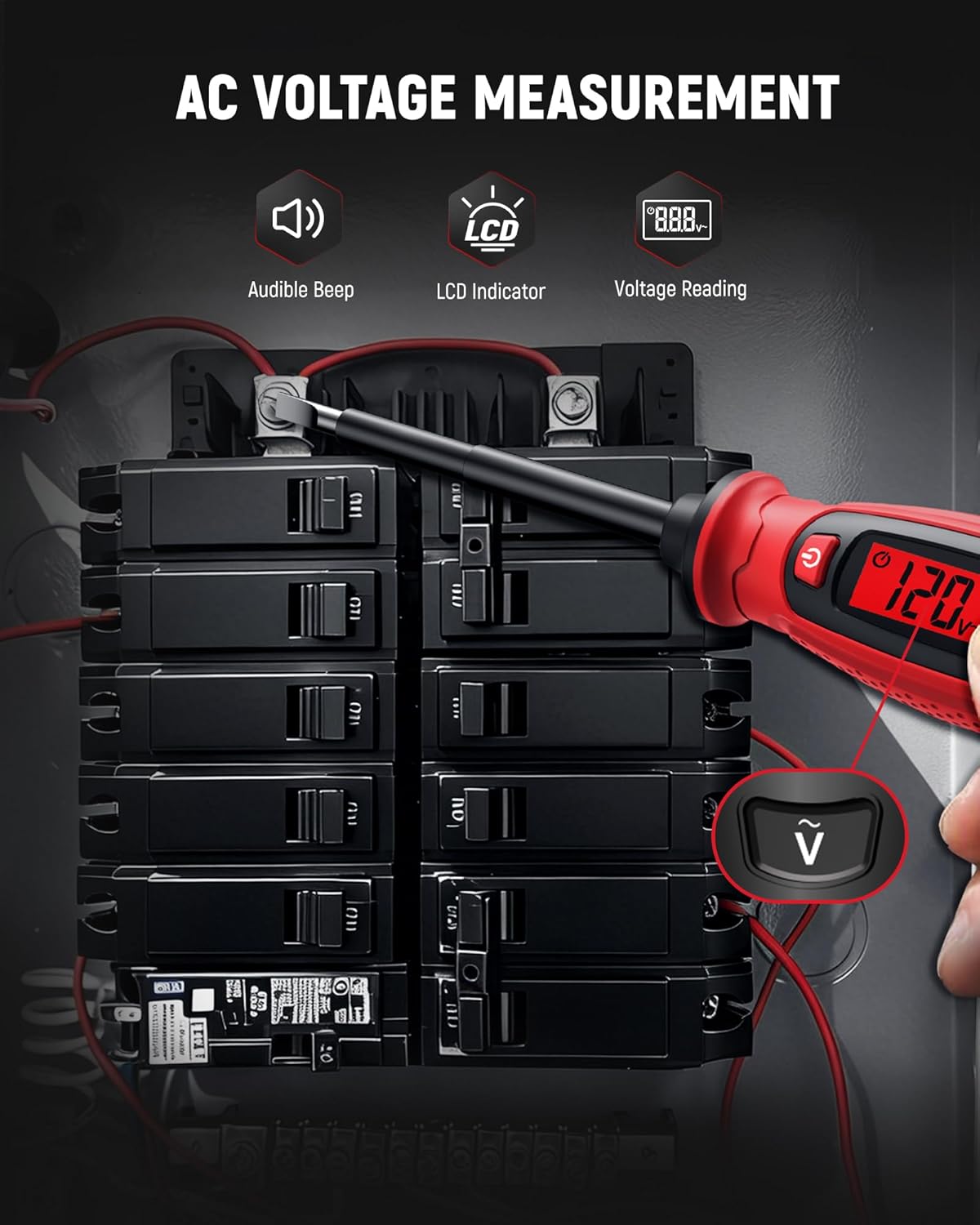
Image 5.1: Measuring AC voltage on a circuit breaker.
5.3 Temassız Hacimtage (NCV) Tespiti
Use NCV mode to detect the presence of AC voltagDoğrudan temas olmadan, güvenliği arttırarak.
- Cihazın açık olduğundan emin olun.
- Bring the tip of the tester close to the wire, outlet, or breaker panel.
- AC hacmi isetage is detected, the LCD will indicate signal strength (e.g., 'HI' for high voltage) and an audible buzzer will sound.

Image 5.2: Non-contact voltage detection near a wall switch.
5.4 Live Wire Identification
This function helps identify live wires in an electrical system.
- In AC Contact Voltage Measurement mode, touch the probe tip to the wire.
- Daha yüksek bir hacimtage reading or a specific indicator on the LCD (refer to device display for specific symbols) typically signifies a live wire.
- A lower or zero reading indicates a neutral or ground wire.
5.5 Süreklilik Testi
Test the continuity of circuits, wires, switches, or fuses.
- Ensure the circuit or component is de-energized before testing continuity.
- Press the Continuity Test Button (often marked with a speaker or wave symbol).
- Touch the probe tip to one end of the component and the other end to a reference point (e.g., your finger on the metal cap if applicable, or another part of the circuit).
- A continuous beep and a 'Connected' indication on the LCD signify continuity. No beep or a 'Disconnected' indication means an open circuit.

Image 5.3: Performing a wire continuity test.
5.6 Breakpoint Test
Locate breaks in insulated wires.
- Ensure the wire is connected to a live AC source at one end.
- Use the NCV detection mode.
- Run the tip of the tester along the insulated wire.
- Test cihazı ses seviyesini gösterecektir.tage up to the point of the break. The absence of a signal beyond a certain point indicates a break in the wire.

Image 5.4: Performing a breakpoint test.
5.7 Tornavida Fonksiyonu
The integrated slotted screwdriver can be used for light-duty fastening tasks.
- Ensure the electrical circuit is de-energized before using the screwdriver on electrical components.
- Align the slotted tip with the screw head.
- Turn the handle to tighten or loosen the screw.

Image 5.5: Using the integrated screwdriver function.
5.8 Resmi Ürün Videosu
Video 5.1: An official product video demonstrating the KAIWEETS KTS02 2-in-1 Voltage Tester Screwdriver (Slotted) in use, showcasing its various functions.
6. Bakım ve Onarım
- Temizlik: Wipe the device with a dry, clean cloth. Do not use abrasive cleaners or solvents.
- Depolamak: Cihazı serin, kuru, doğrudan güneş ışığından ve aşırı sıcaklıklardan uzak bir yerde saklayın.
- Pilin Çıkarılması: Cihaz uzun süre kullanılmayacaksa, sızıntıyı önlemek için pilleri çıkarın.
7. Sorun Giderme
| Sorun | Olası Neden | Çözüm |
|---|---|---|
| Cihaz açılmıyor. | Piller bitmiş veya yanlış takılmış. | Pil kutuplarını kontrol edin veya yeni AAA pillerle değiştirin. |
| yanlış hacimtagokumalar. | Low battery, environmental interference, or improper contact. | Replace batteries. Ensure firm contact with the conductor. Avoid strong electromagnetic fields. |
| NCV hacmi algılamıyortage. | Cilttage too low, thick insulation, or device malfunction. | Hacmi sağlayıntage is within detectable range. Try direct contact measurement if safe. |
| Çalışır durumda olduğu bilinen bir devrede süreklilik testi başarısız oldu. | Poor contact or device malfunction. | Ensure firm contact. Test on a known continuous wire to verify device function. |
8. Özellikler
| Parametre | Değer |
|---|---|
| Marka | KAİWEETLER |
| Örnek | KTS02 |
| Tip | 2'ü 1 arada Cilttage Tester Screwdriver (Slotted) |
| AC Hacmitage Ölçüm Aralığı | 3V - 500V AC |
| Temassız Hacimtage (NCV) | Evet |
| Süreklilik Testi | Evet |
| Canlı Tel Algılama | Evet |
| Görüntülemek | LCD |
| Güç Kaynağı | Pille Çalışır (AAA) |
| Otomatik Kapanma | 3 dakikadır. |
| Düşük Pil Göstergesi | Evet |
| Renk | Siyah/Kırmızı |
9. Garanti ve Destek
The KAIWEETS KTS02 Voltage Tester Screwdriver is backed by a 3 yıllık garanti, providing peace of mind for reliable use. For warranty claims, technical support, or any inquiries, please refer to the contact information provided on the product packaging or the official KAIWEETS webalan.
Additionally, the product is eligible for a 30-day refund/replacement return policy through Amazon, as per standard terms.