
giriiş
Thank you for choosing the Gamrombo Wired Controller. This manual provides detailed instructions for setting up, operating, and maintaining your controller. This controller is designed for use with Xbox Series X/S, Xbox One, and PC, offering a stable and responsive gaming experience with features like programmable macro functions, turbo mode, and a 3.5mm headphone jack.
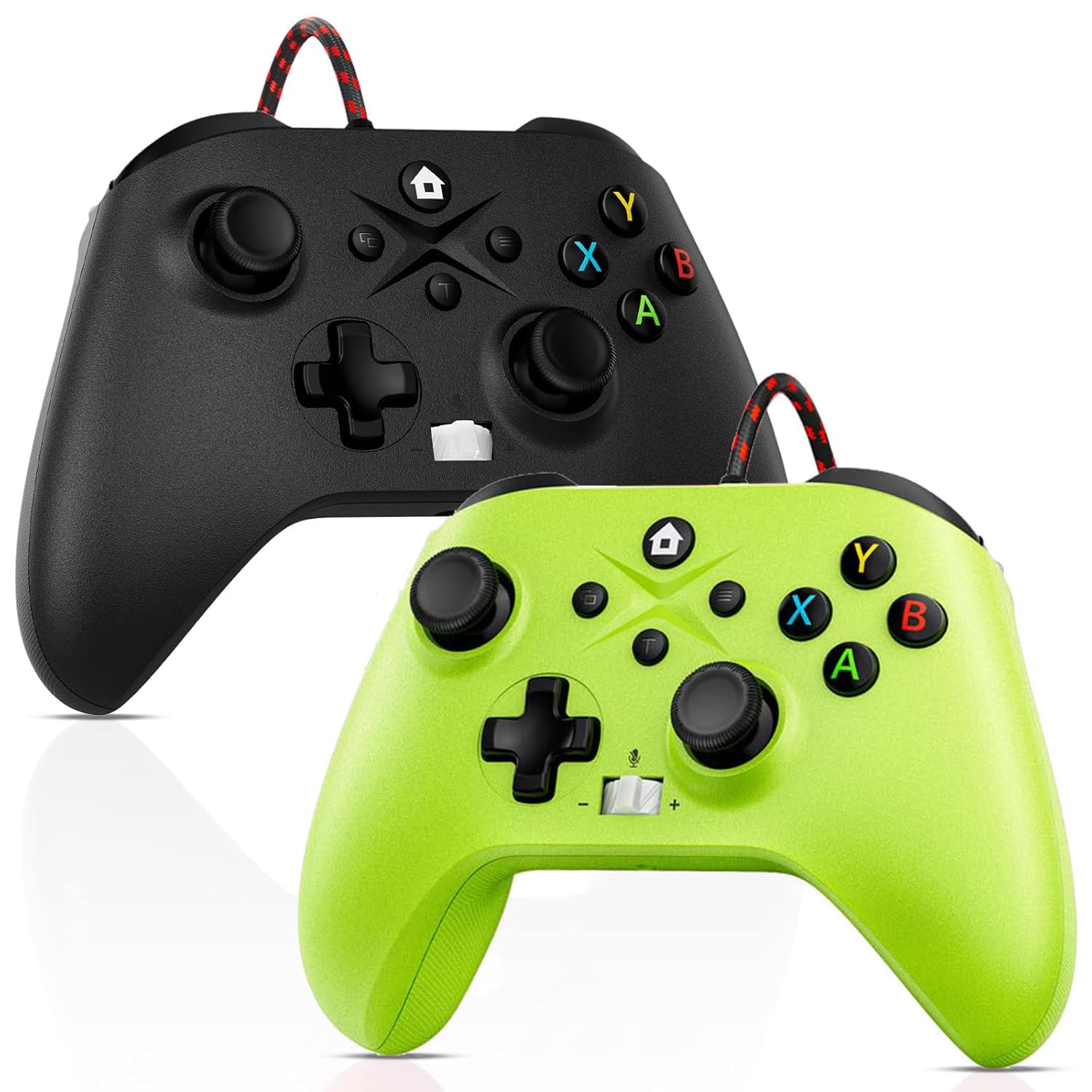
Image: Gamrombo Wired Controller in Black and Green.
Ürün Özellikleri
- Çok Yönlü Uyumluluk: Compatible with Xbox Series X/S, Xbox One (including One S/One X), and PC.
- Kablolu Bağlantı: Provides a stable, low-latency gaming experience with a 10-foot (3-meter) durable, tangle-free cable. No batteries required.
- Programmable Macro Function: Two back mappable buttons (PR/PL) allow programming up to 16 button inputs for complex actions.
- Turbo Fonksiyonu: Enables rapid-fire for selected buttons.
- 3.5 mm Kulaklık Girişi: Supports audio output and microphone input for clear in-game communication.
- One-Touch Mic Mute: Quickly mute your microphone directly from the controller.
- Asymmetric Vibration Motors: Built-in motors provide varied vibration feedback for an immersive gaming experience.
- Precise 3D Gaming Joysticks: Offers 360-degree response with zero delay for accurate control.
- Ergonomik Tasarım: Uzun oyun seansları için rahat tutuş.

Image: Diagram illustrating the wide compatibility of the Gamrombo Wired Controller with Xbox consoles and PC.
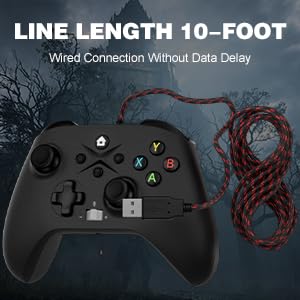
Image: The Gamrombo Wired Controller showcasing its 10-foot long braided cable for extended reach.
Paket İçeriği
Paket genellikle şunları içerir:
- 2 x Gamrombo Wired Controllers
- 1 x Kullanım Kılavuzu
Kurmak
- Connect to Xbox Console: Plug the USB connector of the controller into an available USB port on your Xbox Series X/S or Xbox One console. The controller will automatically be recognized and ready for use.
- Bilgisayara bağlanın: Plug the USB connector of the controller into an available USB port on your PC. The operating system (Windows 10/11 recommended) will typically install the necessary drivers automatically. The controller will be recognized as an Xbox controller.
- İlk Bağlantı: Once connected, the controller's indicator light will illuminate, signifying a successful connection.
Kullanım Talimatları
Kontrolör Düzeni

Image: Detailed diagram of the Gamrombo Wired Controller showing all buttons and their labels, including Home, View, Menu, A/B/X/Y, D-pad, Joysticks (L3/R3), Bumpers (L1/R1), Triggers (L2/R2), Turbo, Programming Function Keys (PR/PL, Set), Adjustable Volume, and Headphone Jack.
Temel Kontroller
- Ana menü tuşu: Powers on/off the console (Xbox) or opens the Xbox Game Bar (PC).
- View Düğme: Provides additional context-sensitive options in games or apps.
- Menü Düğmesi: Opens in-game menus or system settings.
- A/B/X/Y Düğmeleri: Standart eylem düğmeleri.
- Yön Düğmesi: Yönlü giriş.
- Left/Right Joysticks (L3/R3): Analog movement and camera control. Pressing them down activates L3/R3 buttons.
- L1/R1 (Tamponlar): Oyun içi çeşitli işlemler için omuz düğmeleri.
- L2/R2 (Tetikleyiciler): Analog triggers for precise control, often used for acceleration/braking or aiming/firing.
Turbo İşlev
The Turbo function allows a button to be pressed repeatedly as long as it is held down.
- Turbo'yu etkinleştirin: Basılı tutun Turbo button, then press the desired action button (e.g., A, B, X, Y, L1, R1, L2, R2, D-pad directions). The button will now have Turbo functionality.
- Turbo özelliğini devre dışı bırakın: To remove Turbo from a specific button, press and hold the Turbo button again, then press the button with active Turbo.
Macro Function (Programmable Back Buttons)
The two back buttons (PR and PL) can be programmed to execute a sequence of up to 16 button presses.
- Programlama Moduna Girin: Basın AYARLAMAK button. The indicator light will start blinking.
- Select Macro Button: Ya da şu tuşlara basın: PR or PL düğme.
- Makro Kaydet: Input the desired sequence of up to 16 button presses (e.g., A, B, X, Y, L1, R1, D-pad, etc.).
- Makroyu Kaydet: Basın AYARLAMAK button again to save the macro. The indicator light will stop blinking.
- Use Macro: programlanmış basın PR or PL button to execute the recorded sequence.
- Makroyu Temizle: To clear a macro, enter programming mode (press AYARLAMAK), ardından düğmesine basın PR or PL button you wish to clear, and then press AYARLAMAK again without inputting any sequence.
3.5mm Headphone Jack and Mic Mute
- Kulaklığı Bağlayın: Plug any standard 3.5mm gaming headset into the headphone jack located at the bottom of the controller.
- Sesi Ayarla: Use the volume control buttons (+/-) on the controller to adjust headset audio levels.
- Mikrofonu Kapat: Press the dedicated mic mute button to toggle your microphone on or off. An indicator light may show the mute status.
Titreşimli geribildirim
The controller features asymmetric vibration motors in the grips, providing varied haptic feedback based on in-game events for enhanced immersion.

Image: Illustration of the asymmetric vibration motors within the grips of the Gamrombo Wired Controller.

Image: Depiction of the adjustable vibration feature and 6-axis gyro sensor in the Gamrombo Wired Controller.
3D Gaming Joysticks and Linear Triggers
The controller is equipped with high-precision 3D joysticks for accurate 360-degree movement and Hall Effect linear triggers that offer responsive and immersive control.

Resim: Yakın çekim view of the 3D gaming joystick on the Gamrombo Wired Controller, highlighting its precision.

Image: Visual representation of the precise 360-degree joystick and E-Sports level linear triggers with vibration function.
Bakım
- Temizlik: Kumandayı silmek için yumuşak, kuru bir bez kullanın. İnatçı kirler için hafifçe kurulayın.ampBezi suyla yıkayın. Sert kimyasallar veya aşındırıcı malzemeler kullanmaktan kaçının.
- Depolamak: Kontrol cihazını serin, kuru ve doğrudan güneş ışığından ve aşırı sıcaklıklardan uzak bir yerde saklayın.
- Kablo Bakımı: Avoid sharply bending or twisting the cable. Do not pull the controller by its cable.
- Sıvılardan Kaçının: İç bileşenlerin zarar görmesini önlemek için kumandayı sıvılardan uzak tutun.
Sorun giderme
- Denetleyici Yanıt Vermiyor:
- USB kablosunun hem kumandaya hem de konsola/bilgisayara güvenli bir şekilde takılı olduğundan emin olun.
- Kumandayı farklı bir USB portuna takmayı deneyin.
- Konsolunuzu veya bilgisayarınızı yeniden başlatın.
- Headset Audio Not Working:
- Check if the headset is fully plugged into the 3.5mm jack.
- Verify that the volume is not muted or set too low using the controller's volume controls and system settings.
- Test the headset with another device to ensure it is functioning correctly.
- Macro/Turbo Function Not Working:
- Review the programming steps in the 'Operating Instructions' section to ensure correct setup.
- Ensure no other conflicting software or settings are interfering.
- Titreşim Çalışmıyor:
- Oyun içi ayarlardan titreşim geri bildiriminin etkinleştirildiğinden emin olun.
- Ensure the game supports vibration functionality.
Özellikler
| Özellik | Tanım |
|---|---|
| Uyumlu Cihazlar | Xbox Series X, Xbox Series S, Xbox One, Xbox One S, Xbox One X, PC (Windows) |
| Denetleyici Türü | Kablolu |
| Bağlantı Teknolojisi | USB Kablolu |
| Kablo Uzunluğu | 10 Feet (yaklaşık 3 metre) |
| Ek Özellikler | 3.5mm Headphone Jack, Turbo Function, Macro Function, Vibration Feedback, 6-Axis Gyro Sensor |
| Düğme Miktarı | 21 |
| Donanım Platformu | Xbox, PC |
Garanti Bilgileri
Gamrombo products are manufactured to high-quality standards. For specific warranty details, please refer to the warranty card included with your purchase or contact Gamrombo customer support. Keep your proof of purchase for warranty claims.
Destek
If you encounter any issues or have questions not covered in this manual, please contact Gamrombo customer support through the retailer's platform or the official Gamrombo webyardım için site.