
giriiş
Thank you for choosing the GXTrust 1873 Revyn 60% Mechanical Gaming Keyboard. This ultra-compact, triple-mode keyboard is designed for optimal gaming performance and versatility. This manual provides detailed instructions for setup, operation, maintenance, and troubleshooting to ensure you get the most out of your device.

The GXTrust 1873 Revyn 60% Mechanical Gaming Keyboard, showcasinkompakt tasarımı ve canlı RGB arka aydınlatmasıyla öne çıkıyor.
Paket İçeriği
Lütfen aşağıdaki öğelerin kutucuğunu işaretleyin:
- GXTrust 1873 Revyn 60% Mechanical Gaming Keyboard
- USB-A Receiver (2.4 GHz wireless dongle)
- USB-C - USB-A Kablosu (kablolu bağlantı ve şarj için)
- Kullanım Kılavuzu (bu belge)

The retail packaging for the GXTrust 1873 Revyn keyboard, indicating its contents.
Kurmak
İlk Şarj
Before first use, it is recommended to fully charge the keyboard. Connect the supplied USB-C cable to the keyboard's USB-C port and the other end to a powered USB-A port on your computer or a wall adapter. The keyboard can be used while charging.
Klavyeyi Bağlama
The GXTrust 1873 Revyn offers three connection modes: 2.4 GHz wireless, Bluetooth, and wired USB-C.
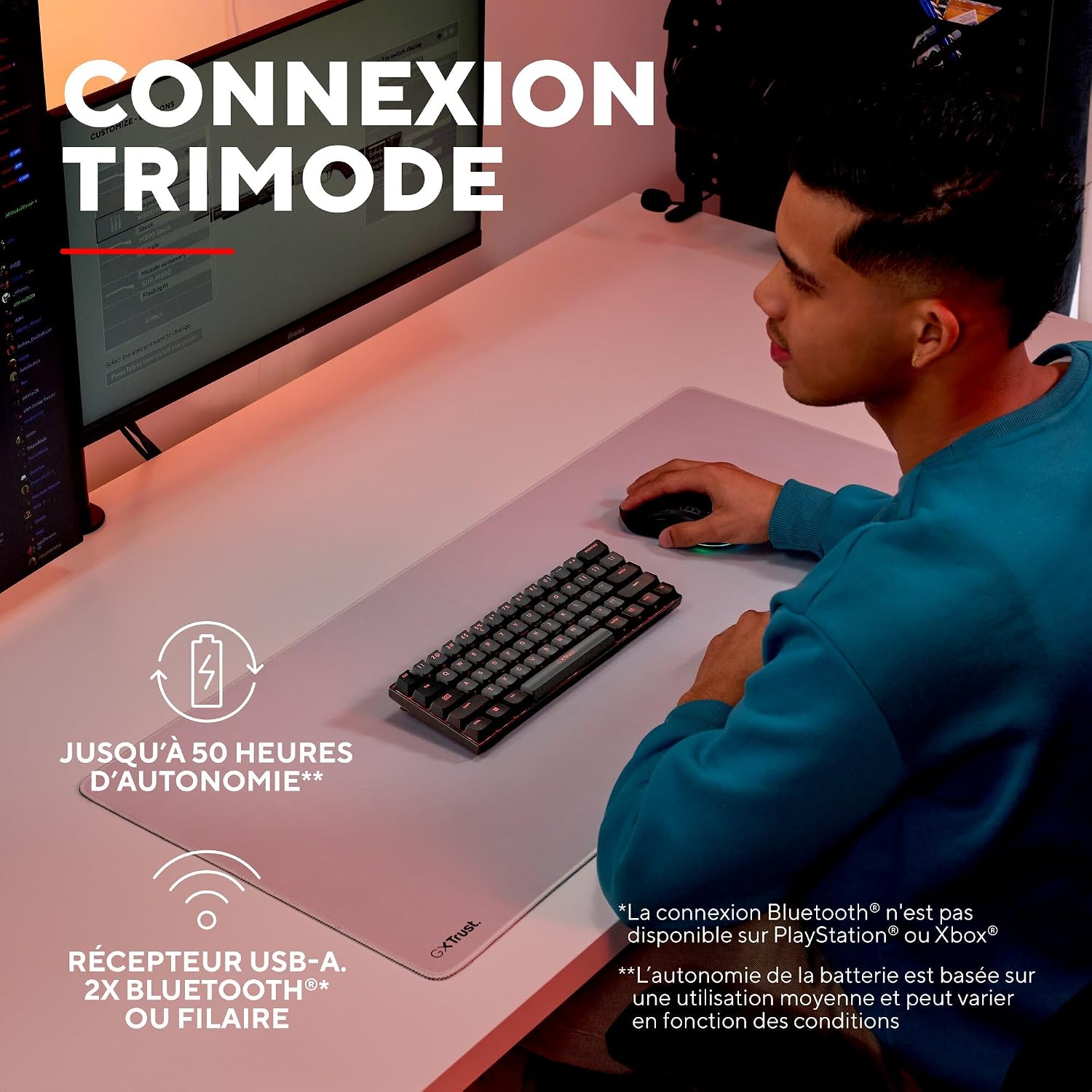
A user demonstrating the wireless functionality of the GXTrust 1873 Revyn keyboard on a desk setup.
1. 2.4 GHz Kablosuz Bağlantı
- Locate the USB-A receiver stored in the compartment on the back of the keyboard.
- Plug the USB-A receiver into an available USB-A port on your computer.
- Turn on the keyboard using the power switch located on the back. The keyboard should automatically connect to the receiver.
2. Bluetooth Bağlantısı
The keyboard supports two Bluetooth profiles (BT1 and BT2).
- Güç anahtarını kullanarak klavyeyi açın.
- Basılı tutun Fn + Z (BT1 için) veya Fn + X (for BT2) keys for 3-5 seconds until the corresponding key (Z or X) flashes rapidly, indicating pairing mode.
- On your device (PC, laptop), go to Bluetooth settings and search for new devices.
- Select "GXTrust Revyn" from the list of available devices to pair. The key will stop flashing once connected.
3. Kablolu Bağlantı
- Kutu içeriğinde bulunan USB-C kablosunu klavyenin USB-C portuna bağlayın.
- Kablo ucunun USB-A kısmını bilgisayarınızdaki kullanılabilir bir USB-A portuna takın.
- Klavye otomatik olarak kablolu moda geçecek ve şarj olmaya başlayacaktır.

The GXTrust 1873 Revyn keyboard connected via its coiled USB-C cable, highlighting the wired connection option.
Kullanım Talimatları
Key Layout and Fn Key Usage
The 60% compact layout means some functions are accessed via the Fn key in combination with other keys. Refer to the keycaps for secondary functions, typically indicated by a smaller icon or text.

Yakın çekim view of the GXTrust 1873 Revyn keyboard keys, illustrating the triple function markings on some keycaps.
- Ok tuşları: Tipik olarak Fn + W/A/S/D or dedicated keys if available.
- Fonksiyon Tuşları (F1-F12): Erişim adresi: Fn + 1-0, -, =.
- Multimedya Kontrolleri: Often combined with Fn and other keys (e.g., volume, play/pause).
RGB Aydınlatma Kontrolü
The keyboard features full RGB backlighting with 16.8 million color combinations. You can cycle through various lighting effects and adjust brightness directly on the keyboard or through the dedicated software.

The GXTrust 1873 Revyn keyboard illuminated with its full RGB backlighting, displaying a spectrum of colors.
- Aydınlatma Modunu Değiştir: Basmak Fn + \| (backslash/pipe key).
- Parlaklığı Ayarla: Basmak Fn + Yukarı Ok (arttırmak) / Aşağı Ok (azaltmak).
- Hızı Ayarla: Basmak Fn + Sol Ok (slower) / Sağ Ok (faster).
Yazılım Özelleştirme
For advanced customization, including key remapping, macro creation, and detailed RGB lighting effects, download the dedicated GXTrust software from the official webBu yazılım Windows 11 ve üzeri sürümlerle uyumludur.

A screenshot of the GXTrust software interface, showing options for key programming and RGB lighting customization.
Bakım
Temizlik
Klavyenizin performansını ve görünümünü korumak için:
- Temizlemeden önce klavyeyi bilgisayarınızdan ayırın.
- Hafifçe yumuşak, tüy bırakmayan bir bez kullanın.ampTuş takımlarını ve kasayı silmek için su veya hafif bir temizleme solüsyonu kullanın.
- Tuşlar arasındaki toz ve pislikleri temizlemek için basınçlı hava kullanın.
- Sert kimyasallar, aşındırıcılar veya çözücüler kullanmaktan kaçının.
Pil Bakımı
The integrated rechargeable battery provides up to 50 hours of use. To prolong battery life:
- Pilin sık sık tamamen boşaltılmasından kaçının.
- Uzun süre kullanılmayacaksa klavyeyi serin ve kuru bir yerde saklayın.
- Uzun süre saklayacaksanız, saklamadan önce pili yaklaşık %50'ye kadar şarj edin.
Sorun giderme
| Sorun | Olası Neden | Çözüm |
|---|---|---|
| Klavye yanıt vermiyor (kablosuz) | Low battery, receiver not connected, incorrect mode, out of range. | Charge the keyboard. Ensure the USB-A receiver is securely plugged in. Switch to 2.4 GHz or Bluetooth mode. Move closer to the receiver/device. |
| Bluetooth bağlantı sorunları | Not in pairing mode, device not discoverable, interference. | Ensure keyboard is in Bluetooth pairing mode (Fn+Z/X). Make sure your device's Bluetooth is on and discoverable. Try re-pairing. |
| RGB aydınlatma çalışmıyor | Lighting turned off, low battery, software conflict. | Press Fn+\| to cycle modes. Charge the keyboard. Check software settings. |
| Anahtarlar kaydedilmiyor | Software issue, physical damage, debris under keycap. | Restart your computer. Try connecting to another device. Clean the key area with compressed air. |
Özellikler
| Özellik | Detay |
|---|---|
| Model Adı | GXT 1873 Revyn |
| Bağlantı Teknolojisi | Bluetooth, RF (2.4 GHz), USB-A, USB-C (Wired) |
| Klavye Açıklaması | 60% Ultra-compact Mechanical |
| Önerilen Kullanımlar | Gaming, Multimedia, Personal, Daily Use |
| Özel Özellikler | Integrated rechargeable battery (up to 50 hours), Triple connection, Programmable keys/lighting, Full RGB backlighting (16.8 million colors) |
| Renk | Gri/Siyah |
| Boyutlar (U x G x Y) | 29U x 10G x 3.1Y cm |
| Malzeme | Plastik |
| Klavye Düzeni | AZERTY (Fransızca) |
| Düğme Sayısı | 61 |
| Minimum OS Requirement | Windows 11 |
| Ağırlık | 533 Gram |

The GXTrust 1873 Revyn keyboard is compatible with PC, PlayStation, and Xbox. Bluetooth connectivity is not available for PlayStation or Xbox.
Garanti ve Destek
Garanti Bilgileri
The GXTrust 1873 Revyn keyboard comes with a 2 yıllık garanti Satın alma tarihinden itibaren geçerlidir. Bu garanti, üretim hatalarını ve normal kullanım koşullarındaki arızaları kapsar. Yanlış kullanım, kazalar, yetkisiz değişiklikler veya normal aşınma ve yıpranmadan kaynaklanan hasarları kapsamaz.
Müşteri Desteği
For technical assistance, warranty claims, or further inquiries, please visit the official GXTrust website or contact their customer support team. Please have your product model number (GXT 1873 Revyn) and proof of purchase ready when contacting support.