
1. Giriş
Satın aldığınız için teşekkür ederizasing the Audizio Laredo Bluetooth Turntable. This manual provides essential information for the safe and correct operation of your device. Please read it thoroughly before use and keep it for future reference.
Temel Özellikler:
- Integrated HiFi speakers with 160W total power output.
- Bidirectional Bluetooth for wireless audio streaming (in and out).
- High-quality Audio Technica cartridge for precise playback.
- Supports 7, 10, and 12-inch vinyl records at 33 and 45 RPM.
- Adjustable counterweight on the aluminum tonearm.
- RCA Line Out for external amplifier/konuşmacılar.
- AUX Input for connecting external audio sources.
- Elegant bamboo finish.
Kutuda Neler Var:
- Audizio Laredo Turntable Unit
- Kullanım Kılavuzu
- Güç Adaptörü
- 45 RPM Adapter for singles
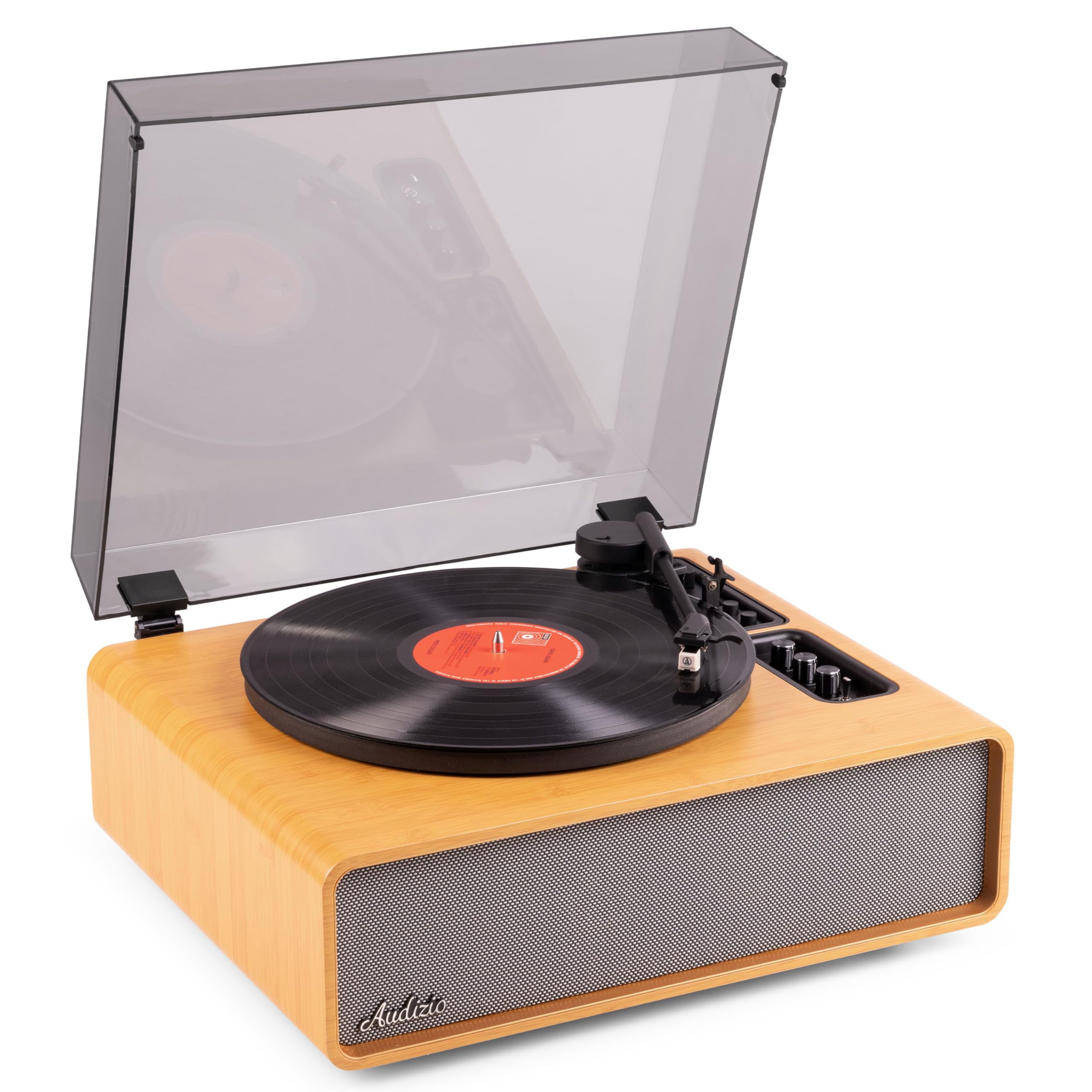
Figure 1.1: Audizio Laredo Turntable, overall view.
2. Güvenlik Talimatları
Please read and follow these safety instructions carefully to prevent damage to the unit and ensure your safety.
- Yangın veya elektrik çarpmasını önlemek için üniteyi yağmura veya neme maruz bırakmayın.
- C'yi açmayınasing. İçerisinde kullanıcı tarafından bakımı yapılabilecek parça bulunmamaktadır. Tüm bakımlar için yetkili personele başvurun.
- Cihazın düşmesini önlemek için onu sağlam ve düz bir yüzeye yerleştirin.
- Cihazı doğrudan güneş ışığından, ısı kaynaklarından ve aşırı tozdan uzak tutun.
- Ünitenin çevresinde yeterli havalandırma olduğundan emin olun. Havalandırma açıklıklarını kapatmayın.
- Yalnızca sağlanan güç adaptörünü kullanın.
- Şimşekli fırtınalarda veya uzun süre kullanılmadığında ünitenin fişini çekin.
3. Ürün Bittiview
Familiarize yourself with the components and controls of your Audizio Laredo turntable.
Ana bileşenler:
- Tabak: Vinil plağı destekler.
- Silah kolu: Kartuşu ve kalemi tutar.
- Kartuş ve İğne: Reads the grooves of the record. (Audio Technica ATN-3600)
- Toz Kapağı: Plak tablasını ve pikap kolunu tozdan korur.
- Entegre Hoparlörler: Doğrudan ses oynatımı için.
- Kontrol Paneli: For power, volume, tone, and mode selection.
- Arka Bağlantılar: RCA Line Out, AUX In, Power Input.

Şekil 3.1: Üst view of the turntable with key components visible.

Figure 3.2: Control Panel for volume, bass, and treble adjustments.

Figure 3.3: Audio Technica ATN-3600 Cartridge and Stylus.

Figure 3.4: Tonearm base with speed and auto-stop controls.

Figure 3.5: Rear connection panel.
4. Kurulum
4.1 Paketin açılması
- Pikapı ambalajından dikkatlice çıkarın.
- Remove all protective materials, including the stylus guard.
- İlerideki taşıma veya saklama işlemleri için ambalajı saklayın.
4.2 Yerleştirme
- Place the turntable on a stable, level surface to prevent vibrations and ensure proper playback.
- Avoid placing the unit near strong magnetic fields, heat sources, or areas with high humidity.
4.3 Toz Kapağı Montajı
- Align the hinges of the dust cover with the slots on the back of the turntable.
- Gently push down until the cover is securely in place.
- The dust cover can be removed for playback if desired.

Figure 4.1: Turntable with dust cover.
4.4 Güç Bağlantısı
- Connect the power adapter to the DC IN port on the rear of the turntable.
- Plug the adapter into a suitable wall outlet (220V).
4.5 Tonearm and Cartridge Setup
- The Audio Technica cartridge is pre-installed.
- The tonearm features an adjustable counterweight. Refer to the detailed instructions in the included manual for precise counterweight adjustment to optimize tracking force.
5. Kullanım Talimatları
5.1 Plak Çalma
- Place a vinyl record on the platter. If playing a 7-inch single, use the included 45 RPM adapter.
- Select the appropriate speed (33 or 45 RPM) using the speed selector switch near the tonearm base.
- Kaldırma kolunu kullanarak pikap kolunu yavaşça yukarı kaldırın.
- Pikap kolunu plağın istediğiniz parçası üzerine yerleştirin.
- Kolu yavaşça aşağı indirmek için kumanda kolunu kullanın. İğne plağa temas edecek ve çalma başlayacaktır.
- At the end of the record, the auto-stop function will automatically stop the platter rotation. Lift the tonearm and return it to its rest.

Figure 5.1: Playing a vinyl record.
5.2 Bluetooth Operation (Bidirectional)
The Laredo turntable supports both Bluetooth input (receiving audio from a device) and Bluetooth output (sending audio to a Bluetooth speaker/headphones).
Bluetooth Input (BT IN):
- Press the MODE/POWER button to select Bluetooth mode. The LED indicator will flash.
- On your smartphone or tablet, enable Bluetooth and search for 'Audizio Laredo'.
- Select the turntable to pair. Once connected, the LED will glow solid.
- You can now stream audio from your device to the turntable's integrated speakers.
Bluetooth Output (BT OUT):
- Bluetooth kulaklığınızın veya hoparlörünüzün eşleştirme modunda olduğundan emin olun.
- Set the BT OUT switch (located near the tonearm base) to 'ON'.
- The turntable will automatically search for and connect to the nearest Bluetooth audio device.
- Once connected, the audio from your vinyl record will be transmitted to your Bluetooth device.

Figure 5.2: Bidirectional Bluetooth functionality.
5.3 AUX Girişi
- Connect an external audio device (e.g., MP3 player, CD player) to the AUX IN port on the rear of the turntable using a 3.5mm audio cable.
- Press the MODE/POWER button to select AUX mode.
- Audio from the external device will play through the turntable's speakers.
5.4 RCA Hat Çıkışı
- To connect the turntable to an external amplifier or powered speakers, use an RCA cable (not included) to connect the LINE OUT ports on the rear of the turntable to the corresponding input on your audio system.
- Ensure the 'Speaker ON/OFF' switch on the rear is set to 'OFF' if you only want sound from external speakers.
5.5 Ses Seviyesi ve Ton Kontrolü
- Use the VOLUME knob on the control panel to adjust the overall playback volume.
- Adjust the BASS and TREBLE knobs to fine-tune the audio output to your preference.
6. Bakım
6.1 Ünitenin Temizlenmesi
- Toz kapağını ve dolabı yumuşak, kuru bir bezle silin.
- Aşındırıcı temizleyiciler, cilalar veya çözücüler kullanmayın.
- For the platter, use a slightly damp bezle silin ve iyice kurulayın.
6.2 Kalem Bakımı ve Değiştirilmesi
- The stylus is a delicate component. Handle it with care.
- Clean the stylus regularly using a soft brush designed for stylus cleaning, brushing from back to front.
- A stylus typically lasts for approximately 300-500 hours of playback. If you notice a decrease in sound quality or increased skipping, it may be time to replace the stylus.
- Replacement styli (e.g., Audio Technica ATN-3600L or compatible) can be purchased from authorized dealers. Refer to the detailed instructions provided with the replacement stylus for installation.
7. Sorun Giderme
If you encounter issues with your turntable, please consult the following table before contacting support.
| Sorun | Olası Neden | Çözüm |
|---|---|---|
| Güç yok | Güç adaptörü bağlı değil; Elektrik prizi çalışmıyor. | Ensure power adapter is securely connected to the unit and a working outlet. |
| Hoparlörlerden ses gelmiyor | Volume too low; Speaker ON/OFF switch is OFF; Incorrect mode selected. | Increase volume; Set 'Speaker ON/OFF' switch to ON; Select correct input mode (Phono, BT IN, AUX). |
| Kayıtları atlama | Record is dirty or damaged; Stylus is worn or dirty; Turntable not level; Tracking force incorrect. | Clean record; Clean or replace stylus; Place turntable on a level surface; Adjust tonearm counterweight. |
| Bluetooth eşleştirme sorunları | Device too far; Turntable not in pairing mode; Interference. | Ensure devices are within range; Re-enter pairing mode; Turn off other Bluetooth devices. |
| Ses bozulması | Volume too high; Stylus worn; Record damaged. | Reduce volume; Replace stylus; Try a different record. |
8. Özellikler
Technical specifications for the Audizio Laredo Turntable.
| Özellik | Şartname |
|---|---|
| Model Adı | Laredo (101.537) |
| Boyutlar (U x G x Y) | 43.2 x 43.2 x 21 cm (17 x 17 x 8.3 inç) |
| Ürün Ağırlığı | 7.65 kg (16.86 lbs) |
| Malzeme | Wood (Bamboo finish) |
| Dönme Hızları | 33 RPM, 45 RPM |
| Kartuş Tipi | Audio Technica (ATN-3600) |
| Motor Tipi | Emniyet kemeri |
| Sinyal Biçimi | Analog |
| Entegre Hoparlörler | Yes, 160W total output |
| Bluetooth Sürümü | 5.4 (Bidirectional) |
| Bağlantı | Bluetooth (In/Out), RCA Line Out, AUX In |
| Güç Kaynağı | Kablolu Elektrik |
| Cilttage | 220 Volt |
| Uyumlu Cihazlar | Speakers, Headphones, Smartphone, Tablet |
9. Garanti ve Destek
9.1 Garanti Bilgileri
This Audizio Laredo Turntable comes with a 2 yıllık garanti from the date of purchase. This warranty covers manufacturing defects and faults under normal use. It does not cover damage caused by misuse, accidents, unauthorized modifications, or normal wear and tear (e.g., stylus wear).
Garanti talepleri için lütfen satın alma belgenizi saklayın.
9.2 Müşteri Desteği
If you have any questions, require technical assistance, or need to make a warranty claim, please contact your retailer or visit the official Audizio webDestek kaynakları ve iletişim bilgileri için site.
Official Audizio Webalan: www.audizio.com