
1. Giriş
The IMILAB EC6 Dual 2K+2K is a plug-in outdoor security camera designed for comprehensive home surveillance. It features a unique dual-lens system, offering wide-angle coverage and intelligent tracking capabilities. This manual provides detailed instructions for setting up, operating, and maintaining your camera to ensure optimal performance and security.

Figure 1: IMILAB EC6 Dual 2K+2K Camera highlighting its dual-lens design for extensive coverage.
2. Kutuda Neler Var?
Paketinizde tüm bileşenlerin mevcut olduğunu doğrulayın:
- IMILAB EC6 Dual 2K+2K Plug-in Camera x 1
- Mounting Kit x 1 (includes screws and expansion nuts)
- Power Cable 10ft & Adapter x 1
- User Manual & Card x 1

Figure 2: Contents of the IMILAB EC6 Dual 2K+2K camera package.
3. Kurulum
3.1 Fiziksel Kurulum
The EC6 Dual camera can be mounted on walls, ceilings, or columns. Ensure the installation location provides a clear view ve istikrarlı Wi-Fi sinyali.
- Montaj Yüzeyini Hazırlayın: Use the provided positioning sticker to mark the drill holes on your chosen surface.
- Matkap Delikleri: Drill holes approximately 30mm deep at the marked positions.
- Insert Expansion Nuts: Gently tap the four expansion nuts into the drilled holes.
- Rota Kabloları: Embed the power cable and Ethernet cable (if using wired connection) into the bracket slot for a neat installation.
- Kamerayı Monte Edin: Align the camera's mounting bracket with the holes and secure it using the screws. Tighten the nuts to ensure stability.
- Açıyı Ayarla: Adjust the camera to your desired surveillance angle. The bullet camera (upper lens) can be tilted by hand up to 10 degrees. The turret camera (lower lens) can be panned and tilted using the app.

Figure 3: Versatile installation options for the EC6 Dual camera.
Video 1: EC6 Dual Setup Guide. This video demonstrates the unboxing, physical setup, app connection, and installation process for the IMILAB EC6 Dual camera.
3.2 Uygulama Bağlantısı
To connect your camera to the app:
- Uygulamayı indirin: Download the Xiaomi Home/Mi Home app from your smartphone's app store.
- Güç Açık: Connect the power cable to the camera and plug it into a power outlet. Wait for a voice prompt indicating initial activation.
- Cihaz Ekle: Open the app, click the '+' icon in the upper right corner, and select 'Scan'.
- QR Kodunu Tara: Scan the QR code located on the label of the power cord.
- Bağlantı Türünü Seçin: Choose between 'Wired Network Connection' or 'Wireless Connection (Wi-Fi)'.
3.2.1 Kablolu Ağ Bağlantısı
- Yönlendiricinizden kameranın Ethernet portuna bir Ethernet kablosu bağlayın.
- Bağlantıyı tamamlamak için uygulamadaki ekran yönergelerini izleyin.

Figure 4: Power and Ethernet ports for wired connection.
3.2.2 Wi-Fi Bağlantısı
- Select your Wi-Fi network from the list, enter the password, and click 'Next Step'.
- The app will automatically complete the Wi-Fi connection.
4. Kullanım Talimatları
4.1 Dual Angle Surveillance
The EC6 Dual camera features two independent lenses for simultaneous monitoring of two angles. The lower lens can pan 360° and tilt 135° via the app, while the upper lens maintains a fixed view. This allows for comprehensive coverage and intelligent tracking of moving objects.

Figure 5: Dual angle surveillance providing two live feeds simultaneously.
4.2 2K+2K Day/Night Full-Color Vision
Both camera lenses support 2K resolution, delivering clear and detailed footage. Equipped with four LED lights and four infrared lights, the camera provides vivid full-color vision during the day and at night.

Figure 6: Clear 2K+2K live view with two-way audio and smart color night vision.
4.3 Smart Deterrence
The camera features subscription-free smart deterrence. Upon motion detection, it can automatically trigger a siren, spotlight, or a custom voice alert to deter potential threats.
- Siren: Sesli alarmı etkinleştirir.
- Dikkat Çekenler: Turns on bright LED lights.
- Custom Voice Alert: Plays a pre-recorded message.

Figure 7: Smart deterrence features in action.
Video 2: 'Catching Santa' - Demonstrates the camera's ability to detect and record activity, highlighting its dual-lens surveillance and deterrence features.
Video 3: 'You almost got me!' - Illustrates the camera's detection and two-way audio capabilities in a simulated scenario.
4.4 İki Yönlü Ses
Communicate with visitors or deter intruders in real-time using the built-in two-way audio feature accessible through the app.

Figure 8: Two-way audio functionality via the app.
4.5 Hareket Algılama ve Bildirimler
Set up to two customizable motion zones within the Xiaomi Home/Mi Home app. The camera will continuously monitor these areas and send immediate push notifications to your phone when motion is detected, ensuring you stay connected and informed.

Figure 9: App interface for motion zones and notifications.
4.6 Esnek Depolama Seçenekleri
The camera offers versatile storage solutions for your footage:
- MicroSD Kart: Supports local storage on a MicroSD card up to 256GB (not included) for continuous 24/7 recording and enhanced privacy.
- Bulut Depolama: A 3-month free trial is available for new users, providing cloud storage for motion-triggered clips.
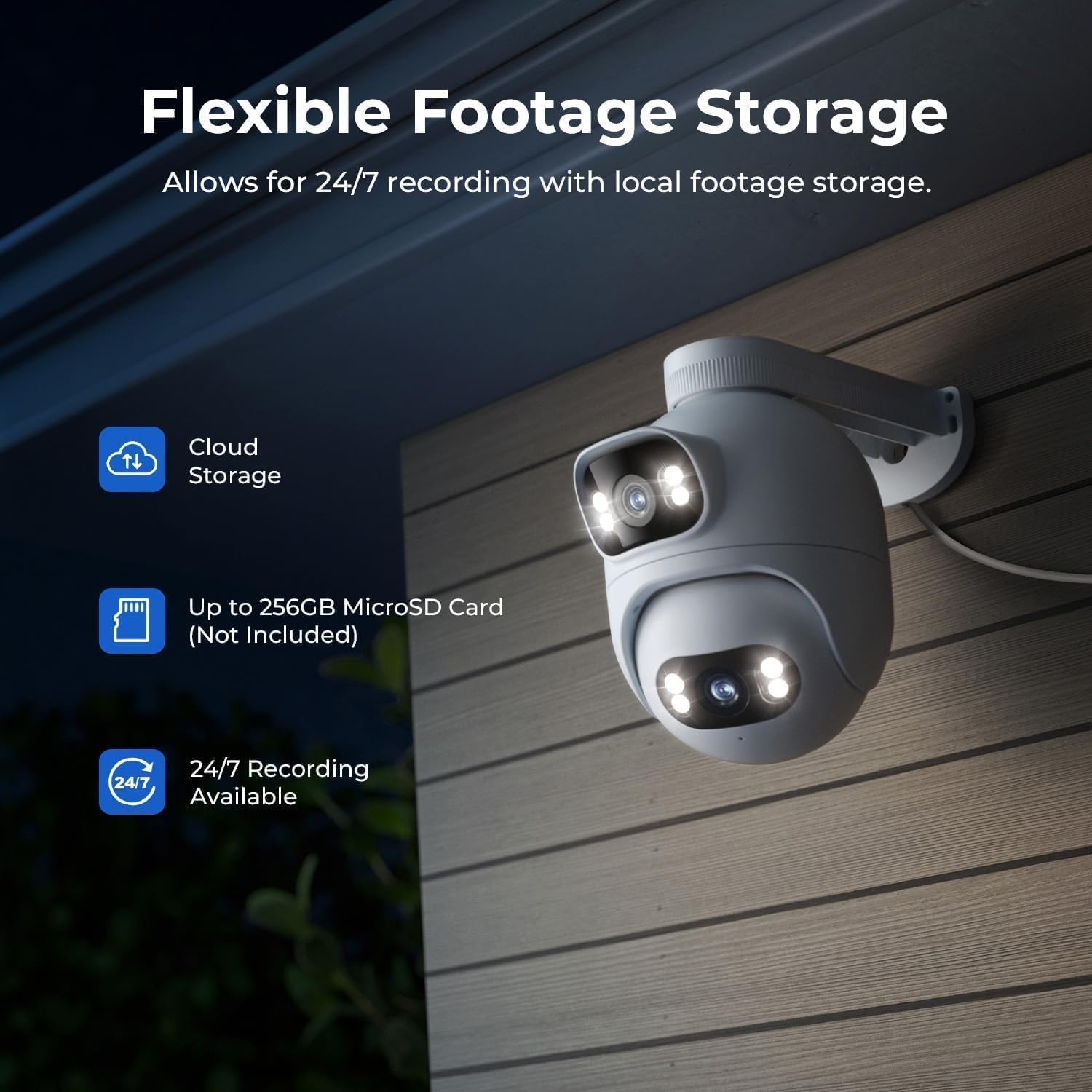
Figure 10: Flexible storage options for recorded footage.

Şekil 11: MicroSD kart yuvasının konumu.
Video 4: 'EC6 Dual 2K+2K Outdoor Camera, 24/7 Surveillance' - Highlights the camera's continuous recording and surveillance capabilities.
4.7 Uzaktan Kaydırma ve Eğme
Control the lower lens's pan (360°) and tilt (135°) movements remotely through the app. You can also set preset angles for quick access to specific viewalanları.

Figure 12: 360-degree pan functionality.
4.8 Gece Görüş Ayarları
Adjust night vision settings in the app's 'Camera Settings' menu. Options include:
- Siyah/Beyaz Gece Görüşü: Displays a black and white image.
- Renkli Gece Görüşü: Displays a color image with spotlights on at night or in low light.
- Akıllı Renkli Gece Görüşü: When a person is detected, the spotlights turn on automatically, providing a color image at night or in low light, while conserving power when no motion is detected.
5. Bakım
- Temizlik: Fotoğraf makinesi lenslerini düzenli olarak yumuşak bir bezle silin.amp Net görüntü kalitesi sağlamak için bezle silin. Aşındırıcı temizleyicilerden kaçının.
- Donanım Yazılımı Güncellemeleri: Check the Xiaomi Home/Mi Home app periodically for firmware updates to ensure your camera has the latest features and security enhancements.
- Güç Kaynağı: Kameranın sabit bir güç kaynağına bağlı olduğundan emin olun. Sık sık elektrik kesintilerinden kaçının.
- Kablo Denetimi: Periodically inspect the power and Ethernet cables for any signs of wear or damage.
6. Sorun Giderme
| Sorun | Olası Neden | Çözüm |
|---|---|---|
| Kamera açılmıyor | Güç adaptörü bağlı değil veya arızalı. | Güç bağlantılarını kontrol edin. Farklı bir elektrik prizi deneyin. |
| Wi-Fi'ye bağlanılamıyor | Yanlış Wi-Fi şifresi; kamera yönlendiriciden çok uzakta; Wi-Fi sinyal paraziti. | Verify Wi-Fi password. Move camera closer to router. Reduce interference from other devices. Ensure 2.4GHz Wi-Fi is used. |
| Kötü görüntü kalitesi | Dirty lens; low network bandwidth. | Clean the camera lens. Check your internet speed and network stability. |
| Hareket algılama çalışmıyor | Motion detection disabled; incorrect motion zone settings. | Enable motion detection in the app. Adjust motion zone sensitivity and areas. |
| Çift yönlü ses sorunları | Microphone/speaker muted; network issues. | Uygulama ayarlarında ses kapatma seçeneğini kontrol edin. Ağ bağlantınızın stabil olduğundan emin olun. |
7. Özellikler
| Özellik | Şartname |
|---|---|
| Model Adı | EC6 Dual 2K+2K |
| Model Numarası | CMSXJ68A |
| Video Yakalama Çözünürlüğü | 2K+2K |
| Bağlantı Teknolojisi | Kablolu, Kablosuz (Wi-Fi) |
| Özel Özellikler | Dual Lens, 24/7 Recording, 800LM Adjustable Lights, 360° PTZ, 3X Zoom, Local Storage, No Monthly Fee |
| İç/Dış Mekan Kullanımı | Dış mekan |
| Denetleyici Türü | Amazon Alexa, Google Assistant, Xiaomi Home/Mi Home App |
| Montaj Tipi | Wall/Ceiling/Pole Mount |
| Su Direnç Seviyesi | Suya Dayanıklı (IP65) |
| Gece Görüşü | Starlight, Color Night Vision |
| Flash Bellek Türü | Mikro SD (256 GB'a kadar) |
| Güç Kaynağı | Kablolu Elektrik |
| Çalışma Sıcaklığı | -30°C ila 60°C |
8. Garanti ve Destek
Your IMILAB EC6 Dual 2K+2K Outdoor Security Camera comes with a 2 yıllık üretici garantisiEk olarak, bir 30 günlük ücretsiz iade politikası is available. For technical support, troubleshooting assistance, or warranty claims, please refer to the contact information provided in the 'User Manual & Card' included in your package or visit the official IMILAB webalan.


