
1. Önemli Güvenlik Talimatları
Please read all instructions carefully before using the Airversa RDX Smart Waterless Diffuser. Retain this manual for future reference.
- Use only the provided DC-12V/1A power adapter.
- Difüzörü suya veya başka bir sıvıya batırmayın.
- Çocukların ve evcil hayvanların erişemeyeceği yerde saklayınız.
- Difüzörü sabit, düz bir yüzeye yerleştirin.
- Buğu çıkışını tıkamayın.
- Avoid direct contact with essential or fragrance oils, as they may cause irritation. In case of contact, rinse thoroughly with water.
- Temizlemeden önce veya uzun süre kullanılmadığında cihazın fişini çekin.
- Cihazı kendiniz sökmeye veya onarmaya çalışmayın. Yardım için müşteri desteğiyle iletişime geçin.
2. Ürün Bittiview
The Airversa RDX Smart Waterless Diffuser utilizes advanced cold diffusion technology to disperse essential or fragrance oils into an ultra-fine dry mist without heat or water. This preserves the oil's purity and ensures a powerful, whisper-quiet scent experience for areas up to 1500 sq ft.
Temel Özellikler:
- Waterless Cold Diffusion: Transforms oils into a fine mist without heat or water.
- Uygulama Kontrolü: Manage settings, schedules, and intensity via the Sleekpoint App (Bluetooth connection).
- Büyük Kapasite: 300 mL oil reservoir for extended use.
- Geniş Kapsam: Effectively scents spaces up to 1500 sq ft.
- Entegre Ekran: Visual countdown for diffusion and pause intervals.
- Ayarlanabilir Gece Lambası: Embedded ambient light with adjustable brightness.
- Dayanıklı Tasarım: Premium aluminum shell for longevity and aesthetic appeal.

Image: The Airversa RDX Diffuser in a living room, showcasing its main features and coverage area.

Image: Seamless App Control via Bluetooth, showing the Sleekpoint App interface and diffuser dimensions.

Resim: Ayrıntılı view of the diffuser's control panel with touch buttons and visual indicators.
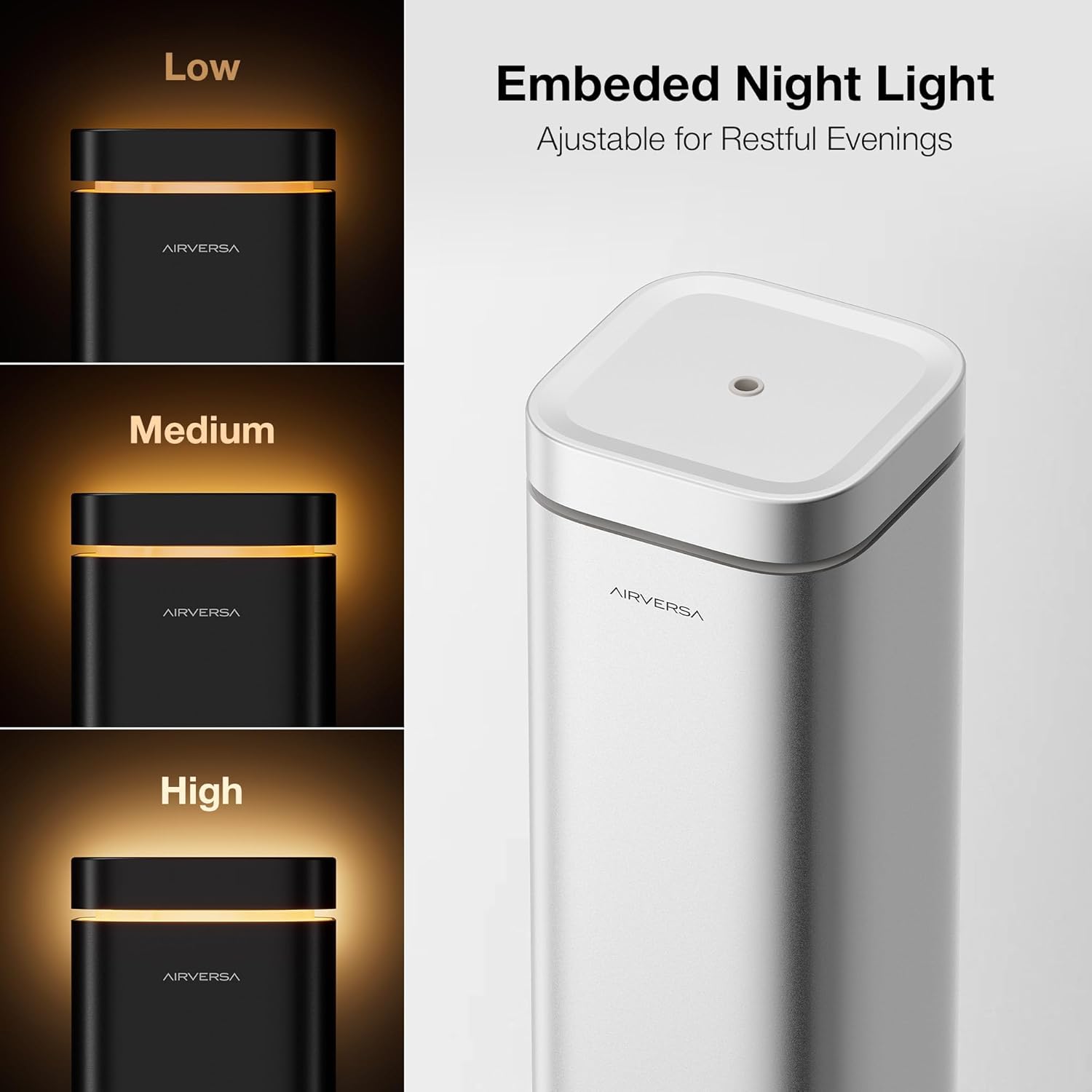
Image: The embedded night light with adjustable brightness levels (Low, Medium, High).

Image: The mistake-proof nozzle design ensuring intuitive one-way fit for oil bottles.
3. Paket İçeriği
Paketinizde tüm öğelerin mevcut olduğundan emin olun:
- Airversa RDX Waterless Diffuser
- Charging Cable (DC-12V/1A Power Adapter)
- Kullanım Kılavuzu (bu belge)
4. Kurulum
4.1 İlk Yerleştirme
Place the diffuser on a flat, stable surface in the desired area. Ensure it is away from direct sunlight, heat sources, and out of reach of children and pets.
4.2 Yağ Haznesinin Doldurulması
- Gently lift the nozzle assembly out of the top of the diffuser.
- Unscrew the cap from your essential or fragrance oil bottle. Carefully pour the oil into the diffuser's reservoir. Do not overfill.
- Align the nozzle assembly with the opening and push it back into place. The design ensures a one-way fit.

Image: Lift the nozzle out of the device.

Image: Fill the reservoir with your chosen oil.

Image: Push the nozzle back into place (One-way Fit).
4.3 Güç Bağlantısı
Connect the provided charging cable to the diffuser and plug the adapter into a standard electrical outlet.
4.4 Uygulama İndirme ve Eşleştirme
- İndir Sleekpoint App from the Apple App Store (iOS) or Google Play Store (Android OS).
- Akıllı telefonunuzda Bluetooth’u etkinleştirin.
- Open the Sleekpoint App and follow the on-screen instructions to pair with your Airversa RDX diffuser. The app will guide you through the connection process.
Video: A demonstration of setting up and controlling the Airversa RDX Smart Scent Diffuser using the mobile application.
5. Operasyon
5.1 Açma/Kapatma
- Açmak İçin: Tap the Power Button (bottom button) on the diffuser's control panel.
- Kapatmak İçin: Güç düğmesini birkaç saniye basılı tutun.
5.2 Kontrol Panelini Kullanma
The diffuser features an intuitive touch control panel:
- Görsel Geri Sayım: The circular display shows a real-time countdown for diffusion and pause intervals.
- Gece Işığı Düğmesi: Tap to adjust the brightness of the ambient night light. Press and hold to turn it off.
- Bluetooth Göstergesi: Shows the connection status with the Sleekpoint App.
Resim: Ayrıntılı view of the diffuser's control panel with touch buttons and visual indicators.
5.3 Uygulama Kontrol Özellikleri
Once paired, the Sleekpoint App provides comprehensive control:
- Planlama: Set up to 5 different schedules with specific diffusion and pause intervals. Toggle schedules on or off with a single tap.
- Özelleştirme: Adjust diffusion duration and pause intervals to match your room size and desired scent intensity.
- Oil Calculator: Simulate oil consumption and duration based on your settings.
- Refill Reminders: Set automated reminders to ensure continuous scenting.
Image: Seamless App Control via Bluetooth, showing the Sleekpoint App interface.
5.4 Gece Lambası Çalıştırma
The integrated night light can be adjusted via the control panel or the Sleekpoint App. Tap the Night Light button to cycle through brightness levels (Low, Medium, High) or press and hold to turn it off.
Image: The embedded night light with adjustable brightness levels.
6. Bakım
6.1 Temizlik
Regular cleaning helps maintain optimal performance. Unplug the diffuser before cleaning.
- Dış yüzeyini yumuşak bir bezle silin.amp Kumaş.
- To clean the nozzle and oil reservoir, remove the nozzle assembly. Empty any remaining oil. You may use a small amount of rubbing alcohol on a cotton swab to gently clean the nozzle and the inside of the reservoir. Allow to air dry completely before reassembling.
- Aşındırıcı temizleyiciler veya sert kimyasallar kullanmayın.
6.2 Yağ Değişimi
When the oil level is low, follow the steps in Section 4.2 to refill the reservoir. The Airversa RDX is compatible with most essential and fragrance oils on the market.

Image: The diffuser is compatible with most essential and fragrance oils.
7. Sorun Giderme
If you encounter issues with your Airversa RDX diffuser, refer to the following common problems and solutions:
| Sorun | Olası Neden | Çözüm |
|---|---|---|
| No mist is being diffused. | Oil reservoir is empty. Nozul tıkalı. Cihaz açık değil. | Refill the oil reservoir. Clean the nozzle as per Section 6.1. Cihazın fişe takılı ve açık olduğundan emin olun. |
| App cannot connect to the diffuser. | Telefonda Bluetooth kapalı. Diffuser is out of range. Uygulamanın yeniden başlatılması gerekiyor. | Bluetooth'un etkinleştirildiğinden emin olun. Move closer to the diffuser (within 20 feet). Close and reopen the Sleekpoint App. |
| Koku çok zayıf/güçlü. | Diffusion intervals need adjustment. | Adjust diffusion duration and pause intervals via the Sleekpoint App to suit your preference. |
If the problem persists after trying these solutions, please contact Airversa customer support.
8. Özellikler
| Özellik | Detay |
|---|---|
| Marka | Airversa |
| Model Adı | RDX |
| Kapasite | 300 mililitre (10 sıvı ons) |
| Kapsama Alanı | 1500 Metrekareye kadar |
| Güç Girişi | DC-12V / 1A |
| Kontrol Yöntemi | Sleekpoint App (Bluetooth), Touch Buttons |
| Malzeme | Alüminyum |
| Boyutlar (U x G x Y) | 4.4"U x 4.4"G x 12.4"Y |
| Otomatik Kapanma | Evet |
| Akıllı Ev Uyumluluğu | Smart Home Compatible |
9. Garanti ve Destek
Airversa products are manufactured to high-quality standards and come with a limited warranty. For detailed warranty information, product support, or to purchase accessories, please visit the official Airversa store or contact our customer service team.
Airversa Store: Visit the Airversa Store on Amazon