
giriiş
This manual provides essential information for the proper setup, operation, and maintenance of your GOBOULT Mustang Racer Smart Watch. Please read these instructions carefully before using your device to ensure optimal performance and longevity.
Kutuda Neler Var?
Upon unboxing your GOBOULT Mustang Racer Smart Watch, verify that all the following components are present:
- GOBOULT Mustang Racer Smart Watch (Black Blaze)
- Şarj kablosu
- Kullanım Kılavuzu (bu belge)
- Garanti Kartı

Image: The GOBOULT Mustang Racer Smart Watch packaging, showing the watch, charging cable, user manual, and warranty card.
Ürün Bittiview
The GOBOULT Mustang Racer Smart Watch features a robust design with intuitive controls and a vibrant display.
Temel Bileşenler:
- 1.43 inç AMOLED Ekran: Net görüntüler için yüksek çözünürlüklü ekran.
- Döner çerçeve: A functional bezel for navigating menus and features.
- Paddle Shifter: A unique side button for quick access to functions.
- Sensörler: Sağlık durumunu izlemek için arka tarafta yer almaktadır.
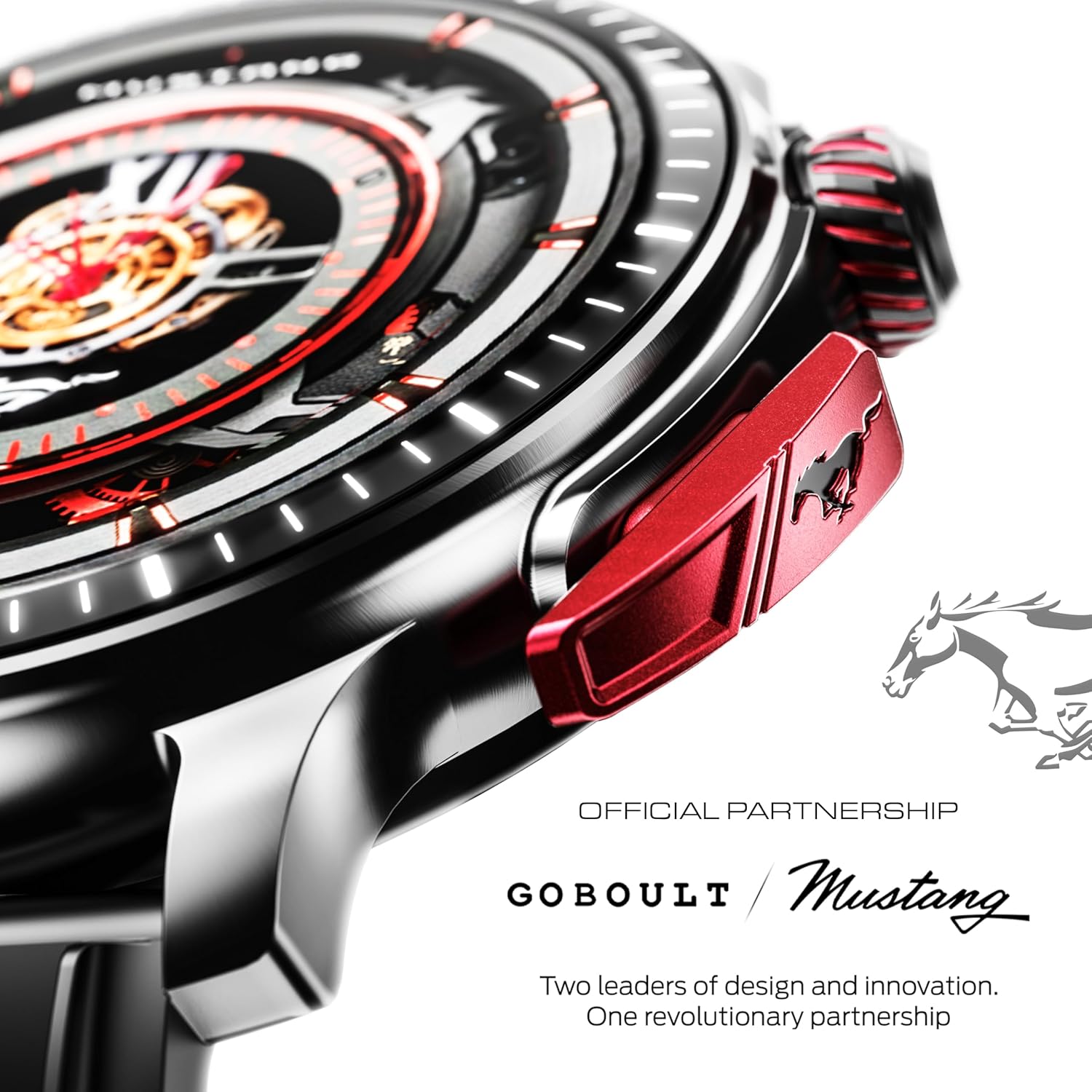
Resim: Ayrıntılı view of the watch's side, highlighting the red paddle shifter and the textured rotating crown.

Image: The watch face, showcasing the 1.43-inch AMOLED display and the functional paddle shifter.
Kurmak
1. Cihazın Şarj Edilmesi
Before initial use, fully charge your smart watch. Connect the provided charging cable to the charging port on the back of the watch and to a standard USB power adapter (not included). A full charge typically takes approximately 120 minutes.
2. Akıllı Telefonunuzla Eşleştirme
- Download the official GOBOULT companion app from your smartphone's app store.
- Akıllı telefonunuzda Bluetooth'un etkinleştirildiğinden emin olun.
- Open the GOBOULT app and follow the on-screen instructions to search for and connect to your Mustang Racer Smart Watch. The watch uses Bluetooth V5.3 for stable connectivity.
- Eşleştirme isteğini hem saatinizde hem de akıllı telefonunuzda onaylayın.

Image: The watch on a wet surface, indicating its Bluetooth V5.3 and IP67 water resistance features.
Kullanım Talimatları
Bluetooth çağrısı
The integrated speaker and microphone allow you to make and receive calls directly from your wrist. Once paired with your smartphone, access the call function through the watch interface.
Saat Kadranlarını Özelleştirme
Your Mustang Racer Smart Watch offers over 150 watch faces, including exclusive Mustang-themed designs. You can change watch faces through the watch settings or the companion app to match your style.

Image: Various watch faces displayed on the GOBOULT Mustang Racer Smart Watch, demonstrating customization options.
Spor Modları
Track your physical activities with over 120 performance sports modes. Select your desired sport from the watch menu to monitor metrics such as steps, distance, calories burned, and heart rate during your workout.

Image: The watch on a wrist, displaying the sports mode interface.
AI Ses Yardımcısı
Utilize the integrated AI Voice Assistant for hands-free control. Activate the assistant through the watch interface and issue commands for various functions.
Always On Display (AOD)
The Always On Display feature allows the watch face to remain visible at a low power state, providing continuous time and information without needing to raise your wrist or press a button.

Image: The watch face with Always On Display enabled, showing continuous time display.
Sağlık Takibi Özellikleri
The GOBOULT Mustang Racer Smart Watch is equipped with advanced sensors to monitor various health metrics:
- 7/24 Kalp Atış Hızı İzleme: Continuously tracks your heart rate throughout the day and during workouts.
- SpO2 Kan Oksijen Doygunluğu Ölçüm Cihazı: Measures the oxygen level in your blood.
- Uyku İzleme: Derin uyku, hafif uyku ve uyanıklık zamanları dahil olmak üzere uyku düzeninizi analiz eder.
- Kan Basıncı İzleme: Kan basıncı seviyelerinizin tahmini değerlerini verir.
- Stres İzleme Cihazı: Stres seviyenizi anlamanıza ve yönetmenize yardımcı olur.
Access detailed health data and trends through the companion app.

Image: The back of the watch, displaying the health monitoring sensors.
Özellikler
| Özellik | Şartname |
|---|---|
| Marka | GOBOULT |
| Model Numarası | GOBOULT Mustang Racer |
| Ekran Boyutu | 1.43 inç AMOLED |
| Kablosuz Tip | Bluetooth V5.3 |
| Pil Şarj Süresi | 120 Dakika |
| Pil Enerji İçeriği | 1.11 Watt Saat |
| Suya Dayanıklılık | IP67 |
| Ürün Ağırlığı | 55 gr |
| Dahil Bileşenler | Charging Cable, Smart Watch, User Manual, Warranty Card |
Bakım
Temizlik
Regularly clean your watch and strap with a soft, dry cloth. For stubborn dirt, lightly dampBezi suyla yıkayın. Sert kimyasallar veya aşındırıcı malzemeler kullanmaktan kaçının.
Suya Dayanıklılık
The GOBOULT Mustang Racer Smart Watch is IP67 water resistant, meaning it can withstand immersion in up to 1 meter of water for 30 minutes. It is suitable for daily use and can resist splashes and sweat. However, it is not recommended for swimming, diving, or exposure to high-pressure water.
Pil Bakımı
To prolong battery life, avoid fully discharging the watch frequently. Charge it when the battery level is low, and avoid leaving it uncharged for extended periods.
Sorun giderme
İzle Açılmıyor
- Saatin tamamen şarj olduğundan emin olun. Şarj kablosuna bağlayın ve en az 30 dakika şarj olmasına izin verin.
- Güç düğmesini birkaç saniye basılı tutun.
Akıllı telefonla eşleştirilemiyor.
- Verify that Bluetooth is enabled on your smartphone and the watch.
- Ensure the watch is within the Bluetooth range of your smartphone.
- Hem akıllı telefonunuzu hem de akıllı saatinizi yeniden başlatın.
- Akıllı telefonunuzdaki Bluetooth önbelleğini temizleyin ve tekrar eşleştirmeyi deneyin.
Yanlış Sağlık Verileri
- Saatin bileğinize tam oturduğundan, ancak çok da sıkı olmadığından emin olun.
- Saatin arkasındaki sensörleri temizleyin.
- Ölçüm sırasında aşırı hareketlerden kaçınınız.
Ekran Sorunları
- Saati yeniden başlatın.
- Adjust the brightness settings.
Garanti ve Destek
Your GOBOULT Mustang Racer Smart Watch comes with a warranty. Please refer to the included Warranty Card for details regarding coverage, terms, and conditions.
For further assistance, technical support, or warranty claims, please contact GOBOULT customer service through their official website veya Garanti Belgenizde belirtilen iletişim bilgileri.