
1. Ürün Bittiview
The TESSAN Power Strip Tower JW402-IT is a versatile power solution designed for home and office use. It features 8 Italian Schuko outlets, 3 USB-A ports, and 1 USB-C port, providing a total of 12 charging options. Equipped with a 5-meter extension cable and independent switches, this power strip offers convenience and safety for multiple devices.

Image: TESSAN Power Strip Tower, showcasing its 8 Schuko outlets and 4 USB ports, ready to power multiple devices.
Temel Özellikler:
- 12'ü 1 arada Güç Çözümü: 8 Italian Schuko outlets, 3 USB-A ports, and 1 USB-C port.
- 20W PD Hızlı Şarj: USB-C port and one USB-A port (A3) deliver up to 20W for rapid charging of compatible devices.
- 5 Metre Uzatma Kablosu: Provides extended reach for flexible placement.
- Bağımsız Anahtarlar: Two separate ON/OFF switches for controlling groups of outlets, enhancing energy efficiency and safety.
- Kapsamlı Güvenlik Koruması: Includes overload protection, short-circuit protection, lightning protection, and over-temperature protection.
- Yerden Tasarruf Sağlayan Tasarım: Vertical tower design with 45-degree angled outlets prevents plugs from blocking each other.
2. Güvenlik Talimatları
- Do not exceed the maximum rated power of 2500W (10A, 110-250V~).
- Islak ortamlarda kullanmayınız.
- Çocuklardan uzak tutunuz.
- Ürünü sökmeyin veya üzerinde değişiklik yapmayın.
- Ensure plugs are fully inserted into the outlets.
- Uzun süre kullanılmayacaksa güç şeridinin fişini duvar prizinden çıkarın.
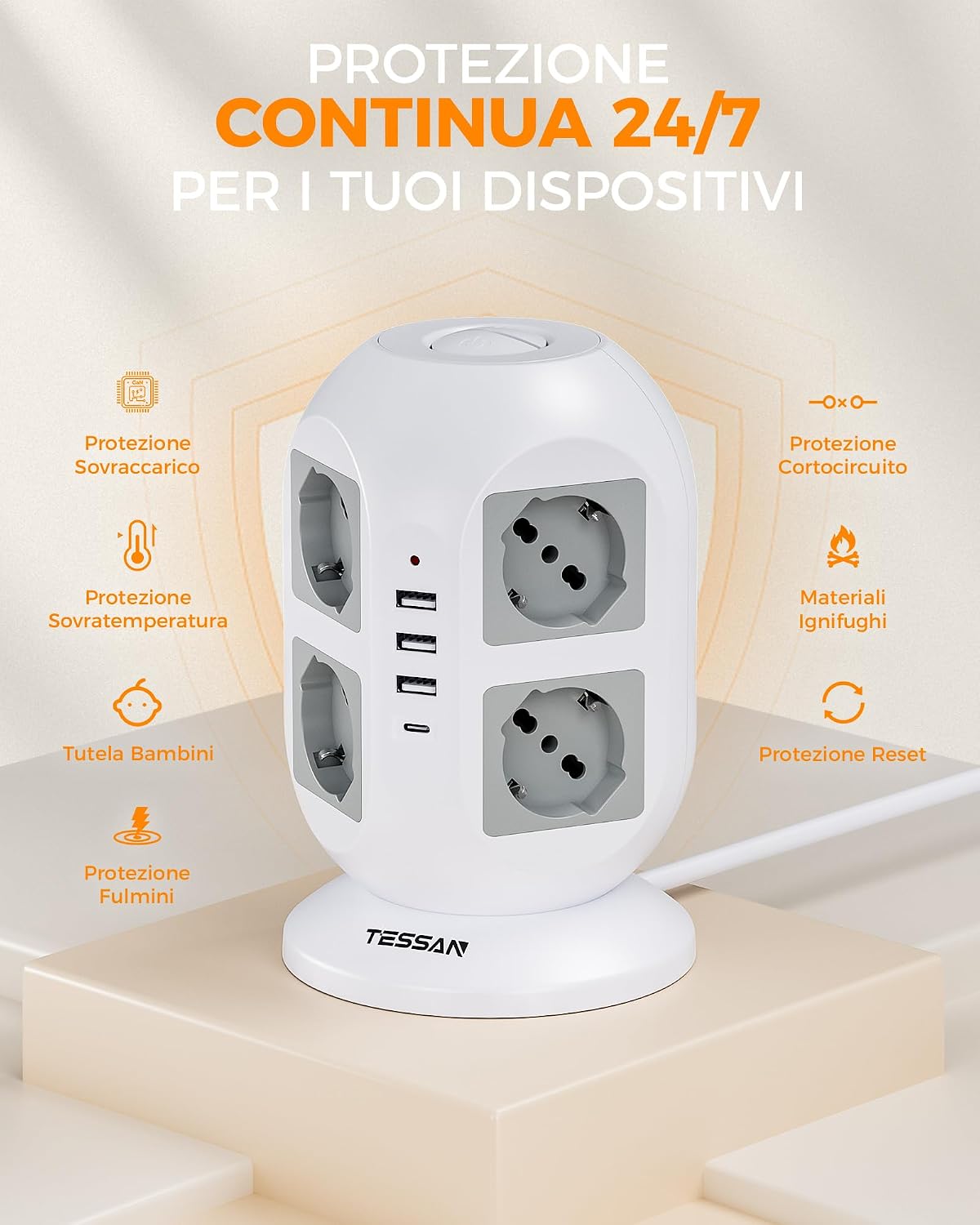
Image: Visual representation of the power strip's continuous 24/7 protection features, including overload, short-circuit, over-temperature, and lightning protection, along with child safety and fire-retardant materials.
3. Kurulum
- Paketi aç: Çoklu prizi ambalajından dikkatlice çıkarın.
- Atama: Place the power strip on a stable, dry surface, away from heat sources and direct sunlight. The 5-meter cable allows for flexible positioning.
- Duvar Prizine Bağlayın: Plug the power strip's main plug into a grounded wall outlet.
- Cihazları Bağlayın:
- Insert appliance plugs into the 8 Schuko outlets. The 45-degree angled design helps prevent overcrowding.
- Connect USB-powered devices to the 3 USB-A ports or the 1 USB-C port.

Image: The TESSAN Power Strip with its 5-meter extension cable, demonstrating its reach and flexibility for placement in various scenarios, such as a living room setup.
4. Kullanım Talimatları
Cihazlara Güç Verme:
- After plugging in your devices, press the corresponding ON/OFF switch to activate the outlets. The power strip features two independent switches, allowing you to control different sets of outlets.
- A red indicator light will illuminate when the power strip is active.

Image: Detail of the two independent ON/OFF switches located on the top of the power strip, allowing for separate control of connected devices.
USB Şarj:
- USB-C Bağlantı Noktası: Provides up to 20W Power Delivery (PD) for fast charging compatible smartphones, tablets, and other USB-C devices.
- USB-A3 Bağlantı Noktası: Also provides up to 20W for fast charging compatible devices.
- USB-A1 & USB-A2 Ports: Combined output of up to 12W for standard charging of various USB devices.
- Simply connect your device's USB charging cable to the appropriate port.

Image: The TESSAN Power Strip actively charging a tablet via USB-C and other devices, highlighting the 20W PD fast charging capability and the different USB port outputs.
5. Bakım
- Temizlik: Disconnect the power strip from the wall outlet before cleaning. Use a dry, soft cloth to wipe the surface. Do not use liquid cleaners or abrasive materials.
- Depolamak: When not in use, store the power strip in a cool, dry place, away from dust and moisture.
- Denetleme: Periodically inspect the power cord and the power strip for any signs of damage. If damage is found, discontinue use and contact customer support.
6. Sorun Giderme
| Sorun | Olası Neden | Çözüm |
|---|---|---|
| Prizlere/USB bağlantı noktalarına elektrik gelmiyor. |
|
|
| Cihazlar USB üzerinden şarj olmuyor. |
|
|
| Power strip feels hot. |
|
|
7. Özellikler
| Özellik | Detay |
|---|---|
| Model Numarası | JW402-IT |
| Marka | TESAN |
| AC Çıkışları | 8 Italian Schuko Sockets |
| USB Bağlantı Noktaları | 3 adet USB-A, 1 adet USB-C |
| USB-C Çıkışı | 20W Max |
| USB-A3 Çıkışı | 20W Max |
| USB-A1 & USB-A2 Combined Output | 12W Max |
| Anma Gücü | 2500W (10A, 110-250V~) |
| Kablo Uzunluğu | 5 Metre |
| Özel Özellikler | Independent ON/OFF Switches, Overload Protection, Short-circuit Protection, Lightning Protection, Over-temperature Protection |
| Renk | Gri |
| Uyumlu Cihazlar | General electronic devices |
8. Garanti ve Destek
TESSAN products are designed for reliability and performance. This product typically comes with a standard manufacturer's warranty. Please refer to the warranty information provided with your purchase or visit the official TESSAN webGaranti şartları ve koşullarıyla ilgili ayrıntılar için lütfen siteyi ziyaret edin.
For technical support, troubleshooting assistance, or warranty claims, please contact TESSAN customer service through their official website or the retailer from whom you purchased the product. Have your model number (JW402-IT) and purchase details ready when contacting support.
Üretici: Dongguan JunWei Electronics Co.,Ltd