
giriiş
This manual provides detailed instructions for the BENFEI 3.5/2.5 inch SATA HDD/SSD Enclosure, designed for external storage solutions. It supports both 3.5-inch and 2.5-inch SATA hard drives and solid-state drives up to 20TB, featuring tool-free installation and high-speed data transfer with UASP support. Please read this manual carefully before use to ensure proper operation and longevity of your device.

Image: The BENFEI 3.5/2.5 inch SATA HDD/SSD Enclosure, showcasing its sleek design and connectivity options.
Ürün Özellikleri
- Evrensel Uyumluluk: Easily connect your 3.5/2.5 inch SATA III/II/I HDD/SSD (up to 20TB) to your PC, laptop, PS4, or use as an external USB drive. Compatible with Windows, macOS (8.0+), and Linux for multi-platform flexibility.
- Ultra-fast Data Transfers: Achieve speeds up to 6 Gbps with UASP support, which is up to 70% faster than standard USB 3.0. Backward compatible with USB 2.0/1.1 for use with older devices.
- Secure and Stable Design: Supports both 2.5-inch and 3.5-inch drives. Equipped with integrated EVA padding to firmly secure drives of various sizes and thicknesses, preventing movement and ensuring reliable data transfer.
- Tool-free and Plug-and-Play: No screws or screwdrivers are required for installation. Simply open the cover, insert the drive, and begin use immediately. Supports hot-swap for effortless file Transferler.
- Reliable and Worry-Free: Backed by an 18-month warranty and friendly, accessible customer service.

Image: Illustration showing the BENFEI enclosure supporting both 3.5-inch and 2.5-inch SATA HDDs/SSDs with a maximum capacity of 20TB.

Image: Diagram highlighting the smart chip inside the enclosure, featuring USAP, TRIM, Auto Sleep, and S.M.A.R.T support.
Kutuda Neler Var?
Paketin içeriği şu şekildedir:
- 1 x BENFEI SATA Hard Drive Enclosure
- 1 x USB3.0-A to C Cable (0.3m / 0.98 ft)
- 1 x USB2.0 C to C Cable (1m / 3.3 ft, for power supply)
- 1 x USB-A+C 20W GaN Fast Charger
- 1 x 35x35x8mm EVA pad for thin 3.5" HDD (H<20mm)
- 1 x 84.6x82x25.5mm EVA padding for 2.5" SSD
- 1 x Kullanım Kılavuzu
Kurulum Talimatları
Follow these steps for tool-free installation of your HDD/SSD:
- Muhafazayı Açın: Push the top cover backward and then lift it up to open the top cover of the enclosure.
- Sürücüyü takın: Carefully insert your 2.5-inch SSD or 3.5-inch HDD into the enclosure's SATA connector. Ensure it is seated firmly.
- Apply EVA Pad (Optional): For a more secure fit and shock protection, stick the appropriate EVA pad. Use the 84.6x82x25.5mm EVA padding for 2.5" SSDs or the 35x35x8mm EVA pad for thin 3.5" HDDs (height less than 20mm).
- Muhafazayı Kapatın: Slide the top cover back into place until it clicks securely.
- Ana Bilgisayara Bağlan: Use the included USB A/C to C cable to connect the enclosure to a USB port on your computer or host device.
- Güç Sağlayın: For 3.5-inch HDDs, external power is required. Connect the included USB2.0 C to C cable to the enclosure's DC 12V port and the 20W GaN Fast Charger, then plug the charger into a power outlet. For 2.5-inch SSDs/HDDs, external power may not be necessary but is recommended for stable operation.
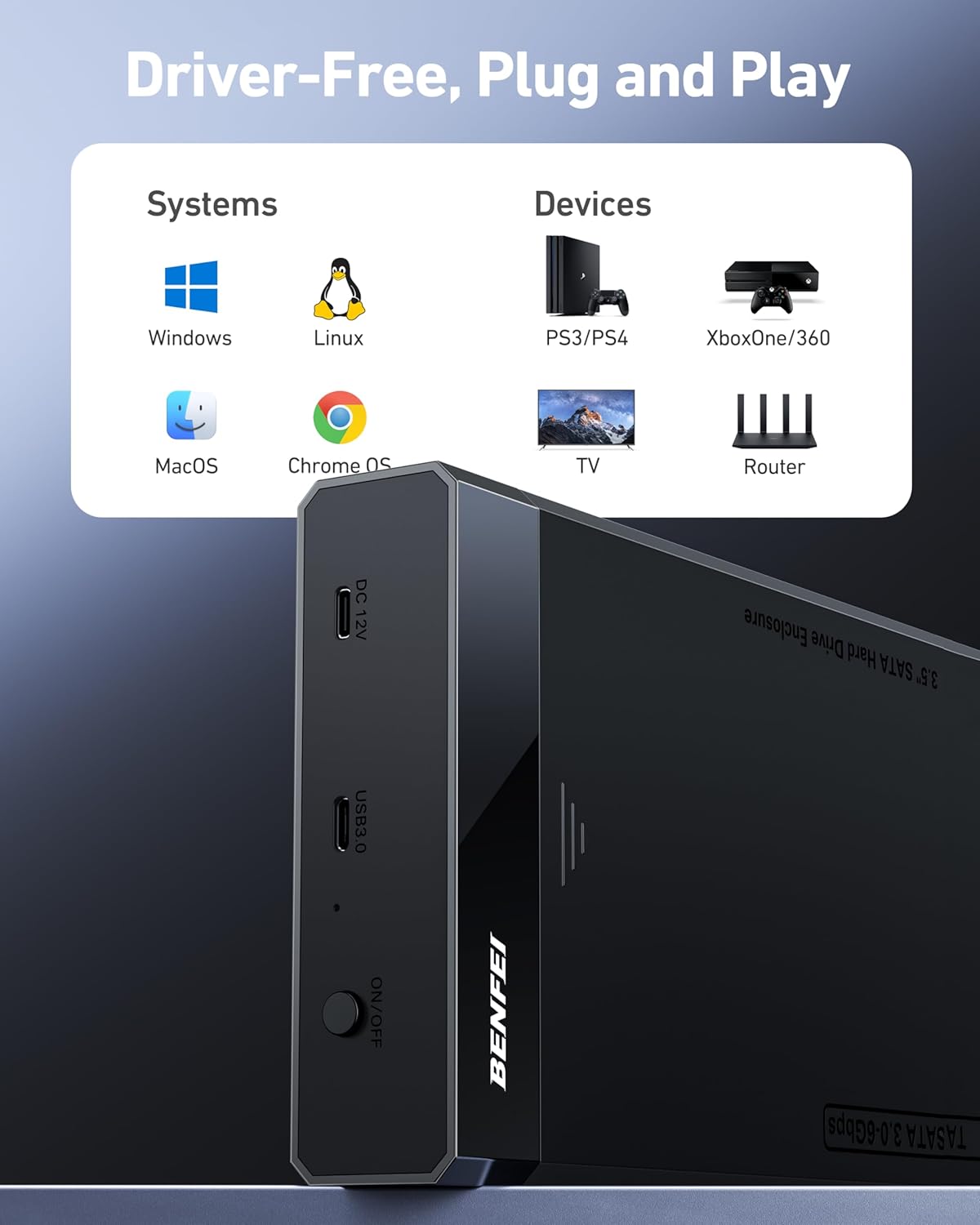
Image: Step-by-step visual guide for tool-free installation of a drive into the BENFEI enclosure, including opening, inserting, applying EVA pads, and connecting cables.

Image: Illustration demonstrating the connection of the 12V power adapter to the BENFEI enclosure and a laptop for stable operation.
Kullanım Talimatları
Driver-Free, Plug and Play
The BENFEI enclosure is designed for immediate use without requiring any driver installation. Simply connect it to your device, and it will be recognized automatically.
- Desteklenen Sistemler: Windows, Linux, macOS, Chrome OS.
- Uyumlu Cihazlar: PC, Laptops, PS3/PS4, Xbox One/360, Smart TVs, Routers, and other devices with USB ports.

Image: Visual representation of the BENFEI enclosure's broad compatibility with operating systems (Windows, Linux, macOS, Chrome OS) and devices (PS3/PS4, Xbox, TV, Router).
Veri Transferi
Once connected, your installed HDD/SSD will appear as an external storage device on your computer. You can then drag and drop files, perform backups, or manage data as you would with any other external drive.
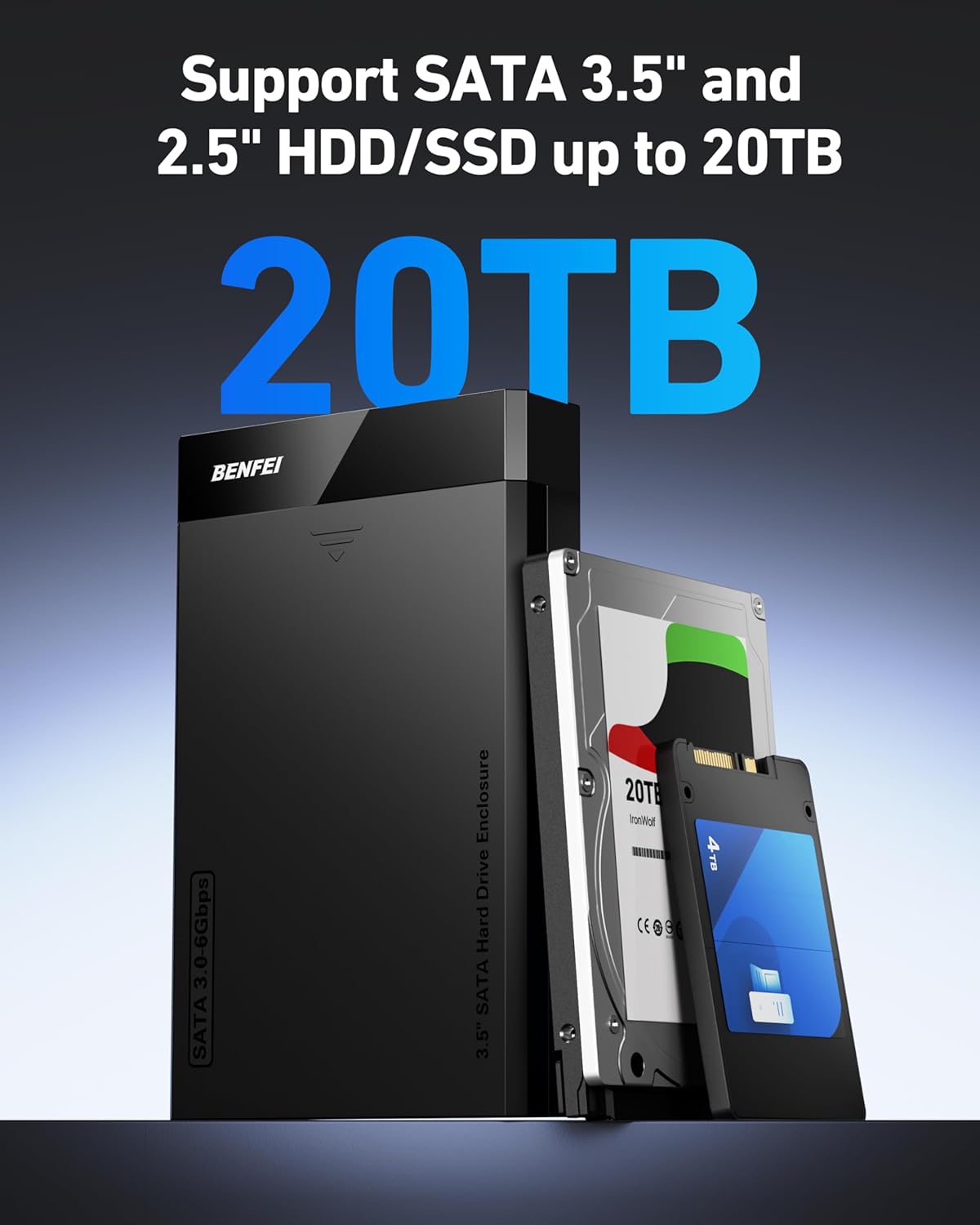
Image: Graphic illustrating the ultra-fast data transmission capabilities of the BENFEI enclosure, showing 6Gbps speed for SSDs and comparison with other brands and USB 2.0.
Smart Auto Sleep Function
The enclosure features a smart auto-sleep function. If the drive is inactive for a certain period, it will automatically enter sleep mode to conserve power and extend the lifespan of your HDD/SSD. The drive will wake up automatically upon activity.
Açma/Kapama Anahtarı
A physical ON/OFF switch is located on the enclosure for convenient power control. Use this switch to safely power on or off the device when not in use or during drive changes.

Resim: Ayrıntılı view of the BENFEI enclosure highlighting features such as Smart Auto Sleep, shock-proof EVA pad, On/Off switch, 2-in-1 USB A/C cable, and detachable cables.
Bakım
- Temizlik: Keep the enclosure clean and free from dust. Use a soft, dry cloth to wipe the exterior. Avoid liquid cleaners.
- Çevre: Cihazı aşırı sıcaklıklara, doğrudan güneş ışığına veya yüksek neme maruz bırakmaktan kaçının.
- Havalandırma: Ensure proper airflow around the enclosure, especially during extended periods of operation, to prevent overheating.
- Güvenli Kaldırma: Always safely eject the drive from your operating system before disconnecting the enclosure to prevent data corruption.
Sorun giderme
- Sürücü Algılanmadı:
- Check all cable connections (USB data and power adapter).
- HDD/SSD'nin kasanın SATA konektörüne düzgün şekilde yerleştirildiğinden emin olun.
- Kutuyu bilgisayarınızdaki farklı bir USB bağlantı noktasına bağlamayı deneyin.
- For 3.5-inch HDDs, confirm the external 12V power adapter is connected and functioning.
- If it's a new drive, ensure it is initialized and formatted in your operating system's Disk Management (Windows) or Disk Utility (macOS).
- Test the HDD/SSD in another enclosure or directly in a computer (if possible) to rule out drive failure.
- Yavaş Transfer Hızları:
- Ensure you are connected to a USB 3.0 or higher port on your computer. USB 2.0 ports will limit speeds.
- Verify that UASP support is active on your system (usually automatic with compatible hardware and OS).
- Check the health and fragmentation status of your HDD/SSD.
- Çok sayıda küçük parçayı transfer etmekten kaçının fileAynı anda yapın, çünkü bu genel hızı azaltabilir.
- Güç Sorunları:
- Ensure the 12V power adapter is securely connected to both the enclosure and a working power outlet.
- Confirm the ON/OFF switch on the enclosure is in the 'ON' position.
- Başka bir elektrik prizini deneyin.
Özellikler
| Üretici | BENFEI LIMITED |
| Model Numarası | 000410siyah |
| Arayüz Donanımı | SATA 1.5 Gb/s, SATA 3.0 Gb/s, SATA 6.0 Gb/s, USB 3.0 Type-A, USB 3.0 Type-C |
| Malzeme | Plastik |
| Maksimum Depolama Kapasitesi | 20TB |
| Uyumlu Cihazlar | Western Digital, Seagate, Toshiba, Samsung, Kingston, Crucial, Hitachi, and more |
| Veri Aktarım Hızı | 6000 Megabits per second (6 Gbps) |
| Bağlantı Teknolojisi | USB |
| Platform | Evrensel |
| Kutu İçeriği | BENFEI 2.5/3.5 inch SATA to USB Tool Free Enclosure, USB3.0-A to C Cable, USB2.0 C to C Power Cable, 20W GaN Fast Charger, EVA pads, User Manual |
Garanti ve Destek
BENFEI provides an unconditional 18-month warranty for this product, ensuring long-term protection for your purchase. Should you encounter any issues or have questions, please contact BENFEI's friendly and easily accessible customer service for prompt assistance.
For further support or warranty claims, please refer to the contact information provided on the BENFEI official website veya ambalaj.