
1. Önemli Güvenlik Talimatları
Please read these safety instructions carefully before installing or operating your FSP FlexGURU Pro 650W power supply. Failure to follow these instructions may result in electric shock, fire, or damage to the product and connected components.
- Elektrik Tehlikesi: Güç kaynağı ünitesini açmayın. Yüksek sestages are present inside, even when the unit is unplugged. There are no user-serviceable parts inside.
- Havalandırma: Ensure adequate airflow around the power supply. Do not block ventilation openings. Overheating can lead to performance degradation or failure.
- Nem: Keep the power supply away from water, humidity, and liquids. Do not operate in damp veya ıslak koşullar.
- Güç Kaynağı: Güç kaynağını yalnızca doğru voltaj değerine sahip topraklı bir elektrik prizine bağlayın.tagCihazın etiketinde belirtildiği gibi e ve frekans.
- Kurulum: Install the power supply in a well-ventilated computer chassis. Ensure all cables are properly connected and secured.
- İşleme: Handle the power supply with care. Avoid dropping or subjecting it to strong impacts.
- Çocuklar: Güç kaynağını ve bileşenlerini çocukların erişemeyeceği yerde saklayın.
2. Ürün Bittiview
The FSP FlexGURU Pro 650W is a high-efficiency Flex ATX power supply designed for compact systems requiring stable and reliable power. It complies with the latest ATX 3.1 and Flex ATX V2.1 standards, offering robust performance for current and future high-end hardware. With 80 PLUS Platinum certification, it ensures up to 92% efficiency, reducing power loss and heat generation.

Image: The FSP FlexGURU Pro 650W power supply, illustrating its compact dimensions of 5.90 inches (L) x 3.20 inches (W) x 1.59 inches (H).
3. Temel Özellikler
- New-Gen ATX 3.1 & Flex ATX V2.1 Compliance: Fully compliant with both the latest ATX 3.1 and Flex ATX V2.1 regulations, ensuring exceptional system stability and peak performance when paired with current and future high-end hardware in compact chassis.
- 80 PLUS Platin Verimlilik: Achieves the prestigious 80 PLUS Platinum standard, delivering up to 92% efficiency to significantly reduce power loss and energy costs. This high-efficiency design minimizes heat generation, allowing for ultra-quiet operation and extending the lifespan of your components.
- Optimized Low-Noise Performance: Equipped with a 40mm ball-bearing fan, smart fan control, and unique shielding design to significantly lower acoustic noise and deliver a consistent, near-silent computing experience.
- High Compatibility & Versatile Installation: Includes a universal fix bracket, allowing this 650W model to easily integrate and transform into reliable 1U IPC (Industrial PC), Networking, or Surveillance power supplies.
- Premium Japanese Electrolytic Capacitors: The FlexGURU PRO series utilizes main Japanese electrolytic capacitors to ensure exceptionally stable outputs, maximum longevity, and long-term reliability under continuous operation.
- Complete Protection for Diverse Applications: Designed and tested to the highest standards, featuring full protections (UVP, OVP, SCP, OPP, OTP, SIP, NLO). Ideal for specialized solutions like Edge Computing, NAS, HTPC, POS terminals, and Industrial PC builds.
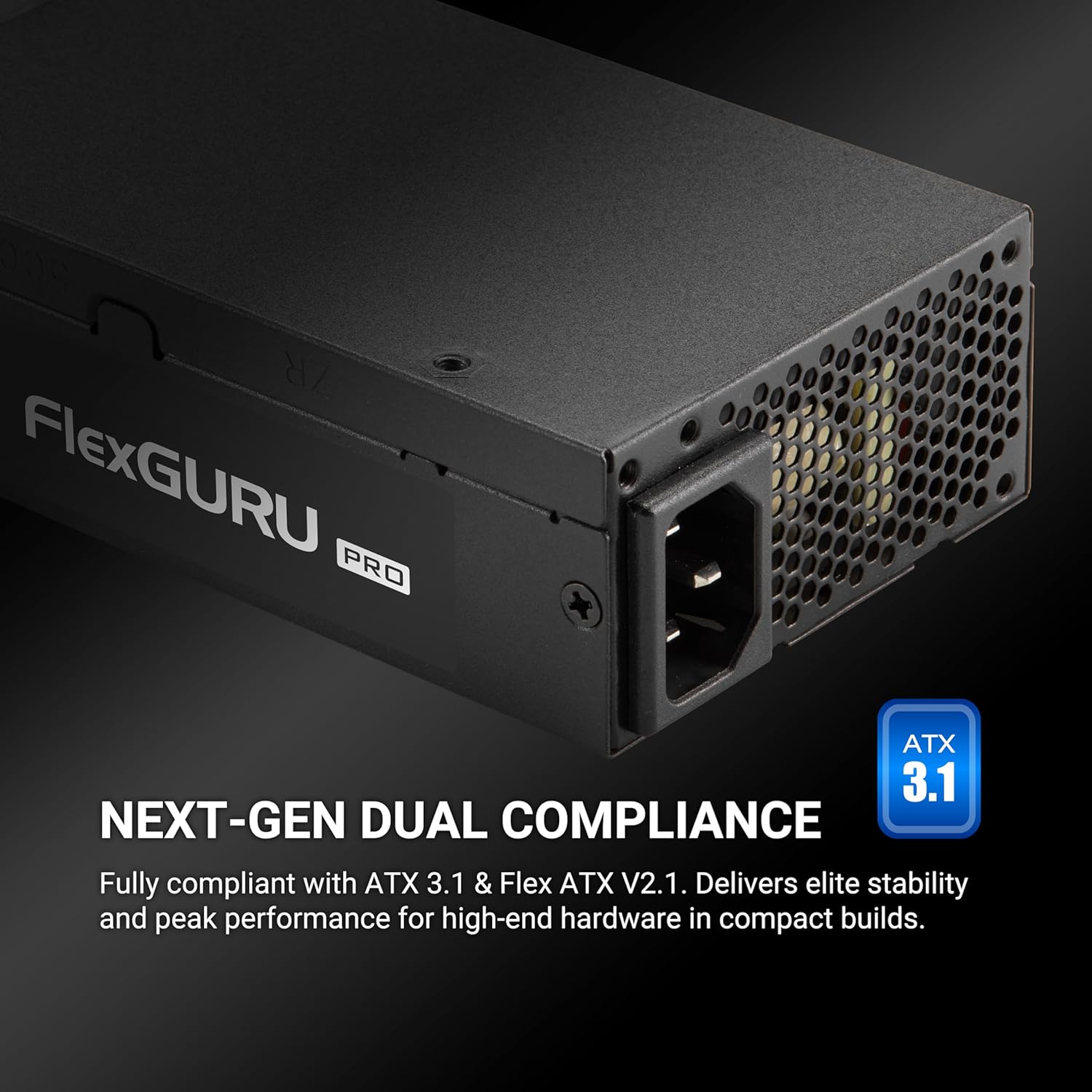
Image: The FSP FlexGURU Pro power supply highlighting its ATX 3.1 and Flex ATX V2.1 dual compliance for modern systems.

Image: A graph illustrating the 92% typical efficiency conversion of the FlexGURU Pro 650W power supply at various load levels for both 115V and 230V inputs.

Resim: Yakın çekim view of a Japanese electrolytic capacitor, emphasizing the quality components used in the FlexGURU Pro series for stable outputs and reliability.
4. Paket İçeriği
Paketinizde tüm öğelerin mevcut olduğundan emin olun:
- FSP FlexGURU Pro 650W Power Supply Unit
- AC Güç Kablosu
- Modular Cable Set (if applicable, this model is non-modular but includes various fixed cables)
- 1U Universal Fix Bracket
- Montaj Vidaları
- Kullanım Kılavuzu (bu belge)

Image: A diagram showing the types and quantities of all black round cables included with the power supply: 1x MB 20+4 PIN, 2x CPU 8 PIN / 4+4 PIN, 2x PCIe 6+2 PIN, 2x 2 SATA, and 1x 2 MOLEX / FLOPPY.
5. Kurulum Kılavuzu
5.1 Kurulum Öncesi Kontrol Listesi
- Bilgisayar sisteminizin tamamen kapalı olduğundan ve duvar prizinden çıkarılmış olduğundan emin olun.
- Discharge any residual power by pressing the power button on your PC for a few seconds.
- Gather necessary tools: screwdriver, zip ties (optional for cable management).
5.2 Güç Kaynağının Montajı
The FSP FlexGURU Pro 650W can be installed in standard Flex ATX chassis or adapted for 1U IPC applications using the included bracket.
- Carefully remove your old power supply (if applicable).
- Position the FSP FlexGURU Pro 650W into the power supply bay of your chassis.
- Secure the power supply using the provided mounting screws. For 1U IPC applications, attach the universal fix bracket to the power supply first, then mount it into the 1U chassis.

Image: The FlexGURU Pro power supply shown with the 1U bracket attached, demonstrating its adaptability for 1U IPC power supply applications.
5.3 Bağlantı Kabloları
Connect the power supply cables to the corresponding components in your system. Refer to your motherboard and component manuals for specific connection points.
- 20+4 Pin Main Power Connector: Connect to the motherboard.
- CPU 8 Pin / 4+4 Pin Connector: Connect to the CPU power input on the motherboard.
- PCIe 6+2 Pin Connector: Connect to graphics cards or other PCIe devices requiring auxiliary power.
- SATA Güç Bağlantıları: Connect to SATA hard drives, SSDs, and optical drives.
- MOLEX / Floppy Connectors: Eski çevre birimlerine veya kasa fanlarına bağlanın.
Ensure all connections are firm and secure. Improper connections can cause system instability or damage.
6. Operasyon
After installation, ensure all components are correctly connected and the power supply is securely mounted.
- AC güç kablosunu güç kaynağına ve ardından topraklı bir duvar prizine bağlayın.
- Güç kaynağının arkasındaki güç anahtarını 'AÇIK' (I) konumuna getirin.
- Sistemi başlatmak için bilgisayar kasasındaki güç düğmesine basın.
The power supply's 40mm ball-bearing fan will operate automatically, controlled by smart fan technology to maintain optimal temperature and minimize noise.
7. Bakım ve Özen
To ensure the longevity and optimal performance of your FSP FlexGURU Pro 650W power supply, follow these maintenance guidelines:
- Temizlik: Periodically clean the exterior of the power supply and its fan grille to prevent dust buildup. Use compressed air to gently clear dust from the fan and vents. Ensure the power supply is unplugged before cleaning.
- Çevre: Güç kaynağını temiz, kuru ve iyi havalandırılmış bir ortamda çalıştırın. Aşırı sıcaklıklardan kaçının.
- Kablo yönetimi: Kabloların düzgün bir şekilde yerleştirildiğinden ve kasa içindeki hava akışını engellemediğinden emin olun.
- Denetleme: Occasionally inspect power cables for any signs of damage or fraying. Replace damaged cables immediately.
8. Sorun Giderme
Güç kaynağınızla ilgili sorunlarla karşılaşırsanız, aşağıdaki genel sorun giderme adımlarına bakın:
- Güç Yok:
- AC güç kablosunun hem güç kaynağına hem de duvar prizine güvenli bir şekilde bağlı olup olmadığını kontrol edin.
- Güç kaynağının arkasındaki güç anahtarının 'AÇIK' (I) konumunda olduğundan emin olun.
- Duvar prizinin çalışır durumda olduğunu başka bir cihaz takarak doğrulayın.
- Check all internal power connections (20+4 pin, CPU, PCIe) to ensure they are firmly seated.
- Sistem Kararsızlığı/Rastgele Kapanmalar:
- Güç kaynağının güvenli olduğundan emin oluntage tüm sistem bileşenleriniz için yeterlidir.
- Check for proper ventilation within the chassis to prevent overheating.
- Verify that all power cables are correctly connected and not loose.
- If possible, test the power supply with a different set of components or in another system to isolate the issue.
- Yüksek Fan Sesi:
- Ensure the power supply fan grille is free from dust and obstructions.
- Verify that the system is not under excessive load, causing the fan to spin faster.
- Ensure adequate case airflow to prevent the PSU from drawing in hot air.
If the problem persists after attempting these steps, please contact FSP customer support for further assistance.
9. Teknik Özellikler
Detailed specifications for the FSP FlexGURU Pro 650W Power Supply (FSP650-50FUB):
| Özellik | Şartname |
|---|---|
| Örnek | FSP650-50FUB |
| Marka | FSP |
| Form Faktörü | Flex ATX |
| Çıkış Watttage | 650W |
| Verimlilik Sertifikası | 80 PLUS Platinum (Up to 92%) |
| Uyumluluk | ATX 3.1, Flex ATX V2.1 |
| Soğutma Yöntemi | Air (40mm ball-bearing fan) |
| Ürün Boyutları (U x G x Y) | 5.91 x 1.59 x 3.21 inç |
| Ürün Ağırlığı | 2.18 Pound |
| Güç Kaynağı Tasarımı | Modüler Olmayan |
| Giriş Voltage | 100-240 Volt (AC) |
| Giriş Frekansı | 50-60Hz |
| Korumalar | UVP, OVP, SCP, OPP, OTP, SIP, NLO |
| Kapasitörler | Japanese Electrolytic Capacitors |
| Garanti | 5 Yıl |

Image: A table detailing the AC Input and DC Output specifications for the FlexGURU Pro 650W, including Max Output Current and Max Combined Power for +3.3V, +5V, +12V, +5Vsb, and -12V rails, with a total power of 650W.
10. Çok Yönlü Uygulamalar
The FSP FlexGURU Pro 650W power supply is designed for a wide range of applications due to its compact size, high efficiency, and robust protections:
- Industrial PC (IPC) builds
- Point of Sale (POS) terminals
- Network communication devices
- Surveillance systems
- Edge Computing solutions
- Home Theater Personal Computers (HTPC)
- Network Attached Storage (NAS) servers
- Gaming & Creator PCs (in compact chassis)

Image: Icons depicting versatile industrial applications for the FlexGURU Pro series, including Industrial PC, Point of Sale System, Network communication, Surveillance, Edge Computer, Home Theater Personal Computer, NAS Server, and Gaming & Creator PC.
11. Garanti ve Destek
The FSP FlexGURU Pro 650W Power Supply (FSP650-50FUB) comes with a 5 yıllık garanti satın alma tarihinden itibaren. Bu garanti, normal kullanımda malzeme ve işçilikteki kusurları kapsar.
For warranty claims, technical support, or any product-related inquiries, please contact FSP customer service through their official website or the retailer where the product was purchased. Please have your proof of purchase and product model number (FSP650-50FUB) ready when contacting support.
Çevrimiçi Kaynaklar: For additional information, FAQs, and driver downloads, please visit the official FSP webalan: www.fspgroupusa.com


