
giriiş
The Hunter ZenTech 44-inch smart ceiling fan combines modern design with advanced technology to provide efficient air circulation and adjustable lighting for indoor and covered outdoor spaces. This fan features a slim DC motor for quiet operation and energy efficiency, TrueLight LED technology for customizable lighting, and HunterSMART technology for seamless integration with smart home systems like Amazon Alexa, Google Assistant, and Apple HomeKit.
This manual provides detailed instructions for the safe installation, operation, and maintenance of your ZenTech ceiling fan. Please read all instructions carefully before beginning installation or use.
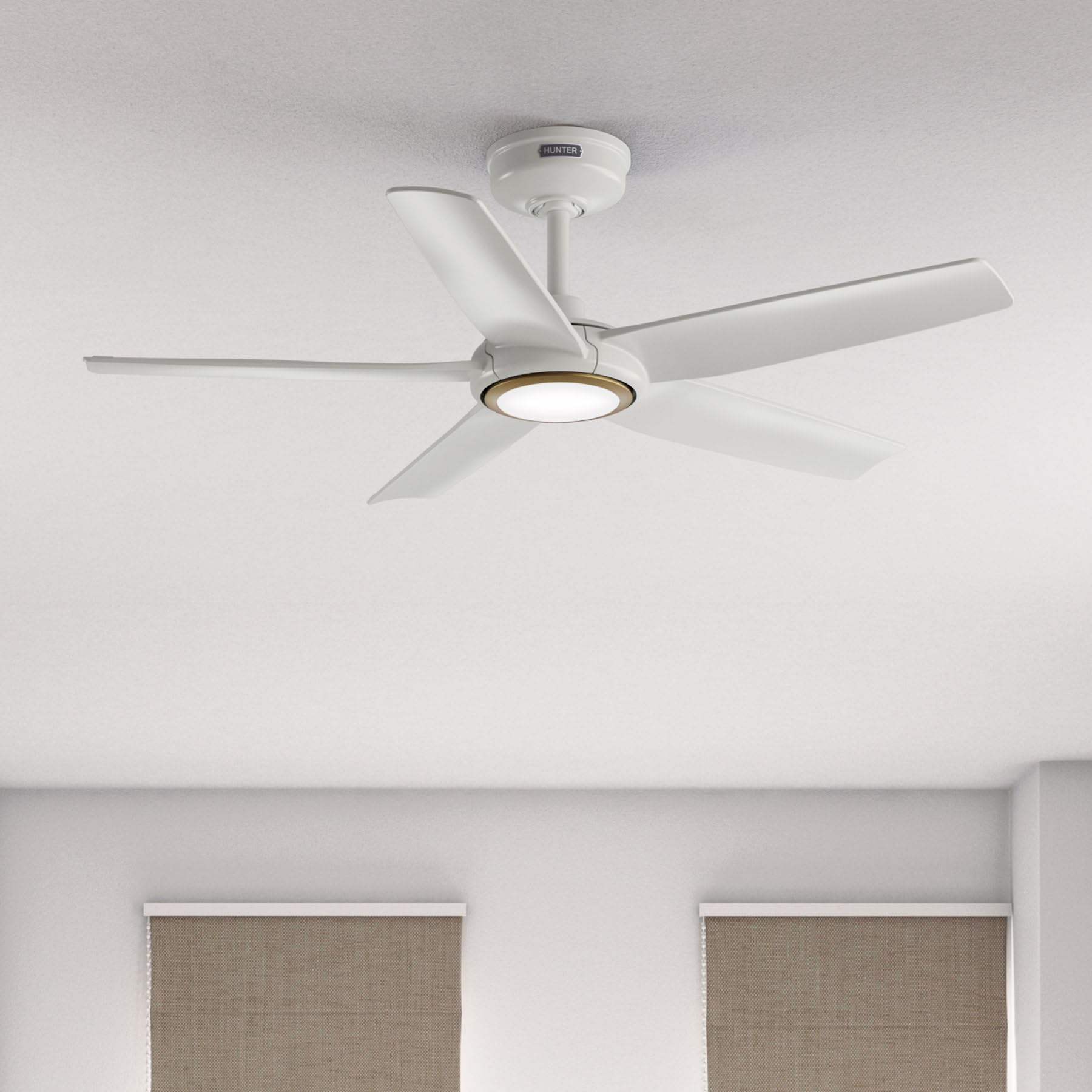
Image: Hunter ZenTech 44-inch ceiling fan in Fresh White, showcasinŞık tasarımı ve entegre LED ışığıyla dikkat çekiyor.
Güvenlik Bilgileri
To reduce the risk of electric shock, fire, or injury to persons, always follow these important safety precautions:
- Read all instructions before installing or using this fan.
- Kurulum veya bakım işlemlerinden önce devre kesiciden elektriğin kapatıldığından emin olun.
- Tüm kablolama ulusal ve yerel elektrik kodlarına uygun olmalıdır. Kablolama konusunda bilginiz yoksa, kalifiye bir elektrikçiye danışın.
- The fan must be mounted with a minimum of 7 feet (2.1 meters) clearance from the trailing edge of the blades to the floor.
- Montaj yapısının fanın ağırlığını (yaklaşık 13.45 kg) taşıyabileceğinden emin olun.
- Do not operate the fan with damaged blades or any other damaged components.
- Bu fan damp-rated, suitable for indoor use and covered outdoor areas where exposure to moisture may occur. Do not expose to direct water spray.
Kurulum ve Yükleme
Proper installation is crucial for the performance and safety of your ceiling fan. It is recommended to have a qualified electrician perform the installation.
Kurulum Öncesi Kontroller
- Paketleme listesinde belirtilen tüm bileşenlerin eksiksiz olduğunu doğrulayın.
- Ensure the electrical box is securely mounted and capable of supporting a ceiling fan.
- Ana sigortadan elektriği kapatın.
Fanın Montajı
- Attach the mounting bracket to the ceiling electrical box using the provided screws.
- Assemble the downrod (6 inches included) to the motor housing. Factory-installed wiring and connectors are designed for downrods up to 24 inches. Do not extend or modify.
- Fan tertibatını dikkatlice kaldırın ve montaj braketinden asın.
Elektrik Bağlantıları
- Connect the fan's electrical wires to the household wiring according to the wiring diagram in the full instruction manual. Ensure all connections are secure.
- Tüm kabloları düzgün bir şekilde elektrik kutusuna sokun.
Attaching Blades and Light Kit
- Beş adet fan kanadını motor gövdesine sağlam bir şekilde takın.
- Install the LED light kit module. The fan includes in-box accessories for a personalized finish, including an interchangeable LED module, a no-light cap, and two trim ring options (one matching the fan finish and one in Luxe Gold).

Image: Hunter ZenTech ceiling fan installed in a modern living room, demonstrating its aesthetic integration into a home environment.

Image: Hunter ZenTech ceiling fan installed on a covered outdoor patio, highlighting its damp-rated suitability for outdoor use.
Kullanım Talimatları
Your ZenTech fan offers multiple control options for convenience.
Uzaktan kumanda
A handheld remote control is included for basic fan and light functions:
- Fan Hızı: Adjust between 6 speeds.
- Fan Yönü: Reverse the fan direction for summer (downward airflow) or winter (upward airflow) operation.
- Işık Açık/Kapalı: Turn the LED light on or off.
- Işık Kısma: LED ışığının parlaklığını ayarlayın.
HunterSMART App Control
The HunterSMART app provides advanced control and customization options:
- Download the HunterSMART app from your device's app store.
- Follow the in-app instructions to connect your ZenTech fan to your home Wi-Fi network.
- Once connected, you can control fan speed, light brightness, and color temperature from your smartphone or tablet.
- Access additional features such as scheduling and custom settings.

Image: Diagram illustrating HunterSMART app interface and voice command examples for controlling the ceiling fan.
Ses Kontrolü
The ZenTech fan is compatible with leading smart home platforms:
- Amazon Alexa: Enable the Hunter skill in the Alexa app and link your HunterSMART account.
- Google Asistan: Link your HunterSMART account through the Google Home app.
- Apple HomeKit: Follow the pairing instructions in the Apple Home app.
Use voice commands such as "Alexa, turn on the living room fan" or "Hey Google, set the bedroom light to warm white."
TrueLight LED Lighting
The integrated TrueLight LED technology allows for fully adjustable lighting:
- Choose from 10 brightness levels to suit your needs.
- Adjust the color temperature between warm and cool tones to create the desired ambiance.

Image: Graphic illustrating the 'Clearly Brighter' TrueLight features, showing 10 levels of light and 10 color temperatures for adjustable LED lighting.
Bakım
Regular maintenance ensures the longevity and optimal performance of your ZenTech ceiling fan.
Temizlik
- Fan Kanatları: Bıçakları yumuşak bir bezle silin.amp Bez kullanın. Aşındırıcı temizleyiciler kullanmayın, çünkü yüzeye zarar verebilirler.
- Motor Muhafazası: Dust the motor housing with a soft, dry cloth.
- Işık Kiti: Clean the light diffuser with a soft, lint-free cloth.
Always ensure the power is off at the circuit breaker before cleaning any part of the fan.
Genel Bakım
- Tüm vidaların ve bağlantıların sıkılığını periyodik olarak kontrol edin. Gerektiğinde yeniden sıkın.
- The fan's DC motor is designed for long-term, maintenance-free operation and does not require lubrication.
Sorun giderme
If you encounter issues with your ZenTech ceiling fan, refer to the following common problems and solutions:
| Sorun | Olası Neden | Çözüm |
|---|---|---|
| Fan başlamıyor | Vantilatöre elektrik gelmiyor; Kablo bağlantıları gevşek; Uzaktan kumanda pili zayıf. | Sigortayı kontrol edin; Tüm kablo bağlantılarının güvenli olduğundan emin olun; Uzaktan kumanda pilini değiştirin. |
| Işık çalışmıyor | Loose wire connection to light kit; LED module faulty. | Check light kit wiring; Contact customer support for LED module replacement if necessary. |
| Fan sallanıyor | Gevşek bıçak vidaları; Yanlış dengelenmiş bıçaklar; Gevşek montaj braketi. | Tighten all blade screws; Use a blade balancing kit (not included); Ensure mounting bracket is secure. |
| Uzaktan kumanda çalışmıyor | Battery low or dead; Remote not paired with fan. | Replace battery; Refer to the full manual for remote pairing instructions. |
| Wi-Fi bağlantı sorunları | Hatalı Wi-Fi şifresi; Yönlendirici çok uzakta; Ağ paraziti. | Verify Wi-Fi password; Move router closer or use a Wi-Fi extender; Reduce interference from other devices. |
For more complex issues or if troubleshooting steps do not resolve the problem, please contact Hunter customer support.
Özellikler
| Özellik | Detay |
|---|---|
| Marka | Avcı |
| Model Adı | ZenTech |
| Model Numarası | 53641 |
| Boyut | 44 inç |
| Renk | taze beyaz |
| Ürün Boyutları | 44"D x 44"G x 11.78"Y |
| Ürün Ağırlığı | 13.45 Pound |
| Bıçak Sayısı | 5 |
| Motor Tipi | DC Motor (43% slimmer) |
| Hız Sayısı | 6 |
| Hafif Tip | TrueLight LED (Adjustable Brightness & Color Temperature) |
| Kontrol Yöntemi | App Control (HunterSMART), Remote Control, Voice Control |
| Akıllı Ev Uyumluluğu | Amazon Alexa, Google Assistant, Apple HomeKit |
| İç/Dış Mekan Kullanımı | Kapalı Alan, Üstü Kapalı Açık Alan (D)amp (Derecelendirildi) |
| Cilttage | 120 Volt |
| Netage | 14 watt |
| Hava Akış Kapasitesi | Dakikada 4493.25 Kübik Ayak |
| Downrod Uzunluğu | 6 Inches (included), compatible up to 24 inches |
| Sertifikalar | ETL, Enerji Yıldızı, FCC |
Garanti
The Hunter ZenTech ceiling fan is backed by a limited lifetime motor warranty, reflecting Hunter's commitment to engineering and quality. This warranty covers defects in materials and workmanship of the fan motor for the lifetime of the original purchaser. Specific terms and conditions apply. Please refer to the warranty card included with your product or visit the official Hunter webtüm detaylar için site.
Destek
For technical assistance, warranty claims, or additional information regarding your Hunter ZenTech ceiling fan, please contact Hunter customer support:
- Çevrimiçi destek: Visit the Hunter Fan Company webSıkça sorulan sorular, sorun giderme kılavuzları ve iletişim formları için site.
- Telefon Desteği: Ürün ambalajına veya Hunter kılavuzuna bakın. webEn güncel müşteri hizmetleri telefon numarası için siteyi ziyaret edin.
Destek ekibiyle iletişime geçerken lütfen model numaranızı (53641) ve satın alma belgenizi hazır bulundurun.