
1. Giriş
The Insoma WiFi Water Timer is designed to automate your garden watering system, providing convenience and efficiency. This smart device connects directly to your 2.4GHz WiFi network, allowing remote control via a smartphone application and voice commands through compatible smart assistants. It is suitable for various watering needs, including garden hoses, smart sprinklers, and drip irrigation systems.

Image 1.1: Insoma WiFi Water Timer in use, demonstrating app remote control.
2. Ürün Özellikleri
- 100% WiFi Connectivity: Operates exclusively on 2.4GHz WiFi, eliminating the need for a separate gateway and ensuring stable remote control.
- Kolay Uygulama Kontrolü: Manage watering programs and review history anytime, anywhere using the Smart Life APP.
- Akıllı Ses Kontrolü: Eller serbest kullanım için Amazon Alexa ve Google Assistant ile uyumludur.
- Manual Watering & Weather Delay: Offers on-demand manual watering and the ability to pause schedules for 24h, 48h, or 72h due to rain.
- Multiple Schedule Settings: Supports up to 20 watering schedules, including normal and cycle/soak types, to meet diverse irrigation requirements.
- Dayanıklı Yapı: Features brass inlet and outlet for enhanced durability and leak prevention.
3. Kurulum Kılavuzu
3.1 Paket İçeriği
- Insoma WiFi Water Timer Unit
- Kullanıcı Kılavuzu
- Additional Washers
- Tesisatçı Bandı
3.2 Donanım Kurulumu
- Pilleri Takın: Open the battery compartment (typically on the side or back) and insert the required batteries (usually AA, refer to the device for specific type). Ensure correct polarity.
- Musluğa takın: Screw the water timer onto your outdoor faucet. Ensure the connection is secure to prevent leaks. Use the provided washers and plumber's tape if necessary for a watertight seal. The timer features a 360-degree rotatable reinforced brass inlet for easy installation.
- Hortumu bağlayın: Attach your garden hose to the outlet of the water timer.

Resim 3.1: Ayrıntılı view of the enhanced water inlet with built-in filter.

Image 3.2: Illustration of the durable and leak-proof design with brass inlet/outlet and filter.
3.3 App and WiFi Connection
- İndir uygulaması: Arama and download the 'Smart Life' application from your smartphone's app store (iOS or Android).
- Kayıt Ol/Giriş Yap: Open the Smart Life app and register a new account or log in with an existing one.
- Cihaz Ekle: In the app, tap the '+' icon to add a new device. Select 'Water Timer' or 'Irrigation' from the device list.
- WiFi'ye bağlanın: Follow the in-app instructions to connect the water timer to your 2.4GHz WiFi network. Ensure your phone is also connected to the same 2.4GHz network during the pairing process. The timer does not support 5GHz WiFi.
- Cihaz Adlandırma: Once connected, you can rename your water timer for easy identification.
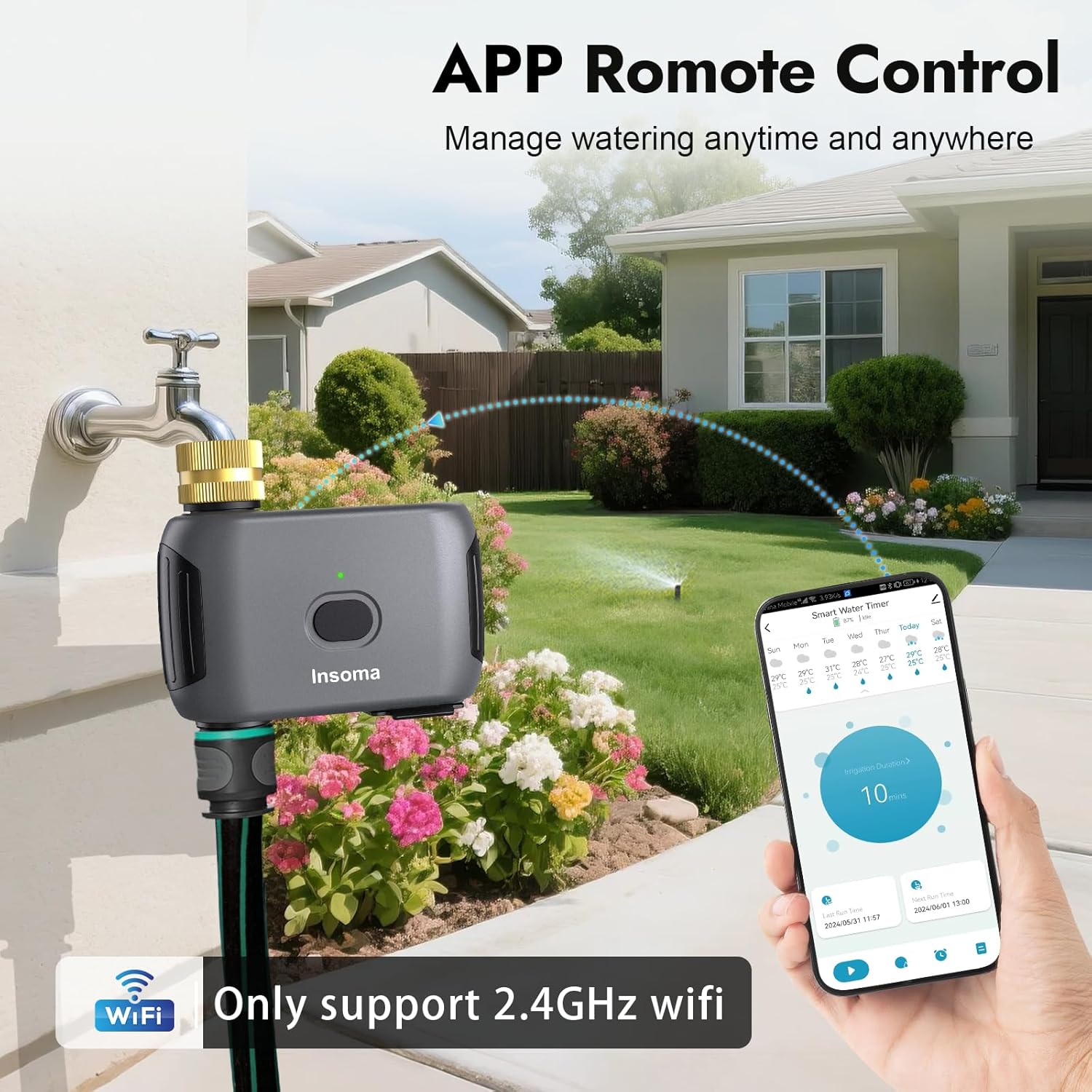
Image 3.3: Remote control via the Smart Life App.
4. Kullanım Talimatları
4.1 Scheduling Watering Programs
The Insoma WiFi Water Timer supports up to 20 watering schedules, including two main types:
- Normal Schedule Type: Set a specific start time, irrigation duration (1 minute to 24 hours), and select the days of the week for watering.
- Cycle & Soak Type: Ideal for efficient watering, this mode allows you to set a start time, end time, and then define a cycle duration (e.g., 10 minutes) and a soak duration (e.g., 5 minutes) within that period. This helps water penetrate the soil better and reduces runoff.
Bir program ayarlamak için:
- Open the Smart Life app and select your water timer.
- 'Program' veya 'Takvim' bölümüne gidin.
- Tap to add a new schedule and choose between 'Normal Schedule' or 'Cycle & Soak'.
- Configure the start time, duration, days, and other parameters as required.
- Programı kaydedin.

Image 4.1: App interface for setting Normal and Cycle & Soak watering schedules.

Image 4.2: Setting a Normal Schedule in the app.

Image 4.3: Setting a Cycle & Soak Schedule in the app.
4.2 Manuel Sulama
You can initiate watering manually without affecting your preset schedules. This is useful for immediate watering needs.
- Uygulama aracılığıyla: In the Smart Life app, select your water timer and choose the 'Manual' option. You can set a custom watering duration from 1 minute up to 24 hours.
- Cihaz Düğmesi Aracılığıyla: Press the button on the water timer unit to start manual watering for a default duration (e.g., 10 minutes, as indicated in some visuals). Press again to stop.

Image 4.4: Manual watering can be initiated via the app or the device button.

Resim 4.5: Örn.amples of quick manual watering applications.
4.3 Yağmur Geciktirme Fonksiyonu
To conserve water and avoid overwatering during rainy conditions, use the rain delay function:
- In the Smart Life app, navigate to the water timer settings.
- Select the 'Rain Delay' option.
- Choose to pause scheduled watering for 24 hours, 48 hours, or 72 hours.
- The timer will automatically resume its programmed schedules after the selected delay period.

Image 4.6: Rain Delay function in action, showing options for pausing watering.

Image 4.7: Rain Delay feature and IP55 waterproof rating.
4.4 Ses Kontrolü
Integrate your Insoma WiFi Water Timer with Amazon Alexa or Google Assistant for convenient voice commands:
- Ensure your water timer is connected to the Smart Life app and your Alexa/Google Assistant device is set up.
- Enable the 'Smart Life' skill or action in your Alexa or Google Home app.
- Discover devices. Your water timer should appear.
- Şu tür komutları kullanın:
- "Alexa, turn on the WiFi Water Timer."
- "Hey Google, turn off the garden hose."

Image 4.8: Voice control with Alexa and Google Assistant.

Resim 4.9: Örn.ample of smart voice control in a home setting.
4.5 Aile Paylaşımı
The Smart Life app allows you to share control of your water timer with family members, enabling collaborative garden management.
- In the Smart Life app, go to the device settings for your water timer.
- Look for a 'Share Device' or 'Family Management' option.
- Add family members by entering their Smart Life account details.
5. Bakım
- Filtreyi Temizle: Periodically check and clean the built-in metal filter at the water inlet to prevent debris from clogging the timer and affecting water flow.
- Pil Değişimi: Replace batteries when the low battery indicator appears in the app or on the device. Always use fresh batteries of the specified type.
- Kışlama: Before freezing temperatures, disconnect the water timer from the faucet, remove batteries, and store the unit indoors in a dry, protected area to prevent damage from freezing water.
6. Sorun Giderme
- Timer not connecting to WiFi: Ensure your router is broadcasting a 2.4GHz network. Move the timer closer to the router. Check WiFi password. Restart the timer and try pairing again.
- Zamanlayıcı sulama yapmıyor: Check battery level. Ensure the faucet is turned on. Verify that no rain delay is active. Check for clogs in the filter or hose. Review your watering schedules in the app.
- Bağlantı noktalarındaki sızıntılar: Ensure all connections are tight. Use plumber's tape and additional washers if necessary. Check for damaged O-rings or gaskets.
- Ses kontrolü çalışmıyor: Confirm the Smart Life skill/action is enabled in your Alexa/Google Home app. Ensure the water timer is online in the Smart Life app. Try re-discovering devices in your smart assistant app.
7. Özellikler
| Marka | Insoma |
| Model Numarası | ISMSGW03WF-TTUS42 |
| Renk | Gri |
| Malzeme | Pirinç Giriş ve Çıkış |
| Ürün Boyutları (D x G x Y) | 3"D x 3"G x 4"Y |
| Ürün Ağırlığı | 0.32 Kilogram |
| Ayar Sayısı | 20 (watering schedules) |
| Çalışma Suyu Basıncı | 7.26-116 PSI |
| Bağlantı | 2.4GHz Kablosuz |
8. Garanti ve Destek
8.1 Garanti Bilgileri
For detailed warranty information, please refer to the documentation included with your product or visit the official Insoma webSite. Garanti şartları genellikle satın alma tarihinden itibaren belirli bir süre boyunca üretim hatalarını kapsar.
8.2 Müşteri Desteği
If you encounter any issues or have questions regarding the Insoma WiFi Water Timer, please contact Insoma customer service through their official website or the contact information provided in your product packaging. Be prepared to provide your model number (ISMSGW03WF-TTUS42) and purchase details.