
1. Giriş
This manual provides detailed instructions for the Donner DEK-630 61-Key Electronic Keyboard. Please read this manual thoroughly before using the instrument to ensure proper operation and to maximize your musical experience. The DEK-630 is designed for beginners and music enthusiasts, featuring lighted keys, various tones and rhythms, and learning modes to support your musical journey.

Image 1.1: The Donner DEK-630 61-Key Electronic Keyboard Set, including the keyboard, Z-stand, and bench.
2. Kutuda Neler Var?
Paketin tüm bileşenlerinin mevcut olduğunu doğrulayın:
- Donner DEK-630 Electric Keyboard
- Z-shaped Stand
- Piyano Tezgahı
- Müzik Dinlenme
- Note Stickers
- Güç Adaptörü
- Kullanım Kılavuzu (bu belge)
3. Kurulum
3.1 Assembling the Z-shaped Stand
- Unfold the main frame of the Z-stand.
- Attach the horizontal support bars to the vertical frames using the provided screws and knobs. Ensure they are securely tightened.
- Adjust the height of the stand to your preferred playing position using the adjustment knobs.
Video 3.1: Official Donner Music video demonstrating the assembly of the DEK-630 keyboard stand.
3.2 Assembling the Piano Bench
- Unfold the legs of the piano bench.
- Ensure all locking mechanisms are engaged for stability.
3.3 Placing the Keyboard and Music Rest
- Carefully place the DEK-630 keyboard onto the assembled Z-stand. Ensure it is stable and centered.
- Insert the music rest into the designated slots on the top panel of the keyboard.

Image 3.1: The Donner DEK-630 keyboard fully set up with the Z-stand and piano bench.
3.4 Güç Bağlantısı
- Connect the provided power adapter to the DC 12V input jack (8) on the rear panel of the keyboard.
- Güç adaptörünü standart bir elektrik prizine takın.

Image 3.2: Close-up of the DEK-630's rear panel, highlighting the power adapter input and other connectivity options.
4. Kullanım Talimatları
4.1 Güç Açma/Kapatma
Basın GÜÇ button located on the control panel to turn the keyboard on or off. The LCD display will illuminate upon power-on.
4.2 LCD Ekran Üstüview
The LCD display provides visual feedback on the current tone, rhythm, tempo, and learning mode status. Use the navigation buttons to browse through options.

Image 4.1: The DEK-630's LCD display, showing active settings for tones, rhythms, and learning modes.
4.3 Tone Selection (300 Tones)
To select a tone:
- Basın TON düğme.
- Use the number pad or the +/- buttons to select from 300 available tones. The selected tone number and name will appear on the LCD.
4.4 Rhythm Selection (256 Rhythms)
To select a rhythm:
- Basın RİTİM düğme.
- Use the number pad or the +/- buttons to select from 256 available rhythms.
- Basmak BAŞLAT/DURDUR Ritmin çalınmasını başlatmak veya sonlandırmak için.
4.5 Demo Songs (40 Songs)
The keyboard includes 40 demo songs for listening and practice.
- Basın DEMO ŞARKI düğme.
- Kullanın +/- buttons to cycle through the demo songs.
- Basmak OYNAMAK to start the selected demo song.
4.6 Learning Modes
The DEK-630 offers built-in learning modes to assist beginners, including lighted keys, auto-chord, and metronome functions.
- Aydınlatmalı Tuşlar: Keys illuminate to guide you during learning exercises.
- Auto-Chord: Automatically plays chords based on single key presses, simplifying accompaniment.
- Metronom: Provides a steady beat to help develop rhythm and timing. Activate by pressing the METRONOME düğme.

Image 4.2: A user's hands playing the DEK-630, demonstrating the lighted key feature for learning.
4.7 Kayıt ve Oynatma
Performansınızı kaydetmek için:
- Basın KAYIT button. The REC indicator will light up.
- İstediğiniz melodiyi çalın.
- Basmak OYNAMAK to stop recording and listen to your recorded performance.
4.8 Dual Keyboard / Split Functions
- Dual Keyboard: Allows two different voices to be layered and played simultaneously.
- Bölme Fonksiyonu: Divides the keyboard into two sections, each with its own tone, allowing two different instruments to be played at once. Refer to the full manual for detailed activation steps.
4.9 Ses Kontrolü
Ana ses seviyesini ayarlamak için ANA SES knob or buttons on the control panel.
4.10 Bağlantı Seçenekleri
The DEK-630 offers various ports for expanded functionality:
- Sustain Pedal Jack (1): Connect an optional sustain pedal for expressive playing.
- MIDI Port (2): Connect to computers or other MIDI devices for music production and learning software.
- USB Bağlantı Noktası (3): For USB MIDI connectivity.
- Audio Input Line (4): Harici ses kaynaklarını (örneğin, MP3 çalar) bağlayarak birlikte çalabilirsiniz.
- Output (L/R) (5): Harici bağlantıya bağlan ampamplifikatörler veya mikser konsolları.
- Mic Jack (6): Vokal eşliği için bir mikrofon bağlayın.
- Kulaklık Girişi (7): Connect headphones for private practice. Headphones need to be purchased separately.
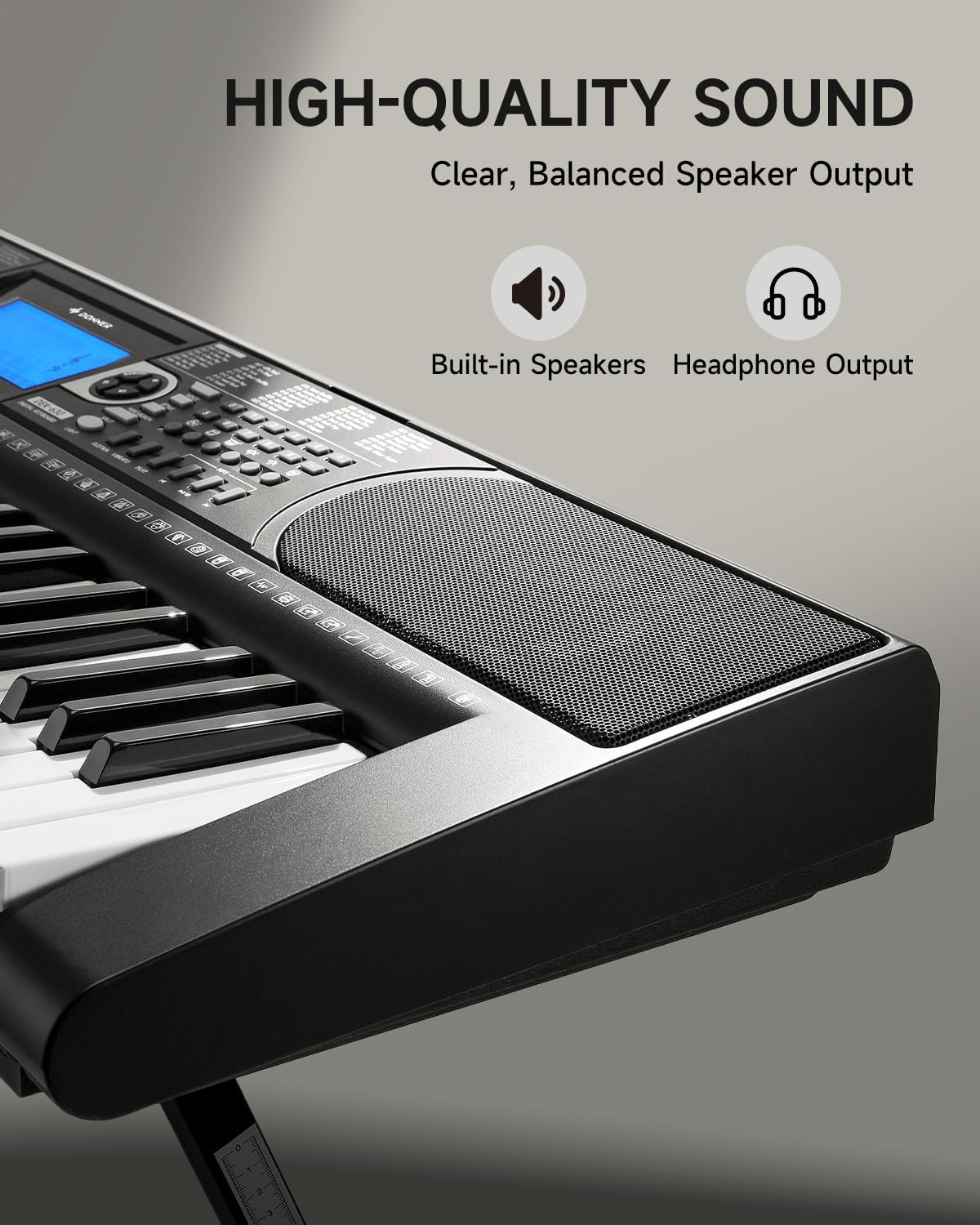
Image 4.3: The DEK-630's built-in speaker and headphone output for versatile sound options.
5. Bakım
5.1 Temizlik
- Wipe the keyboard and stand with a soft, dry cloth.
- İnatçı kirler için hafif bir d kullanın.amp bezle silin ve ardından iyice kurulayın.
- Yüzeye zarar verebileceğinden aşındırıcı temizleyiciler, çözücüler veya cilalar kullanmaktan kaçının.
5.2 Depolama
- Klavyeyi serin, kuru ve doğrudan güneş ışığından ve aşırı sıcaklıklardan uzak bir yerde saklayın.
- If storing for an extended period, disconnect the power adapter.
6. Sorun Giderme
| Sorun | Olası Neden | Çözüm |
|---|---|---|
| Ses yok |
|
|
| Tuşlar yanıt vermiyor |
|
|
| LCD ekran boş |
|
|
7. Özellikler
- Modeli: DEK-630
- Anahtar Sayısı: 61
- Sesleri: 300
- Ritimler: 256
- Demo Şarkılar: 40
- Özel Özellikler: Built-In Speaker, Lighted Keys, Portable, LCD Display, Learning Modes (Auto-Chord, Metronome)
- Bağlantı: USB MIDI, Audio Input, Output (L/R), Mic Jack, Headphone Jack, Sustain Pedal Jack
- Güç: DC 12V Güç Adaptörü
- Dimensions (Keyboard without stand): 37.80 x 11.81 x 3.54 inç (96 x 30 x 9 cm)
- Dahil Bileşenler: Electric Keyboard, Z-shaped Stand, Piano Bench, Music Rest, Note Stickers
8. Garanti ve Destek
8.1 Garanti Bilgileri
The Donner DEK-630 Electronic Keyboard comes with a 2 yıllık garanti from the date of purchase. This warranty covers manufacturing defects and malfunctions under normal use. Please retain your proof of purchase for warranty claims. The warranty does not cover damage caused by misuse, accidents, unauthorized modifications, or normal wear and tear.
8.2 Müşteri Desteği
For technical assistance, troubleshooting, or warranty inquiries, please contact Donner customer support. Visit the official Donner webİletişim bilgileri ve ek kaynaklar için siteyi ziyaret edin.
Donner Official Webalan: www.donnerdeal.com