
1. Giriş
The Gtheos Captain 370 Wireless Gaming Headset is designed to provide a versatile and immersive audio experience across multiple gaming platforms. This manual provides detailed instructions for setup, operation, maintenance, and troubleshooting to ensure optimal performance and longevity of your headset.
2. Paket İçeriği
Lütfen paketinizde tüm öğelerin mevcut olduğundan emin olun:
- Gtheos Captain 370 Wireless Gaming Headset
- Çıkarılabilir Gürültü Önleyici Mikrofon
- 2.4GHz USB-A Wireless Transmitter
- USB Type-C Şarj Kablosu
- 3.5 mm Ses Kablosu
- Kullanım Kılavuzu (bu belge)
3. Ürün Bittiview
Familiarize yourself with the key components and controls of your Gtheos Captain 370 headset.
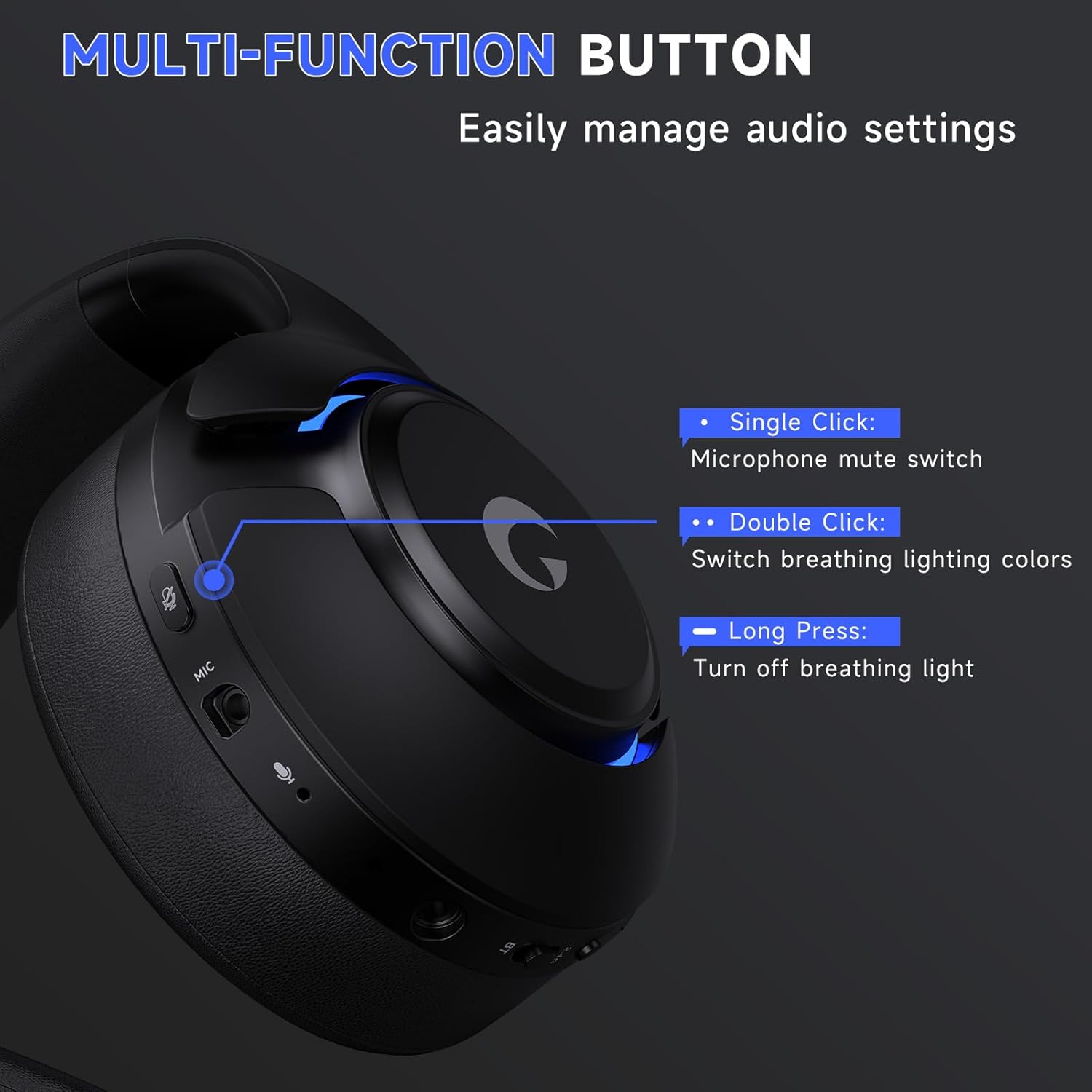
Resim 3.1: Multi-function button for audio settings and RGB lights.
The headset features a multi-function button on the earcup for easy control:
- Tek tık: Mikrofon sessiz anahtarı.
- Çift tıklama: Switch breathing lighting colors.
- Uzun basma: Turn off breathing light.
Resim 3.2: Detachable noise-canceling microphone for clear communication.
The detachable microphone utilizes advanced Environmental Noise Cancellation (ENC) technology to filter out background noise. The headset also includes a built-in backup microphone for calls even when the boom mic is detached.

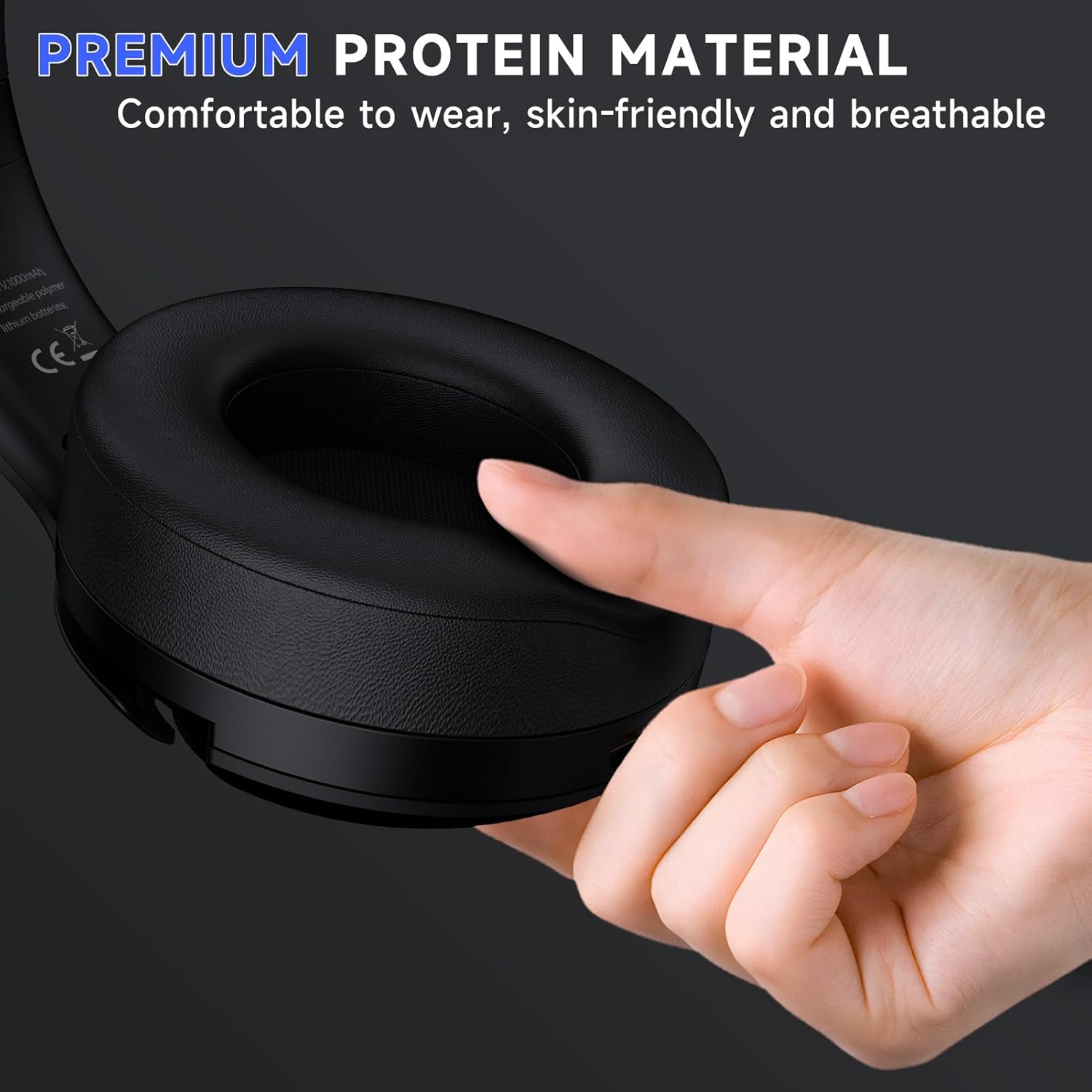
Resim 3.3: Premium protein material earcups for comfortable wear.
The earcups are made from premium protein material, ensuring comfort during extended use.
4. Kurulum ve Bağlantı
The Gtheos Captain 370 offers four versatile connection modes:

Resim 4.1: Üzerindeview of the headset's 4-in-1 multi-device connectivity.
4.1. 2.4GHz Wireless Connection (USB-A / USB-C)
This mode is suitable for PS5, PS4, laptops, desktops, and Nintendo Switch (microphone not supported on Switch).
- Insert the 2.4GHz USB transmitter into an available USB port on your device. The transmitter's indicator will flash blue while waiting for pairing.
- Hold down the power button on the headset for 3 seconds to turn it on. The white light on the headset will flash, indicating it is searching for a connection.
- Once successfully paired, the transmitter's indicator light will remain solid blue, and the headset's indicator light will remain solid white.
- For PS5: Navigate to the PS5 settings menu, select "Sound," then "Microphone," and choose "USB Headset (Captain 370)" as the input device. For audio output, select "Audio Output" and choose "USB Headset (Captain 370)." Adjust volume levels as needed.
- For PC: Go to Sound Settings, select "Captain 370" for both output and input, and adjust volume levels.
Video 4.1: Demonstrates the 2.4GHz wireless connection method for the Gtheos Captain 370 headset.
Video 4.2: Guide on connecting the Gtheos Captain 370 headset to a PS5 console.
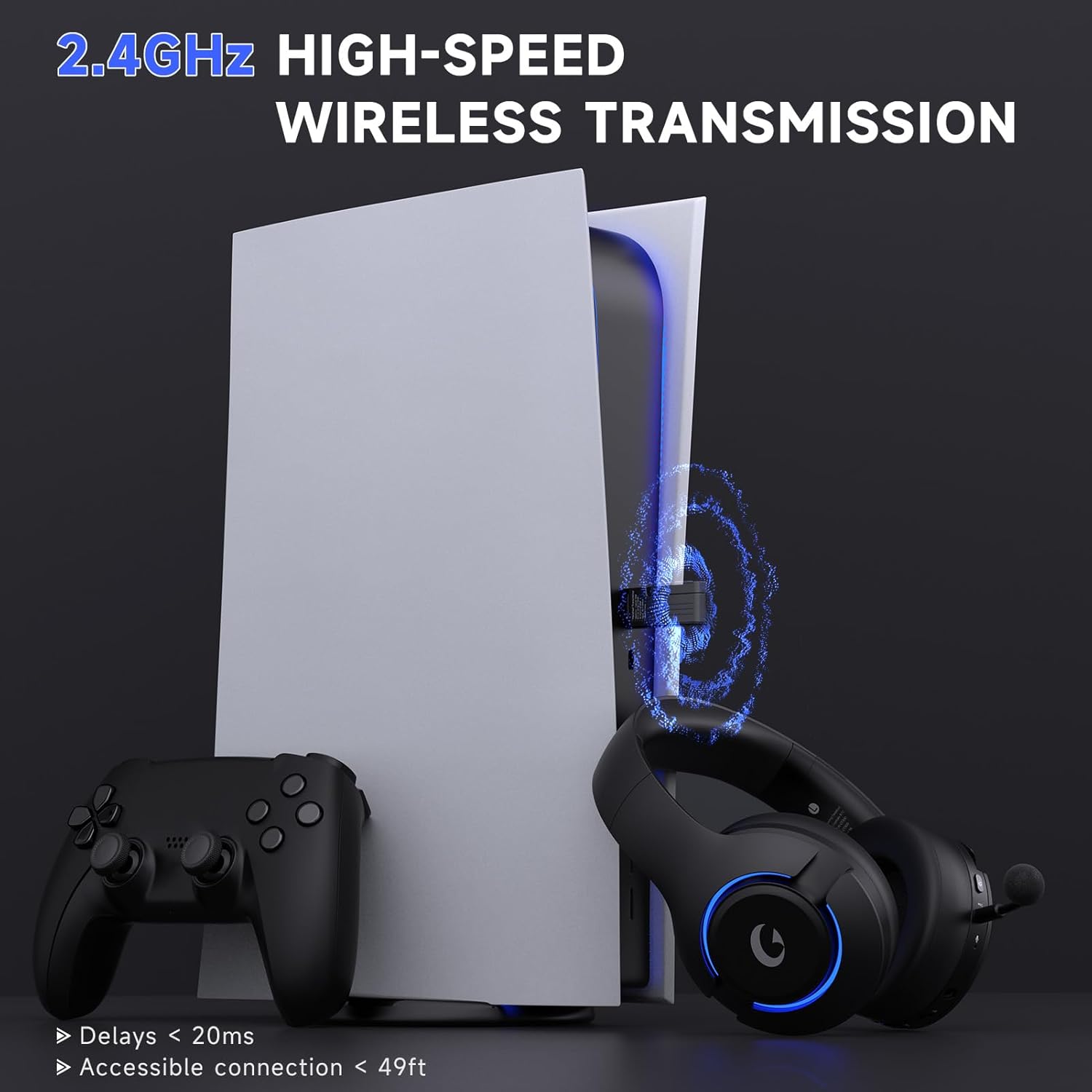
Resim 4.2: High-speed 2.4GHz wireless transmission for gaming.
4.2. Bluetooth 5.3 Bağlantısı
This mode is ideal for mobile phones, tablets, and laptops.
- Ensure the headset is powered off. Slide the mode switch on the headset to the "BT" position. The indicator light will flash blue, indicating pairing mode.
- On your device, enable Bluetooth and search for available devices. Select "Captain 370" from the list to pair.
- Once connected, the indicator light on the headset will turn solid blue.
- For Nintendo Switch: Access System Settings, select "Bluetooth Audio," and choose "Captain 370" to pair. Note that Bluetooth microphones are not supported on Switch.
Video 4.3: Short preview demonstrating how to connect the Gtheos Captain 370 headset to a Nintendo Switch via Bluetooth.
4.3. 3.5 mm Kablolu Bağlantı
This mode is compatible with Xbox and other consoles that support a 3.5mm audio jack.
- Insert the 3.5mm audio cable into the headset's 3.5mm audio port.
- Connect the other end of the 3.5mm audio cable to your console's controller or device.
- For Xbox controllers, an adapter (not included) may be required as audio cables alone are not directly compatible.
Video 4.4: Instructions for connecting the Gtheos Captain 370 headset to an Xbox console via wired connection.
5. Kullanım Talimatları
5.1. Microphone Installation and Usage
To install the detachable microphone:
- Locate the microphone port on the headset (refer to Image 3.2).
- Firmly insert the microphone into the jack until you feel a slight 'click,' indicating a secure and proper connection.
Video 5.1: Detailed guide on how to properly install the detachable microphone on your Gtheos Captain 370 headset.
To mute the microphone, single-click the multi-function button (refer to Image 3.1).
5.2. RGB Aydınlatma Kontrolü
The headset features RGB breathing lights:
- Çift tıklama: Change the color of the breathing lights.
- Uzun basma: Turn off the breathing light.
To extend battery usage time, it is recommended to turn off the breathing lights when not needed.
6. Şarj ve Pil Ömrü

Resim 6.1: Pil özellikleri ve şarj detayları.
The Gtheos Captain 370 headset offers up to 45 hours of wireless play on a full charge. Charging is done via the included USB Type-C cable and takes approximately 3 hours for a full charge.
- Gaming Time: 40-45 saat
- Şarj Süresi: 3 saat
- Pil Kapasitesi: 1000mAh
- Düşük Pil Uyarısı: Below 3% battery, a voice alert will sound.
7. Bakım ve Koruma
- Kulaklığınızı yumuşak ve kuru bir bezle silerek temiz tutun.
- Kulaklığı aşırı sıcaklıklara, neme veya doğrudan güneş ışığına maruz bırakmaktan kaçının.
- Kulaklığı fiziksel hasardan korumak için güvenli bir yerde saklayın.
- Kulaklığı kendiniz sökmeye veya tamir etmeye çalışmayın, çünkü bu garantiyi geçersiz kılabilir.
8. Sorun Giderme
- Microphone not working on Switch: The microphone function is not supported when using the 2.4GHz wireless mode with Nintendo Switch.
- Microphone not working (general): Check if the microphone mute button is activated. Switch the "Microphone Button" to unmute.
- Echo when using with PS5: To reduce echo, keep the volume level of the headset at approximately 80%-85%.
- Xbox wired connection: An adapter (not included) is required when using a 3.5mm audio cable to connect to an Xbox controller.
9. Özellikler
| Özellik | Şartname |
|---|---|
| Marka | Gtheo'lar |
| Model Numarası | Kaptan 370 |
| Bağlantı | 2.4GHz Wireless, Type-C Wireless, Bluetooth 5.3, 3.5mm Wired |
| Sürücüler | 50mm Dinamik Sürücüler |
| Ses Özellikleri | 3D Surround Ses |
| Mikrofon | Detachable Noise-Canceling (ENC) Boom Mic, Built-in Backup Mic |
| Pil Ömrü | 45 Saate Kadar |
| Şarj Süresi | 3 Saat (C Tipi) |
| kablosuz Menzil | 49 feet'e kadar |
| Gecikme | Ultra düşük 20 ms |
| Ek Özellikler | RGB Aydınlatma |
10. Garanti ve Destek
The Gtheos Captain 370 Wireless Gaming Headset comes with a 1-year warranty from the date of purchase. For any technical assistance, troubleshooting, or warranty claims, please contact Gtheos customer support. We offer 24/7 service and technical support to ensure your satisfaction.
For further assistance, please visit the official Gtheos websiteye gidin veya ürün ambalajınızda bulunan iletişim bilgilerine başvurun.


