
1. Giriş
Thank you for choosing the TOPTRO TP3 4K Google TV Portable Projector. This manual provides essential information for setting up, operating, and maintaining your projector. Please read it thoroughly before use to ensure optimal performance and safety.
The TOPTRO TP3 is designed to deliver a versatile and immersive viewing experience, featuring integrated Google TV, AI-powered image adjustments, and comprehensive connectivity options. Enjoy your content at home, outdoors, or on the go.
2. Ürün Bittiview
2.1 Temel Özellikler
- Integrated Google TV: Access over 10,000 official streaming applications, including Netflix, Prime Video, and YouTube, without additional devices.
- Google Voice Control: Use the remote control's voice assistant button to search for content, adjust settings, and control playback hands-free.
- AI-Powered Image Adjustment: Features automatic focus, automatic keystone correction, obstacle avoidance, and automatic screen adjustment for a perfectly aligned and clear image within seconds.
- Native 1080P Resolution with 4K Decoding: Delivers sharp, detailed images and natural colors, supporting 4K video decoding.
- Kısa Mesafe Atış Oranı (0.8:1): Projects a 60-inch image from just one meter distance, ideal for small spaces.
- 90-Degree Rotating Stand: Allows for flexible projection angles, including ceiling projection.
- Gelişmiş Bağlantı: Equipped with dual-band WiFi 6, Bluetooth 5.3, HDMI ARC, USB, and a 3.5mm audio jack for wide device compatibility.
- Taşınabilir Tasarım: Weighing only 1.2 kg (2.6 lbs) with a hidden carry handle, making it easy to transport.
2.2 Paket İçeriği
Paketin içerisinde tüm ürünlerin mevcut olduğundan emin olun:
- TOPTRO TP3 Projektör
- Uzaktan kumanda
- HDMI Kablosu
- Güç Adaptörü
- Kullanıcı Kılavuzu
3. Kurulum
3.1 İlk Yerleştirme
Place the projector on a stable, flat surface. The 90-degree rotating stand allows for various projection angles, including wall, ceiling, or tabletop. For optimal image quality, ensure the projection surface is smooth and light-colored.

Image: The TOPTRO TP3 projector can be used in diverse environments, from living rooms to outdoor camping, showcasing uyarlanabilirliği.
3.2 Güç Bağlantısı
- Connect the power adapter to the projector's power input.
- Plug the power adapter into a suitable electrical outlet (220V).
- Projektörü açmak için projektör üzerindeki veya uzaktan kumandadaki güç düğmesine basın.
3.3 Ağ Bağlantısı
Upon first startup, follow the on-screen prompts to connect to your Wi-Fi network. The projector supports dual-band WiFi 6 for a fast and stable connection.
3.4 Google TV Kurulumu
After connecting to Wi-Fi, sign in with your Google account to access Google TV and download applications from the Google Play Store. This step is crucial for utilizing the integrated streaming services.

Image: The projector's interface showing integrated Google TV with direct access to popular streaming applications.
4. Kullanım Talimatları
4.1 Temel İşlemler
- Güç Açma/Kapatma: Uzaktan kumanda veya projektör üzerindeki güç düğmesine basın.
- Navigasyon: Use the directional buttons on the remote to navigate menus.
- Seçim: Seçimlerinizi onaylamak için 'Tamam' düğmesine basın.
- Ses Kontrolü: Uzaktan kumandadaki ses düğmelerini kullanın.
4.2 Görüntü Ayarı
The TOPTRO TP3 features AI-powered automatic image adjustments:
- Otomatik odaklama: Projeksiyon cihazı görüntü netliğini otomatik olarak ayarlar.
- Otomatik Çarpıklık Düzeltme: Automatically corrects distorted images to a rectangular shape.
- Engel kaldırma: Detects and adjusts the image to avoid objects on the projection surface.
- Auto Screen Adjustment: Görüntüyü ekran alanına sığacak şekilde optimize eder.
These adjustments occur automatically within seconds of powering on or repositioning the projector. Manual digital zoom (80-100%) is also available for fine-tuning image size.

Image: Visual representation of the projector's AI-powered automatic image adjustment features, ensuring a clear and aligned picture.
4.3 Google Voice Control
Press the dedicated voice assistant button on your remote control and speak your command. For example, say "Open YouTube" or "Play music." The projector will respond to your voice commands for quick access to functions and content.
4.4 Screen Mirroring (Google Cast)
Utilize Google Cast technology to wirelessly mirror content from your smartphone or tablet to the projector. For iPhone users, download the "AirScreen" application from the Google Play Store on the projector for wireless screen mirroring.
4.5 Rotating Stand Usage
The integrated 90-degree rotating stand allows you to easily adjust the projection angle. Simply pivot the projector to direct the image onto a wall, screen, or ceiling. This feature is particularly useful for bedroom viewing or creative setups.
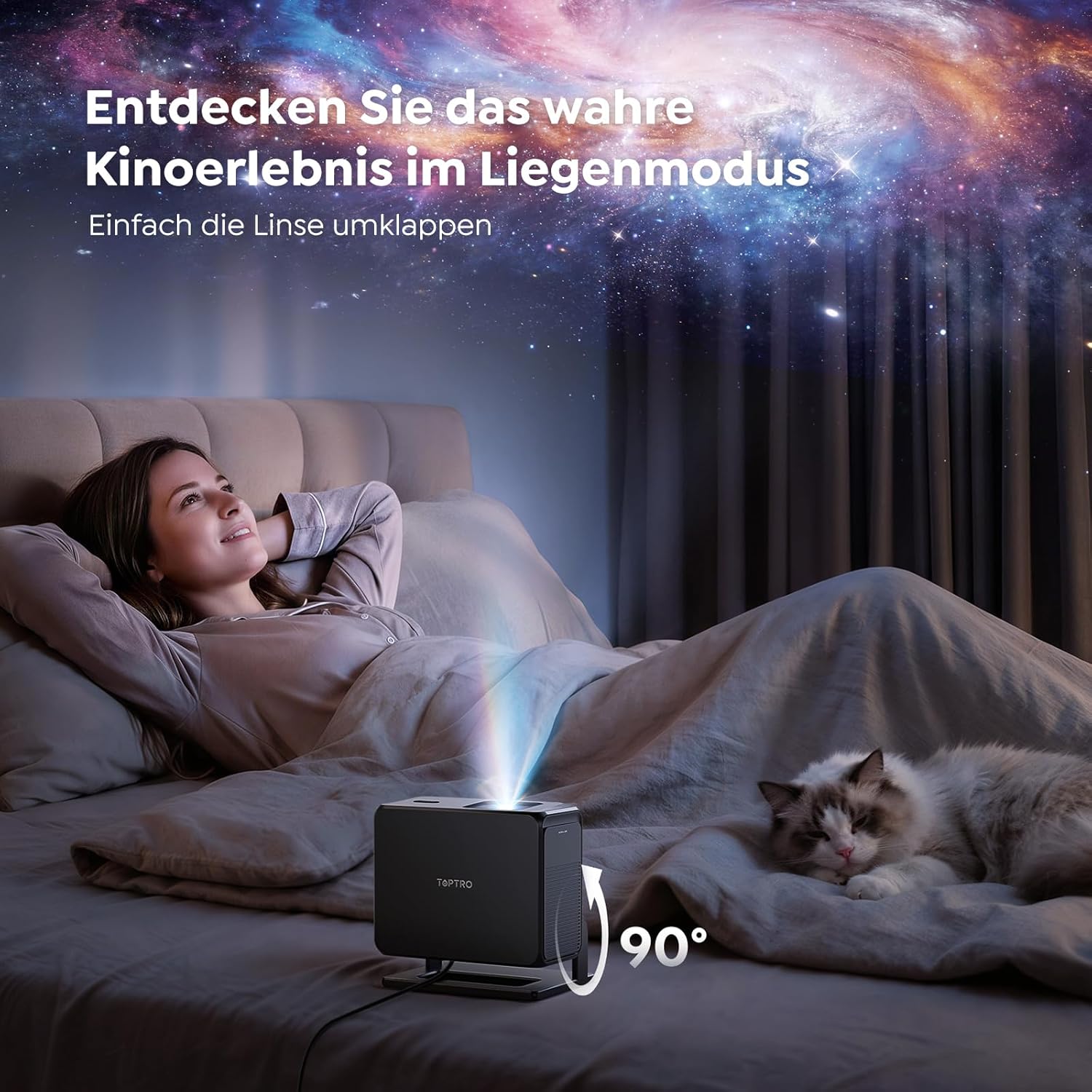
Image: The TOPTRO TP3 projector rotated 90 degrees to project content onto a bedroom ceiling, offering a unique viewDeneyim.
5. Bağlantı
5.1 Kablolu Bağlantı
- HDMI ARC/CEC: Connect external devices like laptops, gaming consoles (Xbox/PlayStation 5), or Blu-ray players. The ARC feature allows audio to be sent back to a compatible sound system.
- USB BAĞLANTI: Medya oynatımı için USB sürücülerini bağlayın.
- 3.5 mm Ses Jakı: Harici kablolu hoparlör veya kulaklık bağlayın.
5.2 Kablosuz Bağlantılar
- Kablosuz 6: Provides faster and more stable wireless connectivity for streaming and online content.
- Bluetooth 5.3: Connect Bluetooth headphones or speakers for an enhanced audio experience.
6. Bakım
6.1 Lensin Temizlenmesi
Gently clean the projector lens with a soft, lint-free cloth designed for optical surfaces. Avoid using abrasive cleaners or excessive force, as this can scratch the lens.
6.2 Genel Temizlik
Projektörün dış yüzeyini yumuşak, kuru bir bezle silin. Cihazın üzerine doğrudan sıvı temizleyiciler kullanmayın.
6.3 Depolama
Kullanılmadığı zamanlarda projektörü serin, kuru bir yerde, doğrudan güneş ışığından ve aşırı sıcaklıklardan uzakta saklayın. Toz birikmesini ve hasarı önlemek için orijinal ambalajını veya koruyucu bir kılıfı kullanın.
7. Sorun Giderme
7.1 Görüntü Gösterilmiyor
- Projektörün açık olduğundan ve bir güç kaynağına bağlı olduğundan emin olun.
- Check all cable connections (HDMI, USB) to external devices.
- Projektörde seçilen giriş kaynağının bağlı cihazla eşleştiğini doğrulayın.
- Confirm the lens cap is removed.
7.2 Bulanık Görüntü
- Otomatik odaklama fonksiyonunun ayarını tamamlamasına izin verin.
- Projeksiyon yüzeyinin düz ve projektörün sabit olduğundan emin olun.
- Clean the projector lens if smudges or dust are visible.
7.3 Ses Yok
- Projeksiyon cihazının ve bağlı kaynak cihazın ses seviyesini kontrol edin.
- Ensure external speakers or headphones are properly connected (wired or Bluetooth).
- If using HDMI ARC, verify your sound system is compatible and correctly configured.
7.4 Uzaktan Kumanda Çalışmıyor
- Uzaktan kumandanın pillerini değiştirin.
- Uzaktan kumanda ile projektörün IR alıcısı arasında herhangi bir engel olmadığından emin olun.
For further assistance, refer to the detailed troubleshooting section in the full user manual or contact customer support.
8. Özellikler
| Özellik | Şartname |
|---|---|
| Marka | TOPTRO |
| Model Adı | TP3 |
| Yerel Çözünürlük | 1920x1080 (1080P) |
| Video Decoding Support | 4K |
| Görüntü Türü | NEDEN OLMUŞ |
| Özel Özellikler | Auto Focus, Auto Keystone Correction, Obstacle Avoidance, Auto Screen Adjustment, Google TV, Google Voice Control |
| Bağlantı Teknolojisi | HDMI, USB, Bluetooth 5.3, Wi-Fi 6 |
| Donanım Arayüzü | HDMI ARC/CEC, USB, 3.5mm Audio |
| Ürün Boyutları (UxGxY) | 19.4x15.8x14.1 cm |
| Ürün Ağırlığı | 1.2 kilo |
| Form Faktörü | Taşınabilir |
| Montaj Tipi | Ceiling Mount, Tabletop, Wall |
| Minimum Resim Boyutu | 40 inç |
| Maksimum Görüntü Boyutu | 120 inç |
| Maksimum Atış Mesafesi | 2.13 metre |
| Cilttage | 220 Volt |
| Dahil Bileşenler | HDMI Kablosu |
| Renk | Siyah |
| Denetleyici Türü | Uzaktan kumanda |
| Uyumlu Cihazlar | Xbox/PlayStation 5, Smartphone, Tablet, Laptop, Speaker, Notebook |
| Önerilen Kullanımlar | Gaming, Business, Home Cinema, Education |
9. Garanti ve Destek
9.1 Garanti Bilgileri
Please refer to the warranty card included with your product for specific warranty terms and conditions. Keep your proof of purchase for warranty claims.
9.2 Müşteri Desteği
If you encounter any issues or have questions regarding your TOPTRO TP3 projector, please contact our customer service team. We provide prompt, professional, and effective support to ensure a smooth user experience.
Contact details can typically be found on our official websitede veya garanti belgesinde yer almaktadır.