
1. Giriş
The Daitsu Velar ceiling fan combines design, technology, and sustainability to provide comfort throughout the year. Its natural FSC-certified wooden blades, sourced from responsibly managed forests, add warmth to any room while committing to the protection of the planet's forest resources.
This manual provides detailed instructions for the safe installation, operation, and maintenance of your Daitsu Velar ceiling fan. Please read it thoroughly before installation and keep it for future reference.
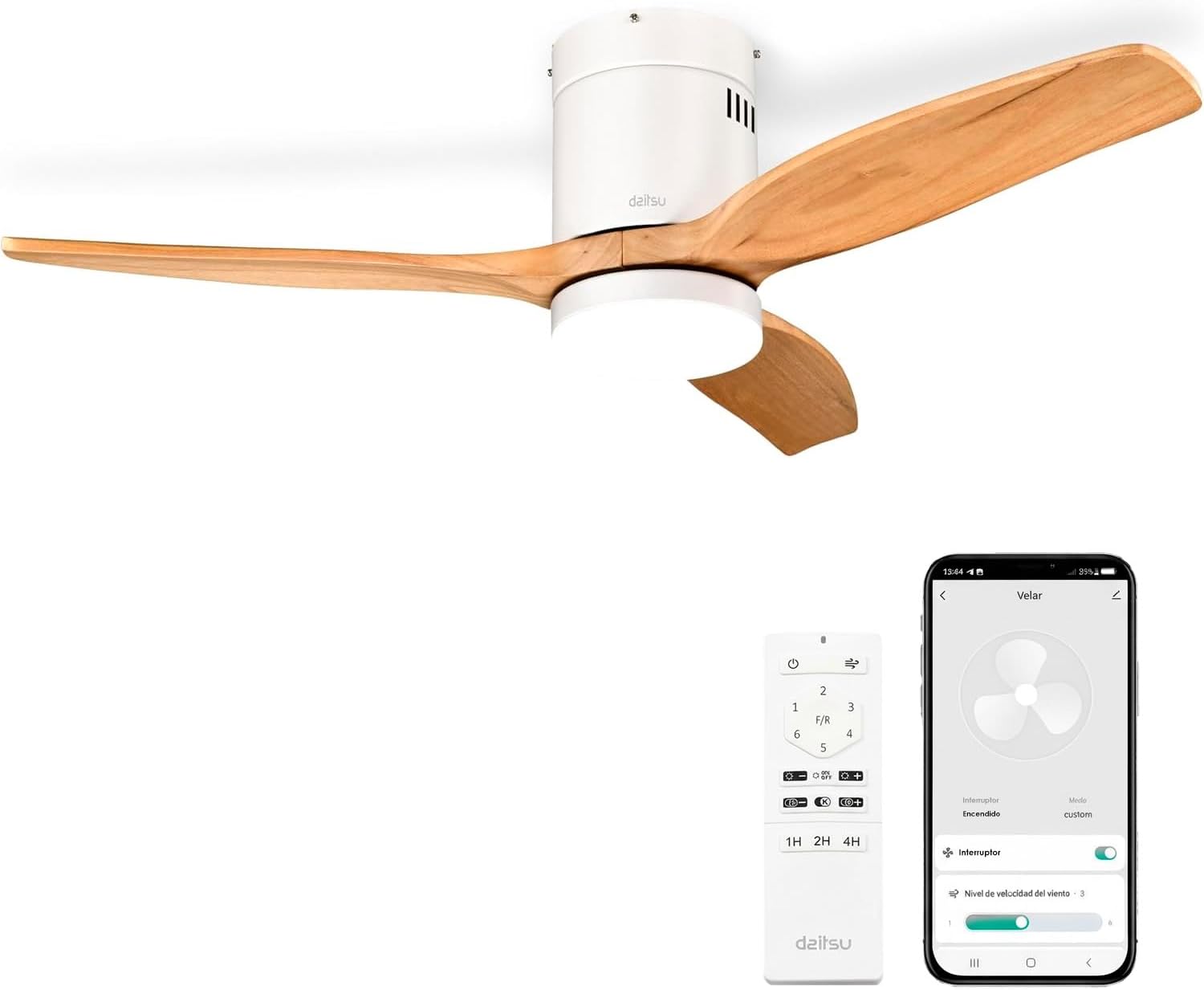
Image 1.1: Daitsu Velar Ceiling Fan in a living room setting.
2. Güvenlik Bilgileri
Önemli Güvenlik Talimatları:
- Kurulum ve kullanımdan önce tüm talimatları dikkatlice okuyun.
- Kurulum veya bakım işlemlerinden önce güç kaynağının ana devre kesiciden bağlantısının kesildiğinden emin olun.
- Kurulum, yerel elektrik yönetmeliklerine uygun olarak kalifiye bir elektrikçi tarafından yapılmalıdır.
- The mounting structure must be capable of supporting the weight of the fan (approximately 4.6 kg).
- Ensure the fan blades are at least 2.3 meters (7.5 feet) from the floor and have at least 0.5 meters (1.6 feet) clearance from walls or other obstructions.
- Dönen bıçakların hareket yoluna herhangi bir cisim sokmayın.
- Vantilatörü kendiniz tamir etmeye veya değiştirmeye çalışmayın. Yetkili servis personeliyle iletişime geçin.
- Bu cihaz yalnızca iç mekanlarda kullanıma uygundur.
3. Paket İçeriği
Before beginning installation, verify that all components are present and undamaged:
- Fan Kanatları (3 adet)
- Motor and Ceiling Mount Bracket
- LED Light Kit (plate + diffuser)
- Wireless Remote Control and Wall Mount Holder
- Mounting Screws (for ceiling and blades)
- Kullanım Kılavuzu (bu belge)

Resim 3.1: Örn.ample of product packaging, indicating included components.
4. Kurulum ve Kurulum
Gerekli Araçlar: Screwdriver, wire strippers, electrical tape, ladder, drill (if necessary).
- Güç Bağlantısının Kesilmesi: Elektrik çarpmasını önlemek için ana devre kesiciden elektriği kesin.
- Montaj Braketi Kurulumu: Securely attach the ceiling mount bracket to a ceiling joist or a suitable electrical junction box capable of supporting the fan's weight. Use the provided mounting screws.
- Kablolama: Connect the fan's electrical wires to the household wiring according to the wiring diagram in the full installation guide (not provided here, but typically included with the product). Ensure all connections are secure and insulated.
- Motor Montajı: Carefully lift the fan motor assembly and hang it onto the mounting bracket.
- Bıçak Ataşmanı: Attach the three wooden blades to the motor housing using the provided screws. Ensure they are securely fastened.
- LED Light Kit Installation: Connect the LED light kit wiring and attach the light plate and diffuser to the bottom of the fan motor housing.
- Kanopi Kurulumu: Kanopiyi tavana doğru kaydırın ve kabloları ve montaj braketini kapatacak şekilde sabitleyin.
- Güç Restorasyonu: Ana devre kesiciden elektriği geri verin.
- Uzaktan Kumanda Kurulumu: Insert batteries into the remote control. The fan should be ready for operation.
- Wi-Fi App Setup (Daitsu Connect):
- Download the "Daitsu Connect" app from your smartphone's app store.
- Follow the in-app instructions to pair your fan with your mobile device. This typically involves putting the fan into pairing mode (refer to the full app manual for specific steps).
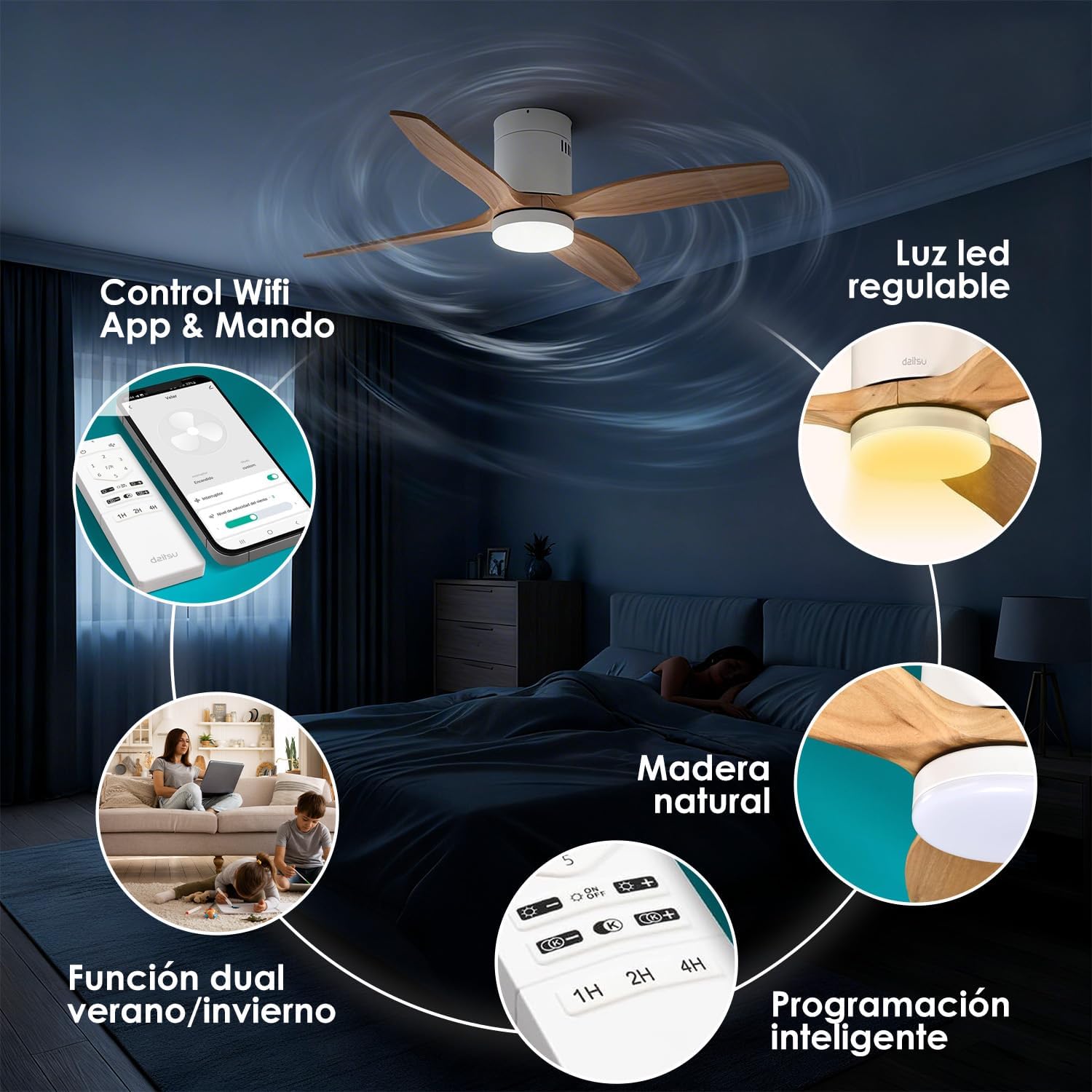
Resim 4.1: Üzeriview of fan features, including Wi-Fi App & Remote Control.
5. Kullanım Talimatları
Your Daitsu Velar ceiling fan can be controlled using the included wireless remote control or the Daitsu Connect mobile application.
5.1. Uzaktan Kumanda İşlevleri

Image 5.1: Remote control and Daitsu Connect App interface.
- Güç Açma/Kapatma: Basın Güç Fanı ve ışığı açmak veya kapatmak için düğme.
- Fan Hızı: Use the speed buttons (1-6) to select one of the six available fan speeds. There is also a variable mode that alternates between low levels for a more natural air sensation.
- Summer/Winter Function (F/R): Basın FR button to switch between summer and winter modes.
- Yaz Modu: Blades rotate counter-clockwise, pushing air downwards to create a cooling breeze.
- Kış Modu: Blades rotate clockwise, drawing cool air up and pushing warm air down from the ceiling, optimizing heating efficiency.
- Işık Kontrolü:
- Işık Açık/Kapalı: LED ışığını açmak veya kapatmak için ışık düğmesine basın.
- Parlaklık Ayarı: Kullanın + Ve - buttons to adjust the light intensity (9 levels).
- Renk Sıcaklığı Ayarı: Kullanın K+ Ve K- buttons to change the color temperature from cool to warm (9 levels).
- Zamanlayıcı Fonksiyonu: Set the fan to automatically turn off after 1, 2, or 4 hours using the respective timer buttons (1H, 2H, 4H).

Image 5.2: Summer/Winter function diagram for optimal air circulation.

Image 5.3: LED light adjustability with 9 intensity and color temperature levels.
5.2. Daitsu Connect App Control
The Daitsu Connect app provides full control over all fan functions, including speed, light, mode, and timer, directly from your mobile device. It also allows for personalized hourly programming to automate operation based on your daily or weekly routines.
- Tam Fonksiyonellik: Access all remote control features and more.
- Gelişmiş Planlama: Program specific on/off times and settings for different days.
- Hafıza Fonksiyonu: The fan automatically remembers its last state (speed, light, color temperature, and mode) if power is interrupted or turned off from the switch. Upon power restoration, it will resume the last settings.

Image 5.4: Key features including 6 speeds, programming, light levels, and dual control.
6. Bakım
Düzenli bakım, fanınızın optimum performans göstermesini sağlar ve kullanım ömrünü uzatır.
- Temizlik:
- Temizlemeden önce daima gücü kesin.
- Wipe the fan housing and blades with a soft, damp bezle silin. Aşındırıcı temizleyiciler veya çözücüler kullanmayın.
- Dust the blades regularly to maintain balance and efficiency.
- Bıçak Denetimi: Periodically check that all blade screws are tight. Loose screws can cause wobbling and noise.
- Işık kaynağı: The integrated LED light is designed for long life. If it requires replacement, contact customer support.
7. Sorun Giderme
Fanınızla ilgili sorunlar yaşıyorsanız, aşağıdaki yaygın sorunlara ve çözümlere bakın:
| Sorun | Olası Neden | Çözüm |
|---|---|---|
| Fan çalışmıyor. | Elektrik yok, kablolar gevşek, uzaktan kumanda pili bitmiş. | Check circuit breaker. Ensure wiring is secure. Replace remote control batteries. |
| Fan sallanıyor. | Loose blade screws, unbalanced blades, improper mounting. | Tighten all blade screws. Ensure blades are balanced (a balancing kit may be required). Recheck mounting bracket security. |
| Işık çalışmıyor. | Loose wiring, LED module failure. | Check light kit wiring connections. If issue persists, contact customer support for LED module replacement. |
| Uzaktan kumanda yanıt vermiyor. | Dead batteries, interference, remote not paired. | Replace batteries. Ensure no obstructions. Re-pair remote if necessary (refer to full manual). |
| Wi-Fi app connection issues. | Incorrect Wi-Fi password, poor signal, fan not in pairing mode. | Verify Wi-Fi password. Ensure fan is within Wi-Fi range. Follow app instructions to put fan in pairing mode. |
If the problem persists after attempting these solutions, please contact Daitsu customer support.
8. Özellikler
| Özellik | Detay |
|---|---|
| Marka | Daitsu |
| Model Numarası | VELAR |
| Boyut | Ø122cm (suitable for rooms up to 25m²) |
| Boyutlar (D x G x Y) | 106.5 cm x 106.5 cm x 31.5 cm (Note: The Ø122cm refers to the blade span, while 106.5cm might be the housing dimensions or a different measurement.) |
| Ağırlık | 4.6 Kilogram |
| Renk | White with Wooden Blades |
| Bıçak Sayısı | 3 |
| Güç Kaynağı | Kablolu Elektrik |
| Cilttage | 240 Volt |
| Güç Tüketimi | 30 Watt |
| Hava Akış Kapasitesi | Dakikada 121 Metreküp |
| Hız Sayısı | 6 |
| Gürültü Seviyesi | 34 Decibels (Ultra-silent DC motor) |
| Özel Özellikler | Natural wooden blades, Remote control, App control (Wi-Fi), Dimmable LED light (18W, 9 intensity levels, 9 color temperatures), Summer/Winter function, Smart memory function, Programmable auto-off. |
| Önerilen Kullanım | Air circulation, Ventilation (Indoor use only) |

Image 8.1: Dimensions for the Ø122cm model.
9. Garanti ve Destek
Garanti: Bu ürün 3 yıl üretici garantisiyle birlikte gelir.
Müşteri Desteği: For technical assistance, warranty claims, or any questions regarding your Daitsu Velar ceiling fan, please contact Daitsu customer service through their official websatın alma belgelerinizle birlikte verilen site veya iletişim bilgileri.
Please have your model number (VELAR) and proof of purchase ready when contacting support.