
1. Giriş
Thank you for choosing the VOCOO 15.7" Digital Wall Timer and Clock. This device is designed to provide clear time display, versatile countdown and count-up timer functions, and customizable alarm settings for various environments such as offices, homes, kitchens, gyms, and classrooms. Please read this manual carefully to ensure proper setup and operation.
2. Neler Dahil?
Paketin tüm bileşenlerinin mevcut olduğunu doğrulayın:
- VOCOO 15.7" Digital Wall Timer and Clock
- Uzaktan kumanda
- 16.4ft Güç Kablosu
- 5V/2A Güç Adaptörü
- 3 x AAA Batteries (for memory backup)
- 2 x AAA Pil (uzaktan kumanda için)
- Kullanım Kılavuzu (bu belge)
3. Kurulum
3.1 Güç Bağlantısı
- Connect the 16.4ft power cord to the DC 5V input port on the back of the timer.
- Plug the 5V/2A power adapter into a standard electrical outlet. The timer will power on automatically.
3.2 Memory Backup Battery Installation
The timer uses 3 AAA batteries (included) to retain settings during power outages. This ensures that time, colors, and alarms are preserved without reprogramming.
- Zamanlayıcının arka tarafında bulunan pil bölmesini bulun.
- Bölme kapağını açın.
- 3 adet AAA pili, doğru kutuplara (+/-) dikkat ederek takın.
- Pil bölmesi kapağını sıkıca kapatın.

Image: Illustration of memory backup battery installation. The diagram shows the timer connected to power and the location for AAA batteries to preserve settings during power loss.
3.3 Uzaktan Kumanda Pilinin Takılması
Uzaktan kumanda 2 adet AAA pil gerektirir (piller dahildir).
- Uzaktan kumandanın arkasındaki pil yuvasını açın.
- 2 adet AAA pili, kutuplarının doğru olduğundan emin olarak takın.
- Bölme kapağını kapatın.
3.4 Montaj ve Yerleştirme
The timer can be wall-mounted or placed on a desk.
- Duvara Montaj: Use the keyhole slots on the back of the timer to hang it securely on screws (not included) in your desired wall location.
- Masa Yerleşimi: Place the timer on a flat, stable surface.
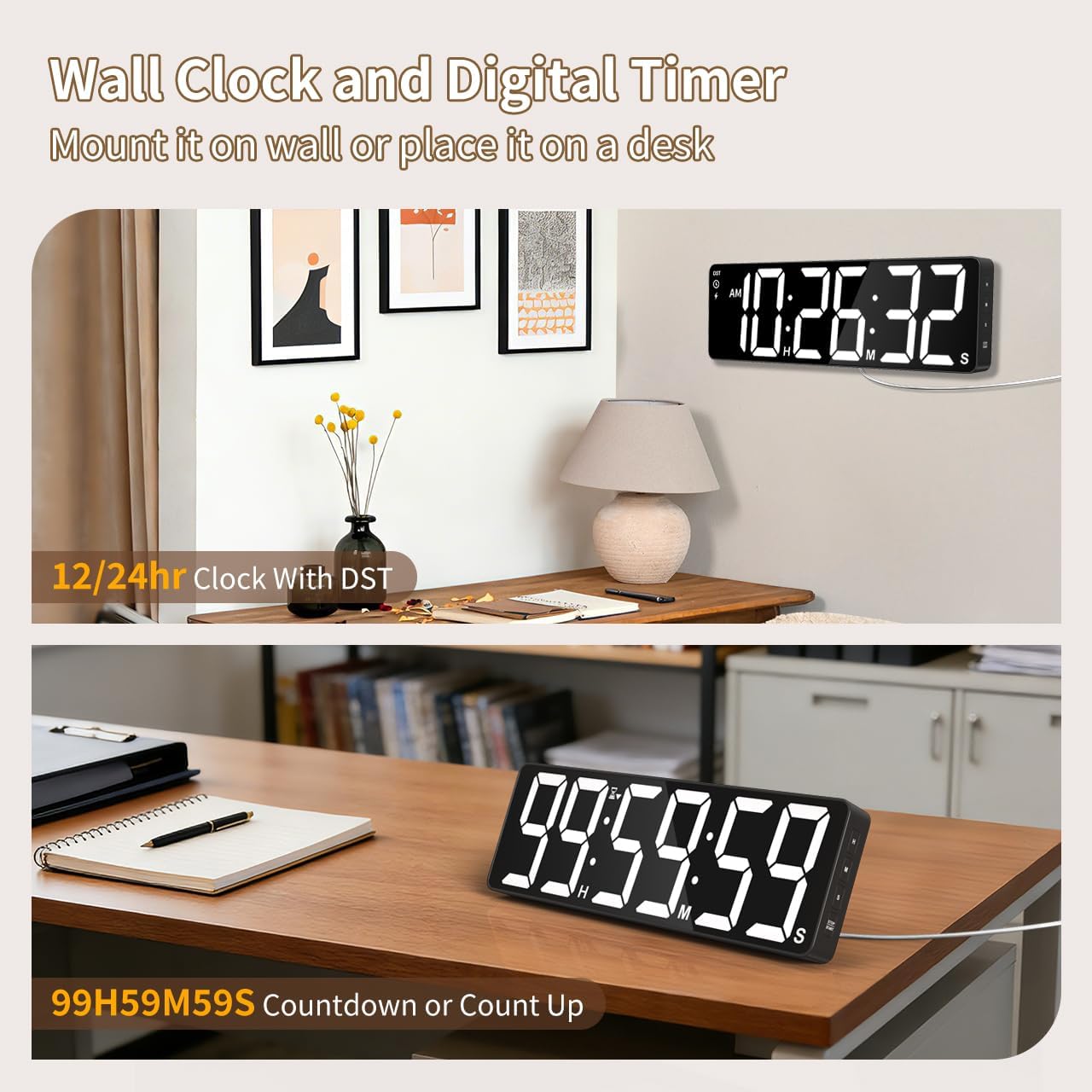
Resim: Eskiamples of the digital timer's placement, showing it mounted on a wall and resting on a desk, illustrating its versatility.
4. Kullanım Talimatları
The timer can be operated using the buttons on the device or the included remote control.

Resim: Üzeriview of the timer's physical buttons and the remote control, highlighting their functions for easy operation.
4.1 Basic Clock Settings
Upon initial power-on or after a full power loss without backup batteries, the clock may need to be set.
- Zaman Ayarı: Basın AYARLAMAK button on the remote or device. Use the number buttons (0-9) on the remote or the YUKARI/AŞAĞI buttons on the device to adjust hours and minutes. Press AYARLAMAK Tekrar onaylamak için.
- 12/24 Saat Formatı: Basın 12/24H button on the remote to switch between 12-hour (with AM/PM indicator) and 24-hour formats.
- Yaz Saati Uygulaması (DST): The timer features automatic DST adjustment. Ensure the DST setting is enabled if your region observes it. Refer to the remote control for a dedicated Yaz saati uygulaması button or a combination key press.
4.2 Parlaklık Ayarı
The display has 3 brightness levels.
- Basın PARLAKLIK button on the remote or device to cycle through the available brightness levels (Dim, Medium, Bright).
4.3 Renk Seçimi
Choose from 18 color options for the display digits.
- Basın AÇIK RENK button on the remote or device to cycle through 8 solid colors, 3 RGB fixed colors, and 7 RGB gradient colors.

Image: Visual representation of the 18 color options and 3 brightness levels (Dim, Medium, Bright) available for the timer's display.
4.4 Timer Functions (Countdown/Count Up)
The timer supports both countdown and count-up modes, up to 99 hours, 59 minutes, and 59 seconds.
- Set Countdown: Basmak ZAMANLAYICI on the remote. Use the number buttons (0-9) to input the desired time (HH:MM:SS). Press BAŞLAT/DURAKLAT başlamak için.
- Count Up (Stopwatch): Basmak ZAMANLAYICI ve daha sonra TEMİZLEMEK to set the timer to 00:00:00. Press BAŞLAT/DURAKLAT Yukarı doğru saymaya başlamak için.
- Duraklat/Sürdür: Basmak BAŞLAT/DURAKLAT during an active timer to pause or resume.
- Reset: Basmak SIFIRLAMA to clear the current timer setting.
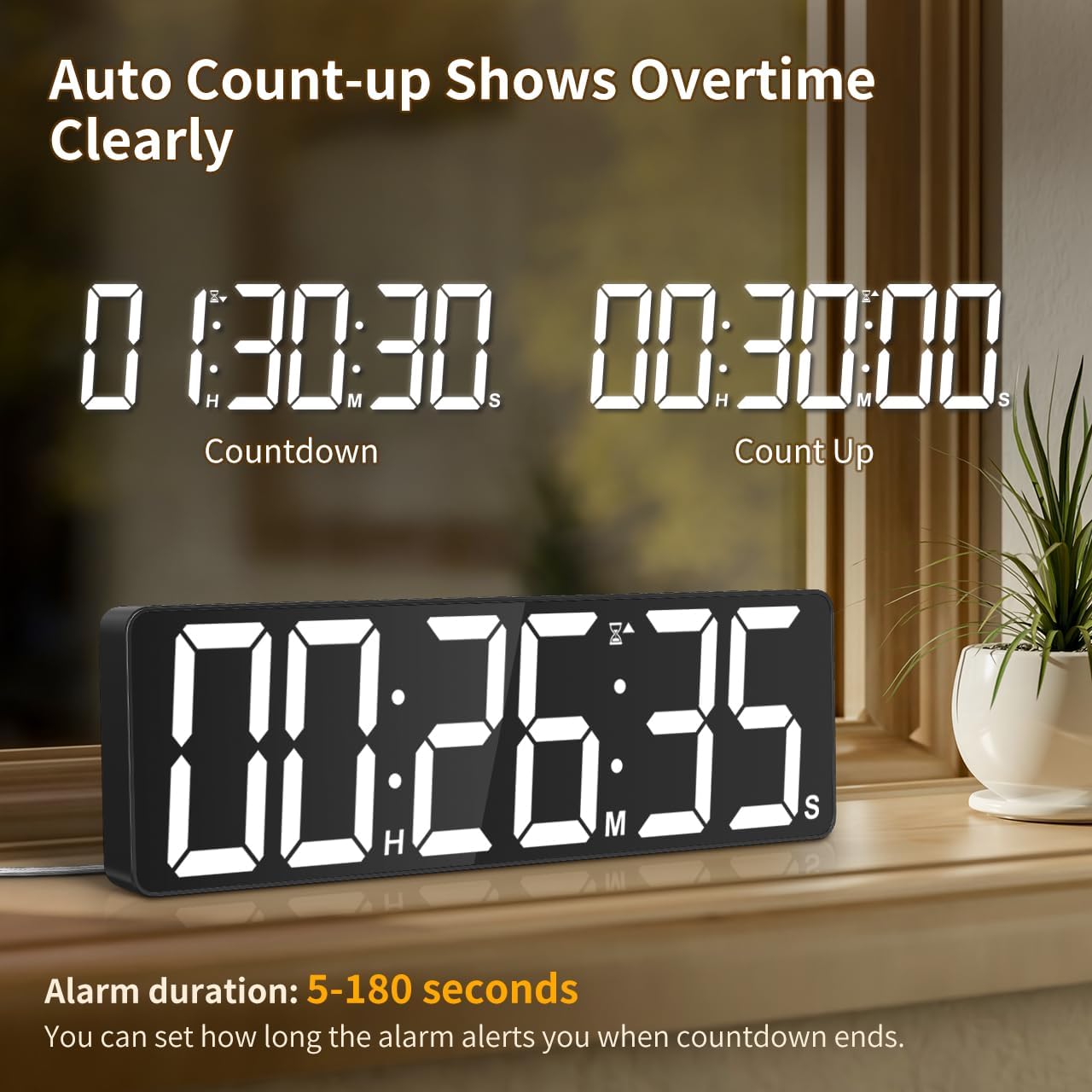
Image: The timer showing a countdown from 01:30:30 and an automatic count-up to 00:30:00 after a countdown finishes, indicating overtime tracking.
4.5 Quick-Set Shortcuts
The remote control includes 6 one-touch shortcut buttons for common timer durations:
- 3 dakikadır.
- 5 dakikadır.
- 15 dakikadır.
- 25 dakikadır.
- 30 dakikadır.
- 5 saat
Press the desired shortcut button to instantly set and start a countdown.
4.6 Alarm Ayarları
The timer offers 6 distinct ringtones and 4 adjustable volume levels.
- Alarm kurmak: Basmak ALARM on the remote. Use number buttons to set the alarm time. Press ALARM Tekrar onaylamak için.
- Select Ringtones: Basın ZİL SESİ button on the remote to cycle through the 6 available tones (Buzzer, Melody 1-5).
- Sesi Ayarla: Basın HACİM button on the remote to cycle through 4 volume levels (L01-L04) or L00 for silent mode (digits flash).
- Alarm Süresi: The alarm duration can be set from 5 to 180 seconds. Refer to the remote control for specific buttons or combination presses to adjust this setting.
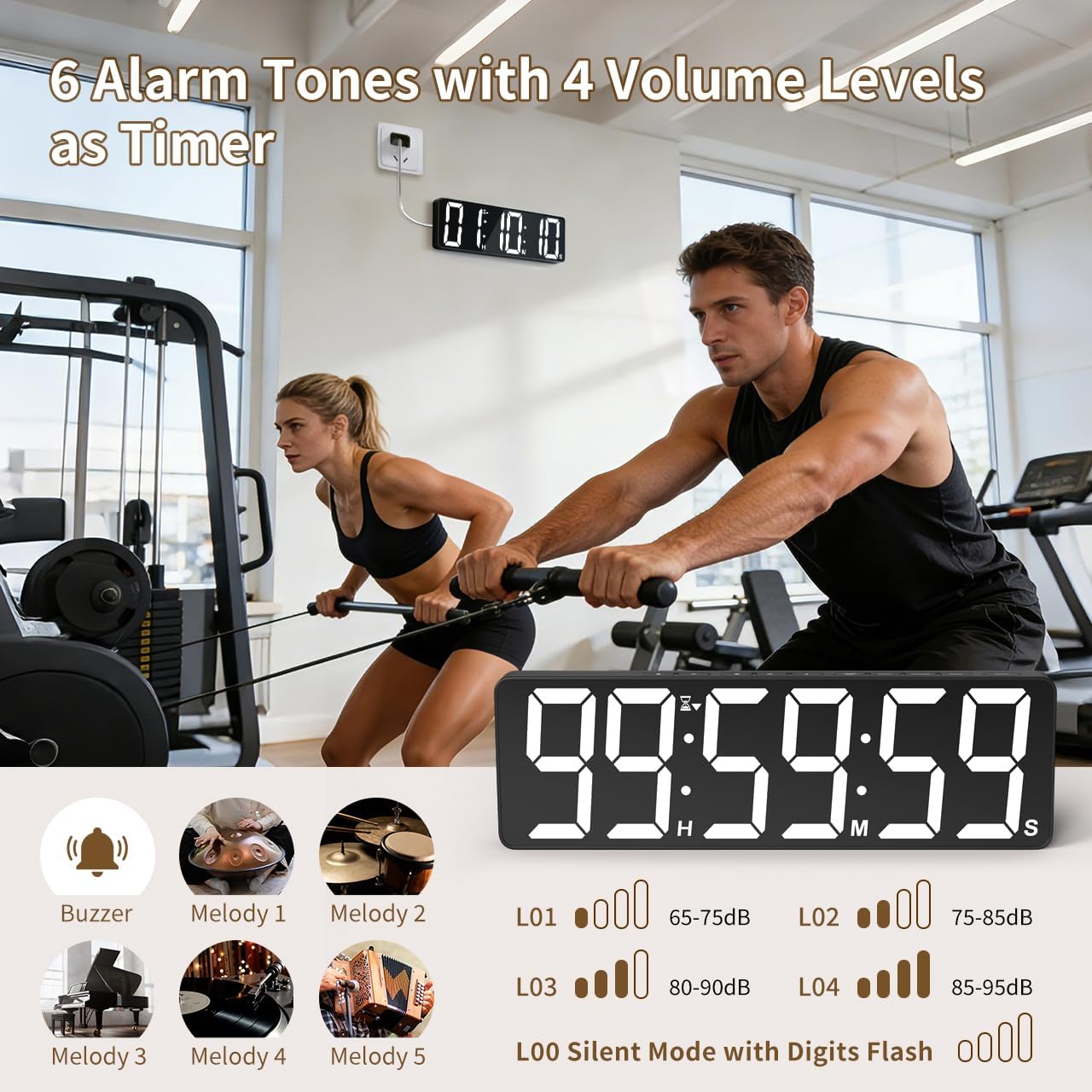
Image: Visual guide to the 6 alarm tones (Buzzer, Melody 1-5) and 4 volume levels (L01-L04), including a silent mode (L00) with flashing digits.
5. Bakım
5.1 Temizlik
To clean the timer, gently wipe the display and casinYumuşak, kuru bir bezle silin. Aşındırıcı temizleyiciler, çözücüler kullanmayın veya doğrudan cihaza püskürtmeyin.
5.2 Pil Değişimi
- Memory Backup Batteries: Replace the 3 AAA batteries in the main unit annually or if you notice settings are not retained during power outagee.
- Uzaktan Kumanda Pilleri: Replace the 2 AAA batteries in the remote control when its range or responsiveness decreases.
Kullanılmış pilleri daima yerel düzenlemelere uygun şekilde atın.
6. Sorun Giderme
- Zamanlayıcı açılmıyor: Ensure the power adapter is securely connected to both the timer and a working electrical outlet. Check if the outlet is functional.
- Uzaktan kumanda çalışmıyor: Check if the remote control batteries are correctly installed and not depleted. Ensure there are no obstructions between the remote and the timer. The remote has a range of 30ft+.
- Elektrik kesintisi sonrasında ayarlar kayboldu.tage: Verify that the 3 AAA memory backup batteries are installed correctly and are not depleted. Replace them if necessary.
- Display is dim or colors are incorrect: Adjust the brightness level using the PARLAKLIK button. Cycle through color options using the AÇIK RENK düğme.
- Alarm not audible: Check the alarm volume setting using the HACİM button on the remote. Ensure it is not set to L00 (silent mode).
7. Özellikler
| Model Numarası | 6247 |
| Görüntü Türü | NEDEN OLMUŞ |
| Ekran Boyutu | 15.7 inç |
| Rakam Yüksekliği | 4.1 inç |
| Renk Seçenekleri | 18 (8 solid, 3 RGB fixed, 7 RGB gradients) |
| Parlaklık Seviyeleri | 3 |
| Zamanlayıcı Aralığı | Up to 99 hours, 59 minutes, 59 seconds |
| Alarm Zil Sesleri | 6 |
| Alarm Ses Seviyeleri | 4 + Silent Mode |
| Alarm Süresi | 5-180 saniye |
| Güç Girişi | 5V/2A Doğru Akım |
| Güç Kablosu Uzunluğu | 16.4 ft (5 metre) |
| Bellek yedekleme | 3 x AAA pil (dahil) |
| Uzaktan Kumanda Pilleri | 2 x AAA pil (dahil) |
| Uzaktan Kumanda Aralığı | 30ft+ |
| Ürün Boyutları (D x G x Y) | 3.7D x 38G x 12Y Santimetre |
| Ürün Ağırlığı | 820 Gram |
| Malzeme | Akrilonitril Bütadien Stiren |
8. Garanti ve Destek
For warranty information or technical support, please refer to the contact details provided with your purchase or visit the official VOCOO webalan. Garanti talepleri için satın alma makbuzunuzu saklayın.