
giriiş
This manual provides detailed instructions for the proper use and maintenance of your CAMMHD H4 1920P Body Camera. Please read this manual thoroughly before operating the device to ensure optimal performance and longevity. The CAMMHD H4 is designed for reliable audio and video recording in various professional and personal scenarios, featuring 1920P Full HD resolution, night vision, and a long-lasting battery.

Image: The CAMMHD H4 Body Camera, illustrating its compact design and 360-degree rotating clip for versatile attachment.
Kutuda Neler Var?
Aşağıda listelenen tüm öğelerin paketinizde bulunduğunu doğrulayın:
- 1* H4 Body Camera (with 64GB memory pre-installed)
- 1* 360° Rotating Long Clip
- 1* 360° Rotating Short Clip
- 1* Şarj cihazı
- 1* USB Kablosu
- 1* Kullanım Kılavuzu

Image: All components included with the CAMMHD H4 Body Camera: the camera unit, long clip, short clip, USB cable, charger, and user manual.
Ürün Bittiview
The CAMMHD H4 Body Camera is a compact and robust recording device. It features a high-definition lens, infrared LEDs for night vision, and intuitive controls for easy operation. The device is designed for durability and versatility in various environments.

Image: The CAMMHD H4 Body Camera highlighting its one-touch start buttons for video and audio recording, emphasizing user-friendly operation.
Temel Özellikler:
- 1920P Full HD Video Resolution: Yiyeceklerin net ve ayrıntılı görüntülerini yakalar.tage.
- 3000mAh Pil: Provides 8-10 hours of continuous recording at 1080P (night vision off, screen idle).
- Auto/Manual Night Vision: High-power infrared for clear recording in low light or darkness.
- 150° Geniş Açılı Lens: Expansive field of view.
- Döngü Kaydı: En eski foo dosyasının üzerine yazar.tage. depolama alanı dolduğunda.
- Hareket Algılama: Records when movement is detected.
- Şifre Koruması: Secures recorded data.
- Zaman Stamp: Embeds date and time into recordings.
Kurmak
1. Cihazın Şarj Edilmesi
Before first use, fully charge the body camera. Connect the USB cable to the camera and then to the provided charger. Plug the charger into a standard wall outlet. The charging indicator light will show the charging status. A full charge typically takes about 4 hours.

Image: The CAMMHD H4 Body Camera emphasizing its 3000mAh battery, capable of 8 hours of continuous use.
2. Attaching the Clip
Select either the long or short 360° rotating clip based on your preference. Attach the clip to the back of the camera by sliding it into the designated slot until it clicks securely into place. The clip allows for flexible mounting on clothing or gear.
3. Açma/Kapama
- Güç Açık: Ekran aydınlanana kadar Güç düğmesini birkaç saniye basılı tutun.
- Kapat: Press and hold the Power button until the device shuts down.
Kullanım Talimatları
1. Video Kaydı
From standby mode, press the dedicated Video Record button once to start recording. The indicator light will flash, and a recording icon will appear on the screen. Press the button again to stop recording. Videos are saved automatically.
2. Ses Kaydı
From standby mode, press the dedicated Audio Record button once to start audio-only recording. An audio recording icon will appear. Press the button again to stop recording. Audio fileler otomatik olarak kaydedilir.
3. Fotoğraf Çekimi
From standby mode, press the Photo button once to take a still image. The screen may briefly flash, indicating a photo has been captured.
4. Gece Görüşü
The camera features automatic and manual night vision. In low-light conditions, the camera can automatically activate its infrared LEDs. You can also manually toggle night vision on or off via the menu settings or a dedicated button (refer to device interface for specific button). Ensure clear visibility in dark environments.
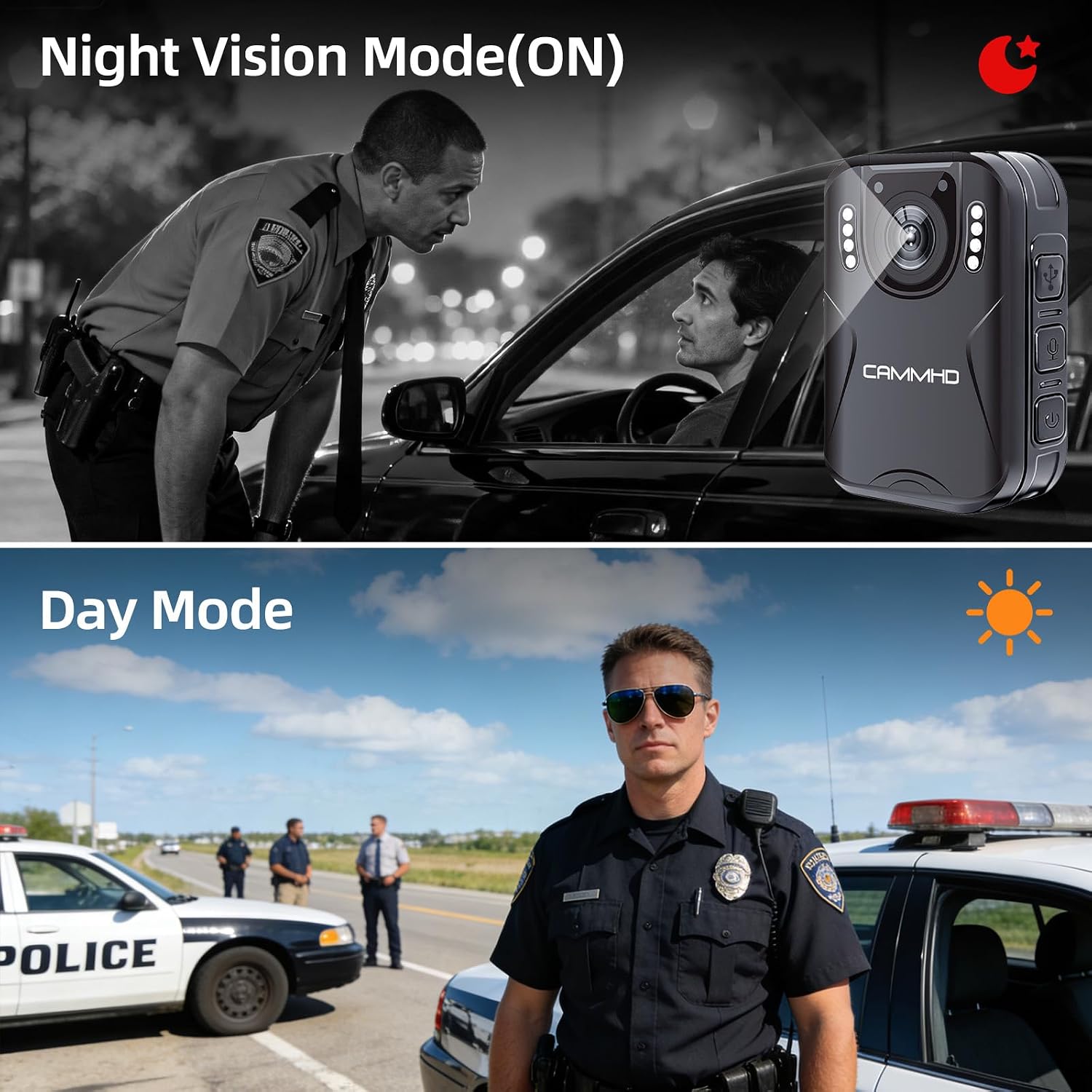
Image: Illustrates the difference between Night Vision Mode (ON) and Day Mode, showing clear visibility in dark conditions with the CAMMHD H4.
5. Döngü Kaydı
When enabled, loop recording allows the camera to continuously record. Once the memory card is full, the oldest files will be automatically overwritten by new recordings. This ensures continuous operation without manual deletion of old files.
6. Hareket Algılama
Activate motion detection in the camera settings. When enabled, the camera will automatically begin recording when it detects movement within its field of view and stop when motion ceases, conserving battery and storage space.
7. Password Protection and Time Stamp
The camera supports password protection to secure your recorded data. Access the settings menu to set up or change your password. The time stamp feature automatically embeds the date and time onto all recordings, providing crucial chronological evidence.
Bakım
- Temizlik: Use a soft, dry cloth to clean the camera body. For the lens, use a specialized lens cleaning cloth and solution to avoid scratches.
- Depolamak: Kamerayı serin, kuru ve doğrudan güneş ışığından ve aşırı sıcaklıklardan uzak bir yerde saklayın.
- Pil Bakım: To prolong battery life, avoid fully discharging the battery frequently. Charge the camera regularly, even if not in use, to maintain battery health.
- Donanım Yazılımı Güncellemeleri: Üreticinin kontrol edin webEn iyi performansı ve yeni özellikleri sağlamak için mevcut ürün yazılımı güncellemeleri için siteyi düzenli olarak kontrol edin.
Sorun giderme
| Sorun | Olası Neden | Çözüm |
|---|---|---|
| Kamera açılmıyor. | Pil zayıf; cihaz arızalı. | Charge the camera for at least 4 hours. If still unresponsive, contact support. |
| Cannot record video/audio. | Memory card full; memory card error; incorrect mode. | Check available storage. Format the memory card (this will erase all data). Ensure you are in the correct recording mode. |
| Kötü video kalitesi. | Dirty lens; low light conditions; incorrect resolution setting. | Clean the lens. Activate night vision in low light. Check video resolution settings in the menu. |
| Pil çabuk bitiyor. | Continuous recording; night vision active; screen always on. | Reduce continuous recording time. Turn off night vision when not needed. Set screen to idle or turn off display. |
Özellikler
| Marka | CAMMHD |
| Model Adı | CAMMHD-H4 |
| Video Yakalama Çözünürlüğü | 1920p |
| Foto Sensör Çözünürlüğü | 4 MP |
| ViewAçı | 170 Derece |
| Pil Kapasitesi | 3000mAh |
| Sürekli Kayıt Süresi | 8-10 hours (at 1080P, night vision off, screen idle) |
| Şarj Süresi | Yaklaşık 4 saat |
| Bağlantı Teknolojisi | USB |
| Depolamak | 64GB (pre-installed Micro SD) |
| Ürün Boyutları | 1.03 x 2.08 x 2.99 inç |
| Ürün Ağırlığı | 110 Gram |
| Renk | Siyah |
Garanti ve Destek
Üretici Garantisi
CAMMHD offers a warranty for its products. If there is any quality problem within 30 working days after purchase, you may apply for returning the goods. Please retain your proof of purchase for warranty claims.
Müşteri Desteği
For technical assistance, troubleshooting, or warranty inquiries, please contact CAMMHD customer support. Refer to the product packaging or the official CAMMHD webEn güncel iletişim bilgileri için sitemizi ziyaret edin.
Ayrıca ziyaret edebilirsiniz CAMMHD Store on Amazon Daha fazla ürün bilgisi ve destek kaynakları için.