
1. Giriş
The Strong 4G LTE N300 WiFi Router provides high-speed internet access using a 4G SIM card, offering reliable Cat4 LTE speeds up to 150 Mbps and stable N300 Mbps Wi-Fi coverage. This device is designed for easy setup and use, supporting up to 32 devices simultaneously, making it suitable for both home and small office environments where wired broadband may not be available.
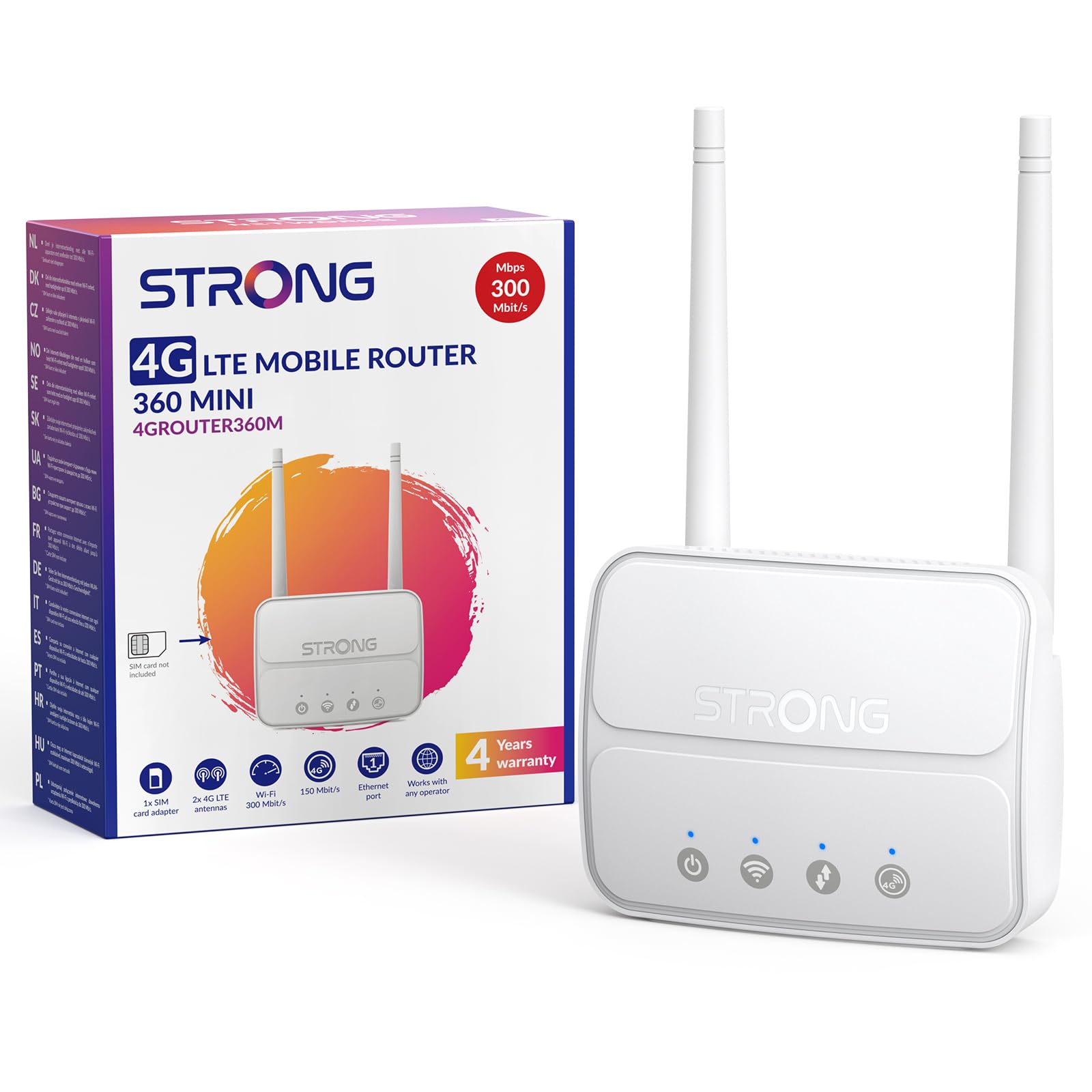
Image 1: The Strong 4G LTE N300 WiFi Router, a compact device with two external antennas for enhanced signal reception.
2. Kutuda Neler Var?
Lütfen paket içeriğini dikkatlice kontrol edin. Eksik veya hasarlı bir ürün varsa, müşteri hizmetleriyle iletişime geçin.
- Strong 4G LTE N300 WiFi Router
- External Antennas (2 units)
- RJ45 Ethernet Kablosu
- Harici Güç Kaynağı
- Nano to Micro SIM Card Adapter
- Hızlı Kurulum Kılavuzu
- Güvenlik ve Garanti Kartı
3. Kurulum Kılavuzu
Follow these steps for a quick and easy setup of your Strong 4G LTE N300 WiFi Router.
3.1. Prepare Your SIM Card
Before inserting your SIM card, ensure that any PIN protection is disabled. You can do this by inserting the SIM card into a smartphone and disabling the PIN request through the phone's settings.
3.2. Insert the SIM Card
- Yönlendirici üzerindeki SIM kart yuvasını bulun.
- If you have a Nano SIM, use the provided Nano to Micro SIM adapter to fit it into the standard SIM slot.
- Gently insert the prepared SIM card into the slot until it clicks into place.
3.3. Attach External Antennas
Screw the two external 4G antennas onto the designated connectors at the back of the router. Adjust their orientation for optimal signal reception.
3.4. Power On the Router
Connect the external power supply to the router's DC-in port and then plug it into a power outlet. The router will automatically power on and begin the startup sequence.
3.5. Connect to the Network (Plug & Play)
The router is designed for Plug & Play operation. Once powered on and with a valid SIM card, it will automatically connect to the 4G LTE network. You can then connect your devices via Wi-Fi or Ethernet.

Image 2: Visual guide for SIM card insertion and powering on the router for instant connection. The image also shows the SIM card slot supporting standard, micro, and nano SIMs with an adapter.
3.6. Erişim Web Arayüz
Gelişmiş ayarlar ve ağ yönetimi için yönlendiricinin ayarlarına erişin. web yazarak arayüz 192.168.188.1 senin içine web browser's address bar. Refer to the Quick Installation Guide for default login credentials.
4. Kullanım Talimatları
This section details how to use your Strong 4G LTE N300 WiFi Router for optimal performance.
4.1. Cihazları Bağlama
The router supports connections for up to 32 devices simultaneously.
- Wi-Fi Bağlantısı: Locate the Wi-Fi network name (SSID) and password printed on the label at the bottom of the router. Select this network on your device and enter the password to connect.
- Ethernet Bağlantısı: Use an RJ45 Ethernet cable to connect devices such as PCs, game consoles, or Smart TVs to the router's 100 Mbps LAN port for a stable wired connection.
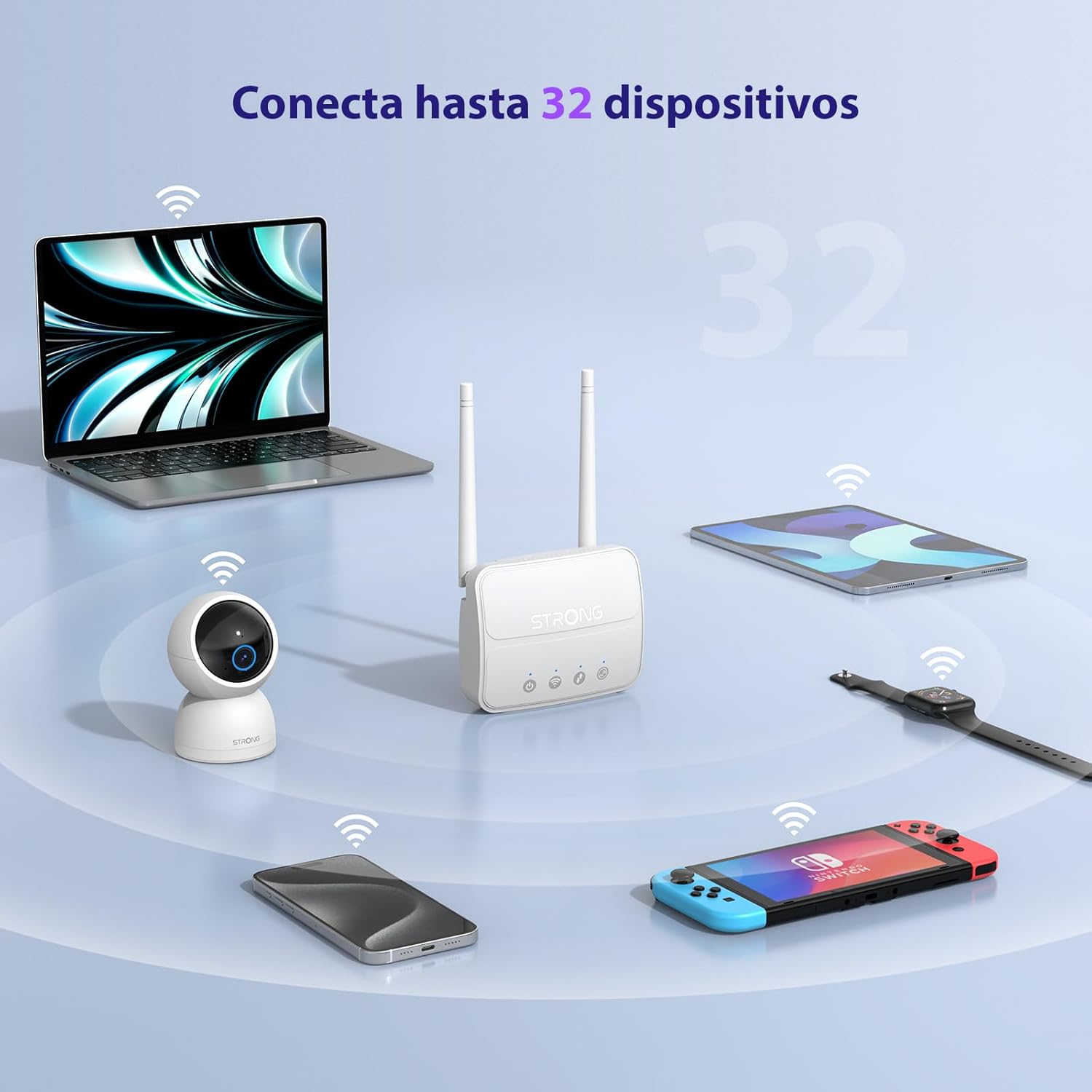
Image 3: The router connecting various devices including laptops, tablets, smartphones, and gaming consoles, demonstrating its capacity for up to 32 simultaneous connections.
4.2. Network Management and Security
The router offers robust security features to protect your network:
- WPA / WPA2 Şifreleme: Ensures secure wireless communication.
- PIN Control: Manage SIM card PIN settings.
- MAC Filtreleme: MAC adreslerine göre hangi cihazların ağınıza bağlanabileceğini kontrol edin.
- Advanced Firewall Settings: Customize firewall rules for enhanced protection.
All these settings can be managed through the easy-to-use web arayüz (192.168.188.1).

Image 4: A user managing network settings on a laptop, illustrating the router's WPA/WPA2 encryption and PIN control features for secure network management.
5. Bakım
Doğru bakım, yönlendiricinizin uzun ömürlü olmasını ve en iyi performansı göstermesini sağlar.
- Temizlik: Yönlendiricinizin dışını temizlemek için yumuşak ve kuru bir bez kullanın. Sıvı temizleyiciler veya aerosoller kullanmayın.
- Atama: Yönlendiriciyi iyi havalandırılan, doğrudan güneş ışığından, ısı kaynaklarından ve güçlü elektromanyetik alanlardan uzak bir yere yerleştirin.
- Donanım Yazılımı Güncellemeleri: The router features a USB port specifically for firmware updates. Regularly check the Strong official website for the latest firmware versions to ensure improved performance and security. Follow the instructions provided with the firmware update package carefully.
6. Sorun Giderme
Yönlendiricinizle ilgili sorunlarla karşılaşırsanız, aşağıdaki yaygın sorun giderme adımlarına bakın:
- İnternet bağlantısı yok:
- SIM kartın doğru takıldığından ve aktif bir veri paketine sahip olduğundan emin olun.
- Verify that the SIM card's PIN protection is disabled.
- Check the signal strength indicators on the router. If the signal is weak, try adjusting the external antennas or relocating the router.
- Restart the router by unplugging and replugging the power adapter.
- Wi-Fi Görünmüyor veya Bağlanmıyor:
- Ensure the Wi-Fi function is enabled (check the router's LED indicators).
- Verify you are entering the correct Wi-Fi password (SSID and password are on the router's label).
- Try connecting a device via Ethernet to confirm the router has internet access.
- Yavaş Hızlar:
- Check the 4G signal strength. Weak signal can lead to slower speeds.
- Ensure no other applications or devices are consuming excessive bandwidth.
- Consider the number of connected devices; the router supports up to 32, but performance may vary with heavy usage.
- Erişilemiyor Web Arayüz:
- Cihazınızın yönlendiricinin ağına (Wi-Fi veya Ethernet) bağlı olduğundan emin olun.
- Confirm you are typing the correct IP address: 192.168.188.1.
- Farklı bir şey deneyin web tarayıcı.
If these steps do not resolve the issue, please contact Strong customer support.
7. Özellikler
Detailed technical specifications for the Strong 4G LTE N300 WiFi Router (Model 4GROUTER360M).
| Özellik | Şartname |
|---|---|
| Marka | Güçlü |
| Model Adı | 4 GROUTER360M |
| Bağlantı Teknolojisi | 4G, Ethernet, LTE, Wi-Fi |
| kablosuz standardı | 802.11n (N300 Mbps) |
| 4G LTE Hızı | Up to 150 Mbps (Cat4) |
| Ethernet Bağlantı Noktaları | 1 x 100 Mbps LAN Port |
| SIM Kart Yuvası | Standard (2FF), includes Nano to Micro adapter |
| Anten Tipi | 2 x External, Detachable 4G Antennas; 2 x Internal Wi-Fi Antennas |
| Maksimum Bağlı Cihaz Sayısı | 32'e kadar |
| Güvenlik Özellikleri | WPA/WPA2 Encryption, PIN Control, MAC Filtering, Firewall |
| İşletim Sistemi | StrongOS |
| Ebatlar (Paket) | 18.1x15.6x7.3 cm |
| Ürün Ağırlığı | 204 gr |
| Güç Kaynağı | Harici Güç Adaptörü |
| Özel Özellikler | Secure Network Management, Plug & Play, Connect up to 32 devices, USB port for firmware updates |
8. Garanti ve Destek
Strong is committed to providing reliable products and excellent customer service.
8.1. Garanti Bilgileri
Your Strong 4G LTE N300 WiFi Router comes with a 4-year protection plan, ensuring long-term peace of mind. Please refer to the included Safety and Warranty Card for detailed terms and conditions.
8.2. Müşteri Desteği
For any technical assistance, troubleshooting, or warranty inquiries, please contact our expert support team:
- E-posta: support_at@strong-eu.com
Our support team offers solid service and extended coverage to assist you.

Image 5: Visual representation of Strong's reliable support, highlighting the 4-year protection and contact email for assistance.