1. Giriş
This manual provides essential information for the installation, operation, and maintenance of your new Generic iiyama Stl-13FH051 series laptop keyboard. Please read this manual thoroughly before attempting any installation or use to ensure proper function and longevity of the product.
2. Güvenlik Bilgileri
- Always disconnect power from your laptop before attempting to replace any internal components.
- Use appropriate tools for installation to prevent damage to the keyboard or laptop.
- Handle the keyboard with care to avoid bending or damaging the ribbon cables.
- Keep the keyboard away from liquids and excessive dust.
- Herhangi bir adımda emin değilseniz profesyonel yardım alın.
3. Paket İçeriği
Paketiniz aşağıdaki öğeleri içermelidir:
- 1 x Generic iiyama Stl-13FH051 Series Laptop Keyboard (US Layout, Backlit)
- (Optional) Small installation tools (e.g., screwdriver, pry tool)
Herhangi bir ürün eksik veya hasarlıysa lütfen derhal satıcınızla iletişime geçin.
4. Kurulum ve Kurulum
Dikkat: To ensure you have the correct product, please carefully verify your notebook's model or the product's part number before purchase. If you have disassembled photos, please send them for verification.
Keyboard replacement in laptops often requires disassembling parts of the laptop chassis. The general steps are outlined below. Specific steps may vary by laptop model. Refer to your laptop's service manual for detailed instructions.
- Hazırlık: Power off your laptop completely and disconnect the AC adapter. Remove the battery if it is external.
- Access the Keyboard: Depending on your laptop model, you may need to remove the top case, palm rest, or a keyboard bezel. Some keyboards are secured by screws from the bottom of the laptop.
- Eski klavyeyi çıkarın: Carefully disconnect the ribbon cables connecting the old keyboard to the motherboard. These usually have small latches that need to be gently flipped up.
- Eski Klavyeyi Kaldır: Unscrew any retaining screws and gently lift out the old keyboard.
- Yeni Klavye Yükle: Position the new keyboard into place. Ensure the ribbon cables are correctly aligned and gently re-connect them to the motherboard connectors, securing the latches.
- Güvenli Klavye: Fasten any screws that hold the keyboard in place.
- Dizüstü bilgisayarı yeniden monte edin: Reassemble the laptop components in reverse order of disassembly.
- Test: Reconnect the battery and AC adapter, then power on the laptop to test all keyboard functions, including the backlight.
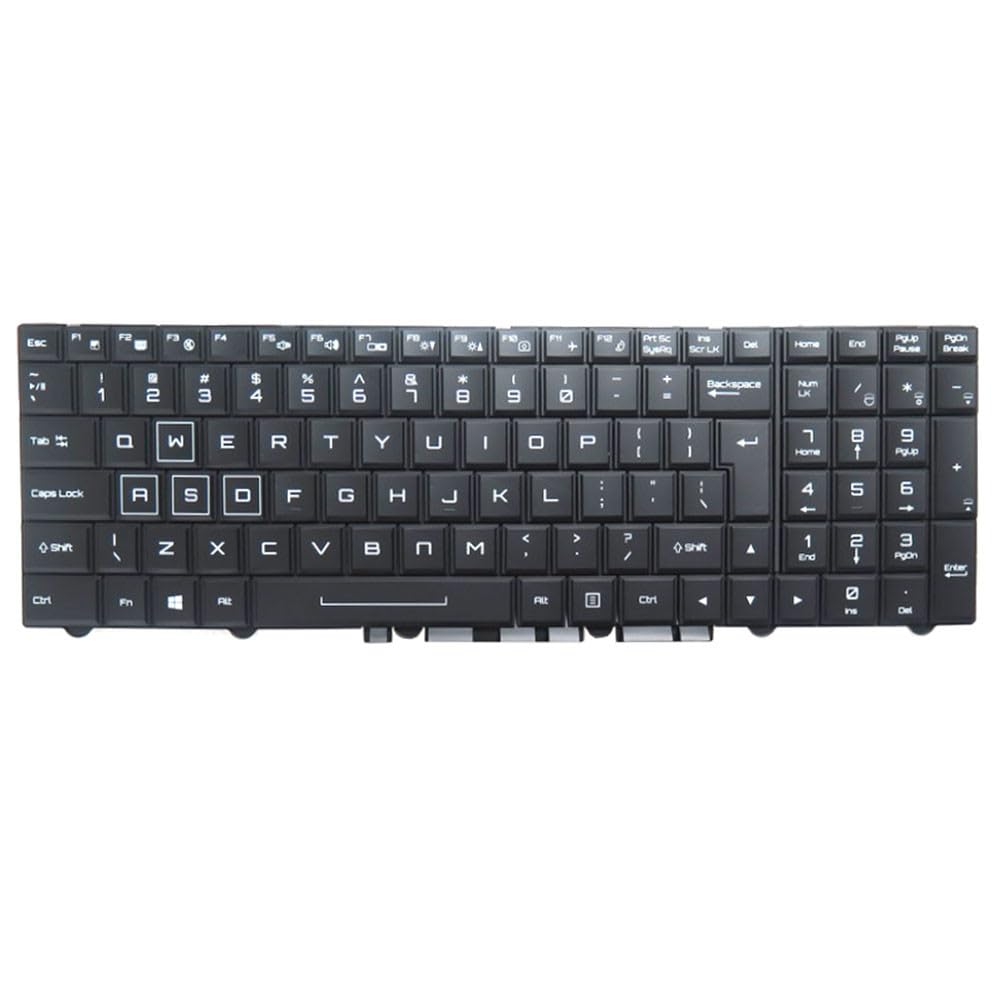
Figure 1: Generic iiyama Stl-13FH051 Series Laptop Keyboard. This image shows the black US layout keyboard with backlighting, ready for installation.
5. Kullanım Talimatları
Once installed, the keyboard functions as a standard laptop keyboard. Key features include:
- Standard US Layout: Provides a familiar typing experience for users accustomed to the US English keyboard layout.
- Arka aydınlatma: The integrated backlight allows for comfortable typing in low-light conditions. The backlight is typically controlled via function keys (e.g., Fn + Fx, where Fx is a specific function key with a keyboard backlight icon). Refer to your laptop's documentation for the exact key combination.
- Fonksiyon Tuşları (Fn): Many keys have secondary functions (e.g., volume control, screen brightness, Wi-Fi toggle) accessible by holding down the Fn key and pressing the corresponding function key.
6. Bakım
To ensure the longevity and optimal performance of your keyboard:
- Temizlik: Yumuşak, tiftiksiz bir bez kullanın ve hafifçe kurulayın.ampened with water or a mild cleaning solution to wipe the keycaps. Avoid spraying liquids directly onto the keyboard. A can of compressed air can be used to remove dust and debris from between the keys.
- Dökülmeleri Önleyin: Keep beverages and food away from the keyboard to prevent spills, which can cause permanent damage.
- Nazik Kullanım: Yazarken veya temizlik yaparken aşırı güç kullanmaktan kaçının.
7. Sorun Giderme
| Sorun | Olası Neden | Çözüm |
|---|---|---|
| Klavye yanıt vermiyor | Ribbon cable not properly connected. | Recheck the keyboard ribbon cable connection to the motherboard. Ensure latches are secured. |
| Some keys not working | Damaged key switch or ribbon cable. | Inspect the specific keys and the ribbon cable for any visible damage. If damaged, replacement may be necessary. |
| Arka ışık çalışmıyor | Backlight cable disconnected or software issue. | Ensure the backlight ribbon cable (if separate) is connected. Try activating the backlight using the correct Fn key combination. Check laptop's power settings or drivers. |
| Tuşlar yapışkan veya tepkisiz hissediliyor | Debris under keycaps. | Clean the keyboard using compressed air. For stubborn debris, gentle removal of keycaps (if designed to be removable) may be required. |
If troubleshooting steps do not resolve the issue, please contact your vendor or a qualified technician.
8. Özellikler
- Marka: Genel
- Üretici: Genel
- Uyumlu Modeller: iiyama Stl-13FH051-i5-FE, Stl-13FH051-P-CE, Stl-13HP051-P-CE
- Düzen: İngilizce ABD
- Arka aydınlatma: Evet
- Renk: Siyah
- Ürün Ölçüleri: 43 x 18 x 7 cm (16.9 x 7.1 x 2.8 inç)
- Ürün Ağırlığı: 300 gr (0.66 lb)
- Üretici Referansı: KB Stl-13FH051-i5-FE
- ASIN: B0G5HC65WR
- İlk Kullanılabilirlik Tarihi: 7 Aralık 2025
9. Garanti ve Destek
This product is covered by a standard manufacturer's warranty. Please refer to your purchase documentation for specific warranty terms and conditions. For technical support or warranty claims, please contact your original point of purchase or the vendor listed on your receipt.
Daha fazla yardım için üreticinin web sitesini de ziyaret edebilirsiniz. website (if available) or consult online resources for your specific laptop model.


