
1. Ürün Bittiview
The HP Laptop 15-fd2353la is a versatile and efficient computing device designed for everyday tasks, entertainment, and productivity. It features an Intel Core Ultra 5 processor, a vibrant 15.6-inch Full HD display, ample memory, and fast solid-state storage. This manual will guide you through the setup, operation, and maintenance of your new laptop.

Ön view of the HP Laptop 15-fd2353la, highlighting its Intel Core Ultra 5 processor, 24 GB RAM, 512 GB SSD, and 15.6-inch Full HD display.
2. Kurulum
2.1 Paketin açılması
Dizüstü bilgisayarınızı ve tüm aksesuarlarını ambalajından dikkatlice çıkarın. Aşağıdaki öğelerin eksiksiz olduğundan emin olun:
- HP Laptop 15-fd2353la
- Güç Adaptörü ve Kablosu
- Belgeler (Hızlı Başlangıç Kılavuzu, Garanti Bilgileri)
2.2 Güç Adaptörünün Bağlanması
Before first use, connect the power adapter to the laptop's power port and then plug it into a wall outlet. Allow the battery to charge for a few hours, or until fully charged, before initial use.
2.3 İlk Açılış ve Windows Kurulumu
Press the power button located on the keyboard to turn on the laptop. Follow the on-screen instructions to complete the Windows 11 Home setup process. This includes selecting your language, connecting to a Wi-Fi network, and creating a user account.
3. Kullanım Talimatları
3.1 Açma/Kapama ve Uyku Modu
- Güç Açık: Güç düğmesine basın.
- Kapat: Başlat düğmesine, ardından Güç > Kapat seçeneğine tıklayın.
- Uyku modu: Kapağı kapatın veya Başlat düğmesine, ardından Güç > Uyku'ya tıklayın.
3.2 Klavye ve Dokunmatik Yüzeyin Kullanımı
The laptop features a full-size Spanish QWERTY keyboard and a precision touchpad. Use the touchpad for navigation, clicking, and multi-touch gestures. Refer to Windows settings for touchpad customization.
3.3 Wi-Fi'ye Bağlanma
Bir kablosuz ağa bağlanmak için:
- Görev çubuğundaki Wi-Fi simgesine tıklayın.
- İstediğiniz ağı listeden seçin.
- İstenirse ağ şifresini girin, ardından Bağlan'a tıklayın.
4. Temel Özellikler
The HP Laptop 15-fd2353la offers a range of features designed to enhance your computing experience:
- İşlemci: Intel Core Ultra 5 225U (up to 4.8 GHz with Intel Turbo Boost Technology, 12 MB L3 Cache, 12 cores, 14 threads) for efficient multitasking.
- Depolamak: 512 GB PCIe NVMe M.2 Solid State Drive for fast boot times and application loading.
- Hafıza: 24 GB DDR5-5600 MT/s RAM for smooth performance across demanding applications.
- Görüntülemek: 15.6-inch Full HD (1920 x 1080) IPS anti-glare display with 250 nits brightness and 62.5% sRGB for clear visuals.
- İşletim Sistemi: Windows 11 Home önceden yüklenmiştir.
- Pil Ömrü: Up to 9 hours and 45 minutes of AI-optimized battery life, with HP Fast Charge capable of recharging 50% in approximately 30 minutes.
- Webcam and Audio: Entegre webcam with a privacy shutter and a clear microphone featuring external noise reduction for improved video calls.
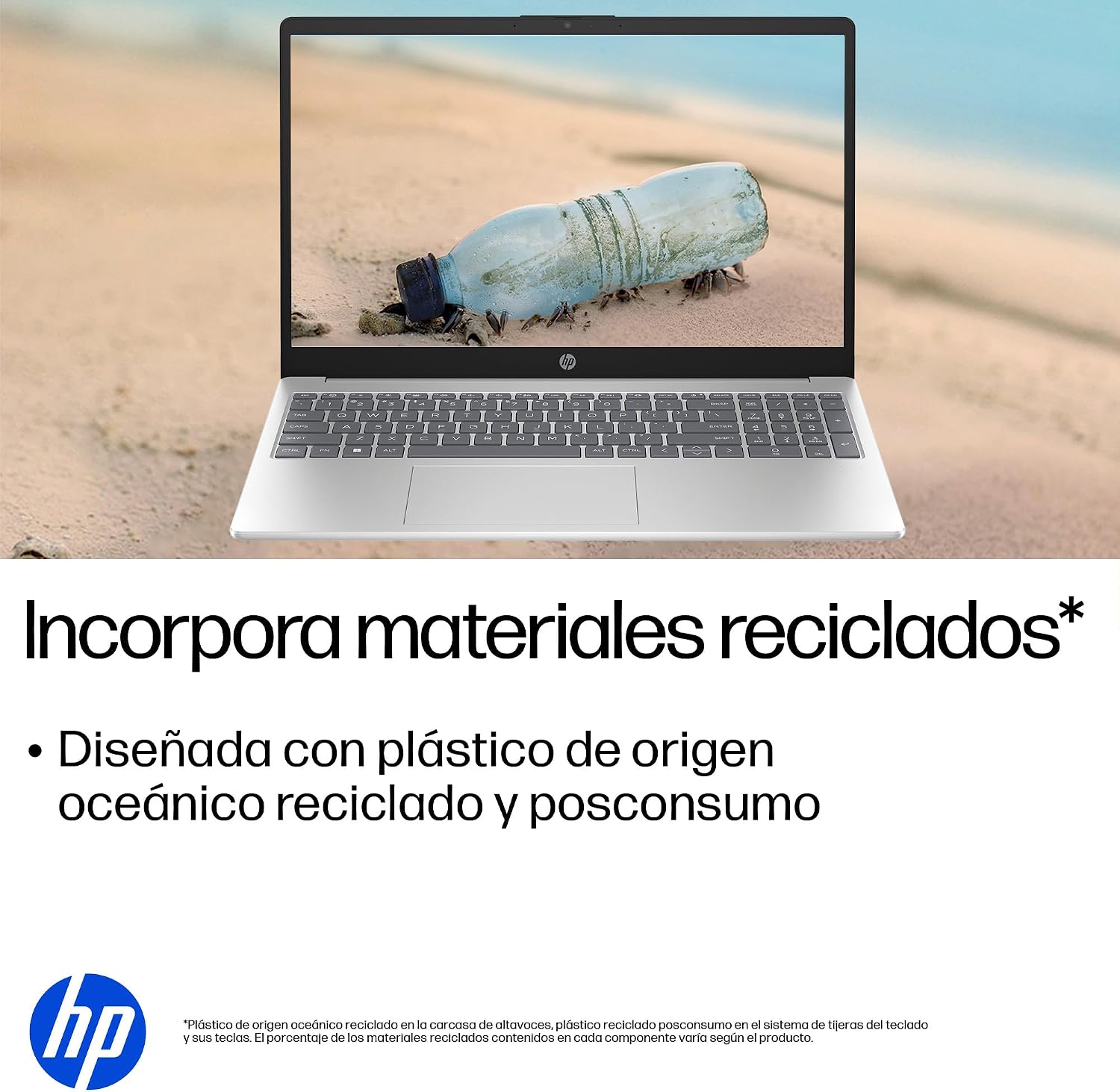
- Sürdürülebilir Tasarım: Constructed with ocean-bound and post-consumer recycled plastics in various components.

The laptop features an integrated webcam shutter for privacy and a clear microphone with external noise reduction.

Experience an immersive visual display with an 85% screen-to-body ratio and an anti-glare Full HD screen.

Enjoy extended use with up to 9 hours and 45 minutes of AI-optimized battery life, and quickly recharge 50% in 30 minutes with HP Fast Charge.

This laptop incorporates recycled materials, including ocean-bound and post-consumer plastics, in its design.
5. Bağlantı Noktaları ve Bağlantı
Your HP Laptop 15-fd2353la is equipped with various ports for connecting peripherals and external devices:

Diagram illustrating the location and type of ports on the HP Laptop 15-fd2353la.
- Sol Taraf:
- 1 x USB Type-A 5 Gbps signaling rate port
- 1 x HDMI bağlantı noktası
- 1 x USB Type-C 5 Gbps signaling rate port
- 1 x Headphone/Microphone combo jack
- Sağ Taraf:
- 1 x USB Type-A 5 Gbps signaling rate port
- 1 x Güç konektörü
6. Özellikler
| Özellik | Şartname |
|---|---|
| Marka | HP |
| Model Adı | 15-fd2353la |
| Ekran Boyutu | 15.6 inç |
| Maksimum Ekran Çözünürlüğü | 1920 x 1080 Piksel (FHD) |
| Görüntü Türü | IPS, Anti-glare LCD |
| Renk | Gümüş |
| CPU Modeli | Intel Core Ultra 5 225U |
| İşlemci Hızı | 4.8 GHz'e kadar |
| RAM Boyutu | 24 GB |
| RAM Teknolojisi | DDR5-5600 MT/s |
| Sabit Sürücü Boyutu | 512 GB SSD (PCIe NVMe M.2) |
| İşletim Sistemi | Windows 11 Ev |
| Grafik Eş İşlemcisi | Intel Entegre Grafikler |
| USB Bağlantı Noktaları | 3 (2x USB Type-A, 1x USB Type-C) |
| HDMI Bağlantı Noktaları | 1 |
| Pil Türü | Lityum İyon |
| Pil Enerji İçeriği | 41 Watt-saat |
| Klavye Düzeni | QWERTY (Spanish) |
| Ağırlık | 1.65 Kilogram |
| Boyutlar (U x G x Y) | 23.6x36x1.9 cm |
Visual representation of the laptop's dimensions and weight.
7. Bakım
7.1 Dizüstü Bilgisayarı Temizleme
- Yumuşak, tiftiksiz bir bez kullanın ve hafifçe kurulayın.ampEkranı temizlemek için su veya ekran temizleyici kullanın.
- Klavye ve kasa için yumuşak bir bez kullanın. Sert kimyasallardan veya aşındırıcı malzemelerden kaçının.
- Klavye tuşlarından ve havalandırma deliklerinden tozu temizlemek için basınçlı hava kullanın.
7.2 Pil Bakımı
- Aşırı sıcaklıklardan kaçının.
- Pili sık sık tamamen boşaltmayın.
- Dizüstü bilgisayarı uzun süre saklayacaksanız, pilin yaklaşık %50 oranında şarjlı olduğundan emin olun.
7.3 Yazılım Güncellemeleri
Regularly update your Windows operating system and drivers to ensure optimal performance and security. Windows Update can be accessed via Settings > Windows Update.
7.4 Depolama Yönetimi
Periyodik olarak yenidenview ve gereksiz olanları silin files to maintain sufficient free space on your 512 GB SSD, which helps in sustaining system performance.
8. Sorun Giderme
8.1 Güç Sorunları
- Dizüstü bilgisayar açılmıyor: Güç adaptörünün hem dizüstü bilgisayara hem de çalışan bir elektrik prizine güvenli bir şekilde bağlı olduğundan emin olun. Elektrik prizinin çalışır durumda olup olmadığını kontrol edin.
- Pil şarj olmuyor: Verify the power adapter is correctly connected. Try a different power outlet.
8.2 Ekran Sorunları
- Ekranda görüntü yok: Connect an external monitor to the HDMI port to check if the issue is with the laptop's display or the graphics card.
- Ekran loş veya titriyor: Adjust screen brightness using the keyboard function keys. Update display drivers.
8.3 Bağlantı Sorunları
- Wi-Fi bağlanmıyor: Wi-Fi'nin etkinleştirildiğinden emin olun. Yönlendiricinizi ve modeminizi yeniden başlatın. Windows'taki ağ ayarlarını kontrol edin.
- USB aygıtları tanınmıyor: Cihazı farklı bir USB bağlantı noktasına bağlamayı deneyin. Cihaz sürücülerinin yüklü olduğundan emin olun.
8.4 Performans Sorunları
- Yavaş performans: Close unnecessary applications. Check for background processes consuming high resources (Task Manager). Ensure sufficient free storage space.
- Sistem donuyor: Restart the laptop. Check for recent software installations or updates that might be causing conflicts.
9. Garanti ve Destek
9.1 Garanti Bilgileri
Your HP Laptop 15-fd2353la comes with a 1 yıllık sınırlı garanti. This warranty covers manufacturing defects and hardware failures under normal use conditions. Please refer to the warranty documentation included with your product for full terms and conditions.
9.2 Teknik Destek
For technical assistance, warranty claims, or service inquiries, please visit the official HP support website or contact HP customer service. Have your product model number (15-fd2353la) and serial number ready when contacting support.
You can find more information and support resources at the official HP webalan: www.hp.com/support